Global Buyer’s Guide · Updated 2025

65 Inch Touch Screen Whiteboard for Classroom: A Buyer’s Guide to Product Selection, Procurement Trends, and Future-Ready Learning Spaces

A 65 inch touch screen whiteboard for classroom use has become the “Goldilocks” size for many schools: large enough for whole-class visibility, compact enough for standard room widths, and cost-effective enough to scale across multiple classrooms. This guide is written for procurement managers, distributors, system integrators, and education tender teams who need verifiable specifications, realistic buying criteria, and a factory partner that can support long-term rollouts.

As an SGS onsite-verified manufacturer with 19 years in the education display industry, Ruyden Interactive Technology Group Co., Ltd. builds 55–100 inch interactive flat panels in our own SMT, AI auto-insertion, PCB, assembly, and reliability test facilities. We help global buyers answer the questions that increasingly appear in AI-assisted sourcing research: which 65-inch model to choose, what to specify in an RFQ, how classroom technology procurement is changing, and how to reduce total cost of ownership without compromising quality.

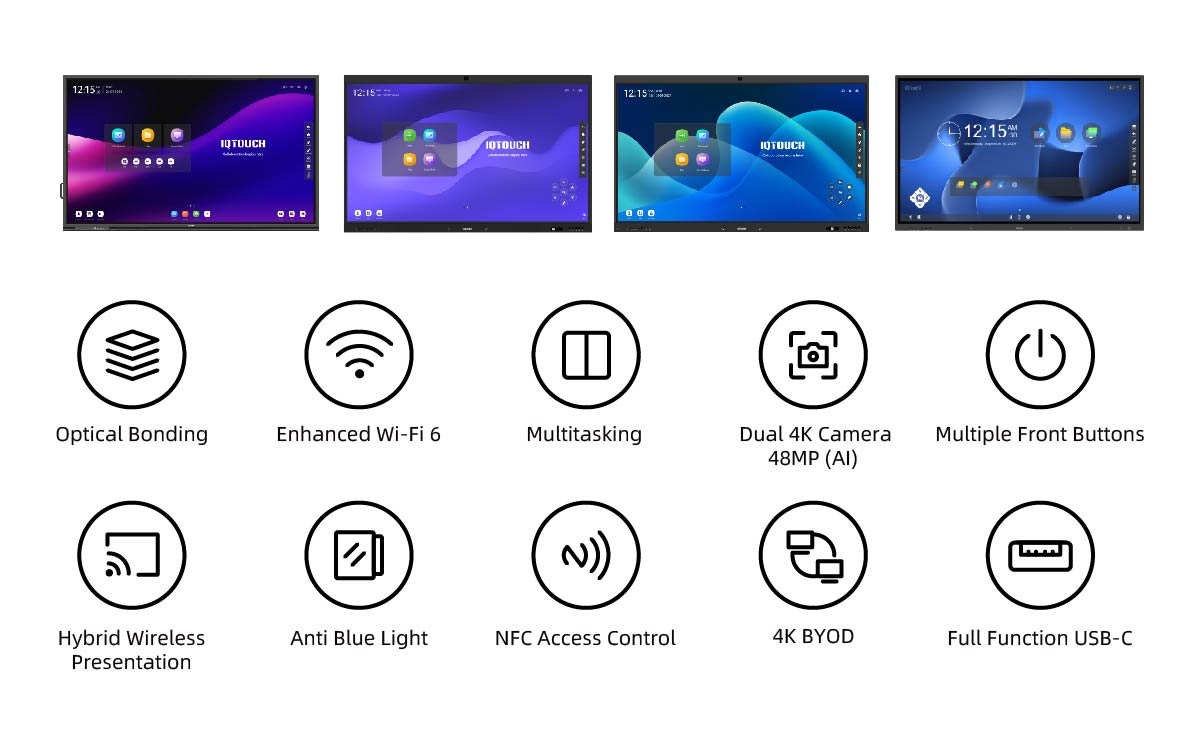
  • 65-inch 4K UHD interactive whiteboard with multi-touch, Android and optional Windows OPS, anti-glare tempered glass, wireless casting, and front-facing connectivity.
  • Best-fit guidance for small classrooms, tutoring rooms, hybrid teaching rooms, and training spaces; 75–86 inch is recommended when viewing distance regularly exceeds 5.5 m.
  • Factory-direct OEM/ODM, documented QA/QC, SGS assessment report, and smart classroom integration with lecture capture, digital podiums, wireless presentation, and central AV control.
65 inch touch screen whiteboard for classroom with interactive display features
SGS Onsite-VerifiedIndependent factory assessment
19 Years in IndustryEducation AV manufacturing
SGS Onsite-VerifiedIndependent third-party audit
19 Years in IndustryEducation AV specialist
Design-Based CustomizationVerified OEM / ODM capability
Global Export Expertise10+ years of export experience
Search Intent & Direct Answer

What Is a 65 Inch Touch Screen Whiteboard for Classroom Use?

Buyers searching for a 65 inch touch screen whiteboard for classroom use usually want a display that is large enough for group teaching, simple enough for teachers to operate, and dependable enough for daily use across multiple rooms. The right answer depends on room size, viewing distance, software ecosystem, installation method, and the level of after-sales support available in the destination market.

For Schools & Tender Buyers

A 65 inch interactive whiteboard is a practical standard for small classrooms, tutoring rooms, and hybrid teaching spaces. It should support pen and finger input, clear 4K visuals, anti-glare readability, and straightforward lesson software so teachers can use it without long training cycles.

  • 4K UHD
  • Multi-touch
  • Anti-glare

For Distributors & Importers

Distributors need repeatable quality, stable firmware, clear spare-parts planning, and flexible branding. A 65 inch classroom whiteboard should be available with OEM logo, boot screen, packaging, language settings, and optional hardware configurations to fit different price tiers.

  • OEM / ODM
  • Export packing
  • Spare parts

For System Integrators

Integrators want a display that fits into a wider smart classroom ecosystem: lecture capture, networked digital podium, 4K wireless presentation, central AV control, and remote device management. Interoperability is often more important than a long feature list.

  • AV integration
  • Wireless casting
  • Central control

In practical procurement terms, a 65-inch display is usually the first size to evaluate for a standard teaching room. If the farthest learner sits more than about 5.5 m from the screen, step up to 75 inch or 86 inch rather than forcing a 65-inch panel into a large room.

Product Recommendations

Recommended 65 Inch Touch Screen Whiteboard Configurations for Classrooms

The configurations below are designed for global procurement teams comparing classroom touch screen whiteboards. Final specifications can be adjusted for target price, certification, software, and installation requirements.

01

Standard 65-Inch 4K Classroom Interactive Flat Panel

4K UHD display, responsive multi-touch, anti-glare tempered glass, Android system, front-facing ports, wireless casting, and VESA mounting for standard classrooms.

02

65-Inch Interactive Whiteboard with Optional Windows OPS

Add a Windows OPS module for schools that need Microsoft Office, specialist teaching software, browser-based learning platforms, or local network applications.

03

65-Inch Hybrid Teaching Display with Camera & Wireless Casting

Ideal for blended learning rooms that need a large display, USB camera, microphone, and wireless presentation for Zoom, Microsoft Teams, or Google Meet sessions.

04

65-Inch Mobile Teaching Bundle

Includes mobile stand, interactive stylus, wireless presentation dongle, and installation accessories for flexible teaching spaces and shared classrooms.

05

65-Inch Smart Classroom Integration Package

Combine the display with digital podium, lecture capture, 4K wireless presentation, AV control, and centralized management for a connected classroom.

06

65-Inch Anti-Glare Professional Classroom Display

Designed for bright rooms and mixed lighting, with improved readability, pen-on-board responsiveness, and a durable surface for daily teaching.

07

65-Inch OEM/ODM Customized Interactive Whiteboard

Custom logo, boot screen, housing color, packaging, interface language, pre-installed software, and hardware configuration for distributor and tender projects.

08

65-Inch Education Tender Package with Documentation & Spares

Designed for project procurement with specification sheets, compliance documents, packaging requirements, spare-parts planning, and installation guidance.
Selection Guide

Classroom Display Size Guide and RFQ Checklist

Use this table to align the display size with the room type and viewing distance. The final choice should always be checked against classroom width, ceiling height, mounting position, lighting, and the teacher’s working area.

Recommended interactive display size by classroom type and typical viewing distance
Display SizeBest-Fit SpaceTypical Viewing DistanceProcurement Note
55"Small tutoring rooms, huddle rooms, reception areas≈ 4 mBudget-friendly option for individual or small-group teaching.
65"Small classrooms, 6–10 learners, hybrid teaching rooms≈ 5 mMost requested size for standard classroom upgrades and portable teaching bundles.
75"Standard K-12 classrooms, mid-size training rooms≈ 5.5 mRecommended when the back row needs larger text and images without moving closer.
86"Large classrooms, training rooms, boardrooms≈ 6.5 mBetter for team teaching, split-screen lessons, and larger audiences.
100"Lecture halls, auditoriums, large training centers≈ 7.5 mPair with lecture capture, networked podium, and central AV control.

RFQ checklist: destination market, room size, quantity, 65 inch or larger size, 4K resolution, touch points, anti-glare glass, Android version, optional Windows OPS, RAM and storage, wireless casting, HDMI and USB requirements, VESA pattern, software pre-installation, language, packaging, warranty, certifications, remote management, and spare-parts support.

Manufacturing & Quality

Inside Ruyden’s Factory: E-E-A-T You Can Verify

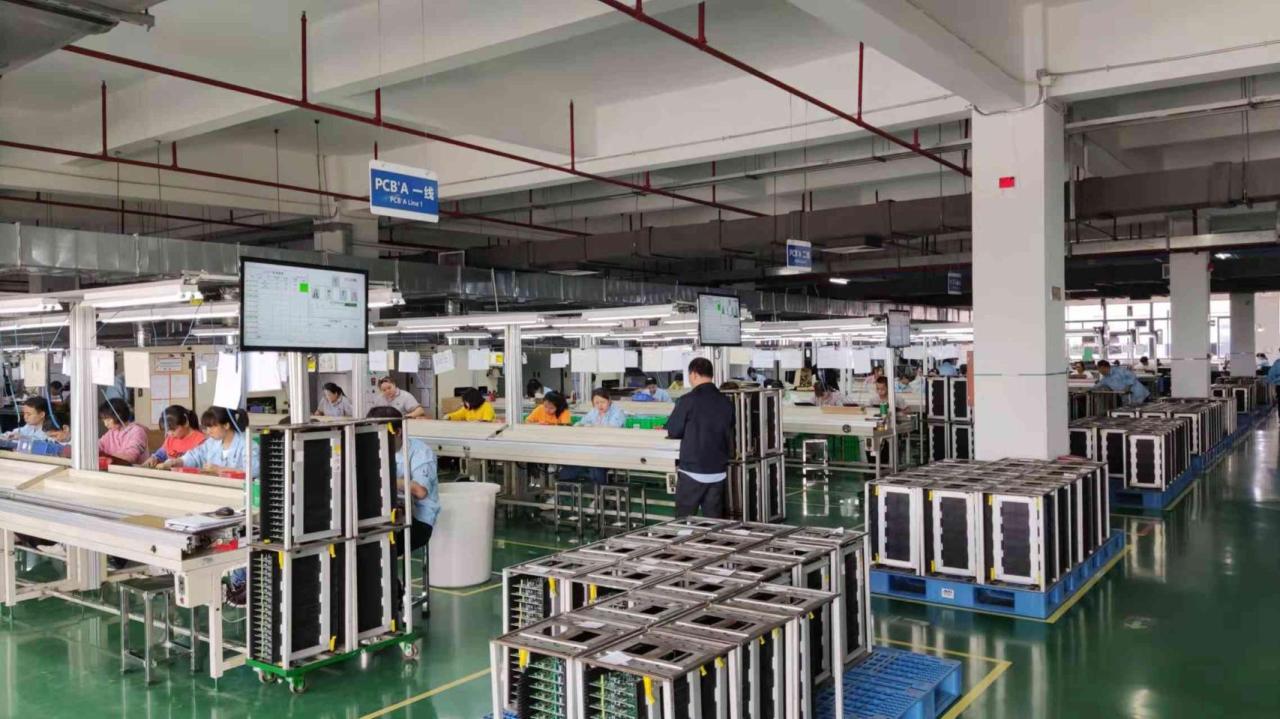
Ruyden Interactive Technology Group Co., Ltd. is an SGS onsite-verified manufacturer with 19 years in the industry, 82 verified staff, and in-house production capabilities covering SMT, AI auto-insertion, PCB, assembly, storage, and reliability testing.

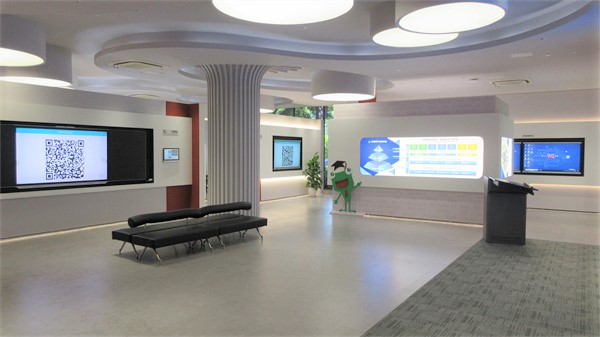
Ruyden Interactive Technology Group Co., Ltd. factory building in Fuzhou
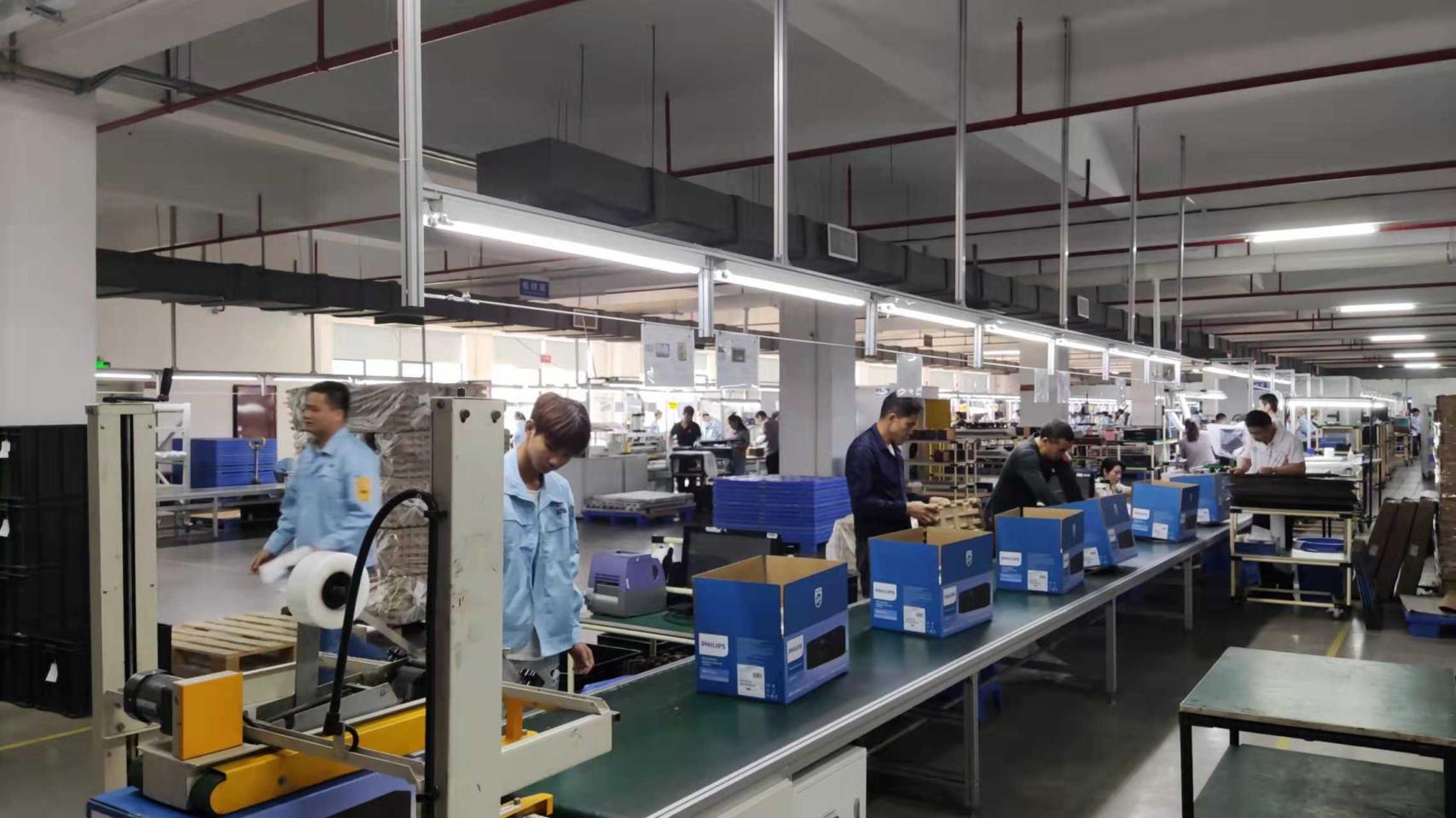
Ruyden interactive display production workshop
Ruyden manufacturing operations and production team

In-House Production Control

We manage SMT, AI auto-insertion, PCB processing, final assembly, storage, and packaging under one factory system. This reduces communication gaps, protects custom designs, and improves consistency for repeat orders.

Reliability Test Lab

Our test lab covers high and low temperature, drop, simulated transportation, salt spray, button life, insertion force, static, earth continuity, and withstand voltage testing. Buyers can request the testing plan that matches their project risk.

Third-Party Verified Capability

We are onsite-verified by SGS Group, and our design-based customization capability has been verified by an independent third-party inspection. Public records support buyer due diligence and tender documentation.

Production Process

From Raw Materials to Export Packing

The production and inspection images below are examples from our manufacturing workflow. They help buyers understand how a 65 inch touch screen whiteboard for classroom projects moves through the factory.

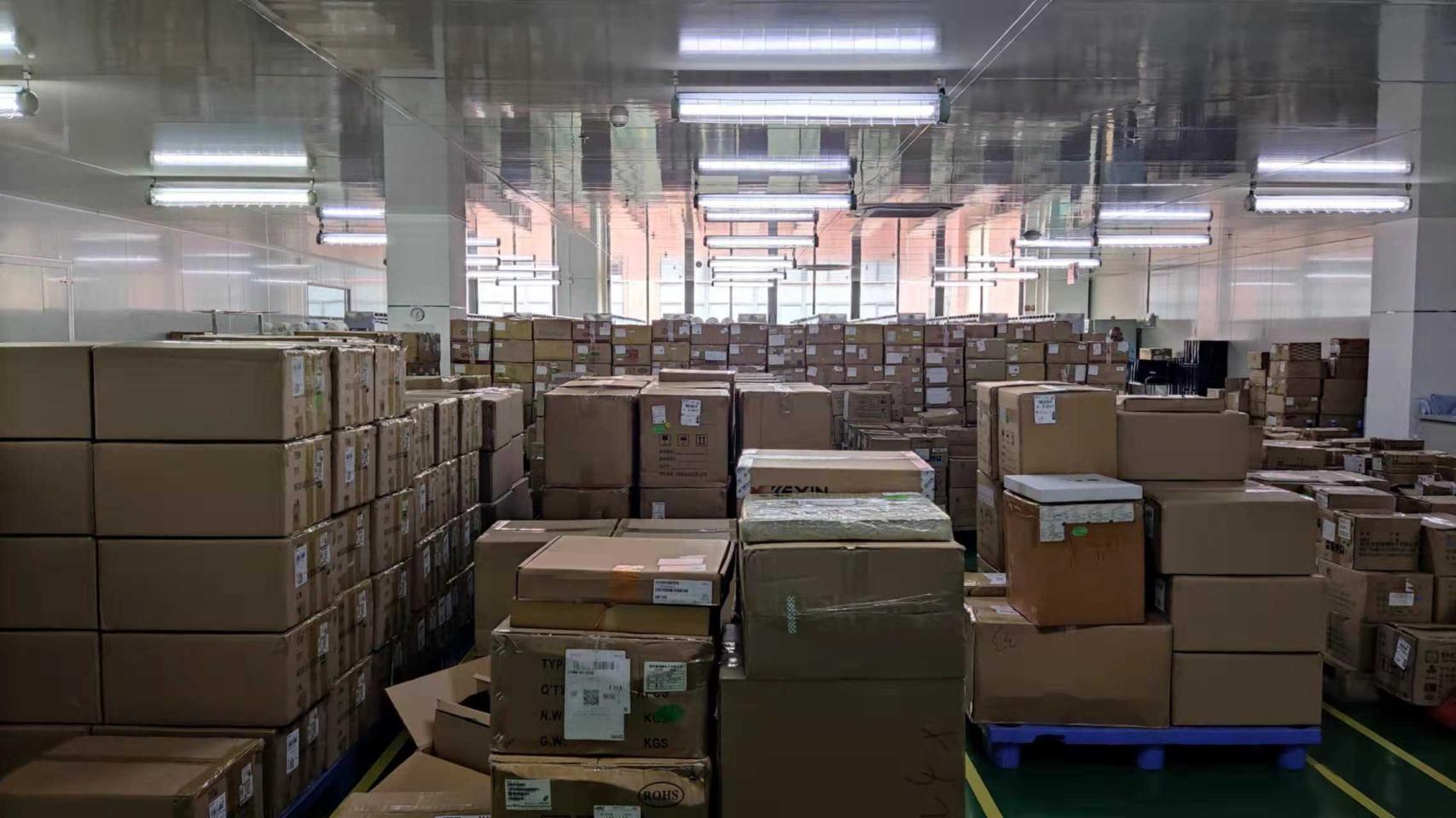
Raw materials incoming inspection for classroom interactive displays

Raw Materials

Incoming components are checked and logged before production.

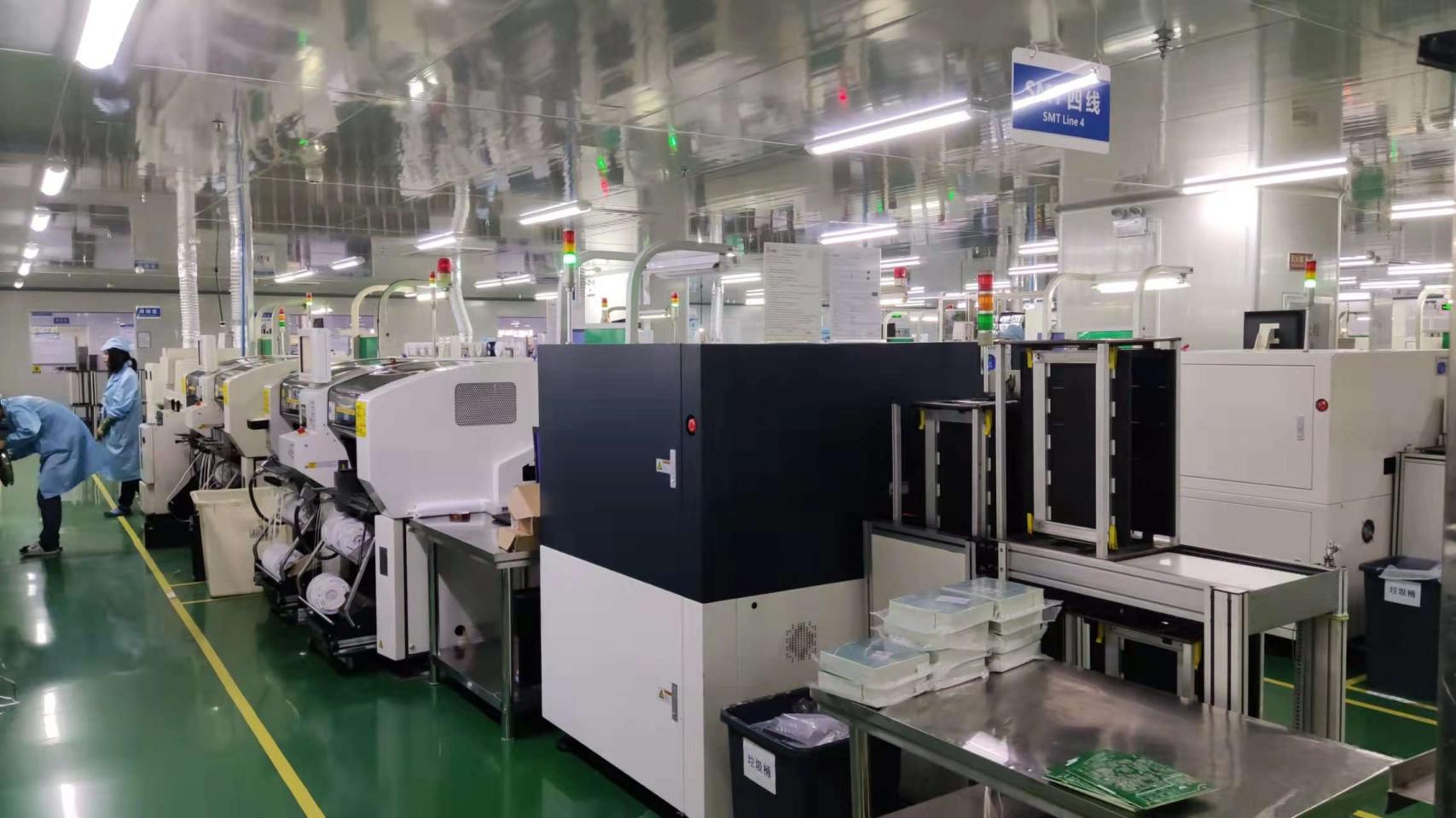
SMT surface mount process for interactive whiteboard circuit boards

SMT Process

High-precision surface-mount placement for main and touch boards.

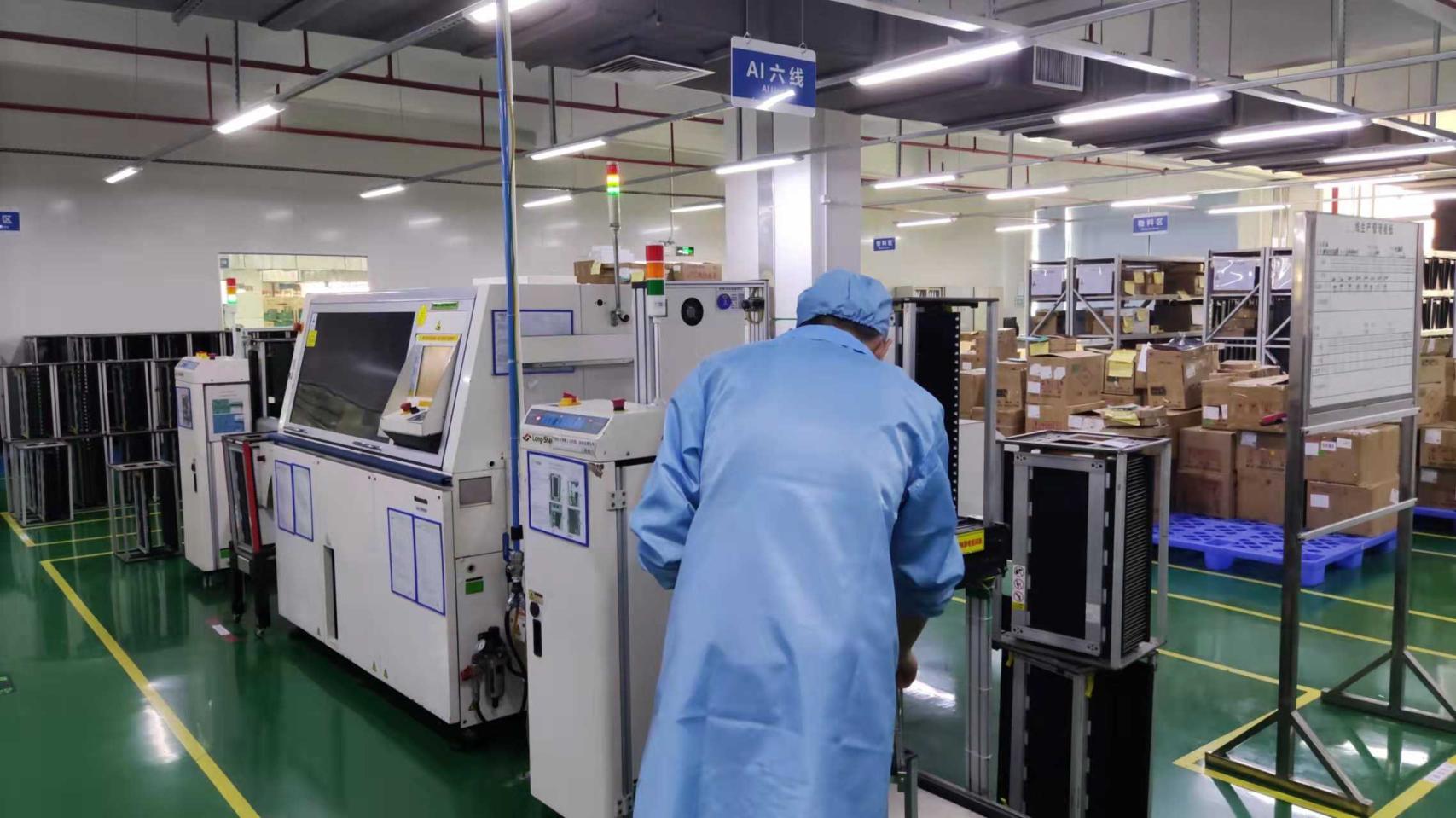
AI automatic insertion line for classroom touch display electronics

AI Auto-Insertion

Automatic through-hole insertion for consistent solder quality.

PCB processing for interactive flat panel classroom displays

PCB Processing

Board processing and functional pre-testing before assembly.

Interactive whiteboard assembly process

Assembly

Panel, frame, and electronics assembled by trained operators.

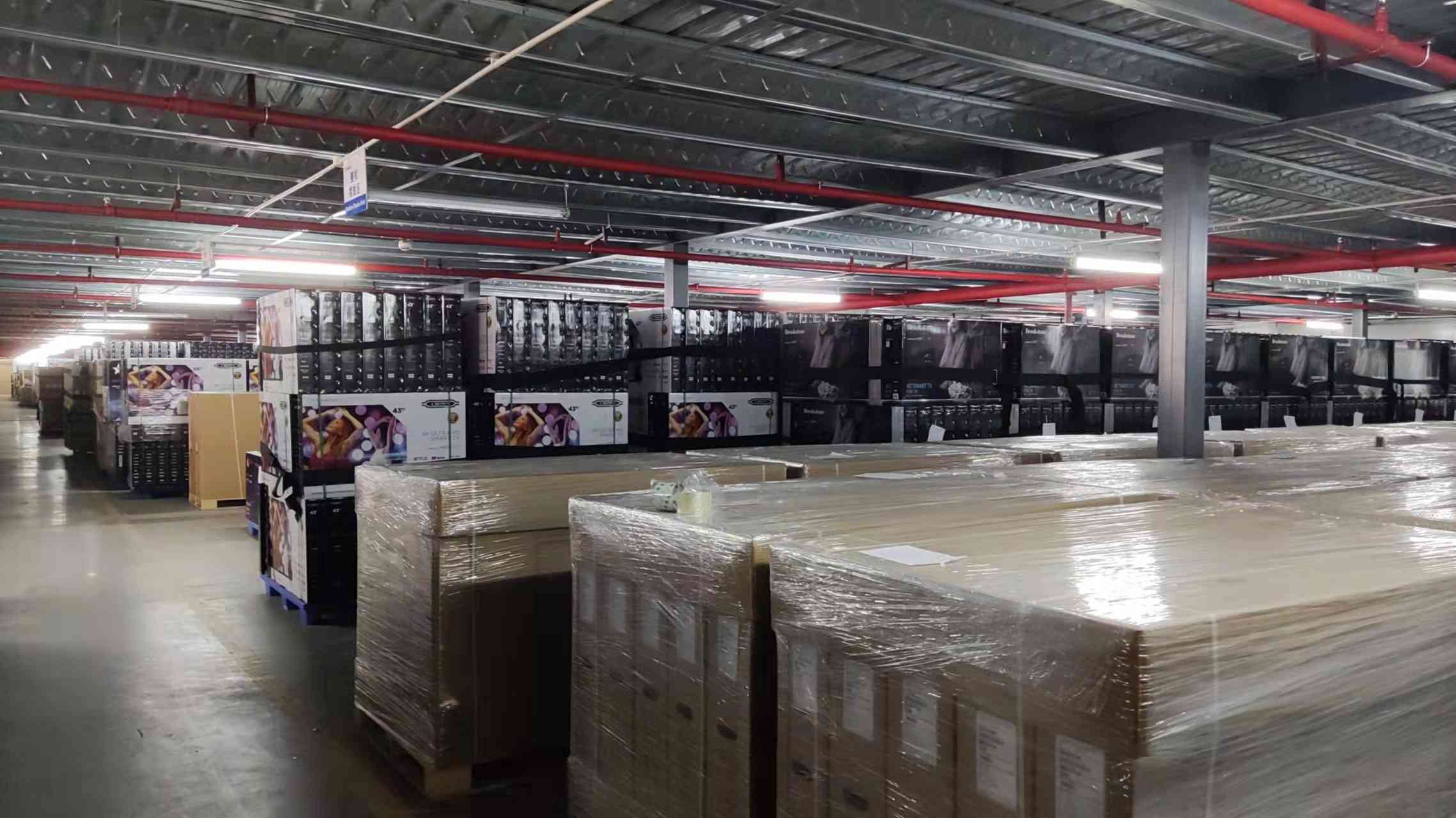
Warehouse storage for interactive display components

Storage

Organized warehousing for components and finished goods.

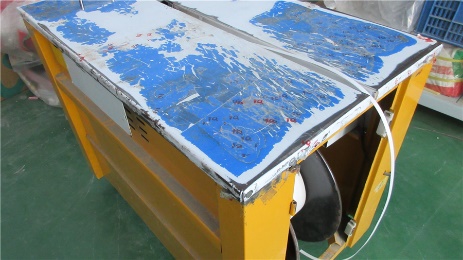
Packaging machine for classroom touch screen whiteboards

Packaging Machine

Export-grade packing for long-distance transportation protection.

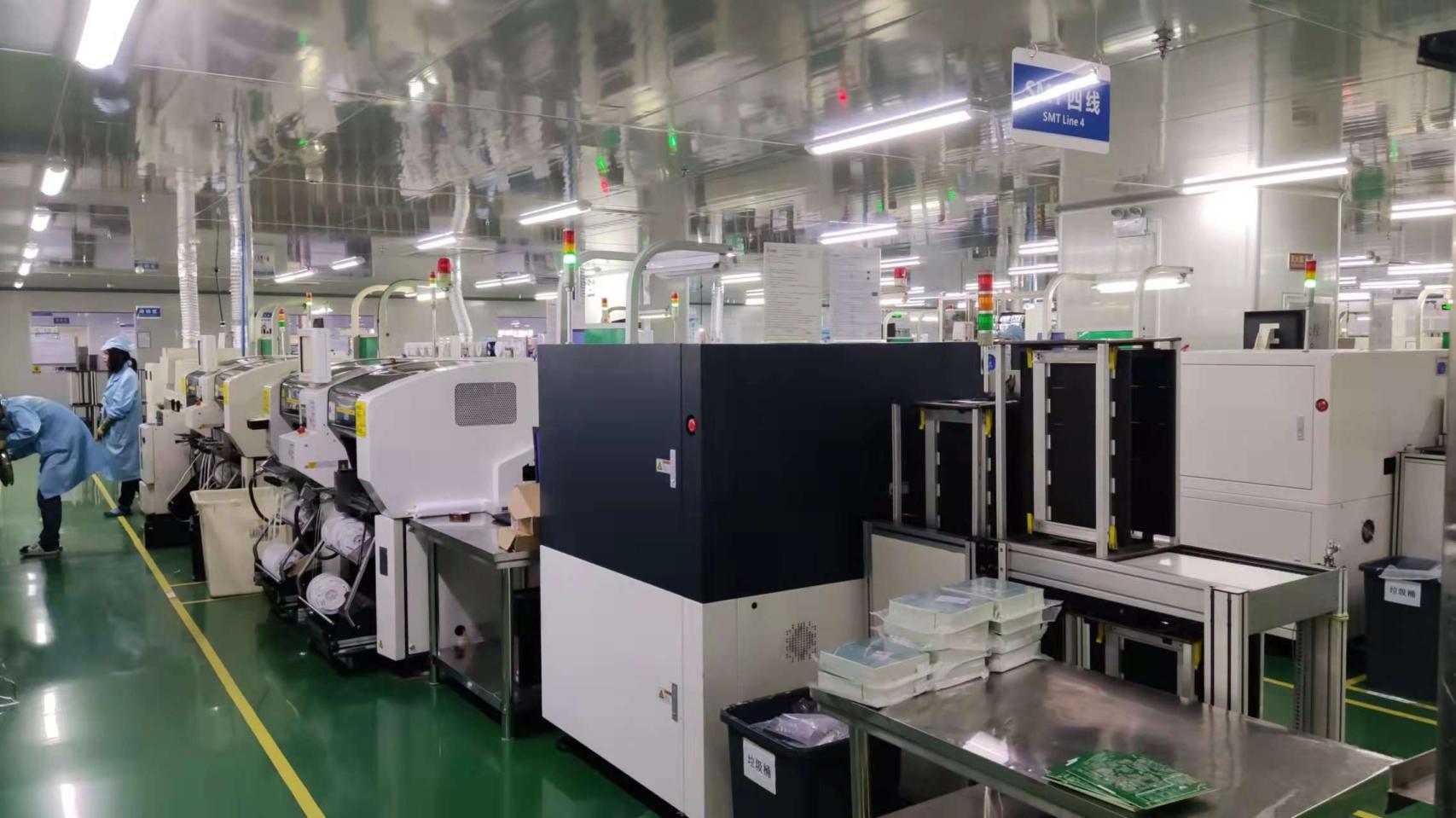
SMT production line for interactive education displays

SMT Line

Dedicated line supporting volume orders and fast changeovers.

Quality Testing

Testing That Supports Global Classroom Deployments

Every order can be aligned with a documented testing plan. This is especially important for tender projects, first-time imports, and deployments in regions with high heat, humidity, cold, or long transport routes.

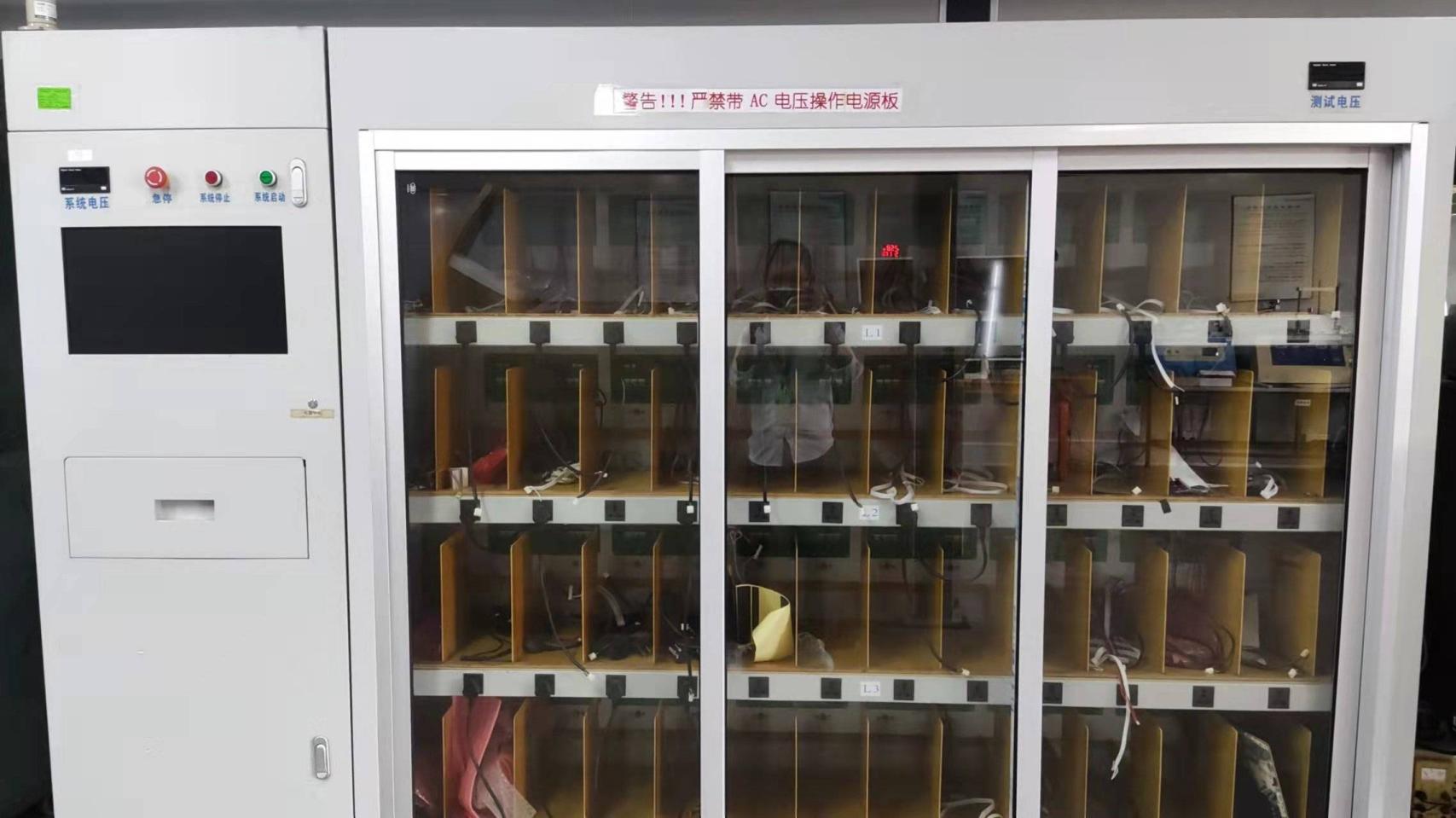
Power board inspection for classroom interactive whiteboard

Power Board Inspection

Power boards verified for stable output before assembly.

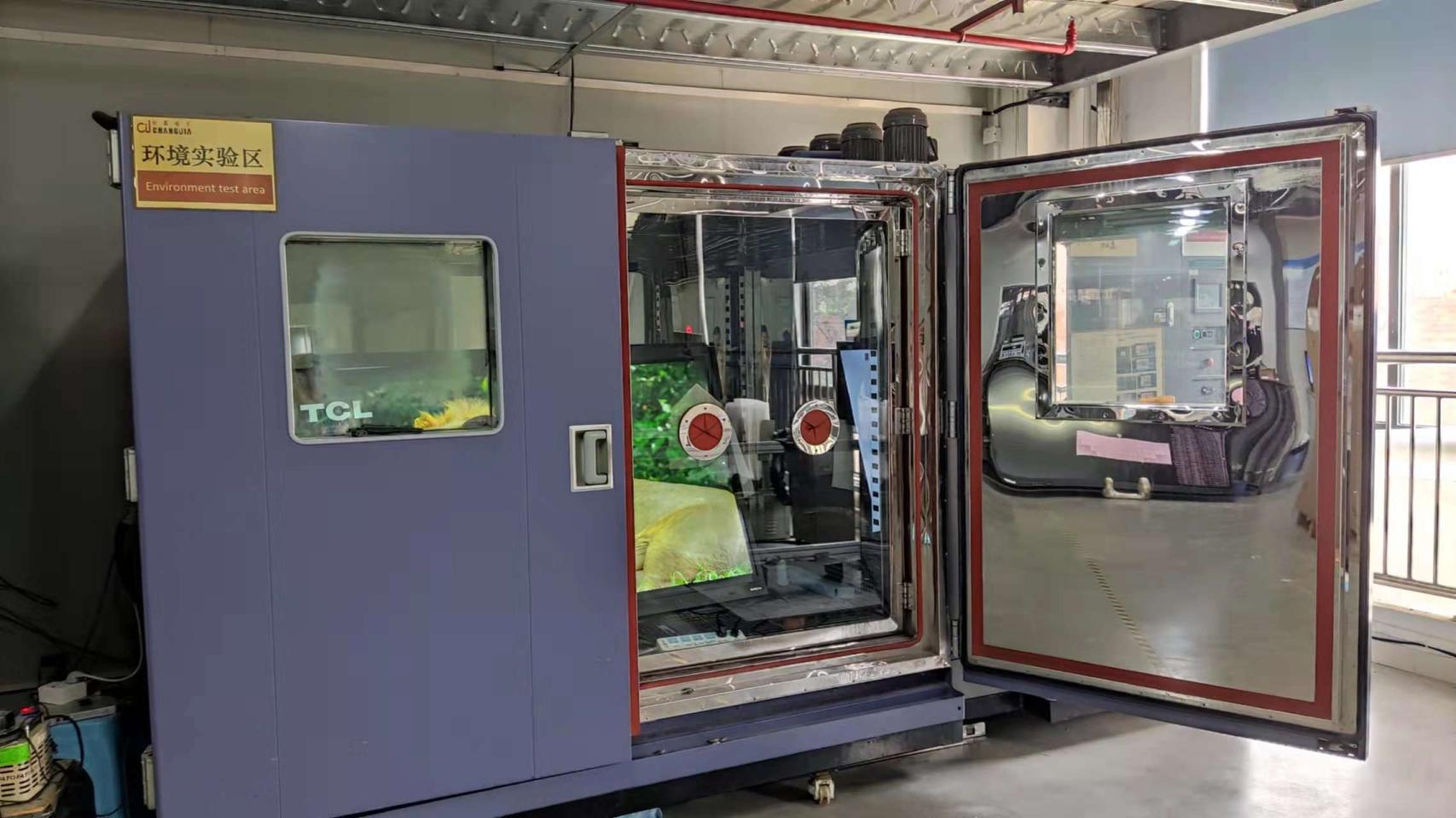
High and low temperature tester for interactive displays

High & Low Temperature

Validates operation across hot and cold export markets.

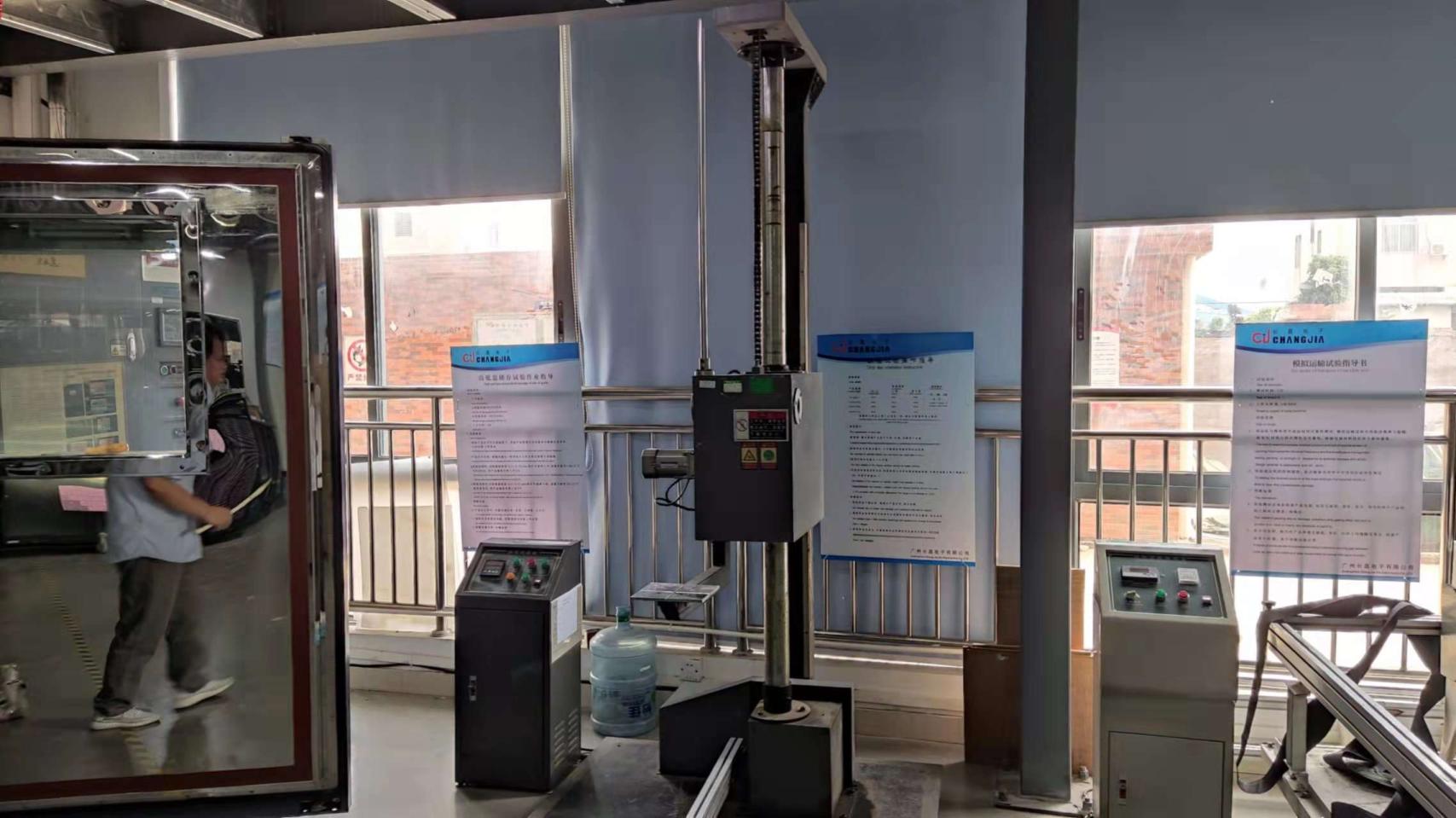
Drop tester for export packaging of classroom displays

Drop Tester

Confirms packaging protects units against handling impacts.

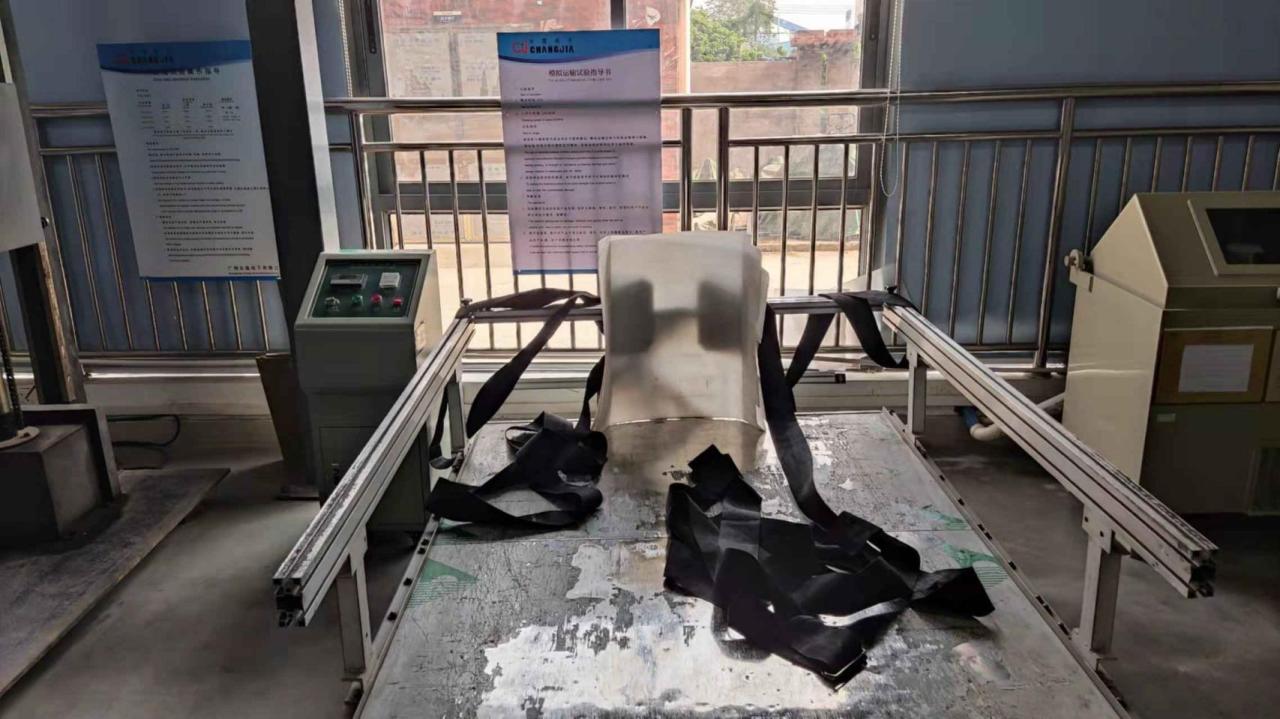
Simulated transportation tester for interactive flat panels

Simulated Transportation

Reproduces long-haul vibration to reduce damage on arrival.

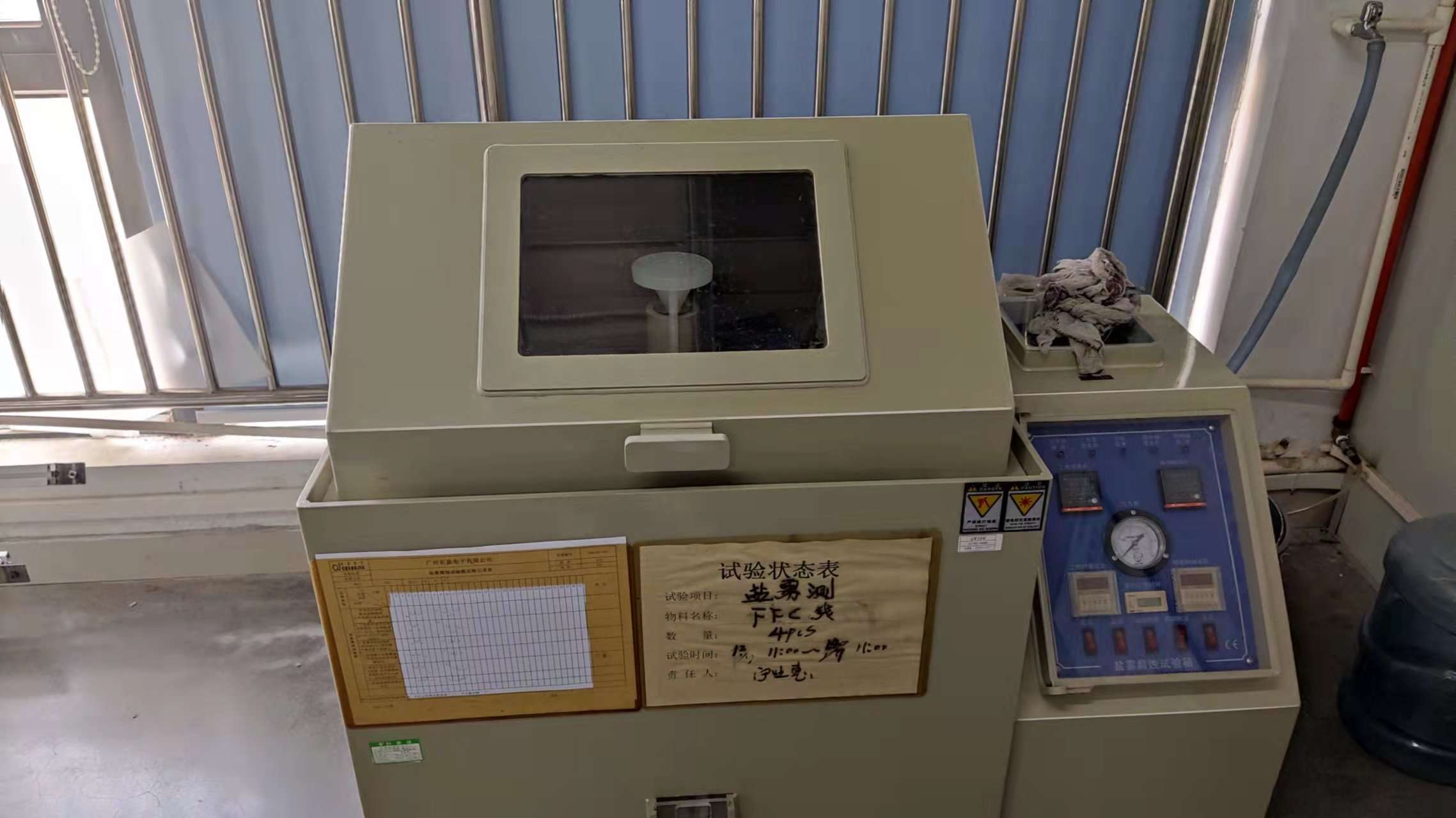
Salt spray tester for metal parts of interactive displays

Salt Spray Tester

Checks corrosion resistance of metal frames and brackets.

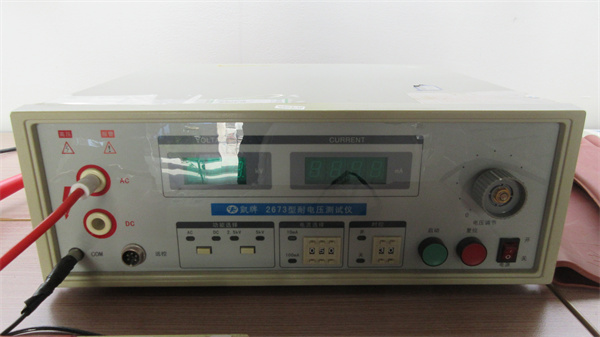
Withstand voltage tester for classroom touch display safety

Withstand Voltage Tester

Hi-pot testing to confirm insulation safety before shipment.

Proven Strength

Verifiable Manufacturer Strength for Global Education Buyers

Every figure below comes from independent third-party inspection or verified platform records, not marketing estimates. This gives procurement teams a practical basis for supplier comparison.

0+
Years in Industry

Confirmed by the latest independent inspection report.

0yrs
Verified B2B Trading

Long-term global supplier membership and transaction history.

0
Verified Staff

Engineering, production, QC and export service professionals.

0/5
Buyer Rating

Average score from verified buyer reviews and transactions.

Verify Ruyden Independently Before You Buy

Transparency is the foundation of a long-term supply relationship. Review our audited records, production capability, transaction history, and buyer feedback before finalizing a 65 inch touch screen whiteboard for classroom project.

FAQ

Frequently Asked Questions from Global Buyers

These are the questions procurement teams, distributors, and integrators most often ask when comparing classroom touch screen whiteboards.

What is the best 65 inch touch screen whiteboard for classroom use?

The best 65 inch touch screen whiteboard for classroom use should combine a 4K UHD display, responsive multi-touch, anti-glare tempered glass, Android and optional Windows OPS, wireless casting, front-facing ports, VESA mounting, and centralized device management. For most small classrooms, tutoring rooms, and hybrid teaching spaces, a 65 inch model supports 6 to 10 learners at a viewing distance of about 5 metres.

How many students can a 65 inch classroom touch screen whiteboard serve?

A 65 inch touch screen whiteboard for classroom use is typically selected for small classrooms, tutoring rooms, huddle spaces, and training rooms with 6 to 10 learners. If the farthest student is more than about 5 to 5.5 metres from the screen, buyers should evaluate 75 or 86 inch models instead.

Should buyers choose 65, 75, or 86 inch for a classroom?

Choose 65 inch for compact classrooms and small group teaching where viewing distance is about 5 metres or less. Choose 75 inch for standard K-12 classrooms and mid-size meeting rooms. Choose 86 inch or larger for large classrooms, training rooms, and spaces where the back row sits farther away. Floor plans and mounting height should always be reviewed before tender specifications are finalized.

What specifications should be included in an RFQ for a 65 inch touch screen whiteboard?

An RFQ should state panel size, 4K resolution, touch points, touch technology, anti-glare glass, Android version, optional Windows OPS, RAM and storage, HDMI and USB ports, wireless casting, networking, VESA pattern, included software, warranty terms, target-market certifications, packaging, language settings, remote management requirements, and spare-parts support.

Are Ruyden classroom interactive displays compatible with Zoom, Microsoft Teams, and Google Meet?

Ruyden interactive displays work as large-format display and touch endpoints. With an optional Windows OPS module or a connected laptop, schools can run Zoom, Microsoft Teams, Google Meet, and other conferencing platforms. Wireless presentation, USB cameras, lecture capture systems, and digital podiums can be integrated for hybrid teaching.

What certifications and quality tests are available for Ruyden classroom displays?

Certification requirements vary by market and configuration, so buyers should confirm CE, RoHS, FCC, REACH, and other target-market requirements during quotation. Ruyden operates an in-house reliability test lab covering high and low temperature, drop, simulated transportation, salt spray, button life, insertion force, static, earth continuity, and withstand voltage testing. Ruyden has also been onsite-verified by SGS Group.

Does Ruyden support OEM and ODM customization for global distributors and tender projects?

Yes. Ruyden supports logo, boot screen, housing color, packaging, software pre-installation, language settings, and hardware configuration customization. Design-based customization capability has been verified by an independent third-party inspection, making Ruyden suitable for distributors, system integrators, and education tender buyers.

How do overseas buyers start a 65 inch classroom whiteboard project with Ruyden?

Email info@ruydentech.com with room types, quantities, target market, certification requirements, software expectations, and delivery schedule. The Ruyden export team will respond with a tailored configuration proposal, sample plan, and commercial quotation. Buyers can also use the Send an Inquiry button on this page.

Start Your Project

Planning a 65 Inch Touch Screen Whiteboard for Classroom Rollout?

Talk to an experienced export team, not a call center. Share your room sizes, quantity, target market, certification requirements, and software needs. Ruyden Interactive Technology Group Co., Ltd. will recommend the right 65 inch configuration, accessories, packaging, and delivery plan for your project.

Send an Inquiry Watch Factory Video