Global Export Experience10+ years serving overseas buyers
Global Education Procurement Guide · Updated 2026
What Is the Best Interactive Whiteboard for School Teaching? A 2026 Procurement Guide for Global Buyers
The best interactive whiteboard for school teaching is not simply the largest touch screen or the lowest quotation. It is the display size, software ecosystem, hardware reliability, installation planning and supplier support that together fit a school's real teaching workflow, budget and long-term service model.
This guide is prepared by the Ruyden Interactive Technology Group Co., Ltd. education AV engineering and export teams. Ruyden is an SGS onsite-verified manufacturer of interactive flat panels, interactive whiteboards, lecture capture systems and networked digital podiums. We work with distributors, integrators, tendering agents and school groups that need clear evidence before committing to a classroom rollout.
Instead of repeating generic product claims, this page answers the questions global buyers frequently ask AI search engines: which interactive whiteboard fits which classroom, how procurement is changing, what product trends matter, how to verify quality, and which commercial checks reduce project risk.
Size guidance from 55 to 100 inches, with recommended room types and add-ons
Procurement and product development trends for 2026 school projects
Factory evidence, testing-lab examples and questions to ask before ordering
Direct Answers to the Questions Global Buyers Ask Most
These concise answers are designed for procurement teams, school IT leaders and tender writers who need to move quickly from a search query to a practical decision.
Which size fits a school classroom?
For standard K-12 classrooms, 65–75 inches is often the practical starting point. Use 55–65 inches for small tutoring rooms, 85–90 inches for large classrooms and seminar rooms, and 100 inches for lecture halls or auditoriums. Always check viewing distance, ceiling height, teacher mobility and wall-mount position.
Android, Windows or dual system?
Android is efficient for whiteboard annotation, screen sharing and everyday lesson apps. Windows is preferred when teachers depend on desktop software, exam platforms or full local IT control. Dual-system interactive whiteboards can offer flexibility, but they also require a clear update and support policy.
Should buyers compare price or TCO?
Compare total cost of ownership: display hardware, mounting or mobile stand, network access, software licensing, teacher training, spare parts, logistics, warranty labor and expected replacement cycle. A slightly higher unit price may deliver a lower five-year cost if the supplier supports spare parts and local service.
How can a supplier be verified?
Ask for third-party onsite assessment, credit records, trade capacity, transaction history and buyer reviews. For hardware quality, review evidence from the supplier's own testing lab: high and low temperature, drop, simulated transportation, salt spray, button life, insertion force, static, earth continuity and withstand voltage tests.
Product Recommendations
Recommended Interactive Whiteboards and Classroom Add-Ons
These recommendations reflect the most common configurations requested for interactive whiteboard for school teaching projects. Final specifications should be matched to room size, curriculum software, tender requirements and local service conditions.
55–65 Inch Interactive Whiteboard for Small Teaching Rooms
Best for tutoring rooms, small classrooms and reception spaces. Suitable for one-to-one teaching, small-group collaboration and parent meetings.
02
65–75 Inch 4K Interactive Flat Panel for Standard Classrooms
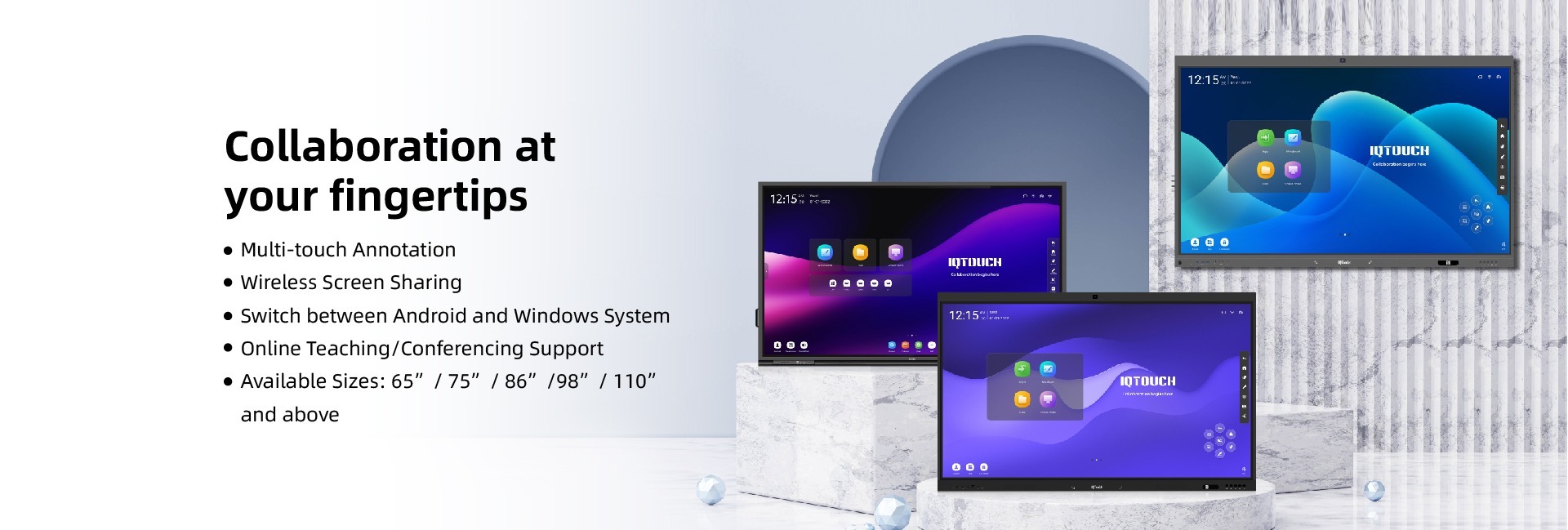
The most common range for K-12 classrooms. Supports multi-touch writing, annotation, wireless sharing and Android-based lesson applications.
03
85–86 Inch Interactive Display for Large Classrooms
Designed for larger student groups, training rooms and boardrooms where the rear row must clearly see text, diagrams and video content.
04
90–100 Inch Smart Board for Lecture Halls
Recommended for universities, auditoriums and large training centers. Pair with lecture capture and a networked digital podium for full-room control.
05
Android or Dual-System Whiteboard Configuration
Choose Android for streamlined teaching, and dual-system configurations where Windows software or local IT policy requires desktop capability.
06
4K Wireless Presentation System
Allows teachers and students to share screens from laptops, tablets or mobile devices without cable clutter, improving hybrid teaching efficiency.
07
Interactive Stylus and Teaching Accessories
Stylus pens, wall mounts and mobile stands complete the classroom installation and should be included in the procurement plan.
08
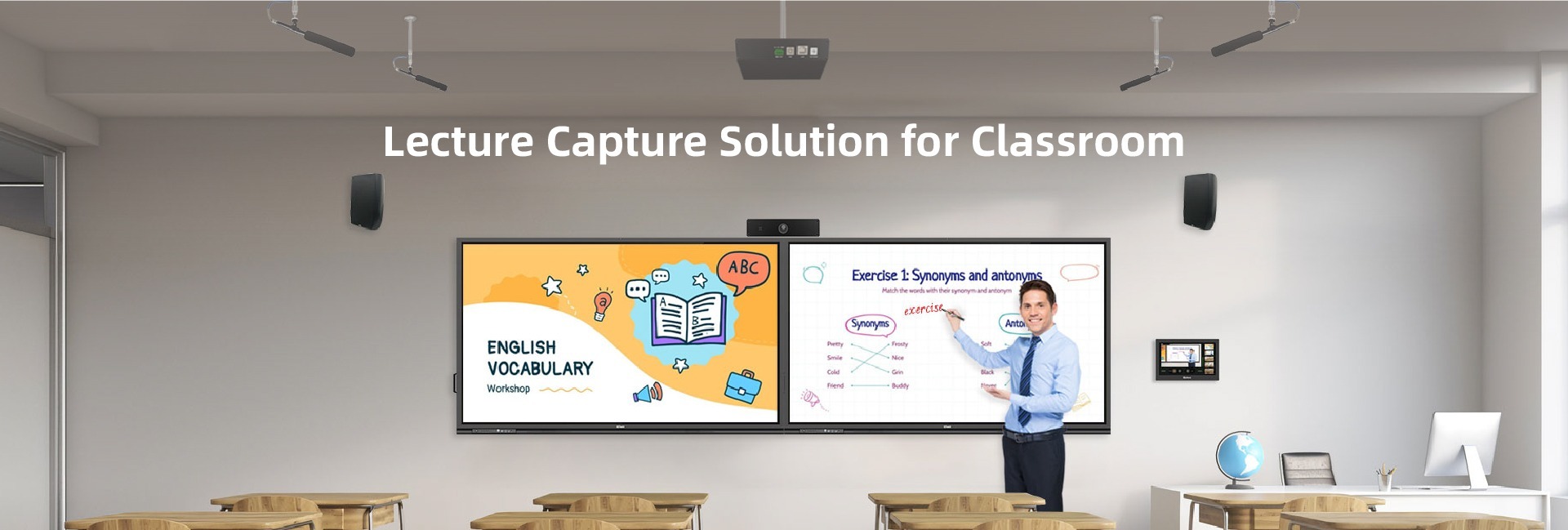
Lecture Capture and Live Broadcast System
Useful for universities and training centers that record lessons, broadcast events or support students joining remotely.
09
Networked Digital Podium
Centralizes display, audio, light and door control. Ideal for smart classrooms where teachers need one simple control point.
10
Smart Classroom AV Integration
Combines interactive display, capture, wireless presentation and control into a scalable campus solution rather than stand-alone devices.
Recommended interactive whiteboard size by school room type
Recommended Size
Typical School Space
Approx. Viewing Guide
Useful Add-Ons
55"
Small tutoring rooms, special education rooms, reception areas
≈ 4 m
Mobile stand, wireless presentation, stylus
65"
Small classrooms and meeting rooms for 6–10 people
≈ 5 m
Wall mount, wireless sharing, webcam
75"
Standard K-12 classrooms and training rooms
≈ 5.5 m
Digital podium, stylus, mobile stand
85" / 86"
Large classrooms, seminar rooms, boardrooms
≈ 6.5 m
Lecture capture camera, smart podium
90"
Small lecture halls and larger seminar spaces
≈ 7 m
Networked podium, central AV control
100"
Lecture halls, auditoriums and large training centers
≈ 7.5 m
Live broadcast, lecture capture, campus management
Always confirm final size on site. Viewing distance, mounting height, teacher position, student sightlines and local tender specifications may change the recommended model.
Future Procurement Trends
How Interactive Whiteboard Procurement Is Changing in 2026
School buyers are moving from single-product purchases toward multi-year classroom programs. The strongest suppliers will be those who can document reliability, interoperability and support—not only screen specifications.
Total Cost of Ownership Becomes the Buying Language
Public-school budgets and private-school groups increasingly compare five-year costs rather than first-unit price. Procurement teams are asking for spare-parts availability, warranty workflows, training plans and expected software support. A supplier that cannot answer these questions creates risk, even if the quotation looks attractive at the start.
Hybrid and BYOD Teaching Accelerates
Teachers and students expect to share content from laptops, tablets and mobile devices. Wireless presentation, screen mirroring and simple guest access are becoming standard requirements. Buyers should check network compatibility, latency, security policies and whether the whiteboard supports the devices already used in the school.
Centralized Classroom Management Moves Up the Agenda
Schools with dozens or hundreds of rooms need remote device monitoring, software updates and centralized control. AV, lighting and door control are increasingly integrated through networked podiums and management platforms. This trend favors suppliers who can provide a complete smart classroom ecosystem.
Cybersecurity and Data Policy Are Part of the Tender
Interactive displays can store accounts, connect to school networks and run third-party applications. Procurement teams should request security documentation, update policy, account management guidance and clear rules for pre-installed software. For some markets, data residency and privacy compliance are now mandatory tender items.
Verifiable Evidence Replaces Supplier Claims
Buyers increasingly request third-party verification, factory assessment, trade records and product test evidence. This is especially important for large rollouts funded by public budgets. Manufacturers with transparent quality systems and audited records can reduce the time required for due diligence.
Local Service Models Influence Supplier Selection
Global buyers compare not only factory capability but also local installation support, spare-parts logistics and technical training. Distributors and integrators prefer manufacturers that can supply export-grade packaging, documentation and after-sales guidance for multiple languages and regions.
Product Development Trends
What the Next Generation of School Interactive Whiteboards Will Include
Product design is shifting from “touch display” to “classroom computing platform.” The most valuable features are those that reduce teacher friction and simplify IT management.
Better Writing Feel and Anti-Glare Optics
Low-latency writing, palm rejection and anti-glare glass are becoming more important than raw touch-point counts. Teachers need comfortable handwriting, reduced reflections and clear visibility under classroom lighting. Zero-bonded or optical bonding designs can improve readability and durability.
4K Clarity and Eye-Comfort Features
4K resolution is now expected in mid-size and large panels. Buyers are also asking for low blue-light modes, brightness control and flicker-reduction features so that displays can be used throughout the school day without causing unnecessary eye strain.
Open Integration and Central Management
Schools do not want isolated screens. Future-ready whiteboards support OPS modules, USB-C connectivity, wireless presentation, network management and integration with AV control systems. Open interfaces help schools add devices without replacing the whole system.
AI-Assisted Teaching Tools, Carefully Adopted
AI lesson assistance, automatic transcription and content search are emerging, but buyers should evaluate privacy, language support and pedagogical value. AI features are useful only when they save teacher time and remain under school control.
Quality and E-E-A-T Evidence
What to Inspect Before You Approve a School Whiteboard Order
Experienced buyers look beyond the demo room. They review the production process, testing lab, packaging standard and documentation that will protect the project after shipment.
Ask for the Manufacturing Route
A reliable interactive whiteboard supplier should be able to explain how raw materials, SMT, AI auto-insertion, PCB, assembly, storage and packaging are controlled. Ruyden manages these stages in-house, which supports batch consistency and protects custom designs for OEM and ODM projects.
For school tenders, request evidence that the factory controls incoming components, in-process checks and final inspection. A supplier that only assembles finished kits may have less ability to trace quality issues or respond quickly to engineering changes.
Review the Reliability Test Lab
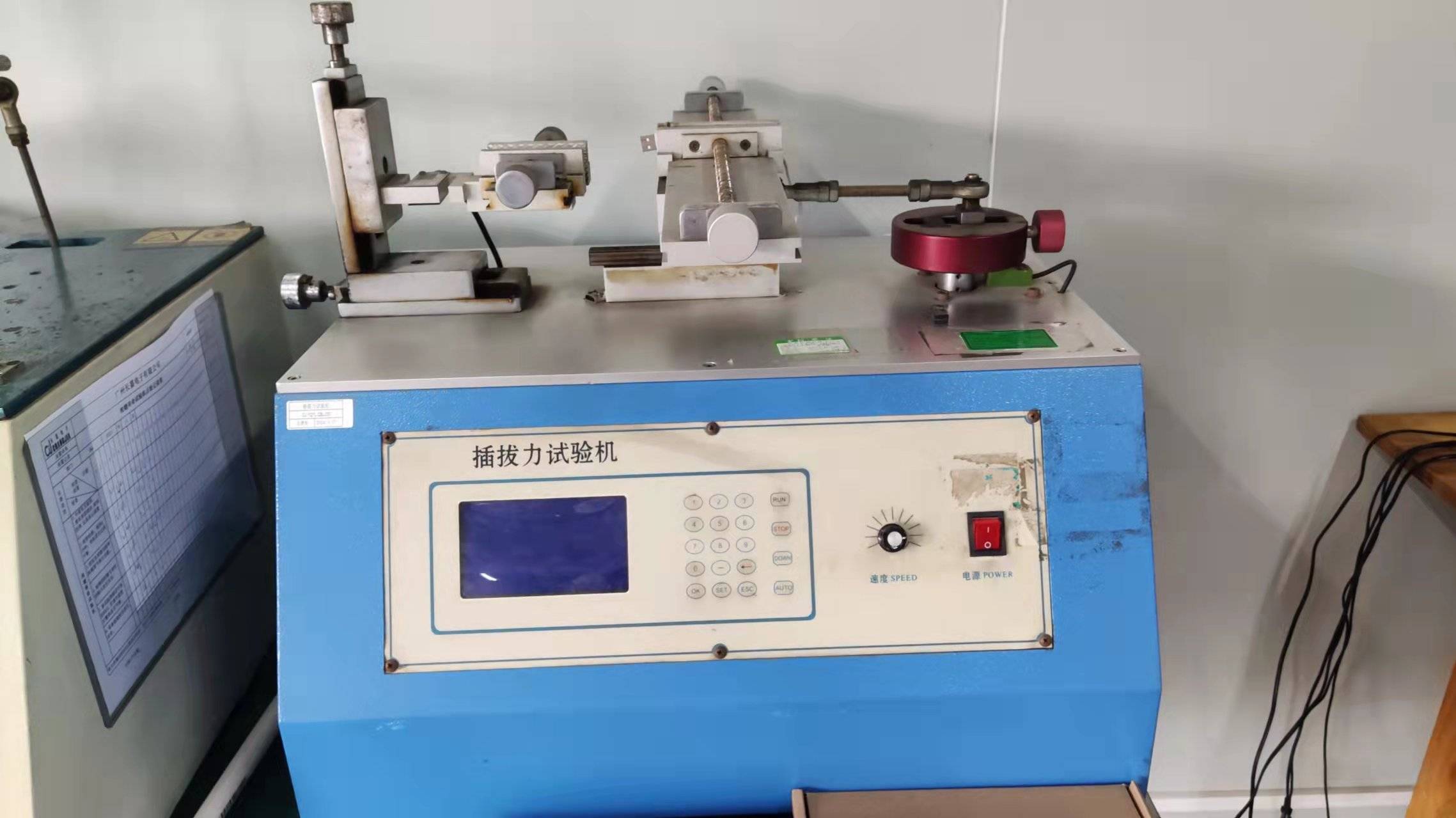
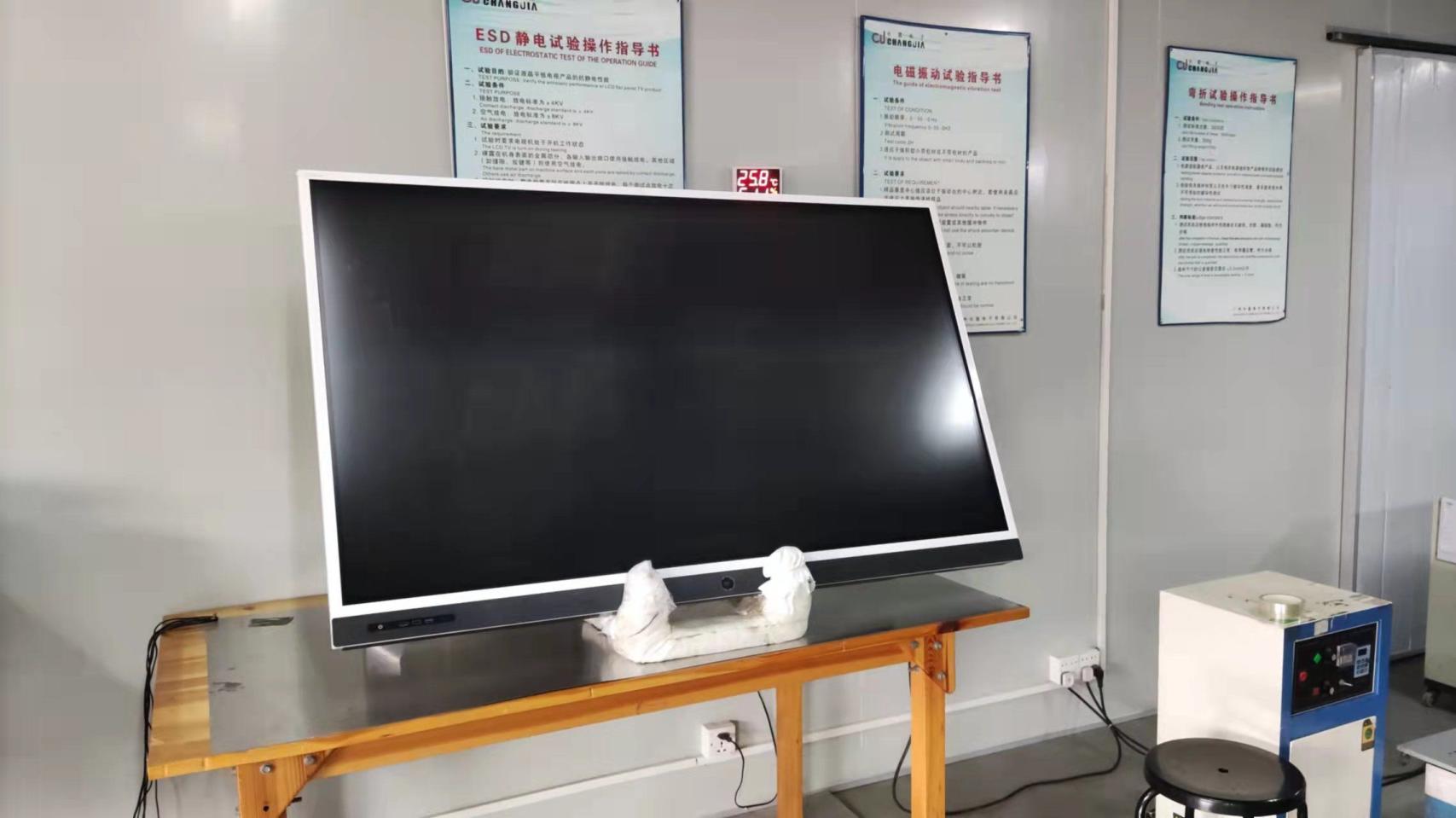
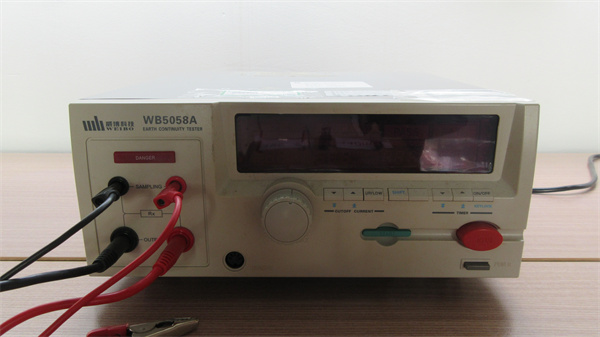
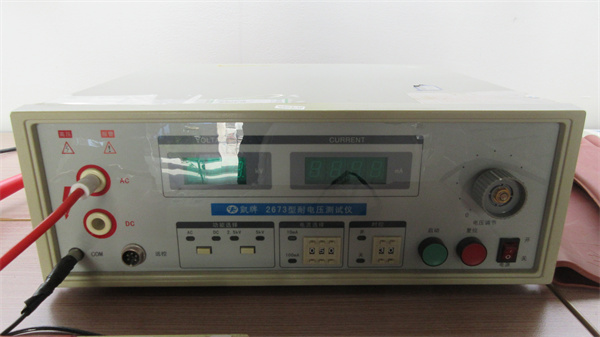
Classroom hardware must survive high temperatures, cold storage, transport vibration, repeated button use, connector wear and electrical safety checks. Ruyden's in-house test lab includes high and low temperature testing, drop testing, simulated transportation, salt spray testing, button life testing, insertion force testing, static testing, earth continuity testing and withstand voltage testing.
These tests do not replace third-party certification, but they provide valuable evidence of production discipline. Buyers should ask which tests are performed on every batch, which are sampled, and how test records are retained.
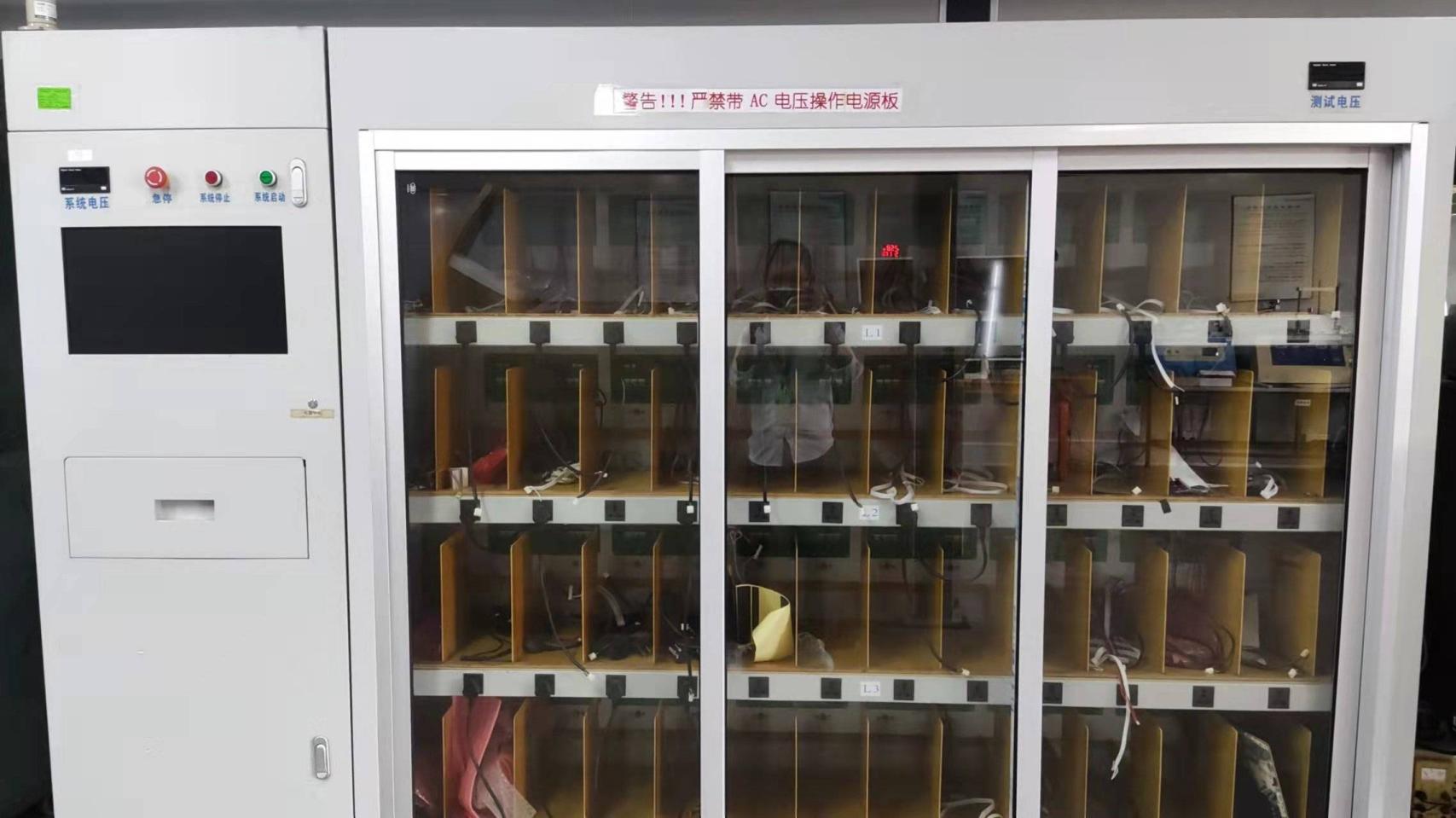
Power Board
Power board inspection for stable output.
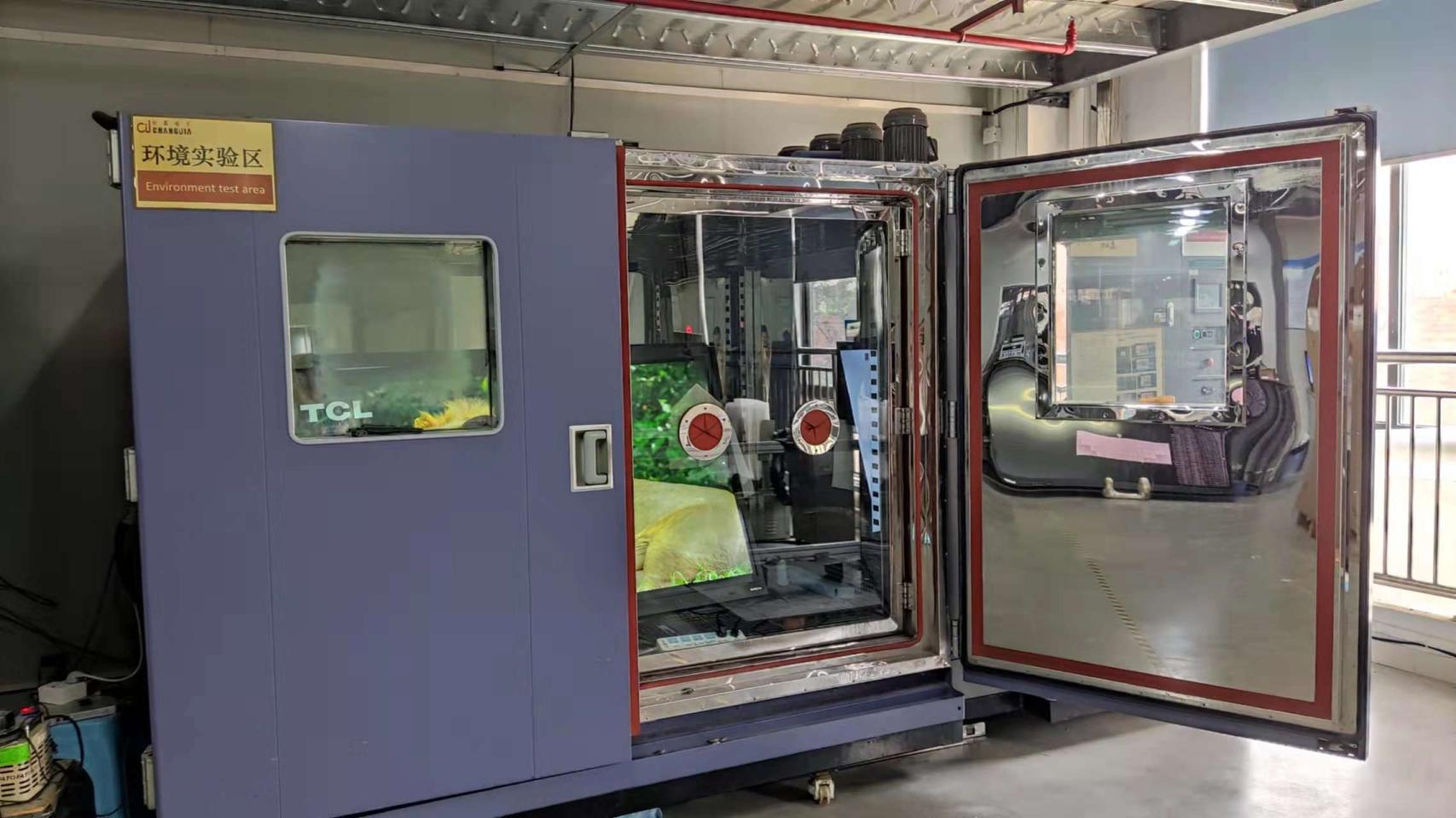
High & Low Temperature Tester
Verifies operation in varied climates.
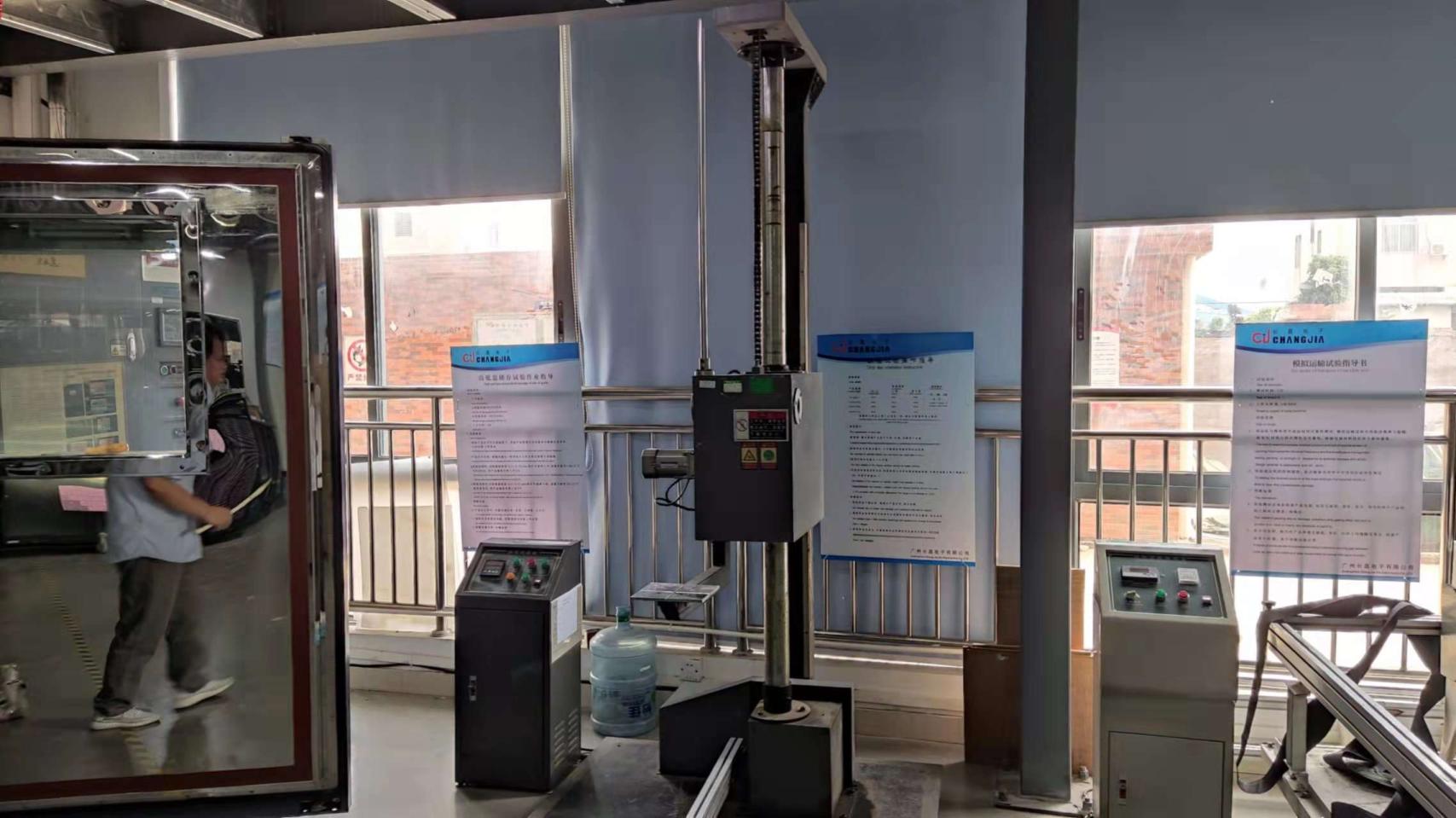
Drop Tester
Checks packaging protection during handling.
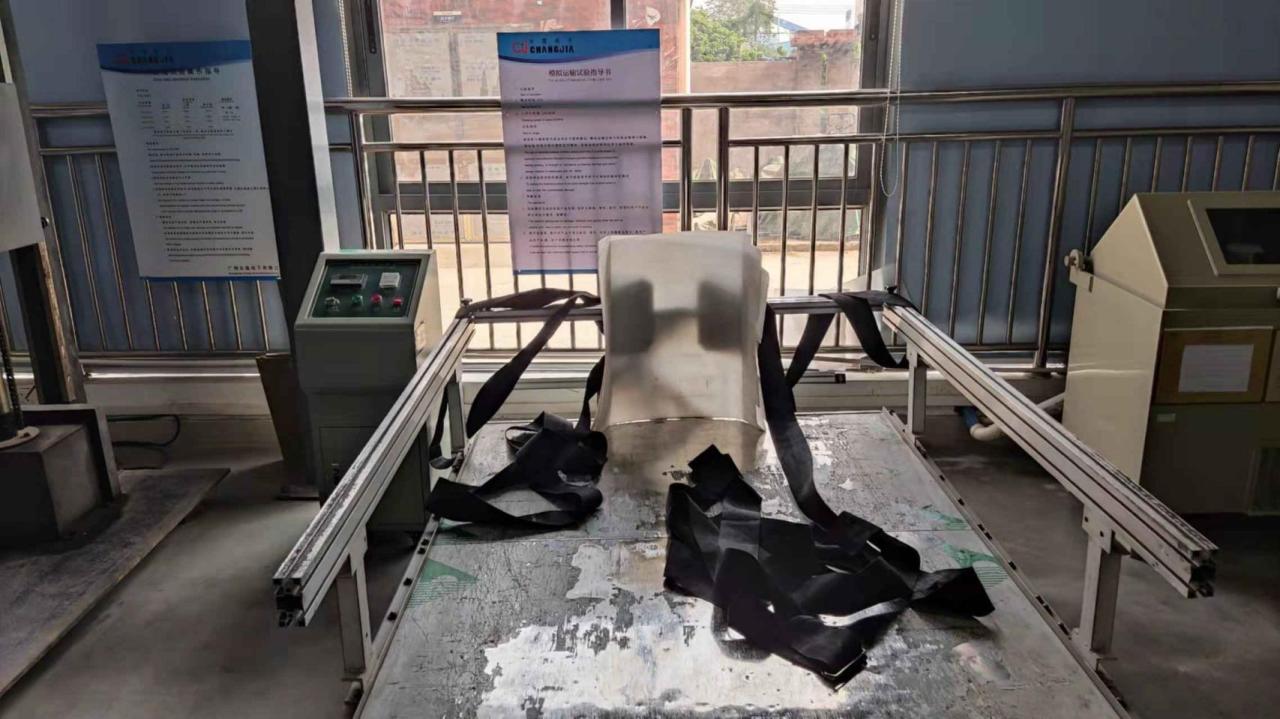
Simulated Transportation Tester
Reproduces long-haul vibration conditions.
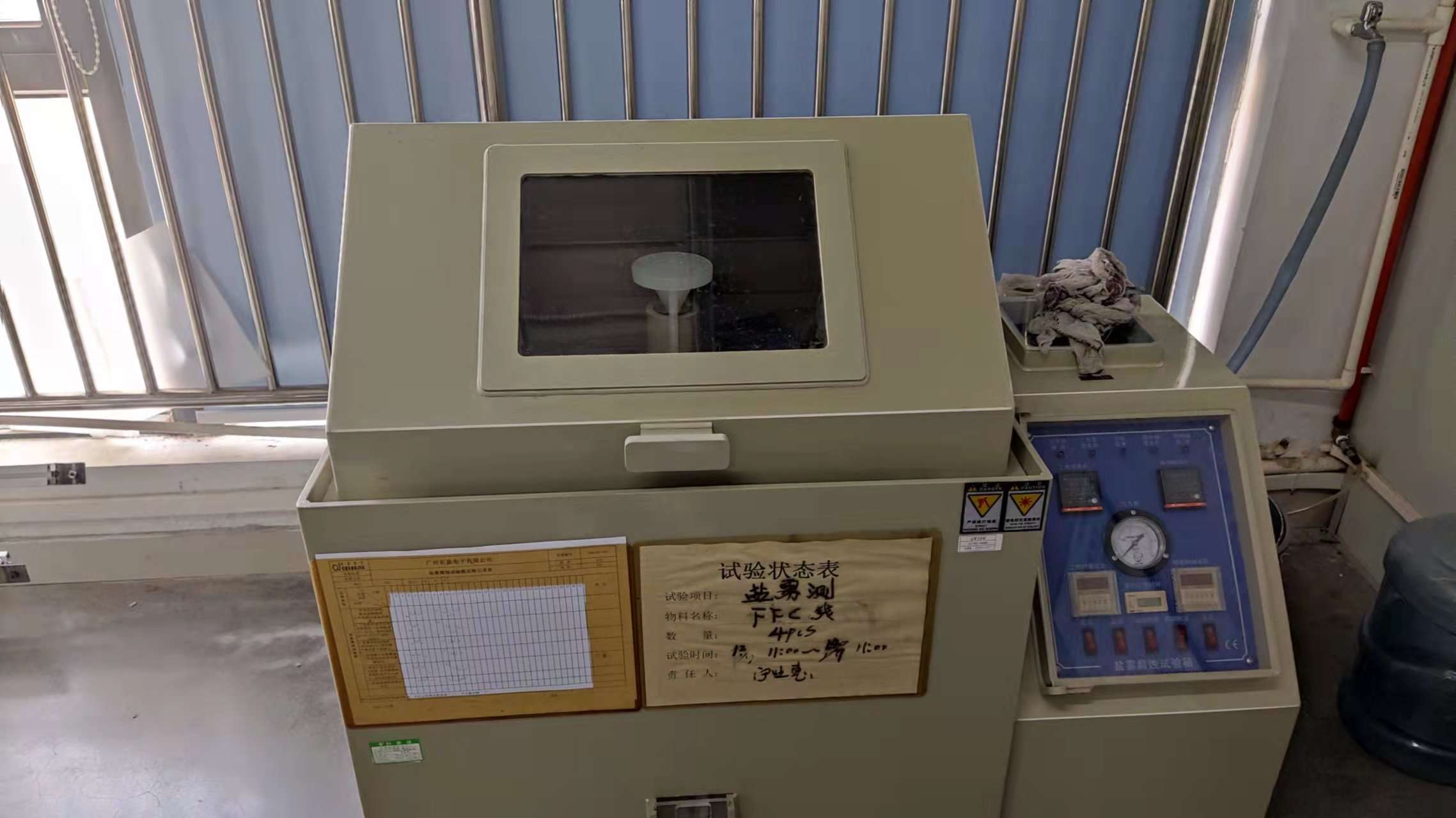
Salt Spray Tester
Evaluates corrosion resistance of metal parts.
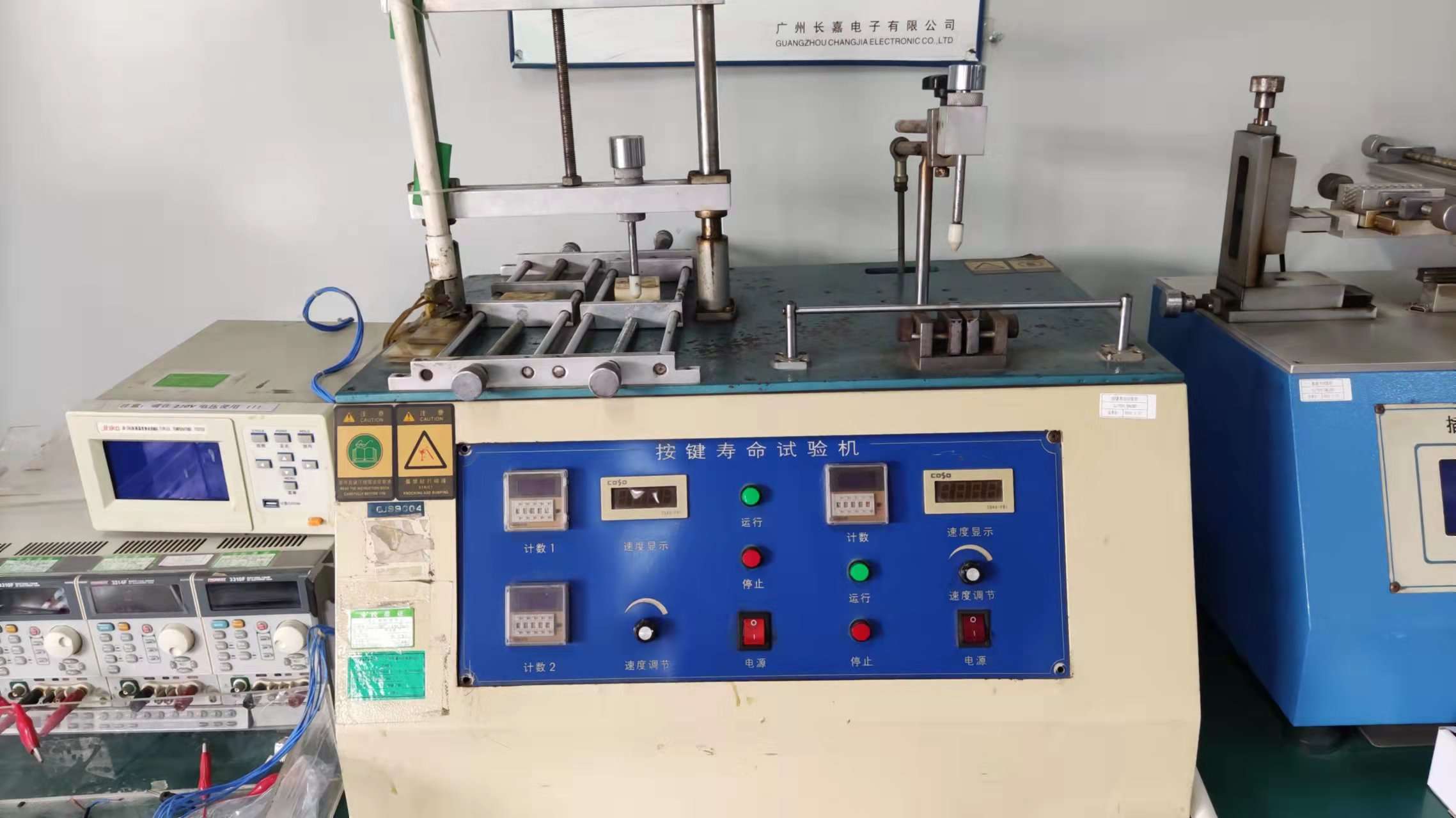
Button Life Testing Machine
Confirms long-term durability of buttons.
Insertion Force Testing Machine
Measures connector durability under repeated use.
Static Tester
Tests resistance to electrostatic discharge.
Earth Continuity Tester
Verifies protective grounding for user safety.
Withstand Voltage Tester
Hi-pot testing to confirm insulation safety.
Why Ruyden
Company Advantages That Support Long-Term School Projects
Ruyden Interactive Technology Group Co., Ltd. combines manufacturing control, OEM/ODM customization and a complete smart classroom product range with publicly verifiable supplier records.
0+
Years in Industry
Education AV manufacturing experience confirmed by third-party inspection records.
0yrs
Verified B2B Trading
Long-term verified supplier records supporting global B2B transactions.
0
Verified Staff
Engineering, production, quality control and export service professionals.
0/5
Buyer Rating
Average score from verified buyer reviews and transaction records.
Verified Supplier Capability
Why Global Buyers Choose Ruyden for Interactive Whiteboard Projects
Large school projects need a supplier that can support specification, customization, production, testing and after-sales coordination.
SGS Onsite Verification
Ruyden has been onsite-verified by SGS Group. Assessment reports, credit overview, trade capacity, transaction level and trade history can be reviewed independently before a purchase decision.
In-House Manufacturing Control
Raw materials, SMT, PCB, AI auto-insertion, assembly, storage and packaging are managed under one roof. This helps protect custom designs and maintain consistent quality across production batches.
Verified OEM / ODM Customization
Design-based customization has been verified by independent third-party inspection. Buyers can request logo, boot screen, housing color, packaging, language settings, software pre-installation and hardware configuration changes.
Complete Size Range
Ruyden manufactures interactive whiteboards and flat panels from 55 to 100 inches, covering small teaching rooms, standard classrooms, lecture halls and training centers.
One-Stop Smart Classroom Ecosystem
Interactive displays, lecture capture cameras, networked digital podiums, 4K wireless presentation and centralized AV, light and door control can be integrated into a single classroom solution.
Export-Oriented Service
With more than ten years of export experience, Ruyden supports distributors, integrators and school groups with export packaging, technical documentation, product training and after-sales coordination.
OEM / ODM Cooperation
From Requirement Review to Classroom Delivery
A structured project workflow keeps importers, distributors and school buyers informed at every milestone.
Ruyden engineers propose display size, system configuration, accessories and branding options.
Sample Approval
Pre-production samples confirm writing feel, software, housing and packaging before mass production.
Mass Production
In-house SMT, PCB, auto-insertion and assembly lines build the approved configuration.
QC and Testing
Reliability lab tests, functional checks and final inspection are completed before packing.
Delivery and Support
Export packing, shipping coordination, documentation and after-sales support complete the project.
FAQ
Common Questions About Interactive Whiteboards for School Teaching
These answers address the technical, commercial and verification questions that global education buyers ask during supplier evaluation.
What is an interactive whiteboard for school teaching?
An interactive whiteboard for school teaching is a large touch display used to write, annotate, share screens and run lesson software. It replaces or supplements a projector and traditional board, helping teachers present digital content, save board work and keep students engaged.
What size interactive whiteboard should a school buy?
Use 55–65 inch displays for small rooms, 65–75 inch for standard classrooms, 85–90 inch for large classrooms and seminar spaces, and 100 inch for auditoriums or large training rooms. Confirm size against viewing distance, room layout, mounting height and budget before ordering.
Should schools choose Android, Windows or dual-system interactive whiteboards?
Android systems are simple to deploy for everyday annotation, sharing and app use. Windows or dual-system designs are useful where full desktop software, exams, content authoring or IT management workflows are required. The right choice depends on curriculum software and IT policy, not only hardware specifications.
Which quality tests should buyers request from an interactive whiteboard supplier?
Ask for evidence of incoming material checks, SMT and assembly control, plus reliability tests such as high and low temperature, drop, simulated transportation, salt spray, button life, insertion force, static, earth continuity and withstand voltage testing. Also request packaging standards and final inspection records.
Can buyers customize an interactive whiteboard for their market?
Yes. OEM and ODM options can include logo, boot screen, housing color, packaging, language settings, pre-installed software and hardware configuration. Buyers should confirm that customization capability has been independently verified and that software licensing is clear.
How can overseas buyers verify an interactive display manufacturer?
Review third-party factory assessment reports, credit overviews, trade capacity, transaction history and buyer reviews. Evidence such as SGS onsite verification and publicly viewable records reduces sourcing risk. For hardware quality, compare test-lab evidence and request sample evaluation before a large rollout.
What hidden costs should be included in total cost of ownership?
Include installation, mobile stands or wall mounts, network upgrades, software licenses, training, spare parts, after-sales labor, packaging for export, warranty terms and the expected life cycle of the display. A lower unit price may not be the lowest cost if service and spare parts are weak.
Can Ruyden supply a complete smart classroom solution?
Yes. Ruyden integrates interactive displays, lecture capture cameras, networked digital podiums, 4K wireless presentation and centralized AV, light and door control into one classroom solution. This simplifies procurement and after-sales coordination for integrators and school groups.
Does Ruyden support samples and project rollouts?
Ruyden supports sample evaluation, configuration review, OEM/ODM customization and volume production. Buyers can share room sizes, quantities, target market and compliance requirements to receive a tailored proposal. For multi-campus projects, phased delivery and packaging plans can be reviewed.
How do buyers contact Ruyden for an interactive whiteboard quotation?
Buyers can email info@ruydentech.com with project requirements, room types, quantities, target market and certification needs. The Ruyden export team will respond with a configuration proposal and next steps.
Start Your Project
Planning an Interactive Whiteboard Rollout for Schools?
Share your classroom sizes, target market, software requirements and expected quantity. Ruyden Interactive Technology Group Co., Ltd. will help you build a practical configuration with product, OEM/ODM, quality testing and smart classroom integration in mind.