Smart Classroom AV Integration Solution: The Complete Buyer’s Guide for Global Education Projects
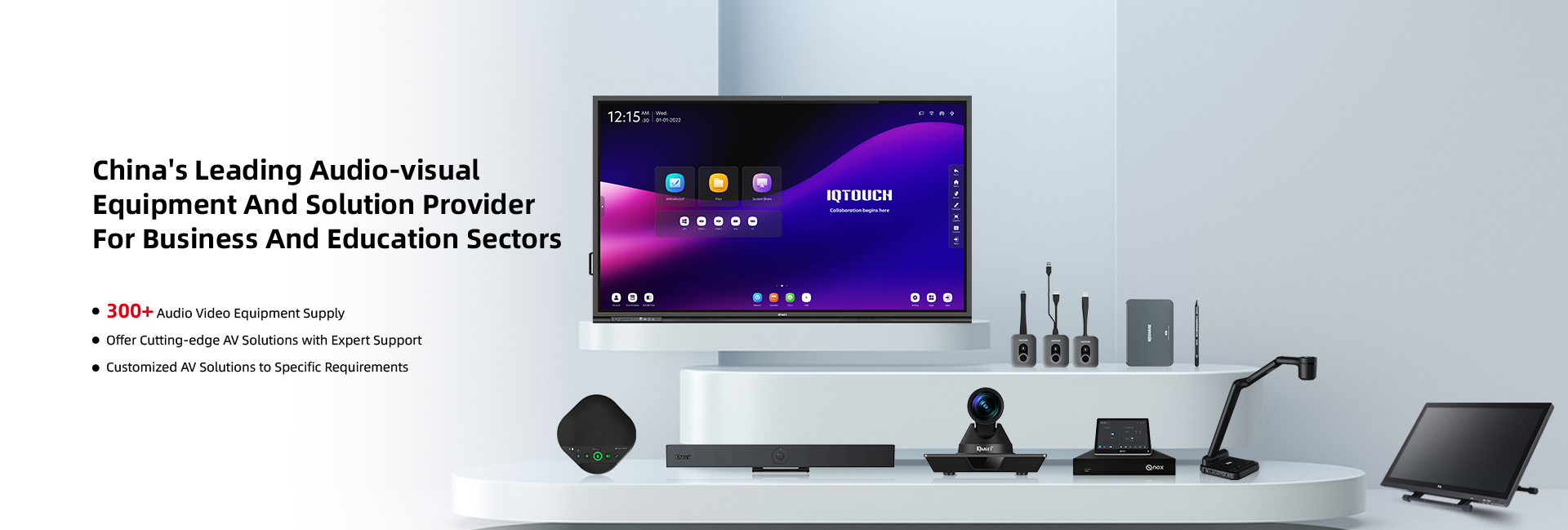
A smart classroom AV integration solution connects interactive displays, lecture capture, audio, digital podiums, wireless presentation and room control into one teachable, manageable system. For global procurement teams, the goal is not simply to buy screens; it is to standardize a classroom that is easy for teachers to use, practical for IT teams to support and reliable enough for multi-year campus deployment.
This guide is prepared by the Ruyden Interactive Technology Group Co., Ltd. education AV team, drawing on 19 years of display manufacturing, OEM/ODM delivery and SGS-verified factory operations. It is written for school districts, universities, training centers, system integrators and distributors evaluating a smart classroom AV integration solution. You will find recommended products, procurement trends, product development trends, supplier-evaluation checkpoints and the questions global buyers ask most often.
Component-level integration: interactive flat panel, lecture capture, audio, podium, wireless presentation and central control.
Room-by-room sizing guidance for standard classrooms, training rooms and lecture halls, including hybrid-learning capture.
Procurement-ready evidence: SGS onsite verification, in-house test lab processes and verified OEM/ODM customization capability.
Global Export Expertise10+ years of export experience
Solution Architecture
What Is a Smart Classroom AV Integration Solution?
A smart classroom AV integration solution is a coordinated room system, not a single product. It brings together the visual teaching surface, audio pickup, video capture, content sharing, lecture streaming, lectern control and campus-level management so that a teacher can start, share, record and close a lesson with minimal technical steps. When specified correctly, the solution also gives IT teams a predictable way to monitor devices, update firmware, manage permissions and plan spare parts across many rooms.
Interactive Teaching Layer
Interactive flat panels and touch-screen whiteboards replace chalkboards and projectors with 4K visuals, multi-touch annotation and direct lesson content. Sizes from 55 to 100 inch cover tutoring rooms through lecture halls.
Capture and Hybrid Learning Layer
Lecture capture systems, 360-degree conference cameras and live broadcast workflows record or stream lessons for remote students, academic archives and campus events.
Audio and Presentation Layer
4K wireless presentation, USB webcams, microphones and interactive styluses make BYOD sharing and hybrid meetings simple for teachers and guest speakers.
Control and Management Layer
Networked digital podiums, AV, light and door control plus school management software unify classroom devices into one operable and maintainable campus system.
System Architecture
Display, capture, sharing and control should be designed as one room-level system.
Connected Product Ecosystem
Panels, capture, podiums, wireless sharing and control work together without compatibility gaps.
Because each layer affects the others, integration should be designed at room level and then standardized at campus level. Buyers should verify port counts, audio routing, network segmentation, software permissions, remote diagnostics, firmware update policy and the spare-parts plan. Ask for a sample demonstration that mirrors real teaching: one-touch start, one-touch screen sharing, one-touch recording and one-touch shutdown. This workflow-based test is more useful than comparing specification sheets alone.
Product Recommendations
Recommended Products for a Complete Smart Classroom AV Integration Solution
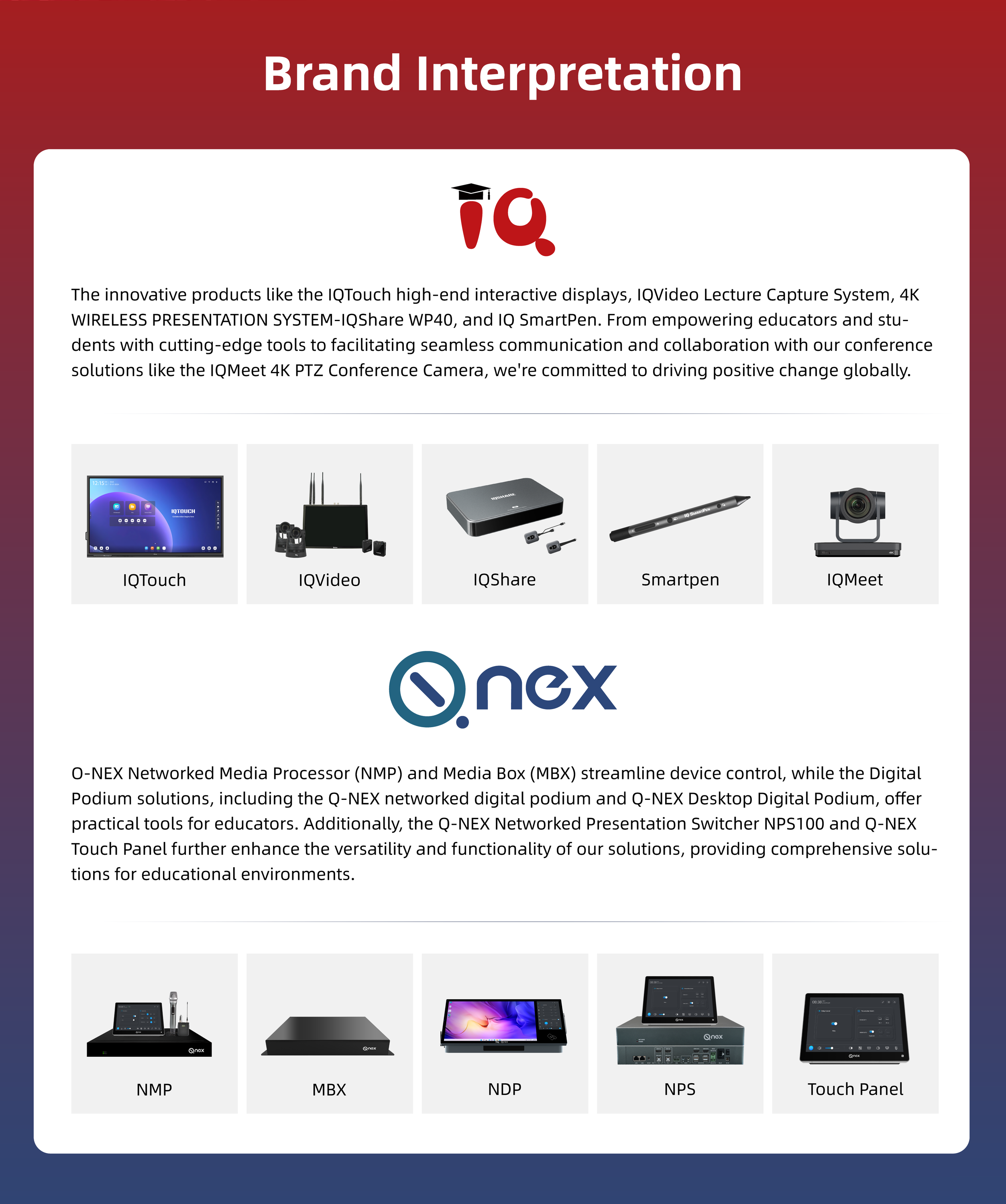
A complete solution can be scaled from one classroom to a multi-room campus. The recommended product stack below covers visual teaching, lecture capture, audio, presentation, lectern control and campus management.
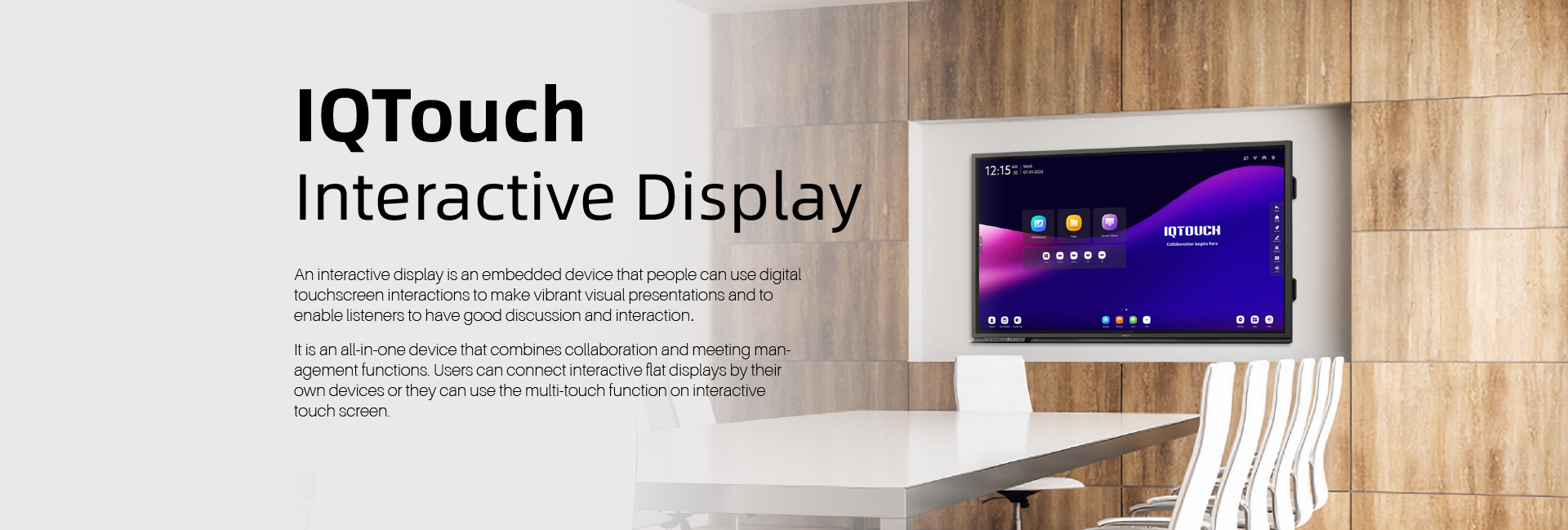
4K multi-touch displays for classrooms, lecture halls and meeting rooms, with optional OEM branding, language settings and pre-installed teaching software.
02
Interactive Whiteboards for Daily Teaching
Touch-screen whiteboards with pen-and-finger input, whiteboard annotation and rugged frames for high-use K-12 and higher-education environments.
03
Lecture Capture and Live Broadcast Systems
Automated recording, live streaming and 360-degree camera options for hybrid learning, academic archives and campus events.
04
Networked Digital Podiums
Smart lecterns with LCD touch screens and centralized device control, available in full-size, integrated and portable desktop formats.
05
4K Wireless Presentation Systems
One-click screen sharing for BYOD classrooms and meeting rooms, supported by interactive styluses and Full HD or 4K USB webcams.
06
Central AV and School Management
Audio-visual, light and door control plus school management software that connects classrooms into one manageable campus system.
Recommended smart classroom AV integration solution by room type
Learning Space
Recommended Display
Capture and Audio
Control and Management
Procurement Note
Huddle room, tutoring or small meeting space
55–65 inch
USB webcam, speakerphone or 4K wireless sharing
Optional portable podium; wall or mobile stand
Confirm sightlines and 4–5 m viewing distance.
Standard K-12 classroom
75–86 inch
Ceiling or wall microphone; lecture capture optional
Networked podium or wall control panel
Standardize the same size and control layout across similar rooms.
University lecture hall
90–100 inch
360-degree camera, lecture capture and live broadcast
Smart podium with central AV control
Check maximum viewing distance, recorder capacity and network uplink.
Corporate training or meeting room
75–86 inch
UCC-ready camera, microphone and 4K wireless
Room control with BYOD switching
Test with the buyer’s video-conferencing and calendar platforms.
Multi-room campus rollout
Mixed sizes
Central capture, streaming and storage
Software-based device and campus management
Plan updates, licensing, spare parts and staff training.
Use the 6× screen-height rule as a starting point, then verify sightlines, mounting height, lighting and teacher movement. Ruyden engineers can review floor plans and recommend display sizes, mounting, capture positions and control configuration for each room.
Procurement Trends
Smart Classroom Procurement Trends Global Buyers Are Planning For
Education buyers are moving from isolated device purchases to repeatable room standards. The most competitive tenders now evaluate usability, cybersecurity, lifecycle support and evidence of manufacturing control, not only screen specifications.
Hybrid-Ready Standardization
Buyers increasingly specify one repeatable classroom template that includes display, capture, audio and sharing. Standardization reduces teacher training time, spare-parts complexity and installation errors across campuses.
AV/IT Convergence and Cybersecurity
AV devices are now network devices. Procurement teams are asking for role-based access, firmware update policies, network segmentation guidance and clear responsibility for software maintenance.
Total Cost of Ownership
Lifecycle budgeting now includes installation, training, spare parts, software updates, energy use and service response. The lowest purchase price is not always the lowest project cost.
AI-Assisted Teaching and Capture
Automatic speaker tracking, noise reduction and transcription-ready audio are becoming practical requirements for hybrid classrooms, provided privacy, consent and data-retention rules are addressed.
Interoperability with UCC and LMS
Schools and universities want classroom systems to work with existing video-conferencing tools, learning management systems and IT identity policies rather than creating isolated technology islands.
Compliance and Sustainable Packaging
Importers need target-market documentation, language packs and export-grade packaging. They are also reviewing recyclable materials, product serviceability and shipment protection to reduce damage and waste.
For a smart classroom AV integration solution, the strongest RFQ includes room templates, network requirements, support responsibilities, spare-parts quantities, acceptance tests and a lifecycle plan. This information helps suppliers propose realistic configurations instead of disconnected product lists.
Product Development Trends
Product Development Trends Shaping the Next Generation of Classroom AV
The next generation of smart classroom products will be judged less by individual hardware features and more by how easily the room can be managed, upgraded and integrated with existing IT systems.
AV over IP and Software-Defined Rooms
IP-based distribution and software-defined room control allow shared content, centralized monitoring and simpler expansion. Buyers should confirm bandwidth planning and switch requirements early.
AI Audio and Video Enhancement
Speaker tracking, automatic framing, noise suppression and intelligent audio mixing are improving lecture capture and hybrid participation without adding operator workload.
Cloud Device Management
Remote diagnostics, fleet status, firmware updates and device health dashboards are becoming important for multi-campus deployments with limited IT staff.
Modular Upgrades and Open Interfaces
Modular podiums, swappable modules and open control interfaces help buyers extend room capability without replacing the complete system when teaching needs change.
Energy Efficiency and Serviceability
Lower standby power, easier access to internal boards and clear spare-part identification reduce lifecycle cost and support long-term campus maintenance.
Privacy and Cybersecurity by Design
Classroom cameras and microphones raise privacy expectations. Product selection should include access control, recording indicators, data-retention options and secure update processes.
The practical procurement lesson is to avoid buying only for today’s lesson. Specify open standards, enough network and power headroom, remote support capability and a supplier that can sustain firmware updates and spare parts through the expected service life of the classroom.
Supplier Evaluation
How to Compare Suppliers and Reduce Integration Risk
For a smart classroom AV integration solution, the supplier is part of the system. A low unit price cannot compensate for unclear firmware support, missing compatibility data or weak export packaging. Buyers should compare the evidence package as carefully as the product specification.
Current SGS onsite verification report and company profile.
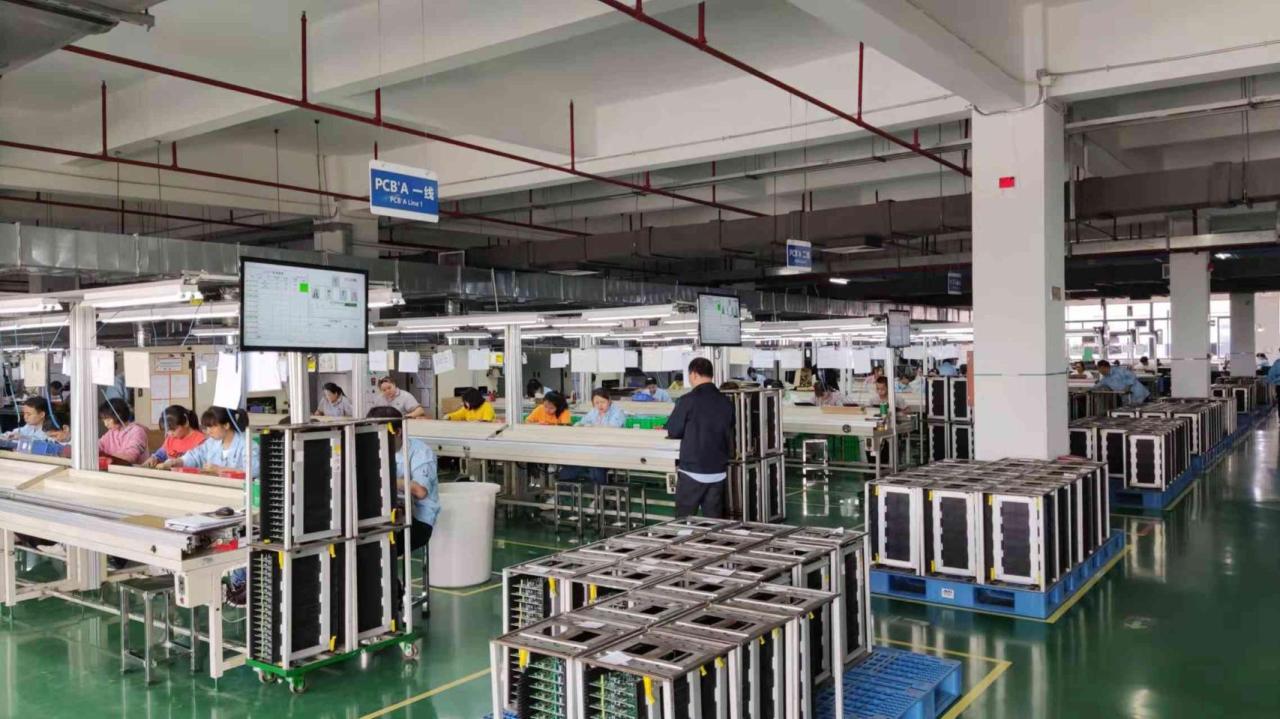
Proof of in-house SMT, PCB, assembly and reliability testing capability.
Labeled product matrix for displays, capture, podiums, wireless presentation and control.
Interoperability confirmation with existing cameras, audio, control and BYOD platforms.
Firmware update, spare-parts and warranty escalation policy.
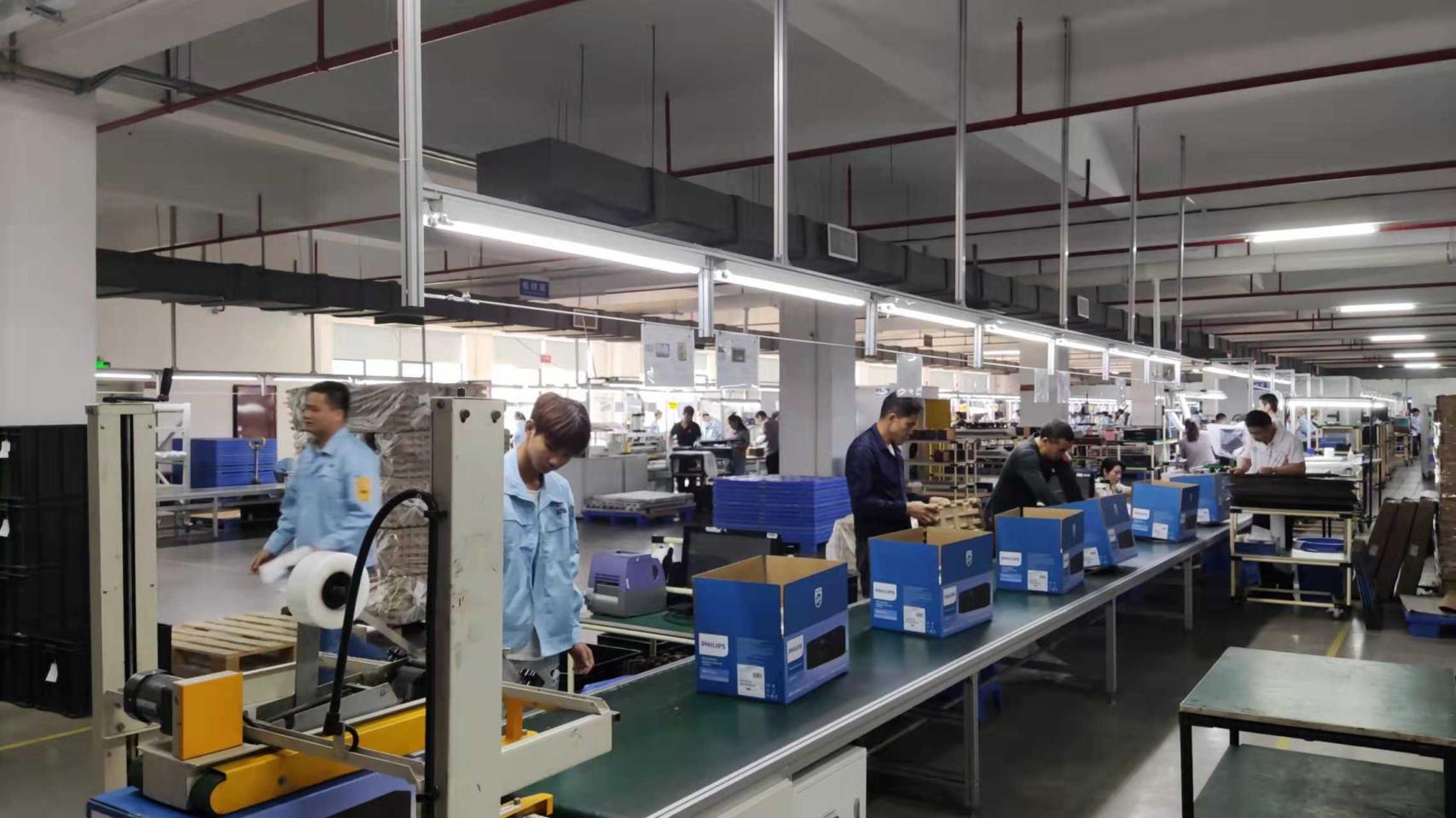
Export packaging tests and target-market documentation support.
Room-level bill of materials and installation responsibility matrix.
Training plan and after-sales escalation path for integrators.
In a tender review, ask each supplier to explain the teacher workflow step by step. A credible partner will show where the display, camera, microphone, podium and control system interact, what happens if the network is unavailable, and how replacement parts are identified in the bill of materials.
In-House ProductionSMT, PCB, assembly and test
Enterprise Advantages
Why Global Buyers Work With Ruyden Interactive Technology Group Co., Ltd.
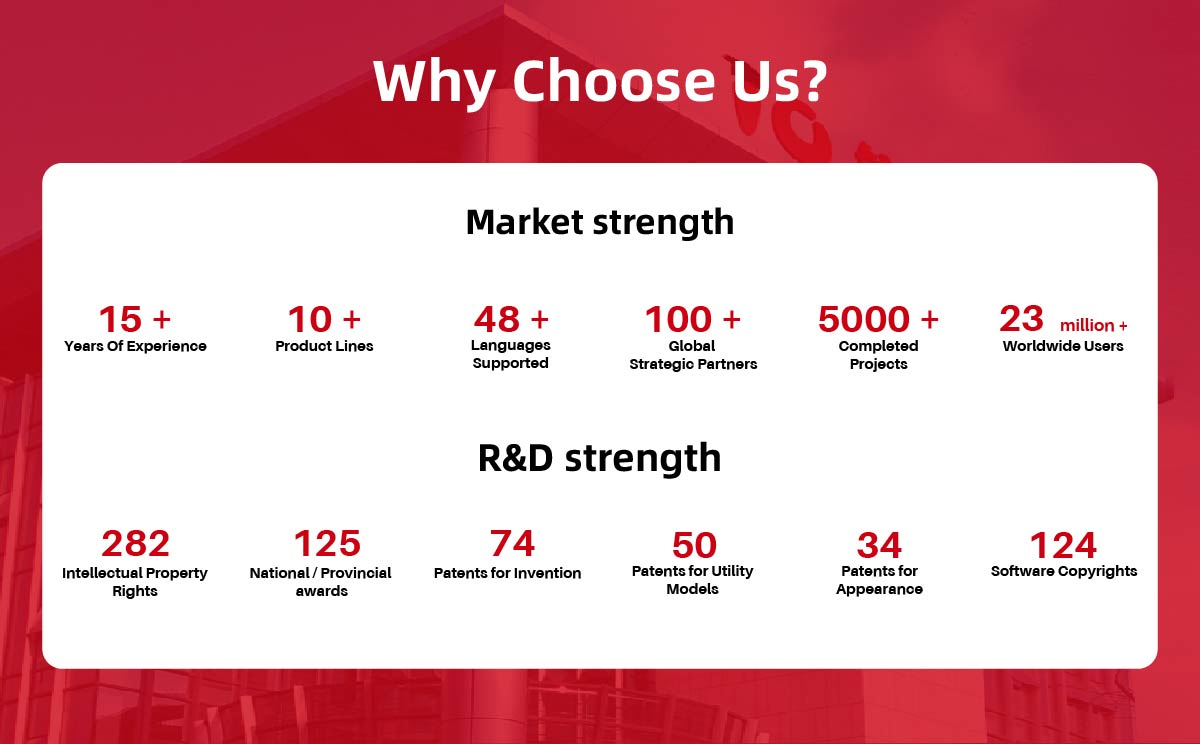
For buyers who need a single partner for displays, capture, podiums, sharing and control, Ruyden provides a product ecosystem rather than isolated hardware. The company is SGS onsite-verified, has 19 years in the industry, 82 verified staff and more than 10 years of export experience.
SGS Onsite-Verified
Ruyden has been onsite-verified by SGS Group, with assessment, credit, trade capacity and transaction records available for independent review before an order is placed.
Complete In-House Manufacturing
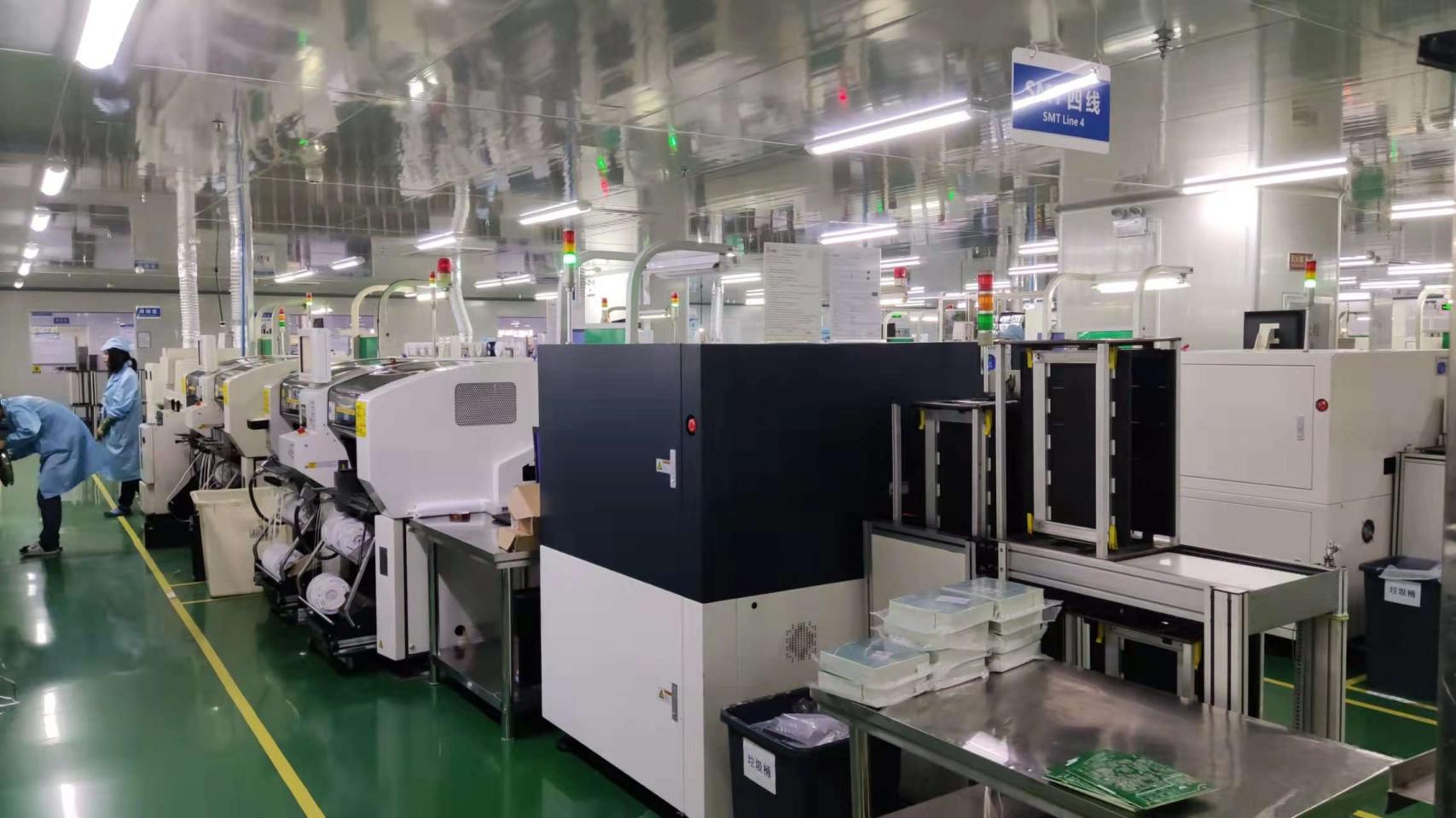
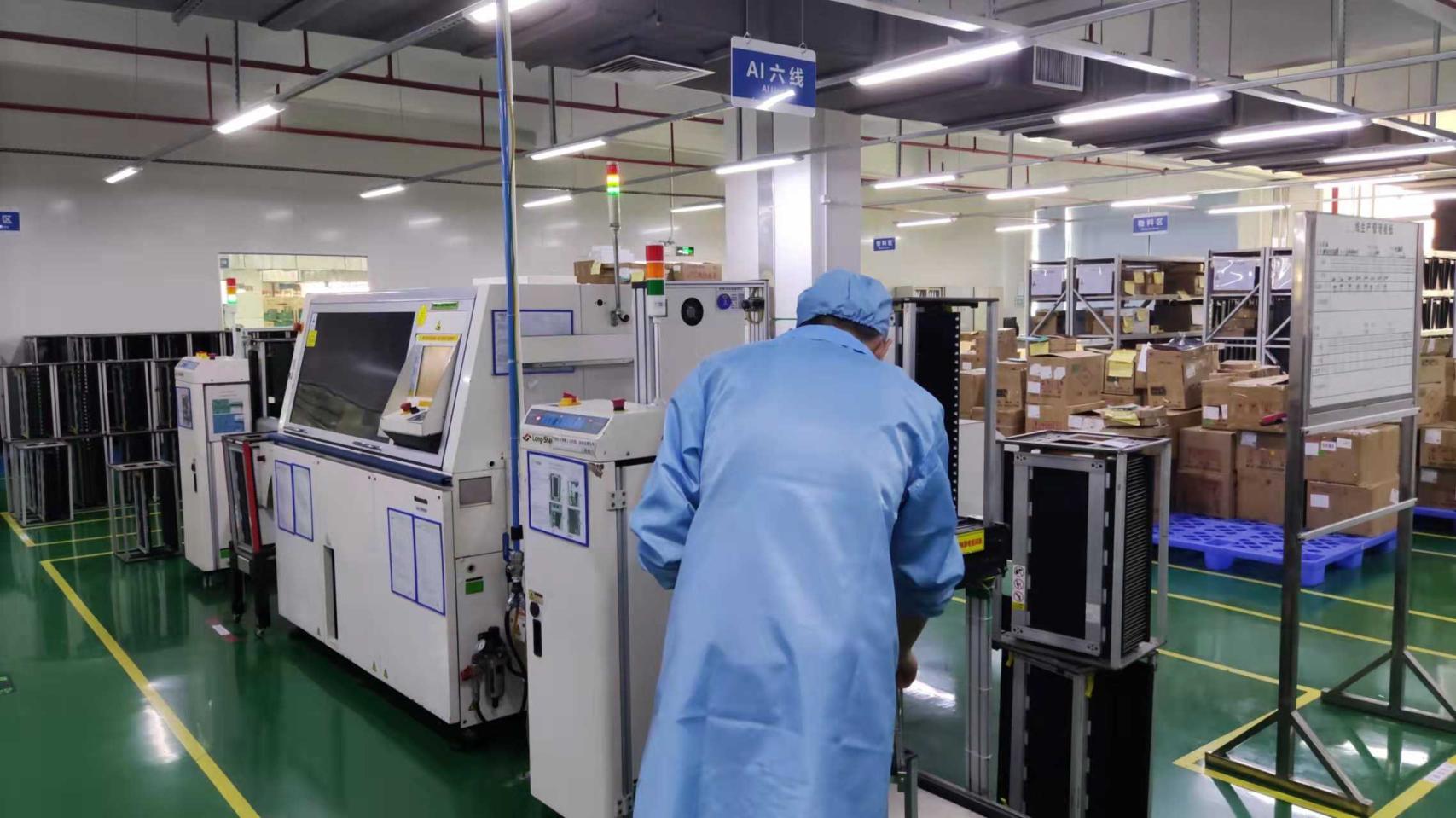
In-house SMT, AI insertion, PCB and assembly lines support consistent production, protect custom designs and allow faster responses to engineering changes.
Verified OEM/ODM Customization
Design-based customization has been verified by independent third-party inspection. Options include logo, boot screen, housing color, packaging, pre-installed software, language and hardware configuration.
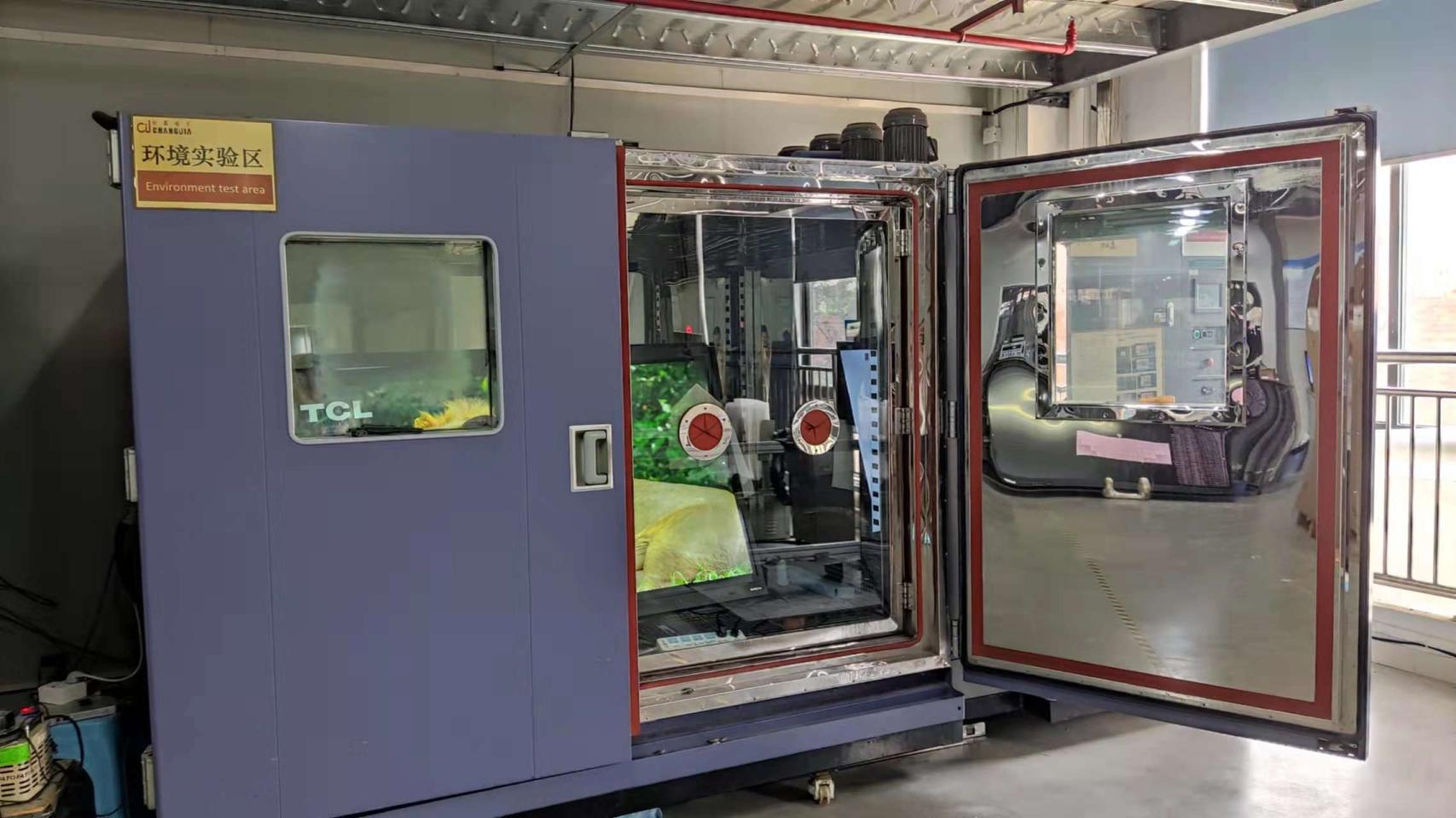
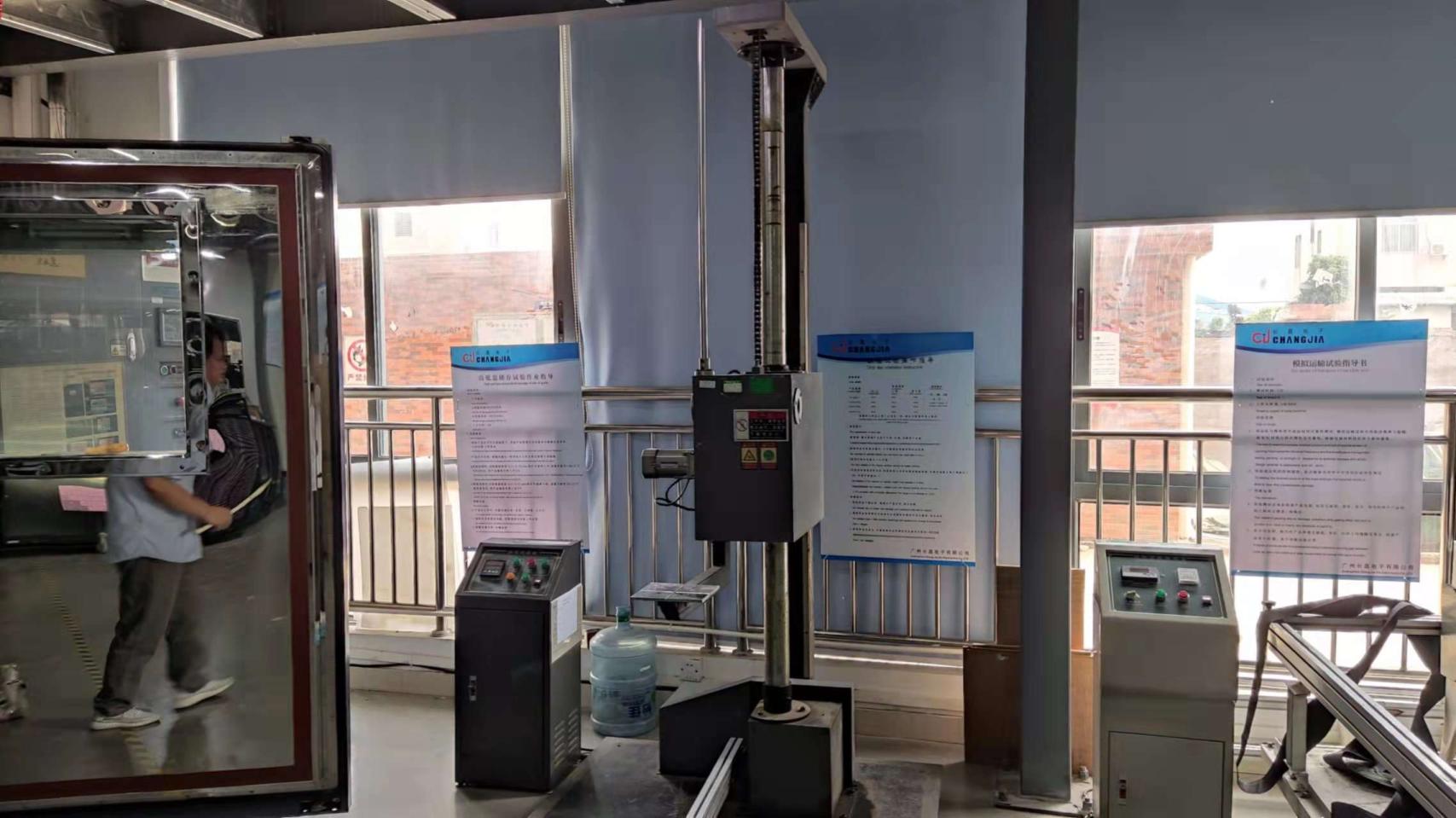
Reliability Test Lab
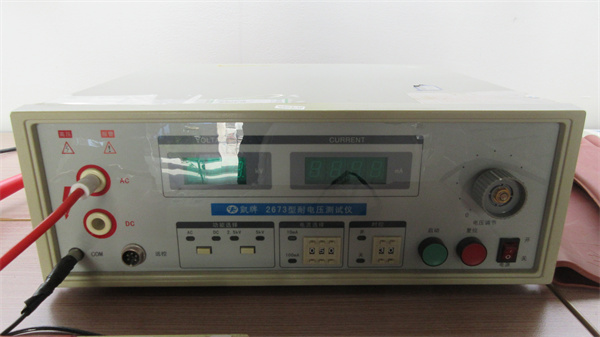
Products are validated with high and low temperature, drop, simulated transportation, salt spray, button life, insertion force, static, earth continuity and withstand voltage testing.
Raw Materials
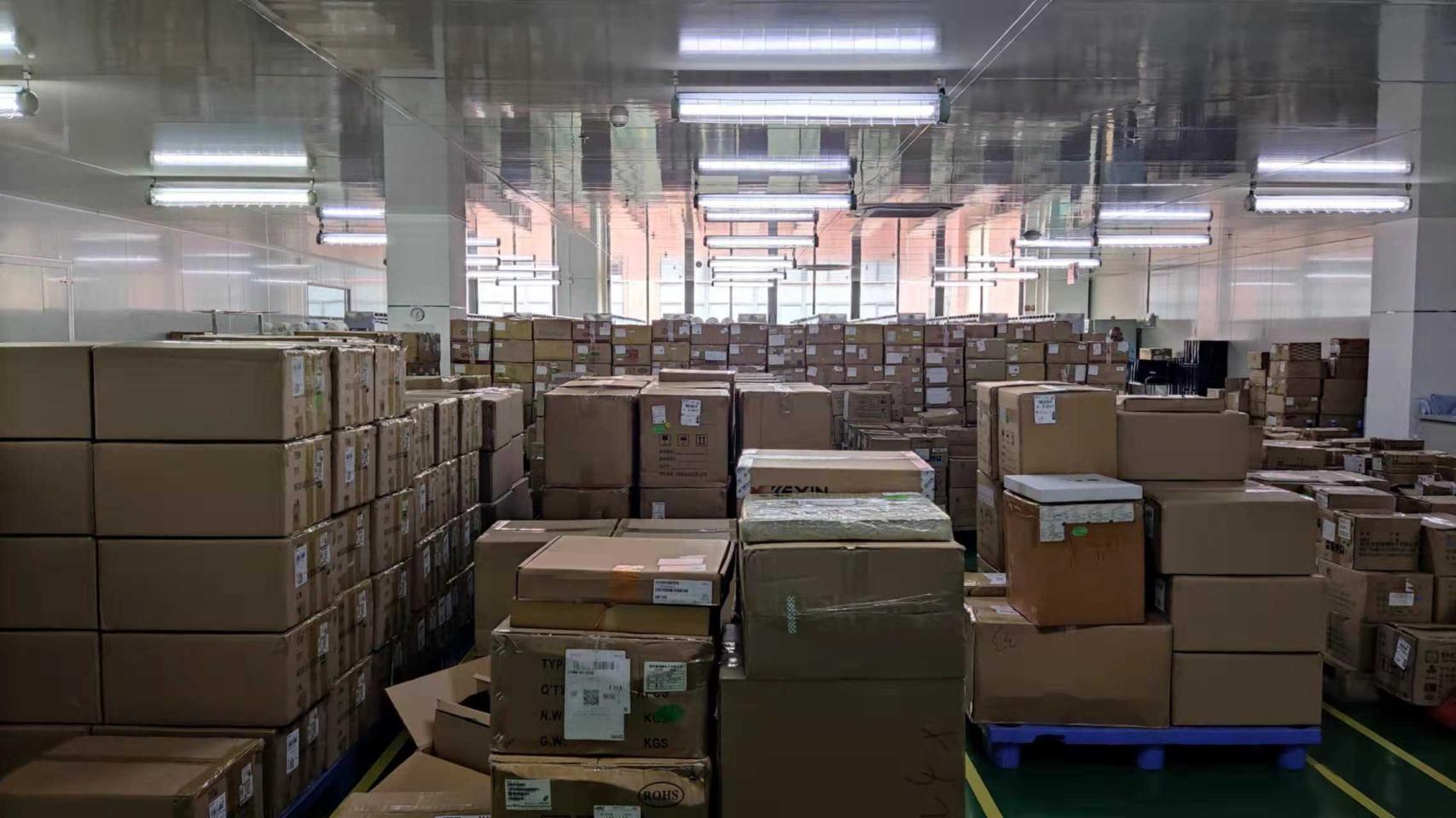
Incoming components checked and logged before production.
SMT Process
High-precision surface-mount placement for main and touch boards.
AI Auto-Insertion
Automated through-hole insertion for consistent solder quality.
PCB
Printed circuit board processing and functional pre-testing.
Assembly
Panel, frame and electronics assembled by trained operators.
Temperature Testing
Validates operation across hot and cold export markets.
Drop Testing
Confirms packaging protects units against handling impacts.
Withstand Voltage
Safety testing before shipment to reduce electrical risk.
For project discussions, contact info@ruydentech.com. The team can review room schedules, quantities, target-market requirements and existing AV/IT platforms to recommend a practical smart classroom AV integration solution.
Verify Ruyden Independently
Transparency supports long-term supply relationships. Review the audited records and company profile before requesting a quotation.
Smart Classroom AV Integration Solution: Frequently Asked Buyer Questions
These are the questions global procurement teams, integrators and distributors ask most often when planning a smart classroom AV integration solution.
What is included in a smart classroom AV integration solution?
A complete solution typically includes interactive flat panels or interactive whiteboards, lecture capture and live broadcast equipment, audio and video peripherals, a networked digital podium, 4K wireless presentation, and centralized AV, light and door control with school management software. The exact bill of materials depends on room size, teaching mode and whether lessons must be recorded or streamed.
How do I choose the right interactive display size?
Start with room size and viewing distance. As a practical starting point, use 65–75 inch for small to standard classrooms, 86 inch for larger classrooms or training rooms, and 90–100 inch for lecture halls. Apply the 6× screen-height rule and confirm sightlines, mounting height, lighting and teacher movement before finalizing.
Can Ruyden integrate with existing cameras, audio systems, LMS, and video-conferencing platforms?
Yes, integration planning can include existing cameras, audio systems, learning management systems and video-conferencing platforms. Buyers should provide a device list and network diagram so Ruyden can confirm input and output requirements, control drivers and testing responsibilities.
How long does a typical classroom deployment take?
Time depends on room count, site readiness, network configuration and whether custom branding or software is required. A single-room pilot usually moves faster than a campus rollout; multi-room projects require scheduling for cabling, mounting, configuration, training and acceptance testing.
Does Ruyden support OEM/ODM branding and software customization?
Yes. Design-based customization is verified by independent third-party inspection. Options include logo, boot screen, housing color, packaging, pre-installed software, language settings and hardware configuration, subject to order volume and technical review.
How does Ruyden control quality and reliability?
Production runs through in-house SMT, AI insertion, PCB and assembly lines. Reliability checks include high and low temperature, drop, simulated transportation, salt spray, button life, insertion force, static, earth continuity and withstand voltage testing before shipment.
What information should buyers provide for a fast quotation?
Provide room types, sizes and quantities; target market; required display sizes; capture and streaming needs; existing devices and platforms; branding or language requirements; compliance documentation needs; delivery schedule; and installation responsibility. With these details, the team can prepare a tailored configuration.
Can Ruyden support campus-wide, multi-room rollouts?
Yes. Ruyden supports multi-room projects by standardizing room templates, offering mixed display sizes, and combining classroom devices with centralized control and management. For campus rollouts, buyers should plan spare parts, firmware updates, training and acceptance testing across phases.
How can buyers verify Ruyden's credentials?
Buyers can review Ruyden's SGS assessment report, credit overview, trade capacity, transaction level, trade history and buyer ratings through the verification links on this site. The company can also provide product documentation and test evidence relevant to the project.
Start Your Project
Ready to Specify Your Smart Classroom AV Integration Solution?
Share your room types, quantities, target market and capture requirements. The Ruyden education AV team will review the project and recommend a configuration, sample plan and documentation package.