CE Certified Desktop Visualizer Factories & Wholesaler
Source CE-ready desktop visualizers, 4K document cameras, interactive displays and integrated smart classroom AV from an SGS onsite-verified manufacturer with in-house SMT, PCB, assembly and reliability testing.
Send an Inquiry8 Factory-Direct Products for Desktop Visualizer and Smart Classroom Buyers
Use this shortlist as a tender comparison starting point, not as a one-size-fits-all catalogue. The document camera is the closest fit for desktop visualizer projects; the interactive displays, kiosks, speakerphones and conference cameras are complementary room-level products that distributors often bundle to simplify installation and increase order value.
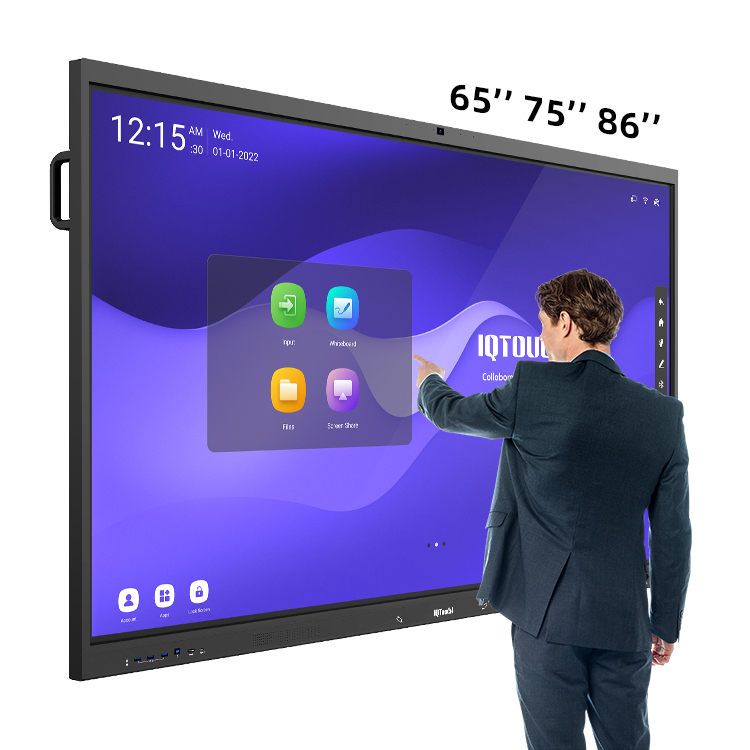
Dual System 4K 65 75 86 Inch Smart Board Interactive Electronic Whiteboard for Education and Conference
A dual-system 4K interactive smart board for tender classrooms and meeting rooms. Its 65/75/86-inch size ladder, multi-touch surface and Android/Windows flexibility make it a practical anchor product for wholesalers building a bundle around a desktop visualizer.
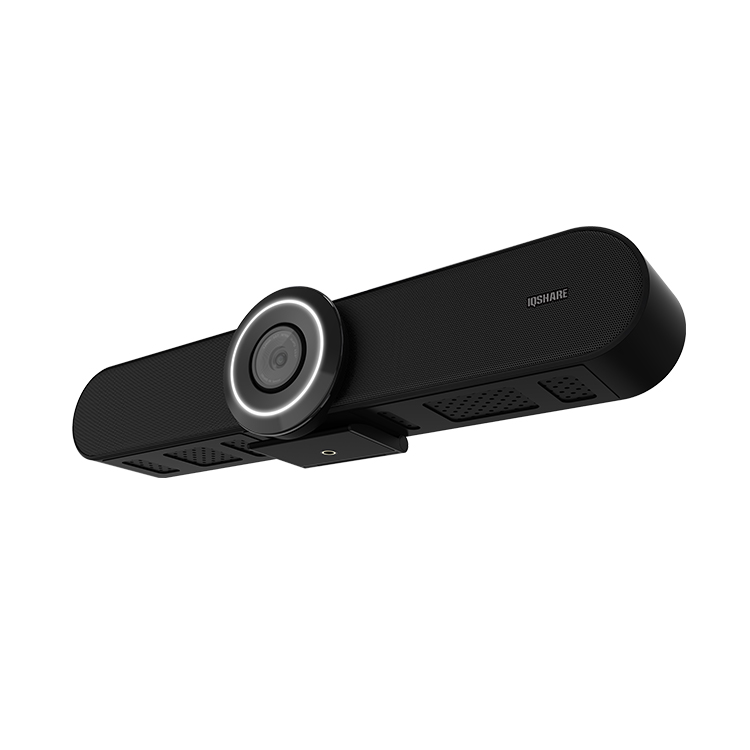
8MP Ultra HD 4K Conference Desktop All in One Webcam Stand Built-in Mic & Speaker for Online Classe Meeting Live Stream
An all-in-one 8MP 4K conference webcam with integrated microphone and speaker. It is a strong attach product for hybrid classrooms, live streaming and meeting-room kits where buyers want fewer cables and faster installation.
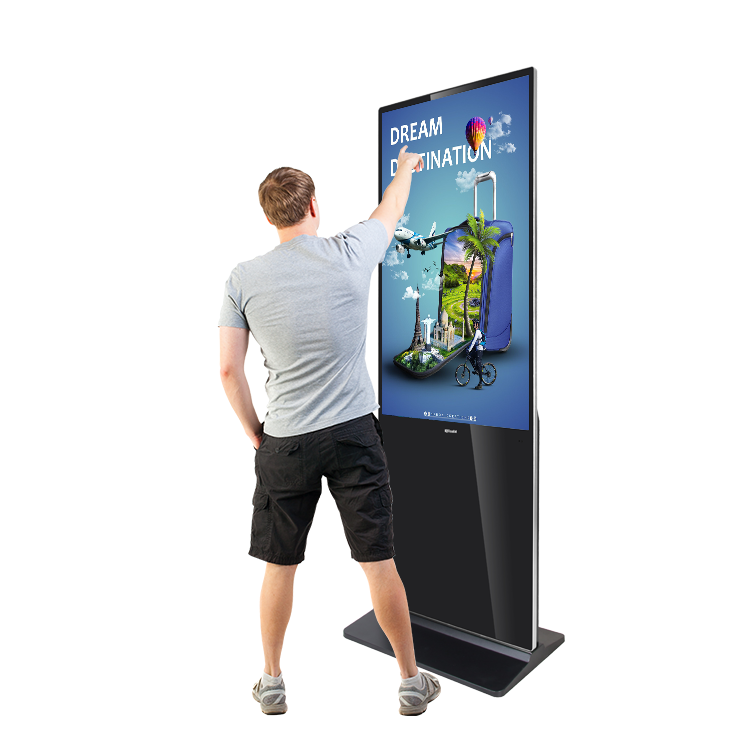
Wholesale 43inch Android Tablet Floor Standing Touch Kiosk for Hotel Bank School
A 43-inch Android floor-standing touch kiosk for hotel, bank and school wayfinding. For distributors, it expands a visualizer enquiry into campus digital signage, lobby information and self-service deployment opportunities.
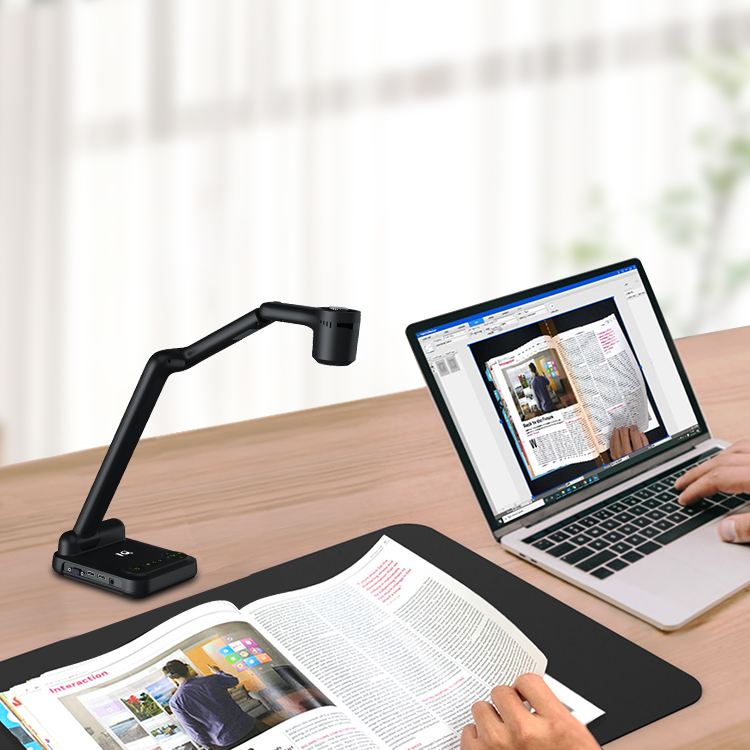
Wholesale 10x Optical Zoom Portable High Definition Live Image Document Camera Ceiling for School
A portable 10x optical zoom HD document camera for live image display of textbooks, experiments, artwork and 3D objects. Optical zoom preserves detail better than digital zoom, making this model a core recommendation for CE-conscious desktop visualizer procurement.
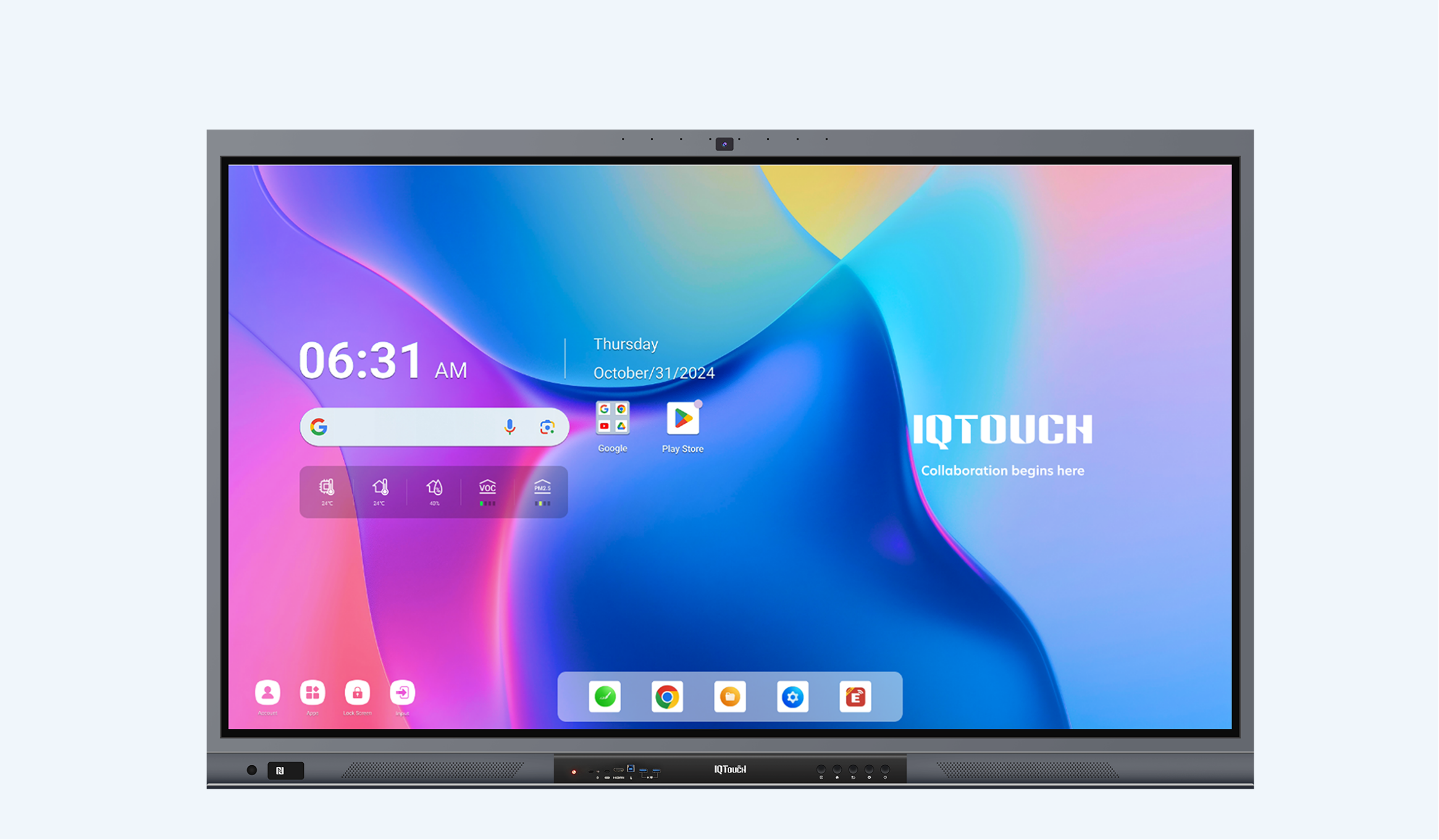
75 86 Inch Interactive Touch All in One Pc Electronic Interactive Whiteboard Smart Board Digital Price for Conference
A 75/86-inch interactive touch all-in-one PC for conference and teaching rooms. Specify it together with a document camera when the room must support both on-screen annotation and physical object demonstration.
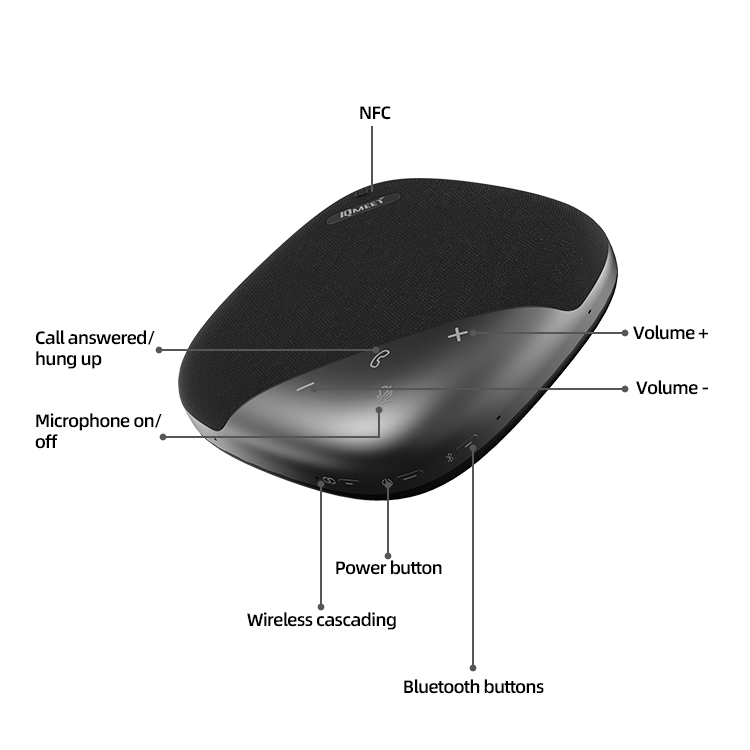
Home Theatre Omnidirectional USB Wireless Amplified Speakerphone Conference Powerful Sound Suitable for School and Conference
An omnidirectional USB/wireless amplified speakerphone for classrooms and conference spaces. It helps integrators create complete hybrid-learning kits rather than selling isolated hardware.
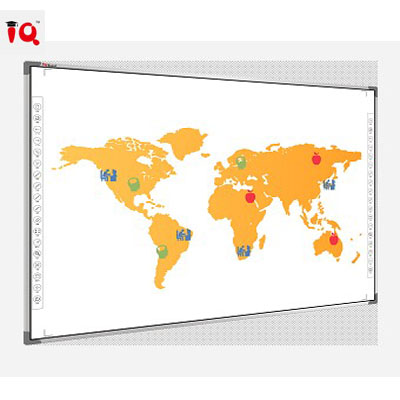
School Board Class Board IQBoard IR 82" 2 Points Touch 2 Users Interactive Whiteboard for School
An 82-inch IQBoard IR interactive whiteboard with two-point touch for schools. It suits buyers who want a familiar writing surface, low teacher training friction and a reliable front-of-class display paired with a desktop visualizer.
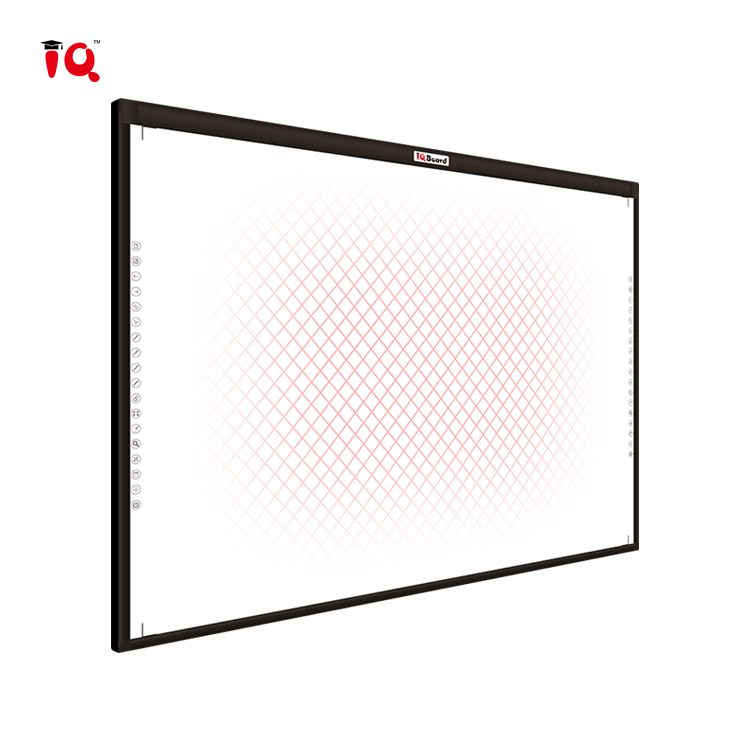
IQ Board No Projector Portable Smart Board China Interactive Whiteboard
A portable no-projector interactive smart board for flexible classrooms, training rooms and mobile teaching. It is useful for resellers combining a visualizer, wireless presentation and interactive display into one compact solution.
Future Procurement Trends for CE Certified Desktop Visualizers
Buyer behaviour has changed. Education distributors and tender teams no longer compare only image resolution and unit price; they audit compliance evidence, classroom interoperability, spare-parts planning and the factory's ability to support repeat orders. These six trends should shape your next visualizer RFQ.
CE Evidence Is Moving to Model Level
Tender teams increasingly ask for a model-specific CE certificate, Declaration of Conformity, test-report references, label artwork and traceability between certificate and SKU. A general “CE factory” statement is not enough for a desktop visualizer buyer who must defend the award decision.
Total Cost of Ownership Outranks Lowest Price
Freight damage, return rates, teacher training, spare parts, firmware support and installation time now carry real weight. A slightly higher factory quote with complete packaging validation and responsive engineering support is often the lower-risk wholesale decision.
Hybrid Classrooms Require Multiple Outputs
A visualizer must serve the room and the remote audience. Buyers now specify HDMI for the interactive panel, USB for the teacher laptop and, in higher-value projects, IP streaming or capture-system integration for recorded lessons and live broadcast.
Interoperability With IFPs and Lecture Capture
Desktop visualizers are rarely purchased alone. Procurement teams expect plug-and-play compatibility with interactive flat panels, lecture capture cameras, networked podiums and 4K wireless presentation systems so that one teacher workflow can span the entire classroom.
Smaller, Faster Replenishment Orders
Distributors prefer to stock fast-moving visualizer models and reorder quickly after project wins. A factory with in-house SMT, PCB and assembly lines can protect lead times better than a trading company relying on fragmented subcontractors.
Sustainability and Repairability Enter the Specification
Public-sector buyers are adding recyclable packaging, plastic reduction, replaceable cables, modular mounting arms and longer software support to the scorecard. Visualizer suppliers that document these details early gain an advantage in tender clarification rounds.
Product Development Trends for Desktop Visualizers
The document camera category is moving from a simple “camera on an arm” into a connected teaching sensor. The strongest 2025–2027 proposals will combine optical performance with driver-free deployment, security governance and room-level integration.
AI-Assisted Focus and Framing
Autofocus is becoming smarter: subject detection, auto-framing and quick refocus help teachers move between textbooks, experiments and 3D objects without touching controls. The buying question is not “does it have AI?” but whether the algorithm is stable in high-frequency classroom use.
4K Sensors and an Optical Zoom Ladder
Buyers are being offered 4K sensors, 10x/12x optical zoom and cleaner low-light performance. Optical zoom should be evaluated separately from digital zoom because only optical magnification preserves real detail for handwriting, diagrams and small components.
Multi-Interface Connectivity by Default
USB-C, HDMI, USB-A and LAN options are converging in one device class. A wholesaler should confirm which interfaces are native, which require adapters and which can run simultaneously, because adapter-dependent designs create support cost after installation.
Driver-Free UVC and Privacy Controls
Plug-and-play UVC video reduces IT friction across Windows, ChromeOS, macOS and Android-based panels. Privacy shutters, status LEDs, secure boot options and clear firmware-update policies are becoming practical requirements for school and government deployments.
Flexible Mounting Architectures
Desktop, wall, ceiling, mobile-stand and articulating-arm versions serve different room sizes. The future-ready supplier offers modular mounting and cable management so the same visualizer family can fit a primary classroom, lecture hall and corporate training room.
Firmware Governance and OTA Support
Software lifecycle is now part of hardware quality. Ask for firmware release notes, rollback plans, security-contact information and OTA capability where relevant. Strong governance lowers after-sales risk and helps distributors support multi-year education contracts.
Why Ruyden Is a Lower-Risk Desktop Visualizer Factory and Wholesale Partner
Ruyden Interactive Technology Group Co., Ltd. is an SGS onsite-verified manufacturer and exporter based in the Fuzhou High-tech Zone, Fujian, China. The company combines 19 years in the education AV industry, 21 years of verified B2B trading records, 82 verified staff and a 5.0/5 buyer rating with in-house manufacturing and a dedicated reliability test lab.
SGS Onsite Verification With Public Records
Third-party verification gives buyers a defensible starting point. SGS assessment, credit overview, trade capacity, transaction level, trade history and buyer feedback can be reviewed before a sample order is placed.
In-House SMT, PCB, AI and Assembly
Controlling surface-mount, automatic insertion, PCB processing and final assembly under one roof protects custom designs, improves engineering feedback speed and reduces the quality gaps that appear when production is split among subcontractors.
Reliability Lab Built for Export Climates
Products are validated for high and low temperature, drop, simulated transportation, salt spray, button life, insertion force, static, earth continuity and withstand voltage so that classroom hardware is better prepared for real shipping and daily-use conditions.
One-Stop Smart Classroom Ecosystem
Interactive flat panels, interactive whiteboards, lecture capture, networked digital podiums, wireless presentation and centralized AV/light/door control can be sourced through one qualified supply chain, simplifying visualizer bundling and after-sales coordination.


Quality Gates That Protect Wholesale Visualizer Projects
For a CE certified desktop visualizer programme, the safest supplier is the one that can connect design, production, testing and documentation. The following capability map reflects the manufacturing and verification strengths described in Ruyden's original company profile.
Practical compliance note: CE marking is product- and configuration-specific. Before award, confirm the exact visualizer model, power adapter, optional wireless module, label artwork and Declaration of Conformity scope. This protects the buyer, the installer and the school.
How to Choose the Right Desktop Visualizer Factory
A strong visualizer supplier should answer commercial, technical and compliance questions with evidence. Use these six checks during supplier shortlisting, sample approval and final factory audit.
1. Define the Teaching Workflow
Confirm whether the visualizer will show books, science demonstrations, art techniques, 3D objects or remote training materials. Workflow determines required zoom, lighting, frame rate, mounting position and output type more than a generic specification sheet.
2. Compare Optical Zoom, Not Digital Zoom
Ask for the optical zoom ratio, sensor resolution and minimum focus distance. A 10x optical zoom system can reveal handwriting and small parts without losing real pixels, while digital zoom may look larger on screen but delivers less usable detail.
3. Match the Mounting to the Room
Desktop, wall, ceiling and mobile-stand installations serve different spaces. Check cable length, arm movement, cable management, anti-theft design and whether the proposed mount interferes with existing interactive panels or lecture-capture cameras.
4. Request CE Scope and Test Evidence
Verify that the certificate, Declaration of Conformity and label information match the exact visualizer SKU and power supply. For tenders, ask for the document package early so legal and compliance teams can review it before sample approval.
5. Audit Packaging and Reliability Data
Visualizers ship with arms, lenses and connectors that can be damaged in transit. Ask for drop, vibration, temperature and packaging evidence, plus the spare-parts list and DOA policy. These details often explain the true difference between two similar quotations.
6. Plan Warranty, Firmware and Spare Parts
Confirm warranty terms, response-time expectations, firmware-update ownership, adapter availability and local service arrangements. For multi-year education contracts, a documented support model is as important as the visualizer's launch specification.
Where CE-Certified Desktop Visualizers Create Buyer Value
Desktop visualizers are highly adaptable, but the right configuration changes by room type. The most successful wholesale programmes align one core visualizer platform with a small number of mounts, outputs and accessories.
K-12 Classrooms
Show handwriting, maths workings, maps, science experiments and artwork in real time. Pair with a 65–86-inch interactive panel for a simple, teacher-friendly front-of-class workflow.
University Lecture Halls
Combine a high-zoom visualizer with lecture capture, networked podiums and large-format interactive displays so live demonstrations reach both the room and remote students.
Corporate Training Rooms
Demonstrate documents, prototypes, components and process samples during meetings. USB plug-and-play and HDMI output keep the visualizer compatible with laptops, conferencing bars and interactive displays.
Public-Sector Training Centres
Use durable visualizers with documented compliance, controlled firmware and predictable maintenance. Centralized AV, lighting and door control can be integrated when the project extends beyond a single room.
Questions Overseas Buyers Ask About Desktop Visualizer Factories
Use these answers to prepare a clearer RFQ. They are written for distributors, system integrators, tender consultants and education procurement teams comparing a CE certified desktop visualizer factory and wholesaler.
What is a desktop visualizer, and how is it different from a document camera?
“Desktop visualizer” and “document camera” are often used interchangeably. Both capture books, objects and demonstrations for live display. A desktop visualizer usually describes the complete teaching solution—camera, arm, lighting, outputs and mounting—while a document camera may refer to the camera head alone.
Are your desktop visualizers CE certified?
CE marking is model- and configuration-specific. For any visualizer, power adapter or optional wireless module, request the CE certificate, Declaration of Conformity, label information and relevant test reports so the documents match the exact SKU being imported.
Can you supply wholesale quantities and OEM branding?
Yes. Ruyden supports design-based customization verified by independent inspection, including logo, boot screen, packaging, software pre-installation, language settings and hardware configuration. MOQ is confirmed by model, customization depth and project volume.
Which specifications matter most for classroom visualizers?
Prioritise optical zoom, sensor resolution, minimum focus distance, frame rate, lighting control, output interfaces and mounting flexibility. For tender work, also compare warranty terms, spare parts, firmware policy and whether the supplier can provide model-level compliance documents.
How do you control quality before shipment?
Production runs through in-house SMT, automatic insertion, PCB and assembly processes, followed by reliability testing that includes temperature, drop, simulated transportation, salt spray, button life, insertion force, static, earth continuity and withstand voltage checks.
What lead times and shipping options should buyers expect?
Lead time depends on model, customization, sample approval and component supply. After the configuration is confirmed, the factory can coordinate export packing and sea, air or express shipping. Buyers should request a written schedule for samples, mass production and documentation release.
Can visualizers integrate with interactive flat panels and lecture capture?
Yes. A visualizer can feed an interactive flat panel through HDMI or USB, and higher-value classroom designs may route video into a lecture capture or live broadcast system. Confirm signal format, cable distance and control workflow during solution design.
How should an overseas buyer start an inquiry?
Share room types, quantity, target market, required resolution and zoom, mounting preference, interface requirements, branding needs and any CE or tender documentation requirements. The export team can then propose a model, configuration and sample plan.
Planning a CE-Ready Desktop Visualizer or Smart Classroom Rollout?
Talk to a factory team that understands tender evidence, OEM/ODM customization, classroom interoperability and export quality control. Share your room count, target market, visualizer specification, certification scope and desired branding to receive a practical configuration proposal.
Send an Inquiry Email: info@ruydentech.com · SGS onsite-verified manufacturer · 19 years in education AV