Eight Products Buyers Commonly Evaluate With Document Cameras
A document camera rarely works alone. The strongest classroom and training-room deployments combine visualizers and OCR scanners with interactive displays, digital podiums, audio pickup and centralized control. The eight products below are listed exactly as supplied, with the original product URLs retained for sourcing teams.
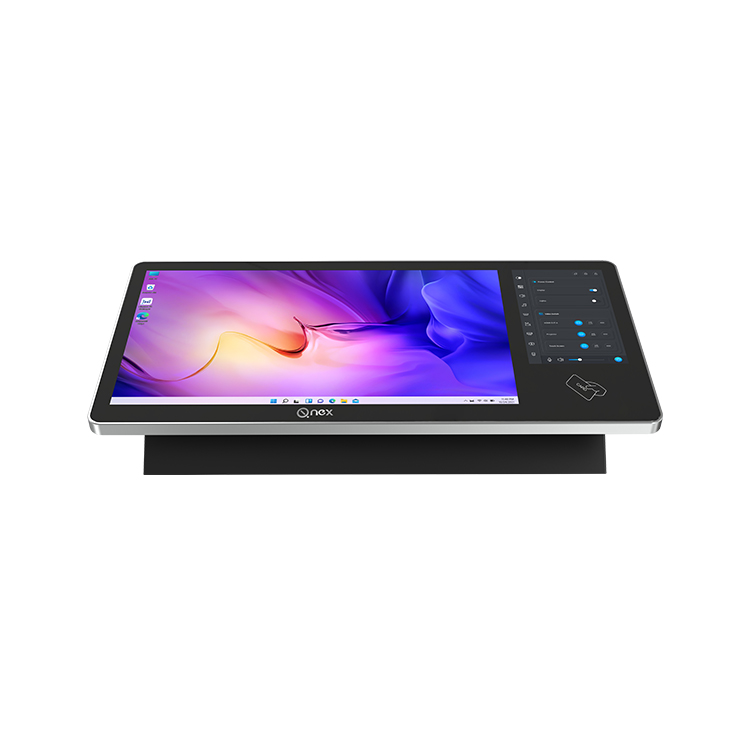
Dual Screens with Optical Bonding All-in-one Smart School Computer Desktop Digital Podium Pulpit for Classrooms
A dual-screen podium for classrooms that need a durable presentation control point. Pair it with a visualizer to switch between document close-ups, lesson software and live annotation without moving between devices.
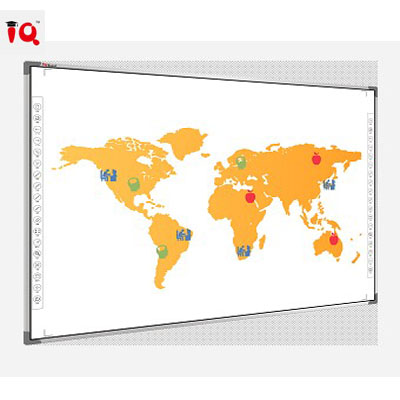
School Board Class Board IQBoard IR 82" 2 Points Touch 2 Users Interactive Whiteboard for School
An 82-inch classroom display for collaborative annotation and whole-class viewing. When connected to a document camera, it lets teachers enlarge worksheets, textbooks, science demonstrations and student work for the entire room.
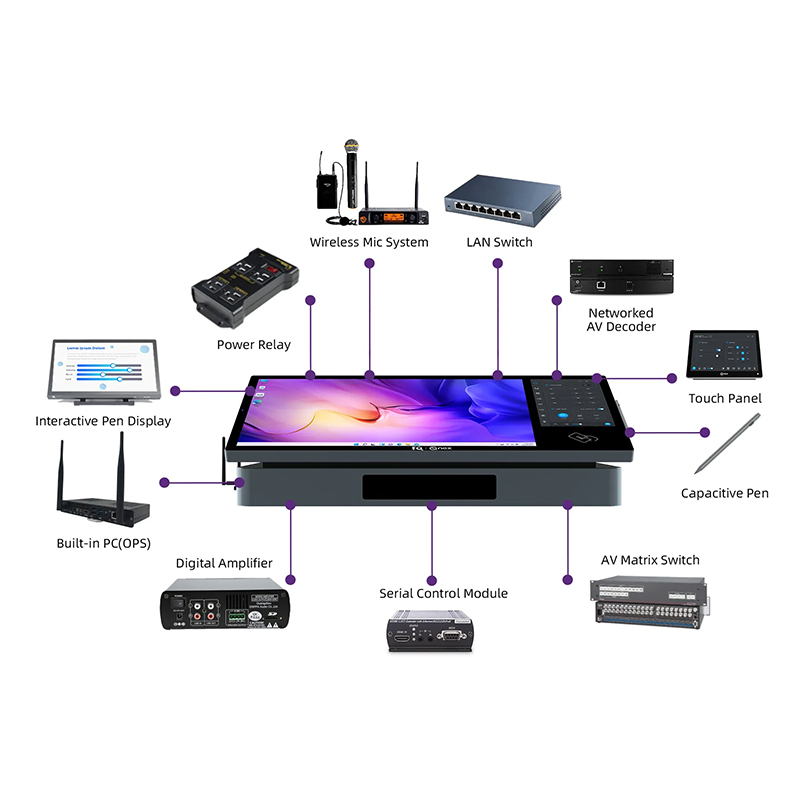
Android System Education Classroom Control Smart Digital Lectern Desktop Digital Podium
A smart lectern for teachers who want one place to manage displays, lesson content and room devices. It supports a cleaner classroom AV layout when document camera video, annotation and presentation sources need to be routed quickly.
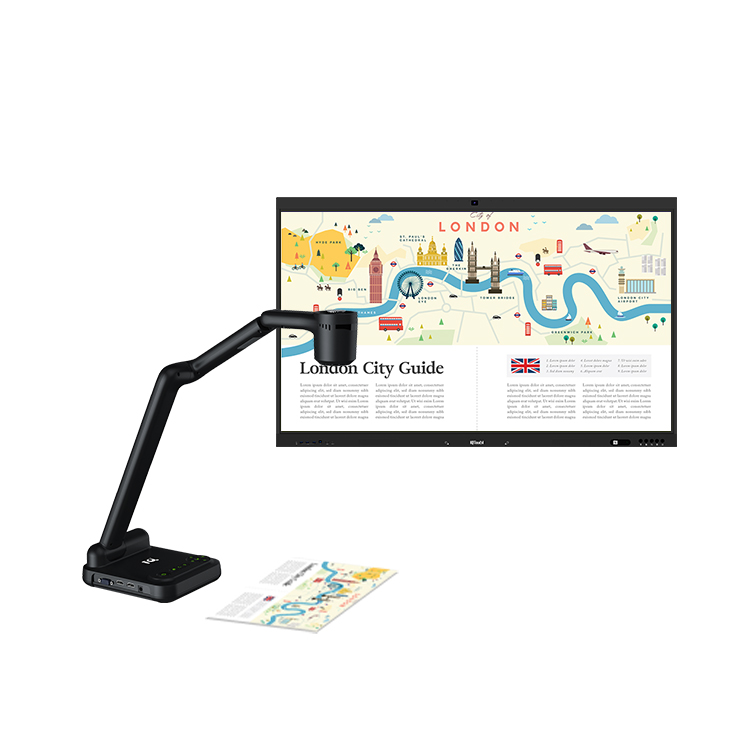
A3 A4 8 Megapixel Scanner Machine Large Document Camera Portable Ocr Document Scanner
A practical choice for schools, offices and hybrid teaching corners where A3 and A4 materials must be captured, enlarged and shared. OCR support helps convert printed content into searchable digital records when workflows require it.
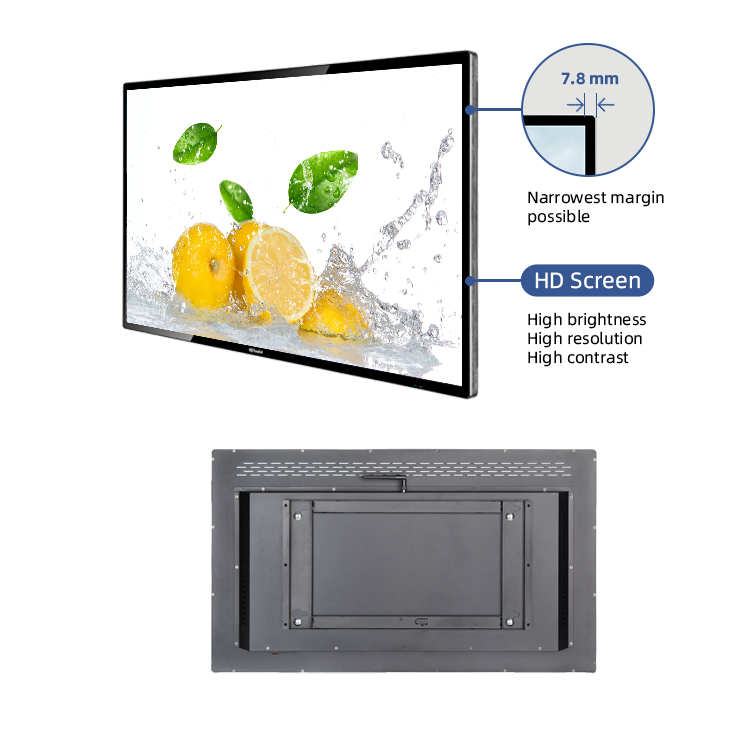
Interactive Touch Screen 10/13/15/22/32/43/49/55/65 Inch Android LCD Monitor Kiosk Wall Mounted Advertising Display
A versatile signage and information display for campus reception, training centers and public-sector facilities. It complements document camera deployments by handling announcements, wayfinding and presentation content outside the classroom.
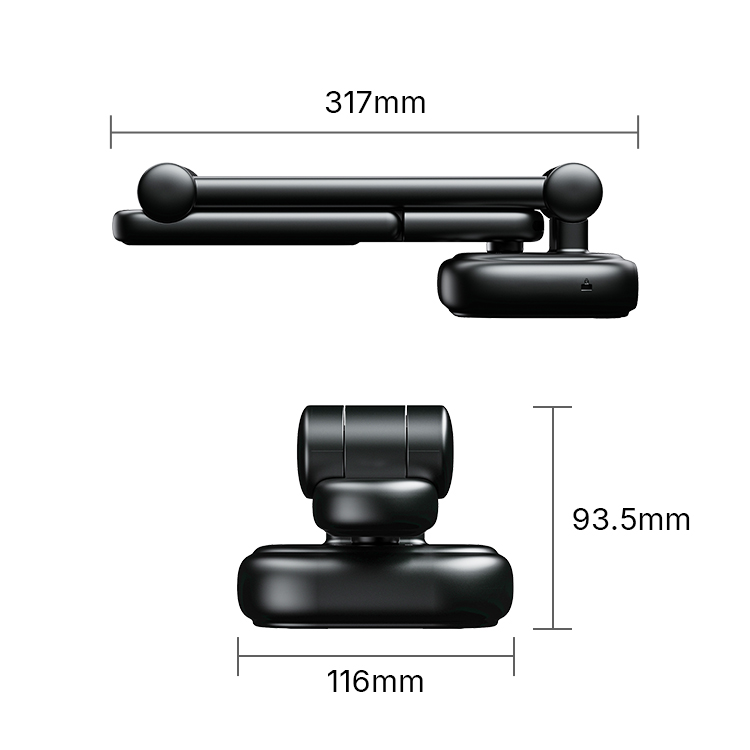
55x Digital Zoom Built in Mic Real-time Annotation Capabilities Document Cameras or Visualizers with High Capture
An education-focused visualizer for close-up demonstrations, handwriting, textbook pages and hands-on materials. The 55x digital zoom, built-in microphone and real-time annotation functions make it suitable for live classroom use and recorded lessons.
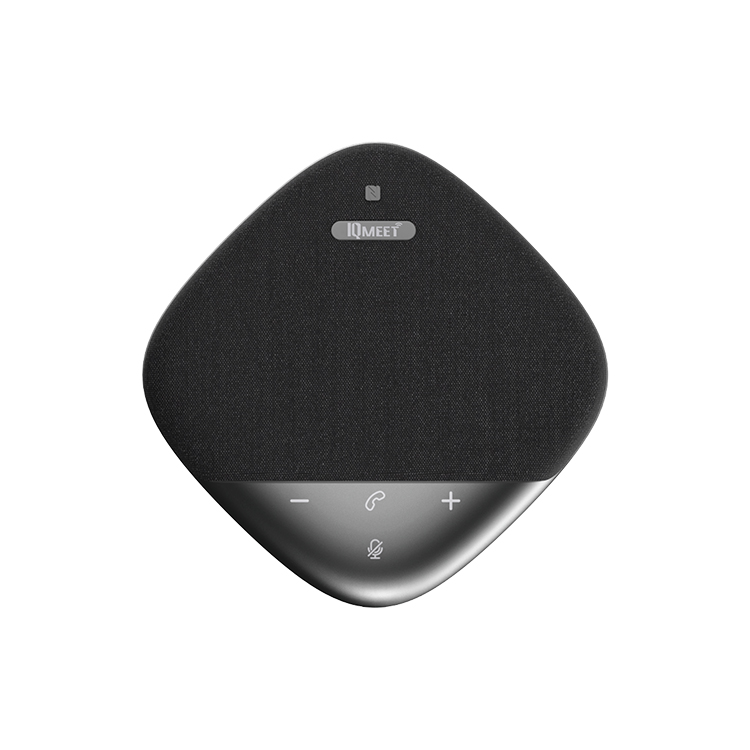
China Factory NFC Features AI Noise Reduction Built-in Dual Speakers Conference Speakerphone for Mobile Phone USB
A conference speakerphone that supports clearer hybrid teaching and meeting audio. Its AI noise reduction and dual-speaker design are useful when a document camera demo is streamed to remote learners who need to hear the instructor clearly.
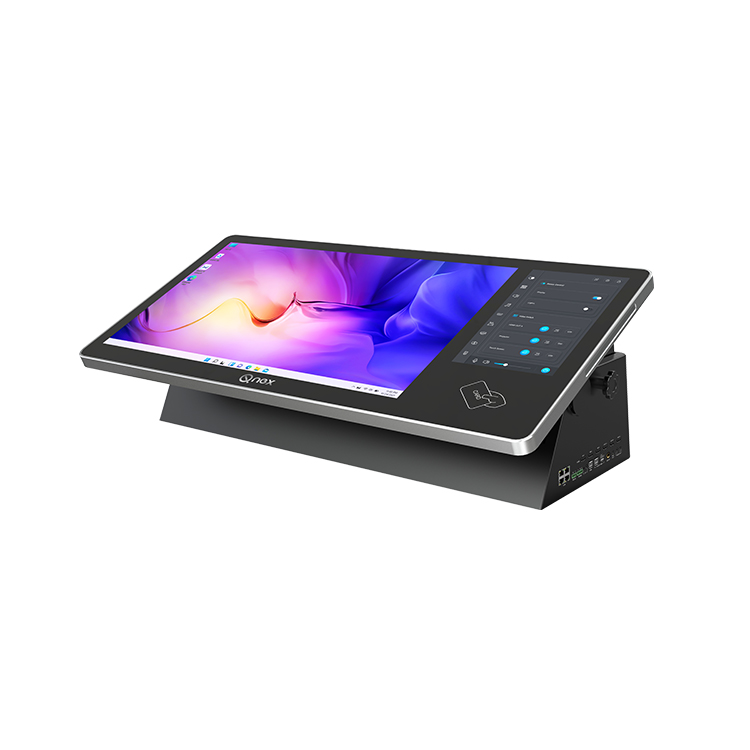
China Supplier Educational Equipment Customizable Integrated Multifunctional Desktop Digital Podium Factories
A customizable podium platform for distributors and integrators who need branding, configuration and room-level integration flexibility. It can serve as the teacher-side control point for visualizer video, annotation and lesson presentation.
Need a configuration matched to room size, budget and target market?
Share your use cases, quantities, certification requirements and branding needs with Ruyden. The sales engineering team can recommend display, visualizer, audio and control combinations rather than selling one device in isolation.
Send an InquiryWhy “Best” Should Be Defined by Verification, Not a Marketing Claim
For a school district, distributor or systems integrator, the phrase China best document camera manufacturer has little value unless it can be translated into auditable supply criteria. The relevant questions are more specific: Can the factory show an independent onsite assessment? Does it control SMT, PCB and final assembly? Can it repeat the same image quality from sample to mass production? Does it understand how a visualizer connects to an interactive panel, lecture capture system and digital podium?
Ruyden Interactive Technology Group Co., Ltd. is positioned around those questions. The company is an SGS onsite-verified manufacturer based in the Fuzhou High-tech Zone, Fujian, China, with a product ecosystem that includes interactive flat panels, interactive whiteboards, lecture capture systems, networked digital podiums, wireless presentation and document camera visualizers. This matters for buyers because procurement risk usually comes from system incompatibility, not from a single missing feature on a specification sheet.
A strong document camera supplier should also shorten the distance between sample approval and volume shipment. Ruyden’s published company profile cites 19 years in the industry, more than 10 years of export experience, 82 verified staff and a 5.0/5 buyer rating from verified transactions. These facts do not replace due diligence, but they give sourcing teams a transparent starting point.
- Image performance: verify focus speed, zoom behavior, low-light handling, frame rate and text legibility under classroom lighting.
- Connectivity: confirm HDMI, USB, VGA, network or wireless requirements and how the visualizer integrates with displays and lecture capture.
- Manufacturing control: ask who owns SMT, PCB, assembly, testing and packaging, especially for private-label projects.
- Commercial clarity: request MOQ, sample policy, warranty terms, packaging tests, lead time and spare-parts support in writing.
What Education Buyers Will Prioritize in 2025–2030
Document cameras are moving from standalone presentation accessories to connected visual-input devices inside broader classroom AV architectures. The purchasing logic is changing accordingly.
Higher-Resolution Visual Capture
Buyers increasingly expect sharp text, stable color and smooth motion for hybrid lessons. Specifications now include sensor resolution, zoom clarity, frame rate and low-light behavior, not just “document camera” as a generic category.
AI-Assisted Teaching Workflows
Auto focus, auto exposure, noise reduction, page recognition and annotation support reduce setup time for teachers. The practical procurement question is whether AI features remain predictable across different languages, lighting conditions and lesson materials.
Interoperability With Existing AV
Education tenders increasingly require visualizers to work with interactive flat panels, lecture capture systems, wireless presentation and campus control platforms. Isolated devices create training burden and after-sales friction.
Total Cost of Ownership
Price-only decisions are giving way to serviceability, spare parts, packaging quality, warranty response and product lifecycle planning. A slightly higher unit price can be justified when a supplier reduces installation delays and returns.
How Document Cameras and Visualizers Are Evolving
The next generation of classroom visualizers will be judged less as cameras and more as teaching input devices that must integrate with software, audio and room control.
From Simple Capture to Real-Time Demonstration
Teachers need to zoom into handwriting, switch between book pages, annotate directly on the live image and save the result for revision. Products such as the 55x digital zoom visualizer with built-in microphone and real-time annotation capabilities reflect this shift toward live, interactive demonstration rather than static document scanning.
Portable Scanning and OCR in One Workflow
A3 and A4 document camera scanners are becoming more mobile so they can serve classrooms, administrative offices and remote teaching kits. OCR, image enhancement and easy export are valuable when printed material must become searchable, shareable or archived content.
Ecosystem-Ready Hardware
Visualizers will increasingly be planned with digital podiums, interactive displays, lecture capture and conference audio. A supplier that understands the full classroom signal path can help buyers avoid mismatched ports, image scaling problems and incomplete control workflows.
Recommended Document Camera Configurations by Use Case
Use this practical matrix to align the visualizer format with the room, teaching method and connected AV equipment. Final selection should always be confirmed with a sample test.
| Use Case | Recommended Core Product | Supporting Equipment | Why It Works |
|---|---|---|---|
| Small tutoring room | 8MP A3/A4 portable document camera scanner | 65-inch interactive panel, wireless presentation dongle | Portable setup, low space requirement and straightforward document capture for small groups. |
| K-12 classroom | 55x digital zoom visualizer with annotation | 75–86-inch interactive whiteboard, speakerphone or classroom audio | Close-up demonstrations, handwriting and textbook content remain visible to the whole class. |
| University tutorial | 55x zoom document camera with built-in microphone | Lecture capture system, 85–100-inch display, networked podium | Supports recorded lessons, live annotation and clear audio for remote students. |
| Corporate training room | 8MP OCR scanner or compact visualizer | Interactive display, conference speakerphone, wireless presentation | Enables document review, training material capture and hybrid meeting collaboration. |
| Smart classroom pilot | 55x zoom visualizer plus dual-screen podium | Android smart lectern, interactive panel, central AV control | Creates a repeatable room design that can be standardized across multiple classrooms. |
| Distributor private label | OEM document camera or customizable podium bundle | Boot screen, logo, packaging, language and hardware configuration | Builds a local product identity while using verified factory production. |
Inside Ruyden’s Manufacturing and Quality System
A document camera supplier is only as reliable as the factory behind the product. Ruyden’s public verification materials, in-house production lines and reliability test lab give education buyers a concrete basis for supplier evaluation.
Independent Onsite Verification
Ruyden has been onsite-verified by SGS Group. Assessment reports, credit overview, trade capacity, transaction level and trade history are publicly referenced, helping tenders and import compliance reviews move beyond unverified claims.
Long-Term Education AV Focus
The company reports 19 years in the industry and more than a decade of export experience. This matters when buyers need documentation, packaging, voltage options, language settings and long-term spare-parts planning.
Verified OEM / ODM Customization
Design-based customization has been independently inspected. Common options include logo, boot screen, housing color, packaging, pre-installed software, language settings and hardware configuration.
In-House SMT, PCB and Assembly
Ruyden controls SMT, AI auto-insertion, PCB processing and final assembly under one roof. This reduces dependence on scattered subcontractors and improves responsiveness to engineering changes.
Reliability Testing Before Shipment
The in-house lab covers high and low temperature, drop, simulated transportation, salt spray, button life, insertion force, static, earth continuity and withstand voltage testing. For classrooms, that testing discipline supports safer daily use.
Complete Smart Classroom Capability
Interactive displays, lecture capture cameras, networked digital podiums, 4K wireless presentation and centralized AV, light and door control can be combined into one solution, simplifying procurement and after-sales coordination.
Education AV manufacturing and export experience.
Engineering, production, QC and export service professionals.
Average score referenced from verified buyer reviews and transactions.
Continuous participation as a verified global supplier.
Production, Assembly and Testing in One Controlled Environment
For importers, the most useful question is not “Does the supplier offer OEM?” but “Which steps of OEM can the supplier perform internally?” Ruyden’s production flow covers raw materials, SMT, PCB, assembly, storage and packaging, supported by a dedicated test lab.


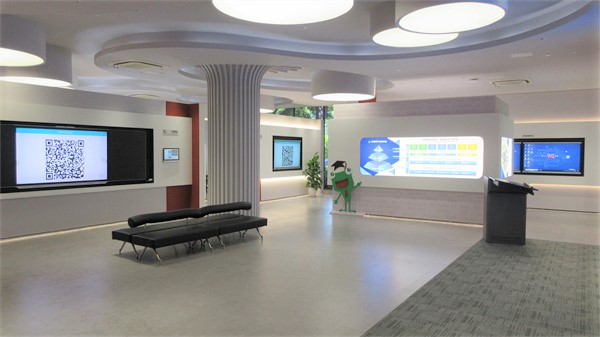
This structure is especially relevant for document camera OEM projects. Visualizers involve optics, image processing, mechanical arms, ports, power and software configuration. When those elements are coordinated by one factory team, sample approval becomes more predictable and a distributor can scale a private-label programme without repeatedly rebuilding the supply chain.
Want to audit specifications, packaging and customization before ordering?
Request a formal quotation with product configuration, sample plan, packaging proposal and the verification documents required by your tender or import process.
Send an InquirySix Steps From Requirement Review to Delivery
A documented workflow reduces ambiguity for importers, distributors and system integrators, particularly when multiple product categories are purchased together.
Requirement Review
Share room types, quantities, target market, certification needs, branding expectations and preferred connectivity.
Solution Design
Engineers propose hardware configuration, software settings, accessories and integration choices.
Sample Approval
Pre-production samples confirm image quality, build, ports, packaging and user experience.
Mass Production
In-house SMT, PCB, assembly and production lines build the approved configuration.
QC and Testing
Functional checks, reliability tests and final inspection are completed before packing.
Delivery and Support
Export packing, shipping coordination, documentation and after-sales support are arranged.
Common Questions About Buying Document Cameras From China
These questions reflect the due-diligence points that education buyers, distributors and AV integrators most often raise during sourcing.
What should a buyer verify before choosing a China document camera manufacturer?
Start with factory identity, independent verification, production ownership and test capability. Confirm whether the supplier manufactures or only trades, then request a sample test that matches your actual teaching environment. Check image clarity at different zoom levels, focus speed, annotation smoothness, port compatibility, packaging and after-sales terms. For tenders, ask for the current SGS assessment report, credit overview, trade capacity and transaction records referenced by the supplier.
Which document camera configuration is better for classrooms: 8MP portable scanner or 55x zoom visualizer?
An 8MP A3/A4 portable scanner is best for flexible document capture, small spaces and OCR-oriented workflows. A 55x digital zoom visualizer is better for live demonstrations, handwriting, science experiments and textbook close-ups where the teacher needs responsive zoom and real-time annotation. Many schools combine both: a visualizer for live teaching and a portable scanner for administrative digitization or mobile classrooms.
Does Ruyden support OEM and ODM customization for document cameras and smart classroom products?
Yes. Ruyden’s design-based customization capability has been verified by independent third-party inspection. Buyers can discuss logo, boot screen, housing color, packaging, language settings, software pre-installation and hardware configuration. The exact customization scope, MOQ and tooling requirements depend on the product model and project volume, so they should be confirmed in the quotation.
How does Ruyden control quality before shipment?
Production runs through in-house SMT, auto-insertion, PCB and assembly lines. Products are then checked in a reliability test lab that includes high and low temperature, drop, simulated transportation, salt spray, button life, insertion force, static, earth continuity and withstand voltage testing. For a specific document camera project, buyers can request the applicable test plan, sample report and final inspection checklist.
Can Ruyden supply a complete smart classroom solution around a document camera?
Yes. Ruyden integrates interactive flat panels, interactive whiteboards, lecture capture systems, networked digital podiums, 4K wireless presentation, audio devices and centralized AV, light and door control. This is useful when a buyer wants one supplier to coordinate the classroom signal path instead of matching a visualizer from one vendor with displays and podiums from another.
What affects MOQ, lead time and pricing for an OEM document camera order?
The main variables are model selection, customization depth, branding and packaging, target-market certification, language and software requirements, order quantity and delivery schedule. A standard model with light branding is usually simpler than a fully customized enclosure or software build. Buyers should provide target quantities, destination market, tender schedule and sample deadline so the supplier can calculate a realistic plan.
How should overseas buyers evaluate image quality before placing a volume order?
Test the sample with your own teaching materials: small text, handwriting, color charts, glossy pages, three-dimensional objects and low-contrast documents. Review focus speed, zoom stability, frame rate, color accuracy and how the image appears on the interactive display or lecture capture platform you plan to use. Simulating the final classroom setup is more valuable than reviewing a studio demo video.
How do I start a project with Ruyden?
Send your project requirements, including room types, quantity, target market, product categories, certification needs and any branding or software requirements. Ruyden’s export team can then propose a configuration, sample plan and quotation. For faster evaluation, include your delivery schedule, preferred trade terms and the specific display, visualizer, podium or audio products you want to compare.
Build a Better Document Camera and Smart Classroom Package
Talk to a manufacturer that understands visualizers, interactive displays, digital podiums, lecture capture and OEM/ODM delivery. Share your room types, quantities, target market and certification requirements, and receive a project-specific configuration proposal.
