Eight Document Camera & Visual Learning Products for Global Buyers
The quickest way to judge a China interactive document camera supplier is to inspect the real product matrix. The eight products below are drawn from Ruyden’s export catalogue, with original product URLs preserved. Adjacent classroom AV items are included because more buyers now source the visualizer, webcam, podium control and digital signage as one integrated visual-learning package.
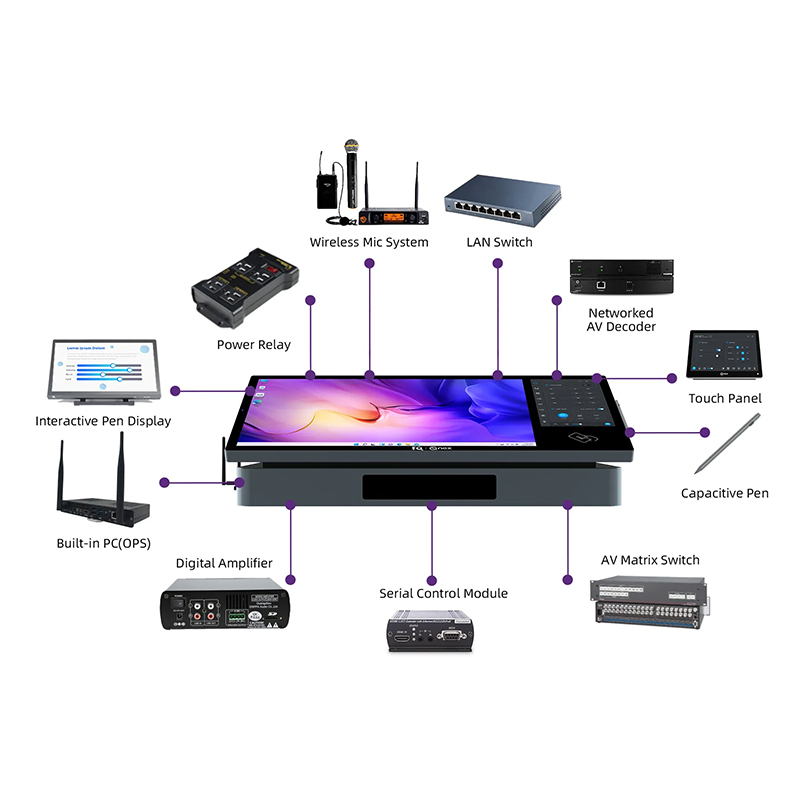
Android System Education Classroom Control Smart Digital Lectern Desktop Digital Podium
A connected podium platform for lecture halls and training rooms that centralizes display, audio and classroom device operation.
View product details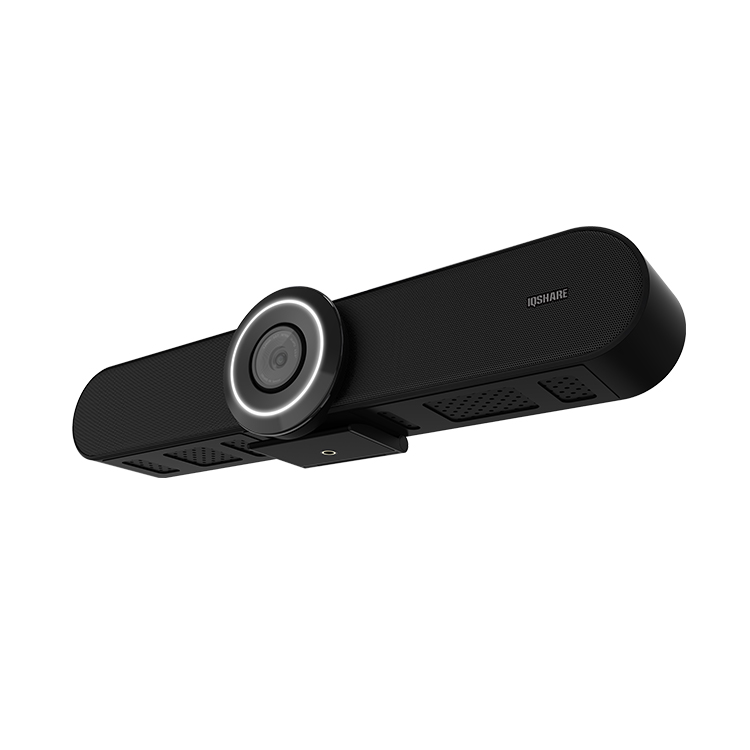
8MP Ultra HD 4K Conference Desktop All in One Webcam Stand Built-in Mic & Speaker for Online Class Meeting Live Stream
A plug-and-play camera, microphone and speaker unit for online classes, meeting rooms and live streaming without extra audio hardware.
View product details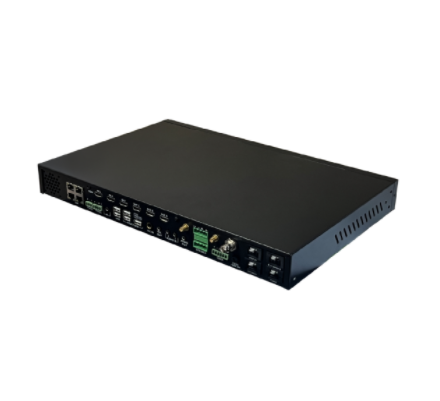
QNex Networked Media Processor for Digital Podium
A networked media backbone for digital podiums and smart classrooms, built to coordinate video, control and campus AV workflows.
View product details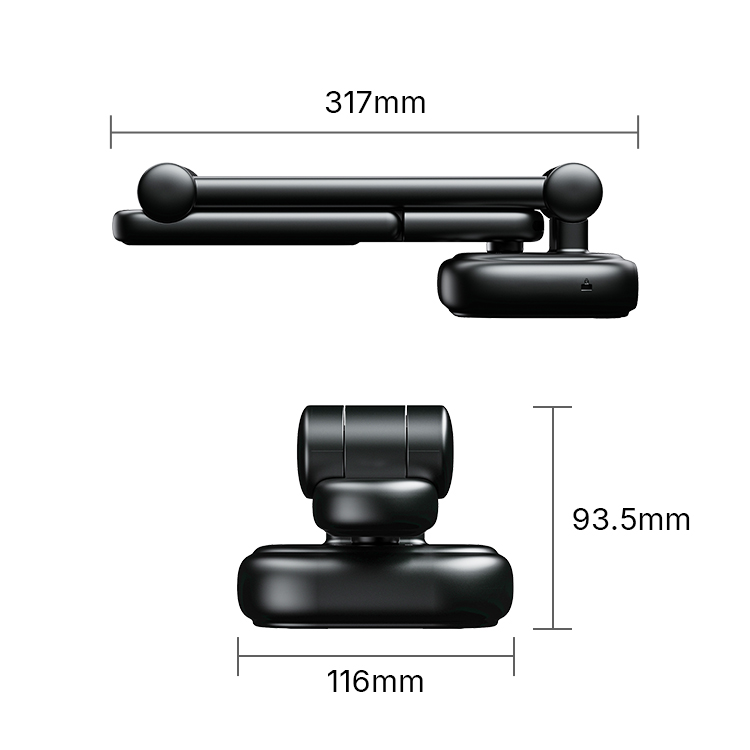
55x Digital Zoom Built in Mic Real-time Annotation Capabilities Document Cameras or Visualizers with High Capture
An annotation-ready visualizer for demonstration, science teaching, art critique and lecture capture where close-up detail matters.
View product details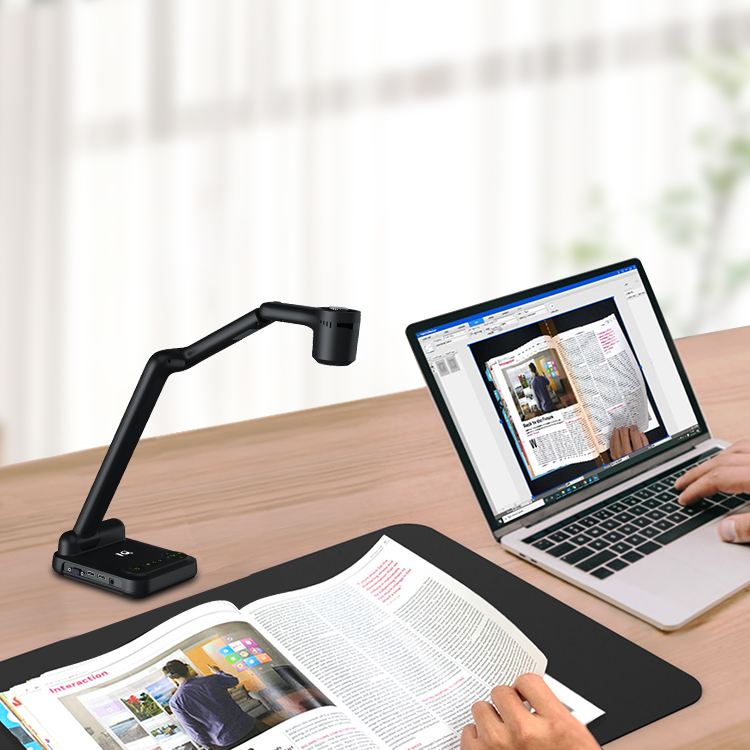
Wholesale 10x Optical Zoom Portable High Definition Live Image Document Camera Ceiling for School
A portable optical-zoom document camera for mobile teaching, tutoring, small classrooms and flexible room layouts.
View product details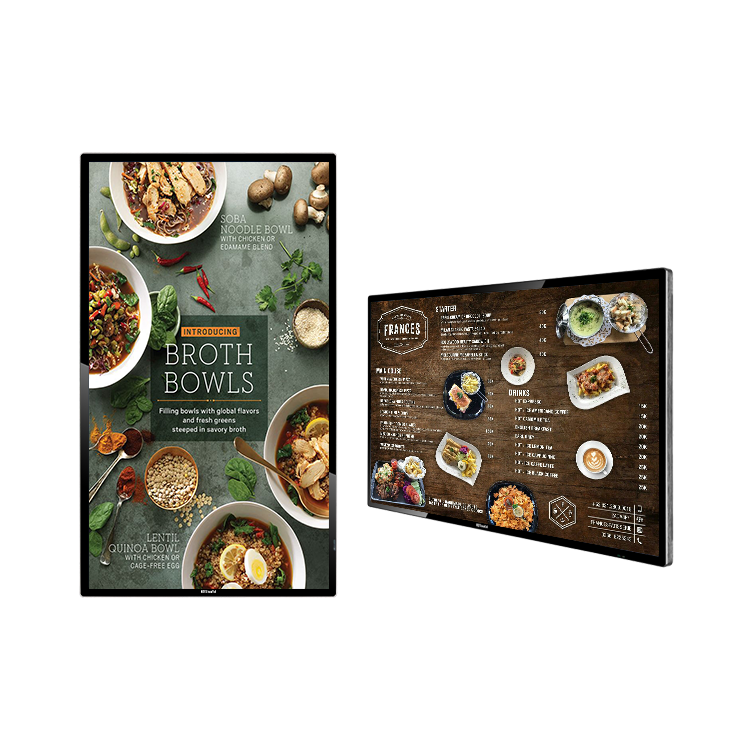
4K Kiosk Touch Screen Digital Signage Outdoor LED LCD Advertising Kiosk for School Hotel Hospitals
A durable visual communication kiosk for campus wayfinding, public information and advertising in high-traffic environments.
View product details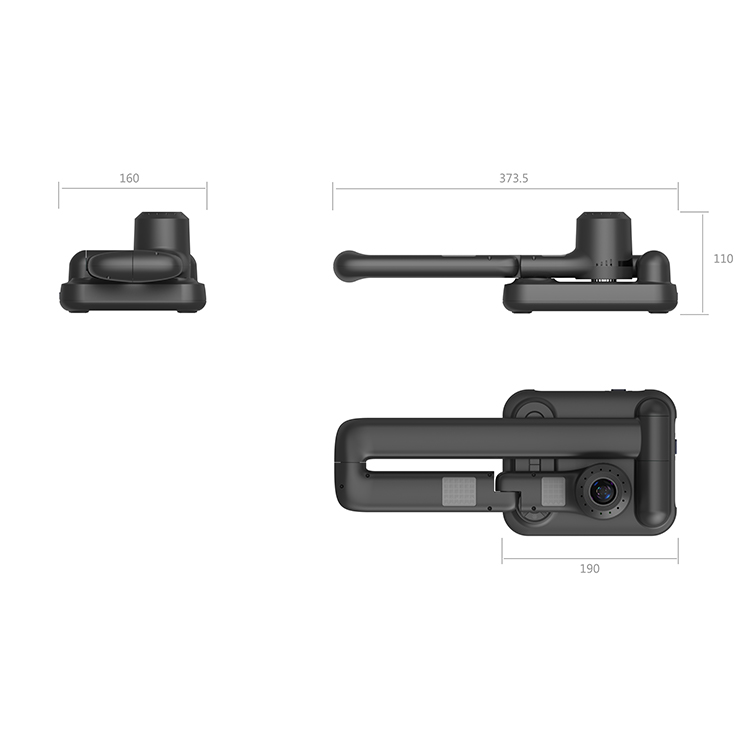
Extra Large Coverage 4k Camera 10x Optical Zoom Foldable Flatbed High Speed A4 Document Scanner Kiosk
A foldable A4 scanning kiosk for libraries, admissions, records, registration and self-service document capture.
View product details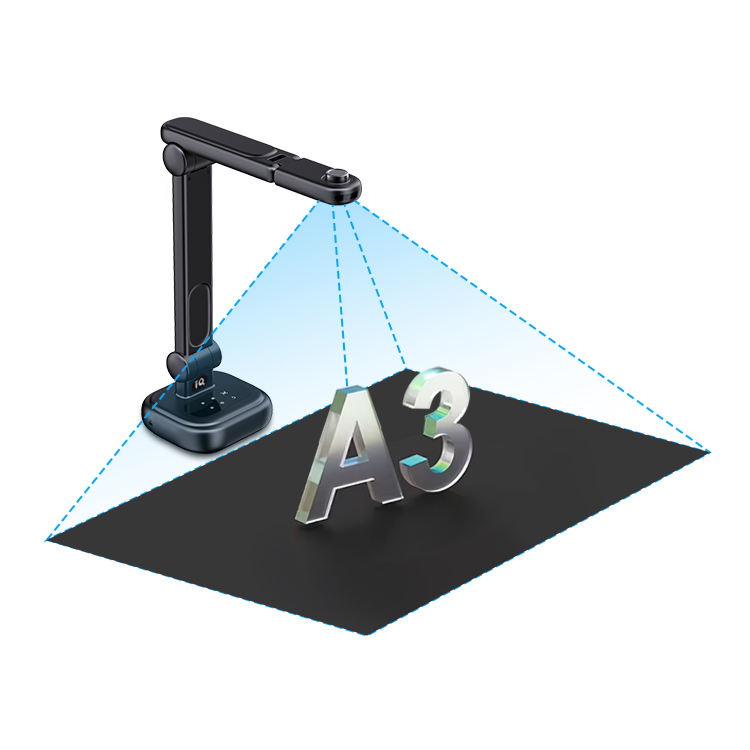
4K Camera Folding Design Live Annotation Adjustable LED Lighting Dual Stream A3 A4 Document Book Camera Scanner
A flexible A3/A4 book and document camera with dual-stream capture, adjustable LED lighting and live annotation for inclusive teaching.
View product detailsNumbers That Matter When You Compare Chinese Suppliers
Procurement teams need more than a catalogue. They need evidence of factory stability, customization capability, quality control and long-term export support.
Education AV experience supported by an independent inspection report.
Engineering, production, QC and export service professionals under one organization.
Project support for distributors, integrators and tender buyers across multiple regions.
Average score from verified buyer reviews and platform transaction records.
What Procurement Teams Really Mean by an Interactive Document Camera
An interactive document camera is no longer just a desk-mounted camera that projects a page onto a screen. In modern classrooms, it is a capture endpoint that combines a high-resolution camera, optical or digital zoom, lighting, annotation software, video output, microphone input and sometimes network control. Buyers searching for a China interactive document camera supplier are usually trying to solve one of four jobs: replace an aging visualizer, equip a hybrid classroom, digitize books and records, or build a repeatable OEM product line for their own market.
That is why a serious supplier evaluation should go beyond the phrase “4K document camera.” The right questions are about lens quality, true optical zoom, frame rate, low-light behavior, annotation latency, compatibility with interactive flat panels and lecture capture systems, spare-parts planning and how the factory validates reliability before shipment. From Ruyden’s production and export experience, the strongest buying decisions usually come from matching the camera format to the room workflow—not simply choosing the highest zoom number on a specification sheet.
| Buying Job | Best-Fit Product Type | What to Verify First | Typical Risk If Specified Poorly |
|---|---|---|---|
| Classroom demonstration | Portable 10x optical zoom document camera or 55x digital zoom visualizer | Focus speed, annotation responsiveness, LED lighting control, HDMI/USB output | Teachers avoid using the camera because setup or focus is too slow |
| Library and records capture | A4 scanner kiosk, foldable scanning station or dual-stream book camera | Scan area, book-curve handling, software workflow, service access, foot traffic durability | Low throughput, poor book images and higher staff support load |
| Hybrid class and conference | 4K all-in-one webcam, podium control, networked media processor | Microphone pickup, speaker clarity, platform compatibility, installation flexibility | Remote students miss interaction and meeting rooms need extra devices |
| Campus communication | 4K touch kiosk or outdoor digital signage | Brightness, weather protection, touch durability, content management compatibility | Poor readability and higher maintenance in public areas |
Which Interactive Document Camera Fits Which Buying Scenario?
Use this recommendation matrix to shortlist models before requesting samples, quotation sheets or OEM artwork.
K–12 Classrooms
Choose the portable 10x optical zoom document camera when teachers move between rooms, or the 55x digital zoom visualizer when science, art and detailed demonstration are daily activities. Pair with an interactive flat panel for annotation and lesson capture.
University Lecture Halls
Specify a 55x zoom visualizer together with the Android smart digital lectern, QNex networked media processor or lecture capture system. The goal is a podium-controlled workflow that lets lecturers switch between document detail, presentation and live annotation without calling IT.
Libraries & Records Counters
Use the extra-large-coverage A4 scanner kiosk or dual-stream A3/A4 book camera for admission forms, library archives, certificates and bound books. Prioritize capture area, lighting uniformity and self-service software over cosmetic design.
Hybrid Rooms & Public Areas
Combine the 8MP 4K all-in-one webcam for online interaction with 4K touch kiosks for wayfinding and public information. This creates a consistent visual ecosystem for schools, hotels, hospitals and training centers.
Future Procurement Trends for Interactive Document Cameras
Price will remain important, but the winning suppliers will be judged on total cost of ownership, interoperability and documented reliability.
Total Cost of Ownership Takes Priority
Buyers are moving away from lowest-unit-price purchasing. They compare lamp life, service access, spare-parts availability, packaging quality and expected classroom lifespan. A slightly higher-priced camera with documented QC and stable spare parts is often the lower-risk choice.
True 4K and Optical Zoom Become Clearer
Procurement specifications increasingly distinguish between native 4K capture, interpolated 4K and digital zoom. For schools, the practical question is whether the image remains readable at the required working distance. Optical zoom and high-quality sensors reduce teacher frustration.
AV and IT Procurement Converge
Document cameras are now specified alongside interactive panels, wireless presentation, networked podiums, lecture capture and campus AV control. Suppliers who can offer consistent firmware, accessories and technical documentation reduce integration friction for system integrators.
Privacy and Local Data Handling Matter
Education buyers increasingly ask whether recording, annotation and screen capture can work locally without unnecessary cloud dependency. Clear documentation on data flow, storage options and account management is becoming part of the technical bid.
Serviceability Becomes a Scorecard Item
Fast-moving projects can tolerate a good sample, but long-term programs need repairability, replaceable accessories, firmware support and efficient RMA procedures. Buyers should ask how the supplier handles a damaged unit after installation.
Regional Compliance and Packaging Rise
Importers need packaging that survives long-haul transport, labeling that matches local requirements and documentation that supports customs, tenders and distributor onboarding. Export-grade protection is a purchasing advantage, not a back-office detail.
How Interactive Document Cameras Are Evolving
The next generation of visualizers is being shaped by classroom reality: teachers need fast setup, clear images, simple annotation and fewer compatibility surprises.
Higher Resolution With Better Low-Light Performance
4K and 8MP sensors are becoming mainstream, but resolution alone is not enough. Buyers should evaluate color accuracy, noise in normal classroom lighting and readability of small text under real working conditions.
Optical Zoom for Detail, Digital Zoom for Flexibility
Digital zoom is useful for presentation, while optical zoom is stronger for repeatable close-up detail. Future products will combine both with faster autofocus and preset positions so teachers can move between the full page and a small diagram quickly.
Annotation Moves Into the Camera Workflow
Live annotation, snapshot capture, split-screen comparison and recording controls are moving closer to the camera interface. This reduces dependence on separate software and makes visualizers easier for teachers to adopt.
Flexible Form Factors for Real Rooms
Portable, folding, ceiling-mounted and kiosk-style formats are growing because schools have different space constraints. A portable unit may suit a tutoring center, while a folding book camera fits a library desk; the product format must follow the workflow.
Open Connectivity and Dual-Stream Capture
HDMI, USB, network and platform compatibility are decisive. Dual-stream models can provide one view for the classroom and another for recording or remote learners, which is valuable in inclusive and hybrid teaching.
Durability, Repairability and Responsible Packaging
Schools increasingly value products that survive daily handling, use replaceable accessories and ship in efficient protective packaging. Repairability and packaging design are becoming part of product quality, not an afterthought.
Why Ruyden Is a Practical Long-Term Supplier
Ruyden Interactive Technology Group Co., Ltd. is an SGS onsite-verified manufacturer and exporter of interactive displays, lecture capture systems, networked digital podiums and smart classroom AV solutions. The company combines in-house production with a dedicated reliability test lab, so buyers deal directly with the factory that builds and validates the product.

Factory base in Fuzhou High-tech Zone, Fujian, China.

In-house production workshop for display and AV assembly.
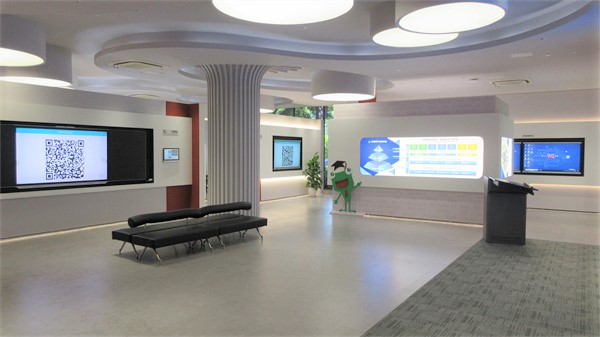
Engineering, production and QC teams under one organization.
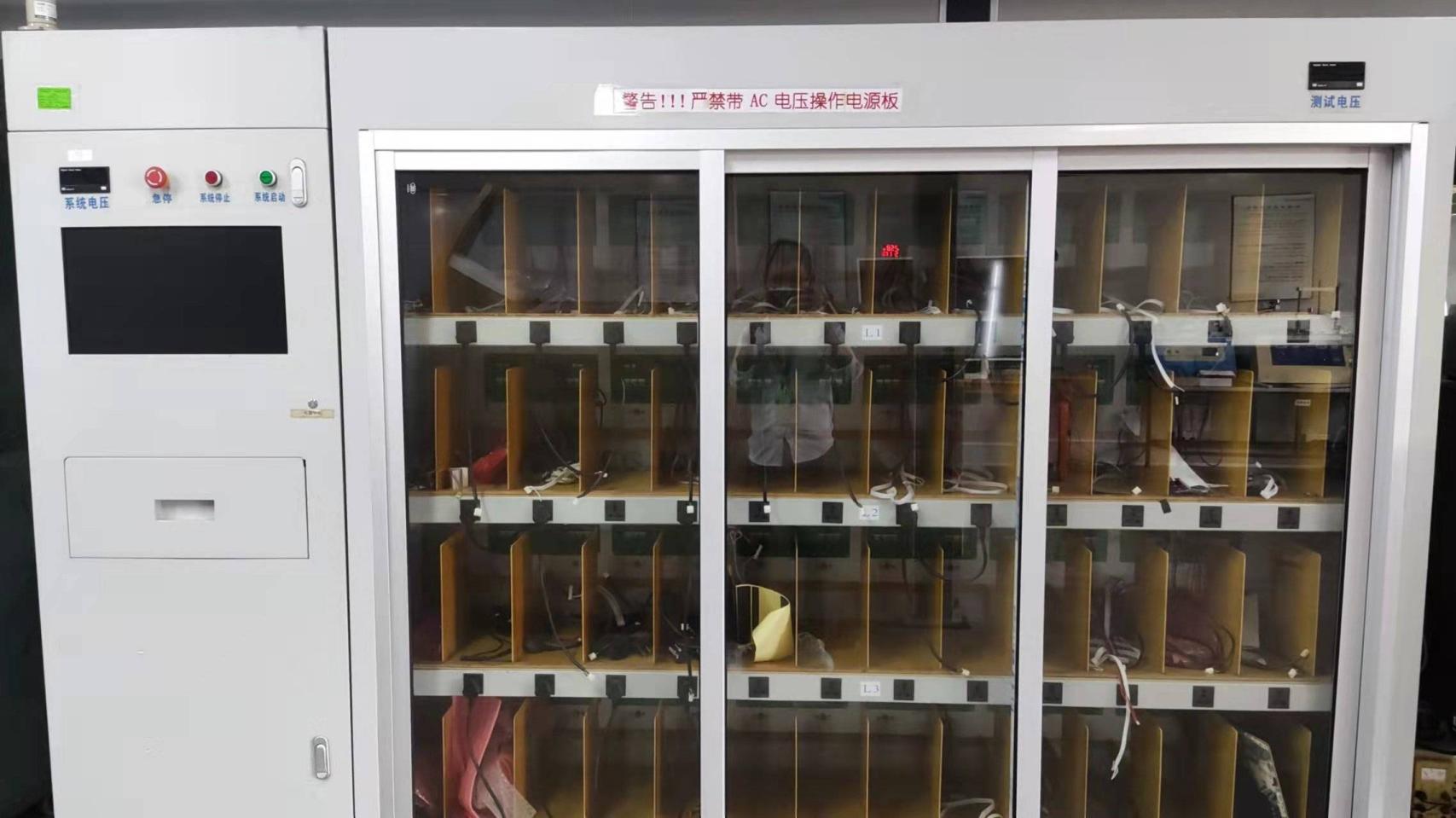
Reliability testing before export packing and shipment.
SGS Onsite Verification
Independent third-party assessment supports buyer due diligence. Assessment report, credit overview, trade capacity, transaction level and trade history can be reviewed before a purchase order is issued.
19 Years of Industry Experience
Long-term focus on education AV and interactive display products helps the team understand classroom durability, tender documentation and distributor support requirements.
Verified OEM / ODM Customization
Design-based customization has been verified by independent third-party inspection. Buyers can discuss logo, boot screen, housing color, packaging, pre-installed software, language settings and hardware configuration.
In-House Quality Control
Production can run through SMT, auto-insertion, PCB and final assembly lines. The test lab covers high and low temperature, drop, simulated transportation, salt spray, button life, insertion force, static, earth continuity and withstand voltage testing.
For importers, this combination reduces the distance between a sample request and a repeatable production program. For tender teams, documented factory capability and transparent verification records make it easier to answer technical and commercial compliance questions. For distributors, the broader smart classroom ecosystem—interactive panels, lecture capture, wireless presentation, digital podiums and AV control—creates opportunities to expand the order beyond a single document camera model.
A Practical Checklist Before You Issue a PO
Use the checklist below to compare suppliers on evidence, not only on price and catalogue photos.
Test autofocus speed, annotation latency, low-light readability and color accuracy under the lighting conditions of your target classrooms.
Ask whether 4K is native, how optical and digital zoom combine, and what the effective image quality is at your expected working distance.
Verify HDMI, USB, network and interactive panel compatibility with the systems already installed in your market, including lecture capture and video conferencing.
Ask for examples of branding, packaging, language packs, UI customization and pre-installed software procedures. Confirm what is standard and what requires tooling or MOQ.
Look for evidence of temperature, drop, transportation, salt spray, button life, insertion force, static, earth continuity and withstand voltage testing.
Clarify warranty terms, replacement-part lead times, firmware support and the RMA process before your first container shipment.
Common Questions from Overseas Document Camera Buyers
What is an interactive document camera, and how is it different from a scanner?
An interactive document camera—often called a visualizer—captures live images of documents, objects, demonstrations or book pages and displays them in real time on a screen. A scanner is designed to produce a still digital file, often with automatic document feeding. Document cameras are better for live teaching, annotation and demonstration; scanners are better for high-volume flat document digitization. Some kiosk products combine both workflows.
Should I choose 10x optical zoom or 55x digital zoom?
Optical zoom preserves image detail because it uses the lens to magnify the subject. Digital zoom enlarges the image electronically and can become soft at extreme settings. For mobile teaching, a portable 10x optical zoom model may be more practical. For large lecture halls or detailed object demonstration, a visualizer with strong optical performance and useful digital zoom can be appropriate. Always test the actual working distance and the size of the smallest detail students must read.
Can Ruyden customize document cameras for our brand and market?
Yes. Ruyden supports OEM and ODM customization discussions covering logo, boot screen, housing color, packaging, pre-installed software, language settings and hardware configuration. Design-based customization has been verified by an independent third-party inspection. The exact scope depends on model, order volume and technical requirements, so buyers should share target specifications before sampling.
How can we verify quality before shipment?
Start with a pre-production sample and a written test checklist. Confirm factory QC procedures, request test reports where applicable, and discuss final inspection before packing. Ruyden’s in-house test lab covers high and low temperature, drop, simulated transportation, salt spray, button life, insertion force, static, earth continuity and withstand voltage tests, which helps reduce shipment risk for overseas projects.
Can you support a complete smart classroom or campus project?
Yes. Ruyden integrates interactive flat panels, document cameras, lecture capture cameras, networked digital podiums, 4K wireless presentation, digital signage and centralized AV, light and door control into a connected solution. This is useful for integrators and distributors who want fewer compatibility issues and a single technical contact for the visual-learning ecosystem.
How should overseas buyers start an inquiry?
Share your room types, target quantities, preferred camera format, target market, certification needs and expected delivery schedule. Include reference photos or floor plans if available. The Ruyden export team can then recommend a configuration, discuss OEM options and prepare a sample plan or quotation for your project.
Source Interactive Document Cameras With a Verified Factory Partner
Tell us the teaching scenario, room size, quantity, target market and customization needs. We will help match the right document camera, visualizer, webcam, podium or scanning kiosk to your project—without unnecessary hardware or hidden compatibility risk.
