SGS-Verified OEM / ODM Manufacturer · 19 Years
China Top USB Visualizer Supplier & Exporter
4K document cameras, visual presenters and smart-classroom capture systems engineered for distributors, system integrators and education tender buyers worldwide.
Export-ready product portfolio
8 USB Visualizer & Smart Classroom Products Buyers Can Quote Today
Each listing below can be configured for OEM branding, language requirements, packaging and tender documentation. Product links and image assets are retained for direct evaluation.
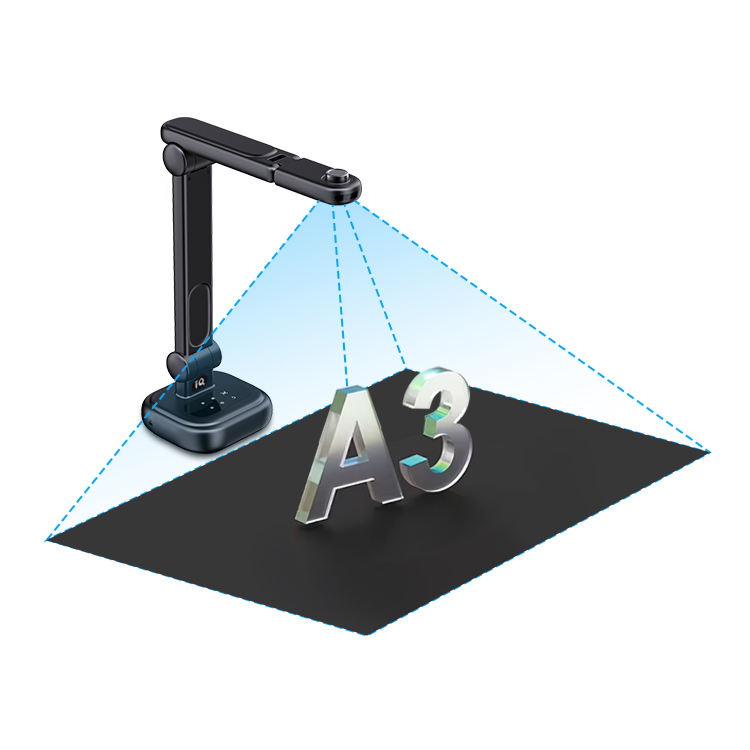
4K Camera Folding Design Live Annotation Adjustable LED Lighting Dual Stream A3 A4 Document Book Camera Scanner
A 4K dual-stream document book camera with folding arm, live annotation and adjustable LED lighting for textbooks, lab demonstrations and hybrid lessons.
Request specification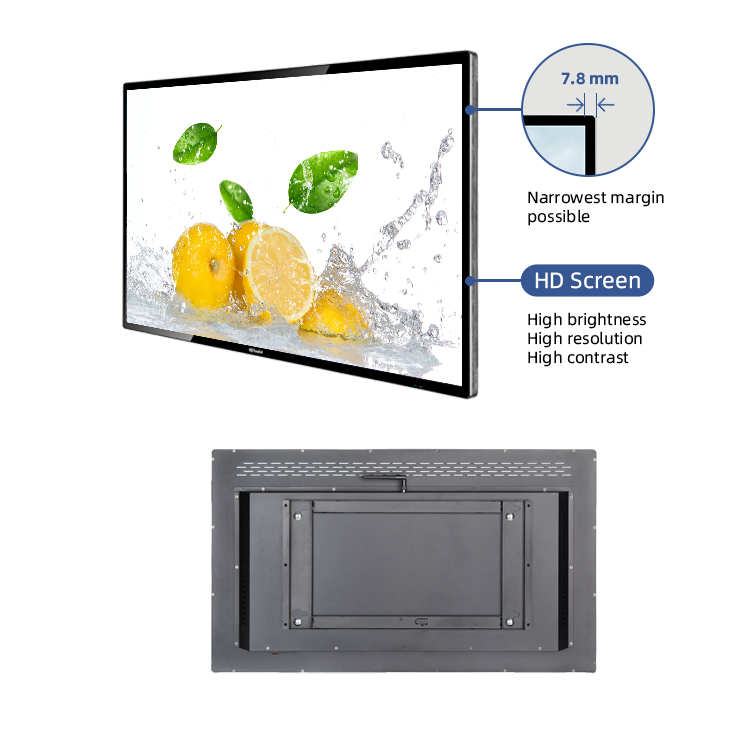
Interactive Touch Screen 10/13/15/22/32/43/49/55/65 Inch Android LCD Monitor Kiosk Wall Mounted Advertising Display
A wall-mounted Android LCD touch display for advertising, wayfinding and interactive information in retail, campus and public environments.
Request specification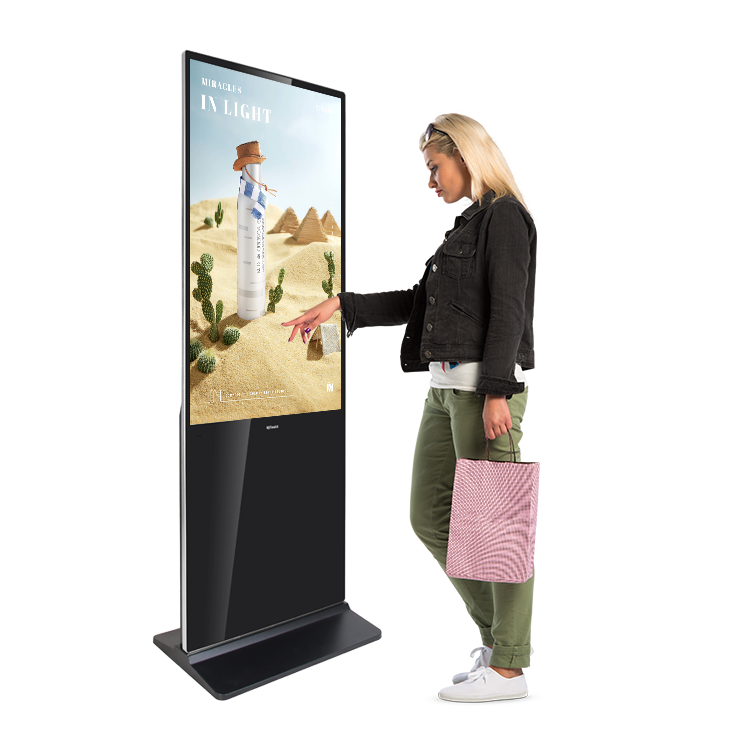
Android and Windows System Standing Floor Stand Information Kiosk Touch Screen for Shopping Mall
A floor-standing touchscreen information kiosk for malls, airports, hospitals and exhibitions, available with Android or Windows system control.
Request specification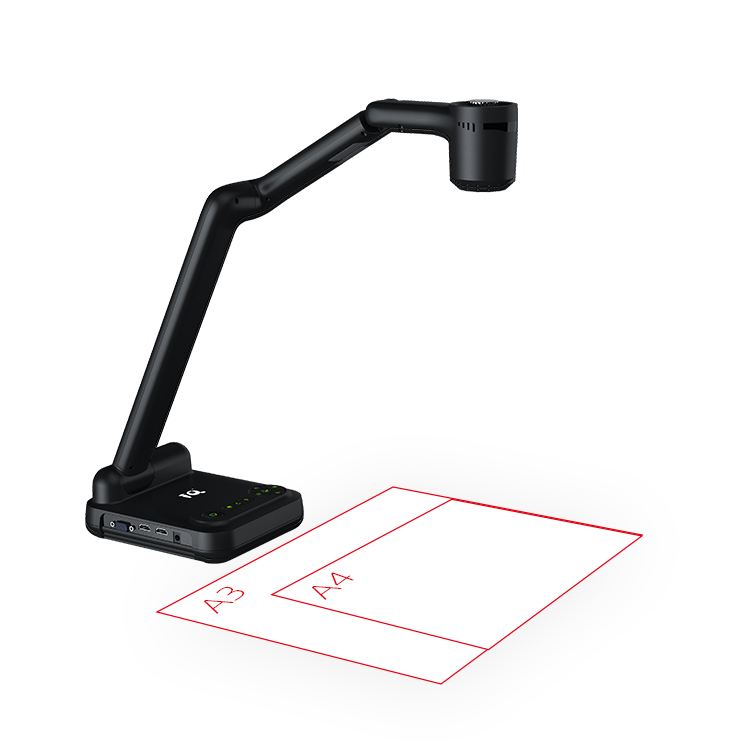
Portable Classroom Scanner Machine HD 8 Megapixel A4 Document Camera Scanner Visual Presenter with LED Fill-in Light
A portable 8MP A4 visual presenter with LED fill light for classroom observation, remote tutoring, mobile document capture and training rooms.
Request specification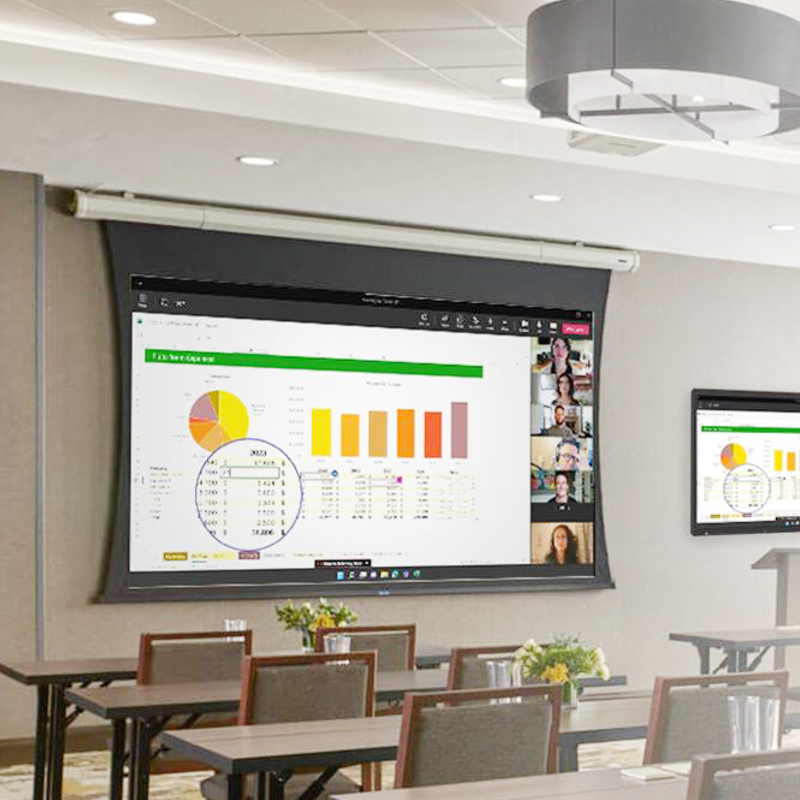
Multi-functional Teaching Android and Windows OPS System Interactive Flat Panel Smart Board Price for School Teaching
An interactive flat panel with Android and Windows OPS flexibility for school teaching, training rooms and blended learning deployments.
Request specification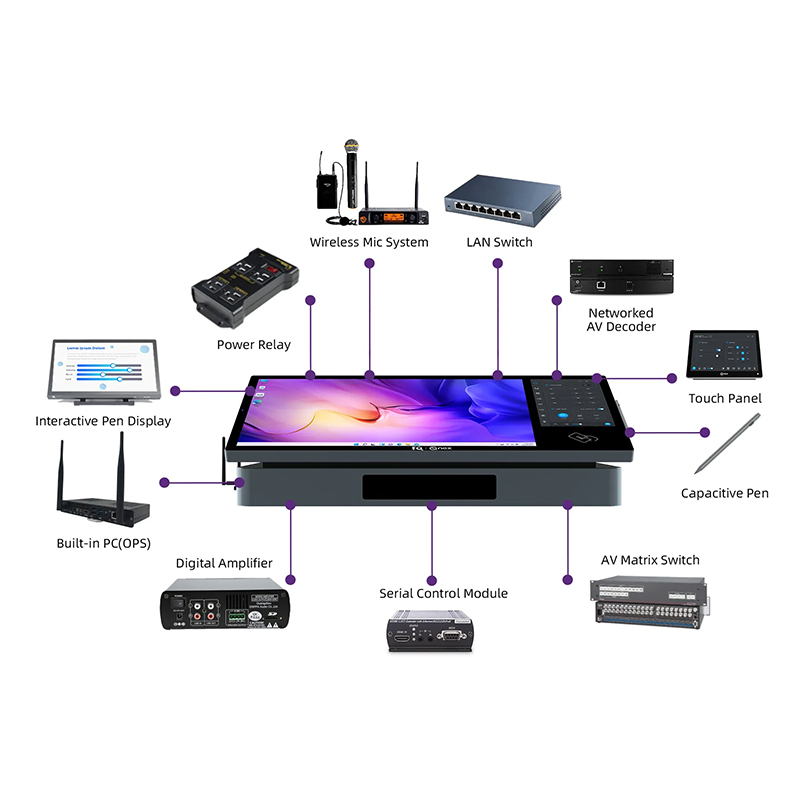
Android System Education Classroom Control Smart Digital Lectern Desktop Digital Podium
A smart digital lectern that gives teachers one desktop command center for displays, audio, annotation and connected classroom devices.
Request specification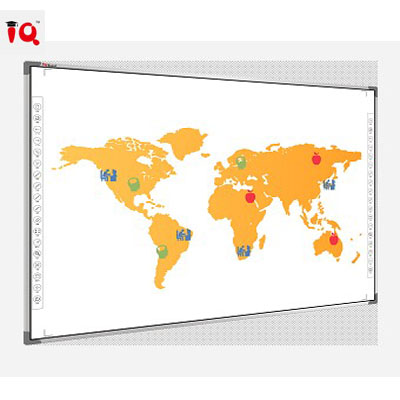
School Board Class Board IQBoard IR 82" 2 Points Touch 2 Users Interactive Whiteboard for School
An 82-inch IQBoard interactive whiteboard with two-point touch and two-user input for collaborative school teaching and group work.
Request specification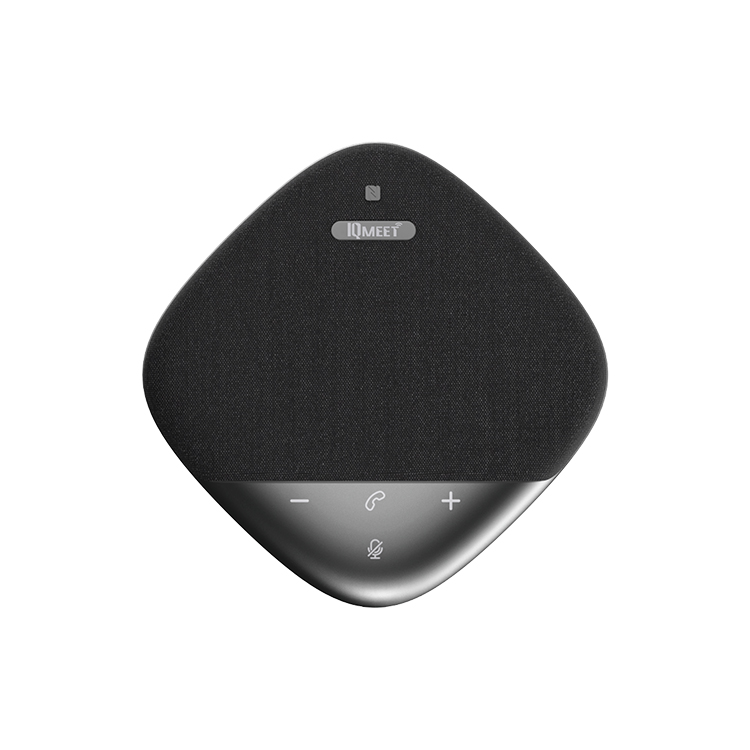
China Factory NFC Features AI Noise Reduction Built-in Dual Speakers Conference Speakerphone for Mobile Phone USB
A USB conference speakerphone with NFC, AI noise reduction and dual speakers for hybrid meetings, lecture capture audio and remote collaboration.
Request specificationConfirmed by the latest independent inspection report for the manufacturing operation.
Engineering, production, quality control and export service professionals under one group.
Long-term platform membership and export records that buyers can review before ordering.
Average score from verified buyer reviews and completed transactions.
Supplier intelligence
What “USB Visualizer” Means in a Modern Procurement File
In 2025, a USB visualizer is no longer a single-purpose document camera. It is the front-end capture device for lesson recording, hybrid teaching, live annotation, science demonstration, design review, remote expert support and training assessment. Buyers who evaluate it only by megapixel count often discover, after deployment, that the real cost sits in teacher setup time, software incompatibility, spare-part delays and a lack of predictable image quality across classrooms.
A practical specification should distinguish five layers: optics and sensor, signal path, interaction workflow, integration with interactive flat panels and lecture capture, and lifecycle support. On the optics layer, look for true 4K or high-quality 8MP capture, reliable autofocus, low-light compensation and A3/A4 coverage. On the signal layer, UVC/UAC compliance, USB 3.0 or better, HDMI output and dual-stream encoding matter more than a marketing headline. On the workflow layer, freeze, split-screen, annotation, snapshot and one-touch recording determine whether teachers actually use the device after week one.
Information gain for procurement teams: ask for a fifteen-minute teaching-scenario test, not a static demo. Test a moving hand over a textbook, a glossy science worksheet, a three-dimensional object, a whiteboard sketch and a backlit window view. A supplier that can document consistent performance across those five scenes is offering more real value than a spec sheet with a large megapixel number and no workflow evidence.
Total cost of ownership should include firmware updates, replacement lighting, cable and mount options, spare-parts lead time, language support and compatibility with the interactive displays, lecture capture systems and video platforms already installed. A USB visualizer that costs slightly more but reduces setup time, support tickets and teacher training is usually the lower-cost choice over a three-year deployment.
Five supplier questions that reveal maturity
- Which USB video class and audio class standards do you support, and can you provide interoperability notes?
- Can you supply dual-stream evidence, firmware rollback documentation and software compatibility test records?
- What reliability tests cover drop, vibration, temperature, salt spray and port life before shipment?
- How do you handle OEM logo, boot screen, housing color, packaging and pre-installed software?
- Who provides spare parts, technical training and after-sales escalation after the container arrives?
Selection matrix
Recommended Product Combinations by Procurement Scenario
Use this matrix to reduce specification errors. The best visualizer depends on room size, capture distance, audio needs and whether the buyer is equipping a classroom, lecture hall, training center or public information zone.
| Procurement scenario | Recommended configuration | Why it wins | Product reference |
|---|---|---|---|
| Portable classroom demonstration | 8MP A4 document camera scanner with LED fill-in light | Fast setup, USB plug-and-play, compact storage and simple teacher onboarding. | Portable Classroom Scanner Machine |
| Science lab, textbook and A3 material capture | 4K folding design dual-stream A3/A4 document book camera | Higher resolution, adjustable lighting and live annotation support for detailed objects and text. | 4K Camera Folding Design Scanner |
| Hybrid meeting and lecture capture audio | USB conference speakerphone with NFC and AI noise reduction | Improves voice clarity and reduces echo when the visualizer is used with video conferencing platforms. | AI Noise Reduction Speakerphone |
| Large classroom collaboration | 82-inch two-point touch interactive whiteboard | Supports two-user interaction, group annotation and teacher-student co-creation on a large surface. | IQBoard 82" Interactive Whiteboard |
| Smart podium and classroom control | Android smart digital lectern with desktop podium control | Centralizes display, audio and room-device operation so teachers work from one console. | Smart Digital Lectern |
| School teaching with flexible operating system | Interactive flat panel with Android and Windows OPS | Supports different software ecosystems and simplifies tender compliance across regions. | Interactive Flat Panel Smart Board |
| Mall, campus or public information zone | Floor-standing or wall-mounted Android LCD touch kiosk | Combines advertising, wayfinding and interactive information in high-traffic areas. | Floor Stand Information Kiosk |
Future procurement trends
What Distributors and Tender Buyers Should Price Into 2025–2028
USB visualizer procurement is shifting from isolated hardware purchasing to project-level capability sourcing. These eight trends are already visible in education tenders, corporate AV standards and distributor expectations.
4K and dual-stream become baseline
Buyers increasingly require 4K capture plus a stable secondary stream for local projection and remote delivery at the same time. Tender specifications should ask for evidence, not only resolution claims.
AI-assisted video and audio
Auto-focus, auto-framing, noise reduction and voice enhancement are moving from premium products into mainstream visualizer and speakerphone combinations.
One-cable USB-C and UVC/UAC
Plug-and-play deployment lowers training cost. Standard device classes also reduce driver conflicts across Windows, Android and video-conferencing appliances.
Hybrid classroom interoperability
Visualizers must work with interactive flat panels, lecture capture systems, digital podiums and mainstream meeting software without custom workarounds.
Device management and cybersecurity
Schools want firmware control, access permissions and network behavior documented before deployment. Suppliers that provide clear security notes gain an advantage.
From product buying to project sourcing
Distributors increasingly prefer one supplier who can bundle visualizers, panels, podiums, audio and accessories with a single warranty and spare-parts plan.
Service-level and spare-parts planning
Buyers now score suppliers on response time, replacement-part availability, packaging durability and technical training, not just unit price.
Sustainability and compliance evidence
Export-grade packaging, recyclable materials, energy documentation and consistent labeling are becoming part of standard supplier evaluation.
Product development trends
How the Next Generation of Visual Presenters Will Be Evaluated
The winning products will not simply add features. They will reduce friction for teachers, simplify integration for IT teams and improve the total economics of a classroom rollout.
Edge AI inside the camera
Auto-framing, document edge detection, glare reduction and handwriting emphasis will increasingly be processed on-device to reduce latency and software dependency.
Multi-source capture and switching
Visualizers will connect with document cameras, microscopes, microscale experiments and second HDMI sources, allowing teachers to switch context without rewiring the room.
Annotation as a first-class workflow
On-screen annotation, snapshot-to-whiteboard and lesson capture will be measured as core functions, not accessories, because they directly shorten lesson preparation.
Wireless plus USB hybrid design
Future procurement files will ask for both wired USB stability and optional wireless casting, so one device can serve fixed classrooms, temporary training rooms and hybrid events.
Modular and repairable hardware
Buyers want replaceable lighting modules, standard ports and accessible firmware recovery. Modular design lowers long-term service cost and reduces electronic waste.
Accessibility and teacher ergonomics
Height adjustment, simple controls, large labeling and multilingual interfaces will become differentiators as schools look for technology that works for every teacher.
Enterprise advantages
Why Ruyden Is a Lower-Risk China USB Visualizer Supplier
Ruyden Interactive Technology Group Co., Ltd. combines verified manufacturing, in-house electronics production, classroom AV integration experience and export documentation support. The company is headquartered in the Fuzhou High-tech Zone, Fujian, China.
SGS onsite verification
Independent third-party assessment supports supplier onboarding, tender review and buyer due diligence.
19 years in the industry
Long-term experience in interactive displays, education AV and export projects across multiple regions.
82 verified staff
Engineering, production, quality control and export service teams support OEM projects and tender documents.
One-roof manufacturing
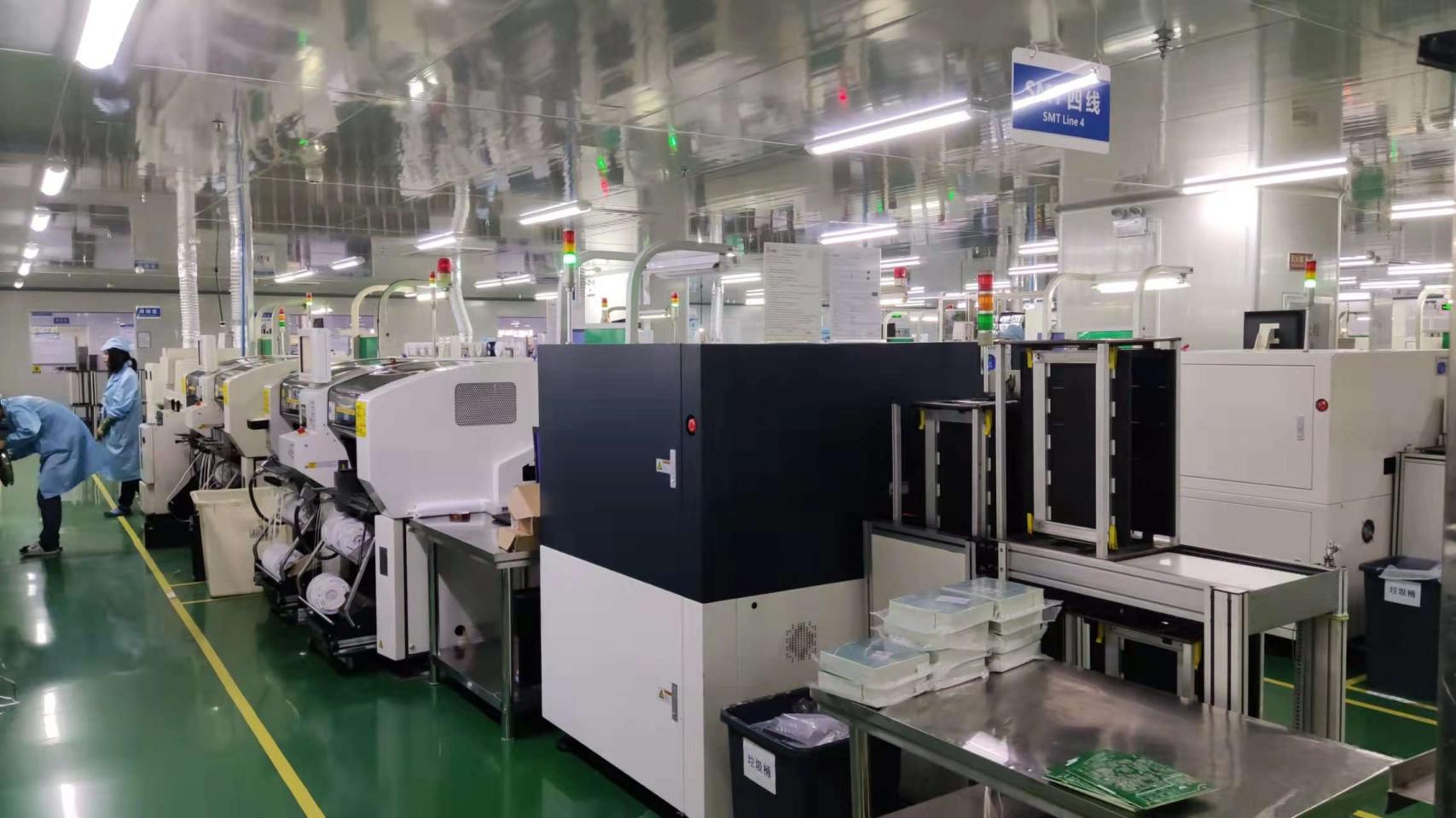
In-house SMT, PCB, auto-insertion and assembly lines improve consistency and protect custom hardware designs.
Reliability test laboratory
Testing includes high and low temperature, drop, simulated transportation, salt spray, button life, insertion force, static, earth continuity and withstand voltage checks.
OEM / ODM customization
Logo, boot screen, housing color, packaging, pre-installed software, language settings and hardware configuration can be aligned to your market.
Export documentation support
Trade capacity, transaction level, trade history and credit records are publicly reviewable to support importer compliance and distributor onboarding.
5.0 / 5 buyer rating
Verified transactions and buyer feedback help new distributors evaluate cooperation risk before a first order.
Factory evidence
Inside the Manufacturing and Quality System
Documented production and test evidence is more useful than a brochure claim. These original factory and laboratory images show the processes behind the supplier assessment.

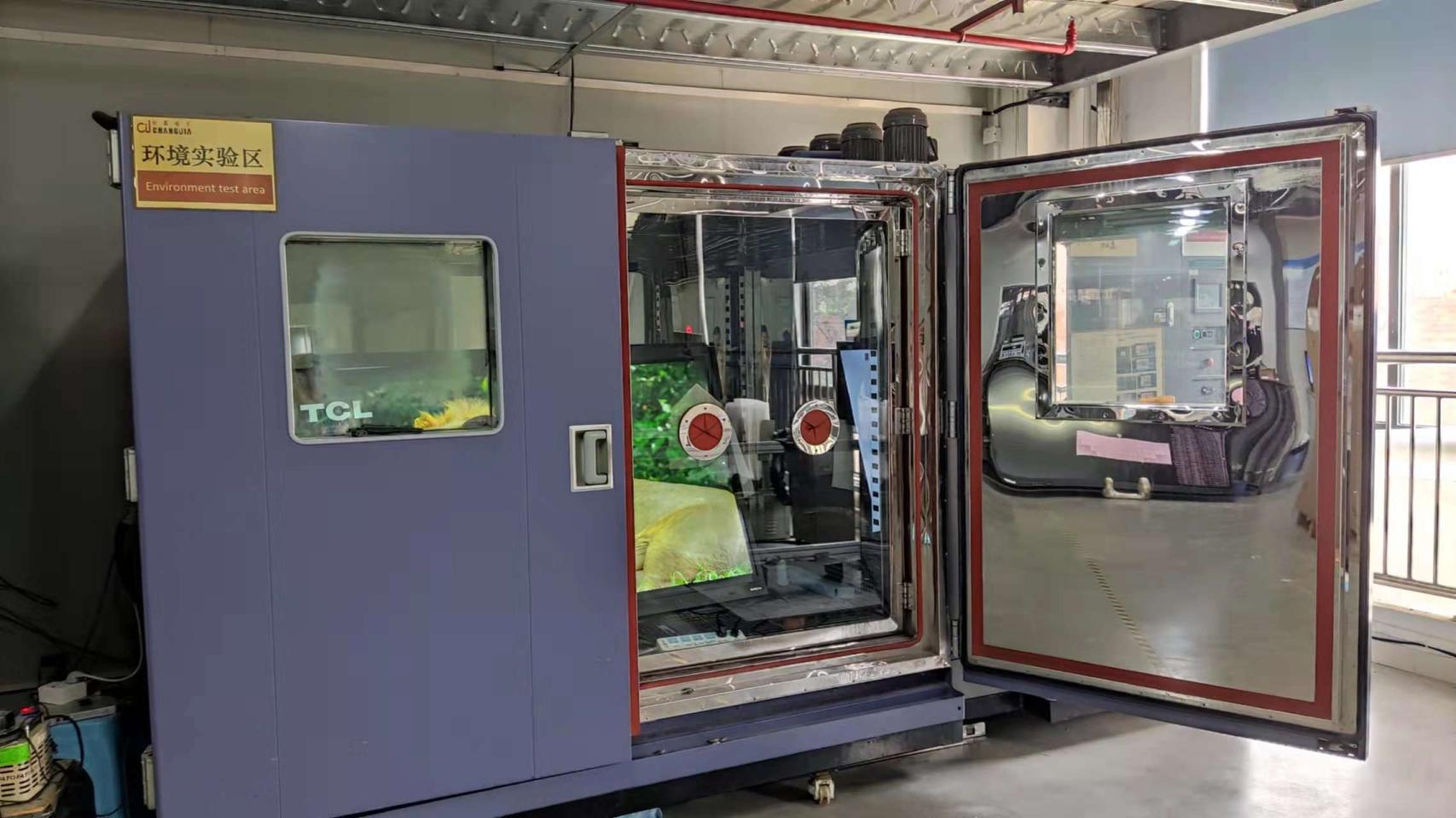
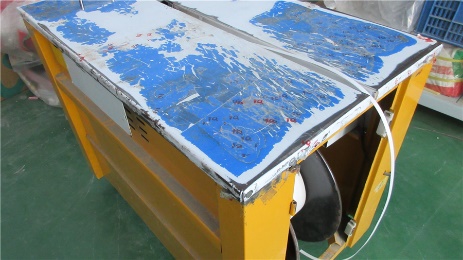
Reliability checks before shipment
Products are validated in an in-house test lab before packing. The exact schedule depends on model and project requirements, but the test culture is a key part of the supplier assessment.
Buyer due diligence
Eight Checks Before You Place a USB Visualizer Order
This practical scorecard helps importers, distributors and tender teams separate an export-ready supplier from a trading intermediary with limited technical depth.
Application fit
Confirm the product matches classroom size, capture distance, object type and software environment.
Image and audio test
Review moving-hand, glossy-surface, 3D-object and backlit-scene performance before approval.
Integration test
Verify compatibility with the interactive flat panel, lecture capture system and video platform you plan to use.
Compliance documents
Request test reports, labeling information and tender-ready specifications with consistent model names.
Factory audit evidence
Review SGS assessments, trade records, production images and quality-control documentation.
OEM / ODM control
Clarify logo, boot screen, packaging, language and pre-installed software responsibilities in writing.
Spare parts and warranty
Confirm response time, replacement-part availability and technical training for your service team.
Packaging and logistics
Check export carton design, drop-test evidence, container loading plan and shipping documentation support.
FAQ
USB Visualizer Supplier Questions Overseas Buyers Ask Most
What is a USB visualizer, and how is it different from a document camera?
A USB visualizer is a document camera or visual presenter that connects over USB and is designed for live teaching, annotation and capture. The term is often used in education procurement because the device feeds images directly into a computer, interactive flat panel or video-conferencing application. The main difference is workflow: a visualizer is expected to support live annotation, freeze, snapshot and smooth switching between document, object and whiteboard views.
Which USB visualizer is best for a standard classroom?
For a portable classroom setup, the 8MP A4 document camera scanner with LED fill-in light is a practical entry point. For science demonstrations, A3 textbooks and higher-detail capture, the 4K folding dual-stream A3/A4 document book camera is a stronger fit. Buyers should match the device to the teaching scenario, not simply choose the highest specification available.
Do you support OEM and ODM customization for visualizers and classroom products?
Yes. Design-based customization capability has been verified by an independent third-party inspection. Common options include logo and boot screen, housing color, packaging, pre-installed software, language settings and hardware configuration. For tender projects, we can also align model naming and specification documents with the buyer’s requirements.
How do you control product quality before shipment?
Production runs through in-house SMT, auto-insertion, PCB and assembly processes. Products are then validated in a test lab with high and low temperature, drop, simulated transportation, salt spray, button life, insertion force, static, earth continuity and withstand voltage testing, depending on the model and project requirements.
Has the company been verified by a third party?
Yes. Ruyden has been onsite-verified by SGS Group. The supplier assessment report, credit overview, trade capacity, transaction level and trade history are publicly viewable through the verification links on the company website. These records help overseas buyers complete supplier onboarding and internal risk review.
Can you supply a complete smart classroom solution rather than one product?
Yes. We integrate interactive displays, lecture capture cameras, networked digital podiums, 4K wireless presentation, conference speakerphones and centralized AV control into a single classroom solution. This reduces compatibility risk and simplifies procurement, installation and after-sales coordination for distributors and system integrators.
How do you support tender documentation and distributor onboarding?
We support buyers with product specifications, model comparisons, packing information, OEM customization descriptions and verification records. For first-time distributors, we can recommend a phased rollout starting with sample approval, pilot classroom deployment and then volume production.
What is the MOQ and lead time?
MOQ and lead time depend on the model, customization level, packaging requirements and current production schedule. Share your target quantity, destination market and expected delivery window so the export team can confirm a practical plan rather than a generic estimate.
Can visualizers work with existing interactive flat panels and video platforms?
Most USB visualizers are designed to work as standard USB video devices, but integration should always be tested with the actual interactive flat panel, lecture capture system and video platform used in the project. Ask the supplier to document UVC/UAC support, tested operating systems and any software prerequisites before approval.
How can overseas buyers get the catalog and a project proposal?
Use the “Get Catalog” button on this page to request the current product catalog. For a tailored proposal, include room types, quantity, target market, certification needs and whether you require OEM branding. The export team can then prepare a configuration recommendation and sample plan.
Start your sourcing project
Source USB Visualizers With Documented Confidence
Plan a classroom, lecture hall or distributor programme with a verified manufacturer that can combine USB visualizers, interactive flat panels, digital podiums, lecture capture and conference audio. Share your room types, quantities, target market and OEM requirements to receive a project-specific configuration.
