2025 Buyer Intelligence Report

Top 10 Document Camera Software Manufacturer & Supplier

A deep-dive sourcing guide to visualizer software, 4K document cameras, live annotation, OEM/ODM supply, classroom integration and the procurement trends reshaping education AV through 2030.

Get a Quote SGS onsite-verified manufacturer
✓
SGS Onsite-VerifiedIndependent third-party factory assessment
◎
19+ Years in IndustryEducation AV manufacturing experience
✎
OEM / ODM ReadyDesign-based customization verified
↗
Global Export Expertise10+ years serving international buyers
Semantic search and buyer intent

Document camera software is now an infrastructure decision, not a peripheral purchase

Buyers searching for a top document camera software manufacturer or supplier are usually not simply comparing camera resolution. They are trying to reduce integration risk, teacher training friction, software continuity risk and after-sales exposure across classrooms, lecture halls and hybrid learning spaces.

A modern document camera—also called a visual presenter or document scanner—has become a capture endpoint for live annotation, recording, streaming, lesson capture and classroom collaboration. The hardware must work with interactive flat panels, digital podiums, lecture capture cameras, webcams, wireless presentation systems and campus signage. That is why the strongest supplier shortlist combines software stability, hardware durability, OEM flexibility and verifiable quality records rather than focusing on one specification alone.

This guide is written from the perspective of Ruyden Interactive Technology Group Co., Ltd., an SGS onsite-verified education AV manufacturer in Fuzhou, Fujian, China. Ruyden has 19+ years in the industry, 21 years of verified B2B trading, 82 verified staff and a 5.0/5 buyer rating. Its product range includes interactive flat panels, interactive whiteboards, lecture capture systems, networked digital podiums, wireless presentation systems and smart classroom AV integration. For document camera software projects, that ecosystem matters: the visualizer is rarely an isolated purchase after the first classroom deployment.

19+Years in IndustryEducation AV experience referenced in public verification
21Years B2B TradingVerified platform trading record
82Verified StaffEngineering, production, QC and export service
5.0Buyer RatingAverage verified buyer review score
Product recommendations

8 product platforms supporting document camera, visualizer and classroom capture workflows

These eight products come from the current Ruyden export range. Product URLs and source images are preserved exactly. Every item can be evaluated as part of a document camera software, annotation, hybrid learning or campus communication project.

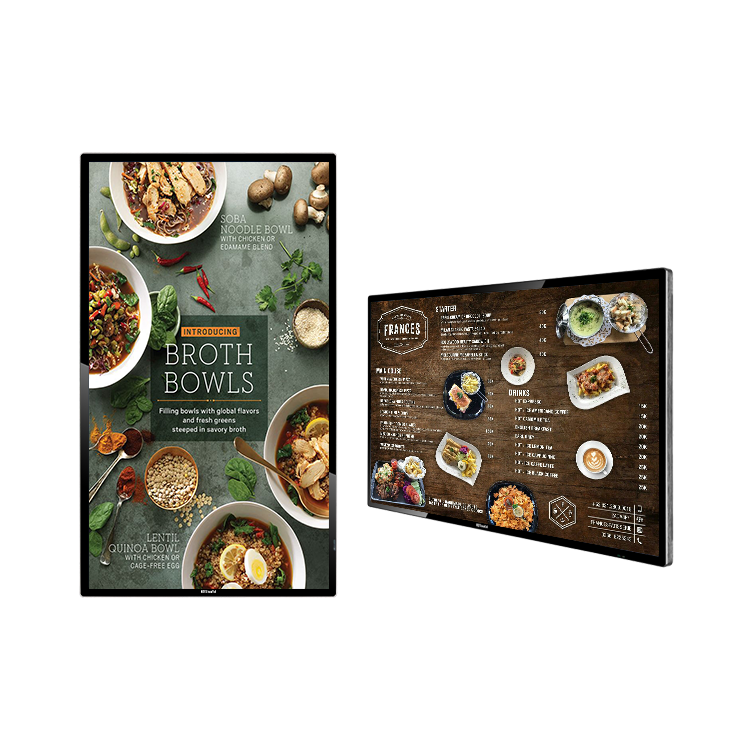
4K outdoor kiosk touch screen digital signage for school hotel and hospital campus communication
Campus communication

4K Kiosk Touch Screen Digital Signage Outdoor LED LCD Advertising Kiosk for School Hotel Hospitals

A large-format outdoor display for school gates, hospital wayfinding and campus announcements. It can distribute recorded visualizer content and centrally managed messages.

View product
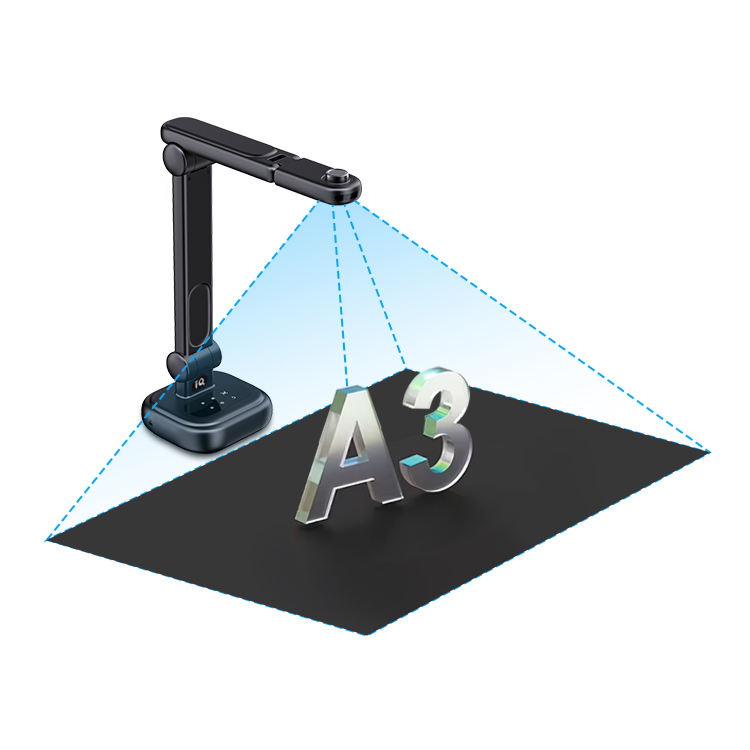
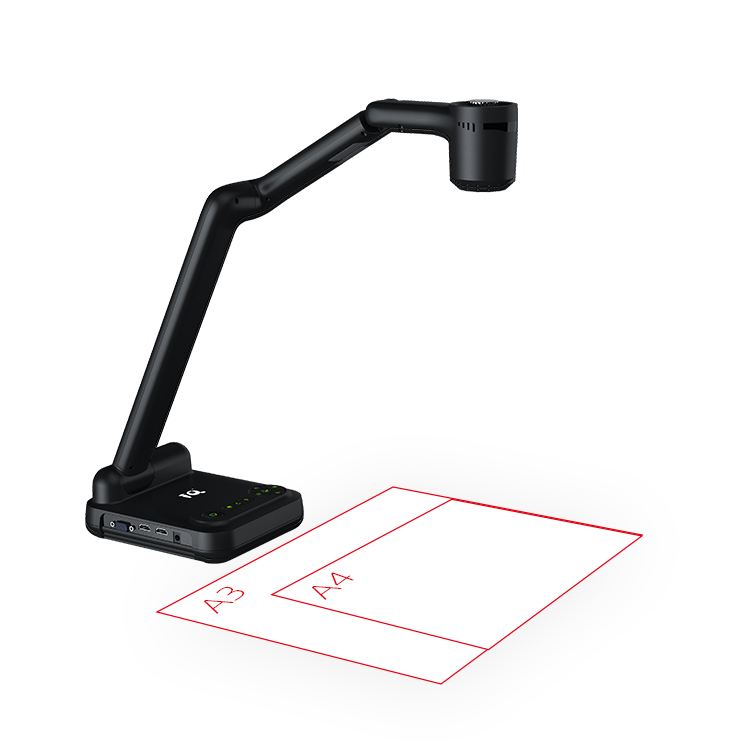
4K folding document camera with live annotation adjustable LED lighting dual stream A3 A4 book scanner
Document camera

4K Camera Folding Design Live Annotation Adjustable LED Lighting Dual Stream A3 A4 Document Book Camera Scanner

A folding 4K document camera with live annotation, dual-stream output and adjustable LED lighting for book scanning, object demonstration and hybrid instruction.

View product
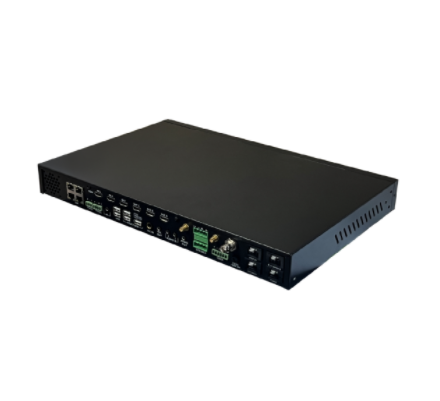
QNex networked media processor for digital podium and smart classroom visualizer integration
Podium integration

QNex Networked Media Processor for Digital Podium

Networked media processing for smart podiums, centralizing visualizer, PC, audio and display signals in lecture halls and training rooms.

View product
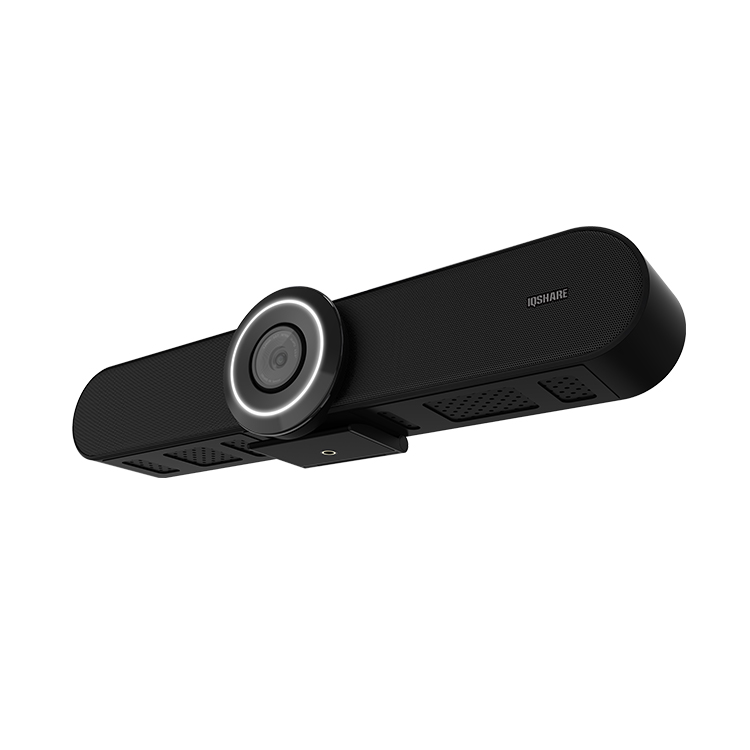
8MP Ultra HD 4K all in one conference webcam with built in microphone and speaker
Hybrid capture

8MP Ultra HD 4K Conference Desktop All in One Webcam Stand Built-in Mic & Speaker for Online Classe Meeting Live Stream

An all-in-one 4K webcam with microphone and speaker for online classes, meeting rooms and live streaming. It complements document camera software when a room also needs presenter or audience video.

View product
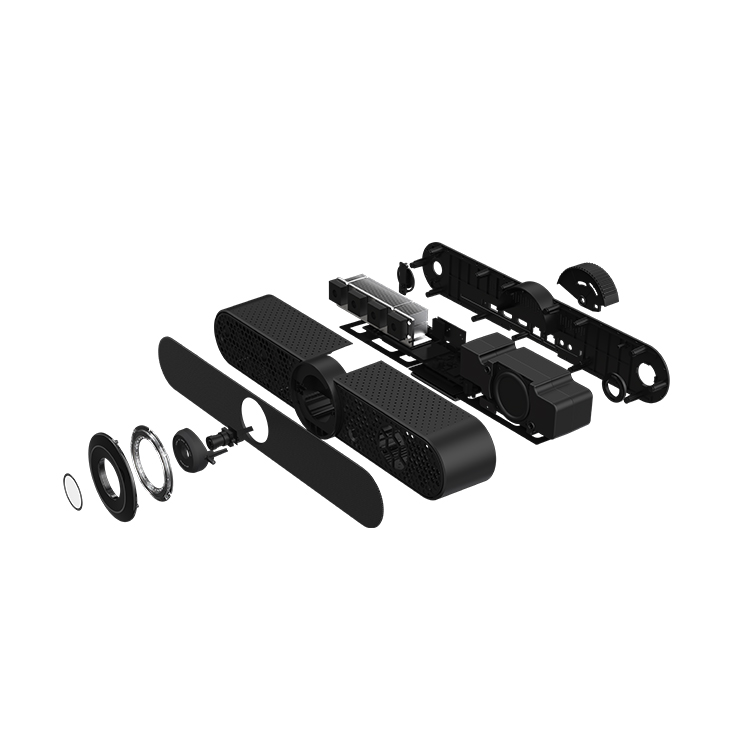
AI auto tracking all in one conference webcam for video calling live lecture capture and hybrid classrooms
AI tracking

AI Auto-Tracking Webcam All-in-one 1080p 4k PC Mini Webcam for Video Calling and Conference

An AI auto-tracking webcam for video calling and conference capture. It is useful when a lecture recording workflow needs to follow a moving presenter while the document camera remains focused on objects or books.

View product
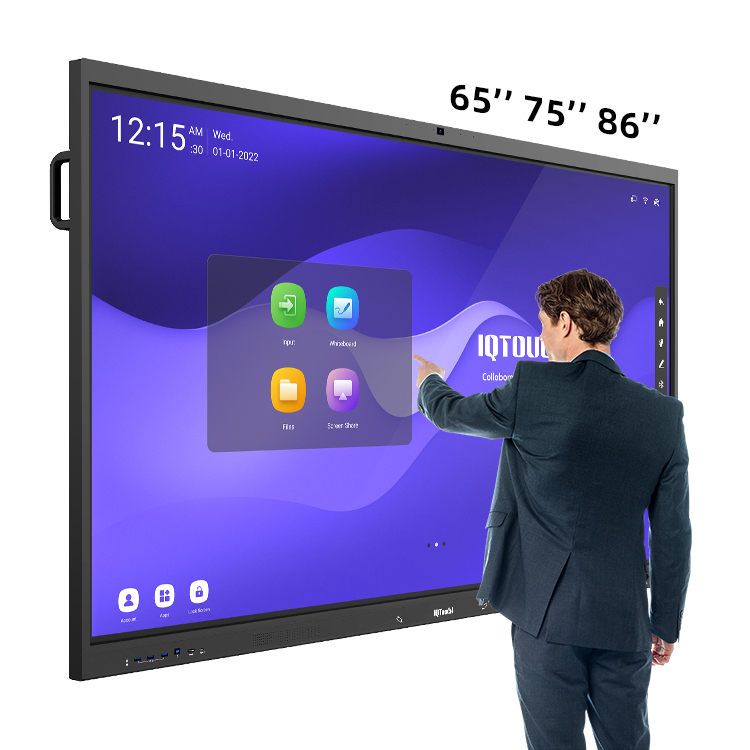
Dual system 4K 65 75 86 inch interactive smart board electronic whiteboard for education and conference
Annotation display

Dual System 4K 65 75 86 Inch Smart Board Interactive Electronic Whiteboard for Education and Conference

A 4K interactive smart board that gives document camera software a large annotation surface for classroom demonstration, distance learning and collaborative meetings.

View product
Portable classroom scanner machine HD 8 megapixel A4 document camera visual presenter with LED fill light
Visual presenter

Portable Classroom Scanner Machine HD 8 Megapixel A4 Document Camera Scanner Visual Presenter with LED Fill-in Light

A portable 8MP A4 document camera with LED fill-in light, practical for mobile teaching, small classrooms and training environments where a compact visual presenter is preferred.

View product
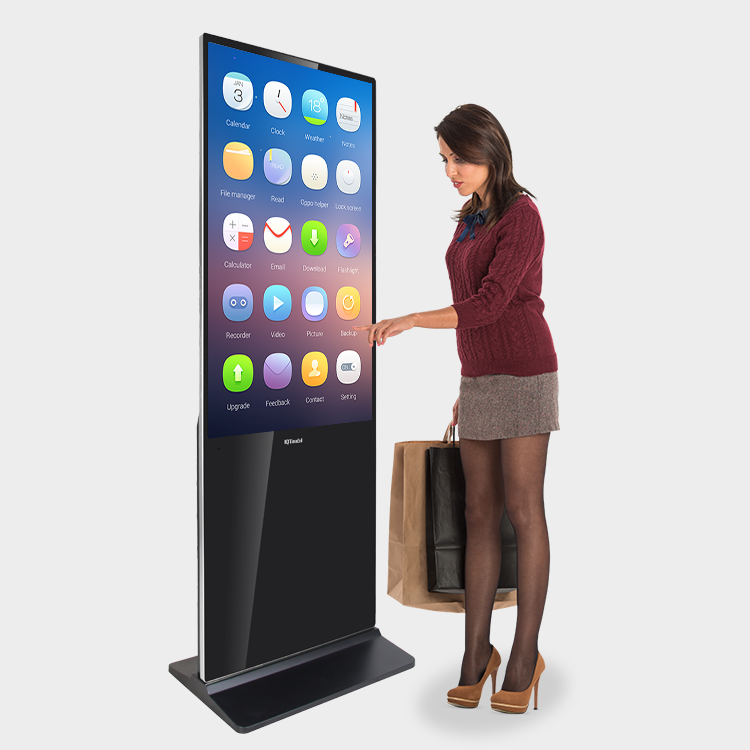
43 inch waterproof outdoor floor standing touch screen kiosk digital signage for shopping centres and campuses
Outdoor signage

43inch Kiosk Touch Screen Floor Standing Advertising Kiosk Shopping Centre Digital Signage and Displays Outdoor Waterproof

A waterproof floor-standing touch kiosk for shopping centres, campuses and public venues. It supports wayfinding, announcements and scheduled digital signage content.

View product
Information gain

What buyers should actually evaluate inside document camera software

Two suppliers can quote the same 4K camera specification and still deliver very different classroom outcomes. The difference is usually the software layer, integration discipline and support model behind the hardware.

◉

Capture control

Resolution, autofocus, zoom, exposure, LED lighting, freeze-frame and dual-stream output should be tuned for paper, books, 3D objects and handwriting at different distances.

✎

Live annotation

Teachers need low-latency pen tools, spotlight, split-screen comparison, image capture and simple lesson reset. A capable visualizer is judged by lesson flow, not by a long feature list.

▶

Recording and distribution

Local capture, USB output, network recording and live streaming options should match the deployment model. Ask how recorded content is named, stored, exported and connected to the learning platform.

⚙

Device management and updates

Firmware cadence, remote administration, license terms, language packs and rollback procedures matter for multi-campus rollouts. Software continuity is a procurement risk, not an IT detail.

⧉

Ecosystem integration

Test document camera software with interactive flat panels, digital podiums, lecture capture cameras, wireless presentation systems and campus signage before approving a standard room design.

⬢

Privacy and deployment

Clarify local versus cloud processing, account permissions, data residency, offline capability and update policy. For schools and public institutions, these answers belong in the tender response.

Top 10 evaluation framework

How to shortlist a document camera software manufacturer and supplier

Use this ten-point scorecard to compare suppliers on verifiable capability rather than brochure claims. It is written for distributors, system integrators, tender buyers and education groups building a repeatable classroom standard.

01

Software roadmap and release cadence

Ask for a realistic update policy, compatibility testing process and how bug fixes are prioritised when a school has thousands of devices in service.

02

Hardware and software co-design

Confirm whether the supplier controls camera, board, firmware and assembly processes. In-house SMT, PCB and assembly capability reduces hand-off risk during customization.

03

Visualizer image quality

Compare 4K and 8MP models using real books, handwriting, fabric, small components and glossy objects. Check A3/A4 coverage, LED lighting, autofocus speed and color fidelity.

04

Annotation latency and teacher workflow

The best software reduces clicks between showing an object, freezing the image, annotating it and saving the result for students. Demo the actual lesson workflow.

05

Integration with displays and podiums

Validate document camera software with interactive flat panels, networked media processors, lecture capture systems, webcams and wireless presentation devices.

06

OEM / ODM flexibility

Check logo, boot screen, housing color, packaging, pre-installed software, language settings and hardware configuration. Design-based customization should be independently verified.

07

Quality validation programme

Look for high and low temperature, drop, simulated transportation, salt spray, button life, insertion force, static, earth continuity and withstand voltage testing.

08

Third-party verification

An SGS onsite assessment, credit overview, trade capacity and transaction history give overseas buyers a transparent starting point for due diligence.

09

Export support and training

Confirm documentation, language support, spare-parts planning, installation guidance, teacher training resources and escalation procedures for after-sales cases.

10

Total cost of ownership

Compare license clarity, warranty terms, replacement policy, installation time and upgrade path. The lowest unit price can become the most expensive pilot when software support is unclear.

Future procurement trends

What document camera buyers will ask for in the next tender cycle

Purchasing behaviour is shifting from product-level buying to solution-level buying. Suppliers should prepare evidence, not just specifications.

⌘

From box purchase to solution procurement

Buyers will ask how the visualizer works with the panel, podium, camera, network and learning platform. A room-level test is replacing a single-product demo.

☑

Software continuity in tender specs

Update policy, security response, language support and license transfer will appear in formal requirements. Suppliers without documented software processes will be filtered out.

⬡

Bundled classroom ecosystems

Document camera software will be bundled with interactive displays, lecture capture, digital podiums, wireless presentation and campus signage to simplify procurement.

◎

Risk-based supplier selection

Third-party verification, QC evidence, export records, spare-parts planning and training support will carry more weight than an isolated low quotation.

E-E-A-T and company advantage

Why Ruyden belongs on a document camera software supplier shortlist

Ruyden Interactive Technology Group Co., Ltd. is an SGS onsite-verified manufacturer and exporter of education and enterprise AV solutions. Its value to a document camera software project is the combination of product range, manufacturing control and public verification.

Manufacturing control from SMT and PCB to final inspection

Ruyden is headquartered in the Fuzhou High-tech Zone, Fujian, China, with in-house SMT, PCB and assembly lines plus a dedicated reliability test lab. This matters for document camera software buyers because firmware, camera modules, touch boards and final assembly need coordinated engineering changes—not a chain of unrelated trading intermediaries.

The company has 19+ years in the industry, 21 years of verified B2B trading, 82 verified staff and a 5.0/5 buyer rating. It has participated in international trade shows four times and brings more than ten years of export experience across education and enterprise projects.

Quality testing includes high and low temperature, drop, simulated transportation, salt spray, button life, insertion force, static, earth continuity and withstand voltage checks. Design-based customization has been verified by an independent third-party inspection. Buyers can discuss logo, boot screen, housing color, packaging, pre-installed software, language settings and hardware configuration, subject to project volume, certification and software release planning.

For document camera software procurement, Ruyden can integrate visualizers with interactive flat panels, networked digital podiums, lecture capture cameras, 4K wireless presentation and centralized AV, light and door control. That integration capability is important because the visualizer is often one part of a repeatable smart classroom standard.

Ruyden factory building and production facility
Factory building and production base in Fuzhou, Fujian
Ruyden interactive display production workshop
Production workshop with in-house assembly processes
Ruyden team and manufacturing operations
Engineering, production and quality team collaboration
Suggested buyer weighting for a document camera software scorecard

These weights are a practical starting point for tender evaluation. They are not a vendor score; adjust them to your project, room type and software deployment model.

Software stability and updates25%
Hardware quality and testing20%
Ecosystem integration20%
OEM / ODM flexibility15%
Export support10%
Total cost of ownership10%

Independent verification available: SGS assessment report, credit overview, trade capacity, transaction level, trade history and buyer ratings.

Get a Quote
Application scenarios and specification guide

How to specify a document camera software stack by room type

Use this matrix to align the visualizer, display, capture device and software features with the room's teaching workflow. It helps buying teams avoid over-specifying one device while under-specifying integration.

Buyer scenarioRecommended hardwareSoftware must-havesEvaluation KPI
K-12 classroomPortable 8MP A4 document camera, interactive smart board, stylus and wireless presentationLow-latency annotation, freeze, split-screen, local image capture, simple lesson resetTeacher setup time, daily usage rate, support tickets per room
University lecture hall4K folding document camera, networked digital podium, lecture capture system and large-format displayDual-stream output, recording, source switching, export to learning platformRecording completeness, lecture hall downtime, remote-view feedback
Hybrid classroomDocument camera plus AI auto-tracking webcam or all-in-one 4K webcam with microphonePresenter and object switching, audio coordination, streaming, remote annotationRemote participation, session stability, meeting start time
Campus communicationOutdoor kiosk or floor-standing touch signage for gates, lobbies, hospitals and public areasScheduled content, remote updates, accessibility options, signage managementDisplay uptime, content update speed, accessibility compliance
Training and enterprisePortable visual presenter, 4K all-in-one conference webcam and interactive displayBYOD support, annotation, local recording, license clarity and simple installationSetup time, software licensing clarity, total cost of ownership
Procurement FAQ

Questions overseas buyers ask before choosing a document camera software supplier

These are the practical questions that usually decide whether a pilot becomes a campus-wide rollout.

What is document camera software, and why does the supplier matter?

+

Document camera software controls the visualizer image, annotation, capture, recording and sharing experience. The supplier matters because software updates, hardware compatibility, licensing and after-sales support continue long after the camera is delivered. A low-cost device without a clear software roadmap can create disproportionate support costs across a school district.

How should I compare 4K document cameras and visualizer software?

+

Test with real teaching materials: books, handwriting, small objects, glossy pages and A3/A4 documents. Compare autofocus, color fidelity, LED lighting, dual-stream output, annotation latency and the number of clicks needed to save or share an image. Confirm how the software works with your existing interactive flat panels and digital podiums.

Can Ruyden customize document camera hardware, software and branding?

+

Yes, customization discussions can cover logo, boot screen, housing color, packaging, pre-installed software, language settings and hardware configuration. Ruyden's design-based customization has been verified by independent third-party inspection. Final scope depends on project volume, target market certification, software release planning and support requirements.

Does the solution integrate with interactive flat panels, digital podiums and webcams?

+

Ruyden supplies interactive flat panels, interactive whiteboards, lecture capture systems, networked digital podiums, wireless presentation systems and conference webcams. That product range allows a project team to validate the visualizer alongside the display, podium, camera and recording workflow rather than treating the document camera as an isolated item.

What quality tests support document camera and visualizer reliability?

+

Ruyden's reliability test programme includes high and low temperature testing, drop testing, simulated transportation, salt spray, button life, insertion force, static, earth continuity and withstand voltage testing. These checks help address shipping damage, climate variation, classroom handling and electrical safety concerns before shipment.

How do you handle data privacy and cybersecurity questions?

+

The deployment model should be agreed early: local-only capture, LAN-based recording, or cloud-assisted sharing. Buyers should request a clear description of account permissions, storage location, update policy, offline mode and data export procedures. These points should be confirmed during the technical review for each project.

What is the MOQ and lead time for an OEM document camera project?

+

MOQ and lead time depend on the hardware configuration, software customization, branding requirements, packaging, target certification and order schedule. Share your room types, estimated quantities, target market and required delivery window so the export team can prepare a practical production and sample plan.

How do overseas buyers start a project with Ruyden?

+

Prepare a brief with classroom or meeting-room types, quantity by site, target market, certification needs, preferred software workflow and required delivery date. Use the inquiry button or contact info@ruydentech.com. The team can then recommend a visualizer, display, podium and capture configuration for review.

Planning a document camera software rollout for classrooms or training rooms?

Share your room types, quantities, target market and software requirements. Ruyden's export team can prepare a configuration proposal covering visualizers, interactive displays, digital podiums, lecture capture and OEM/ODM options.

Get a Quote Email: info@ruydentech.com