8 Document Imaging Camera & Smart Presentation Products
These product families illustrate the range a serious supplier should be able to support: visualizers, A4 scanner kiosks, room audio, smart podiums, conference cameras, interactive signage and waterproof outdoor displays.
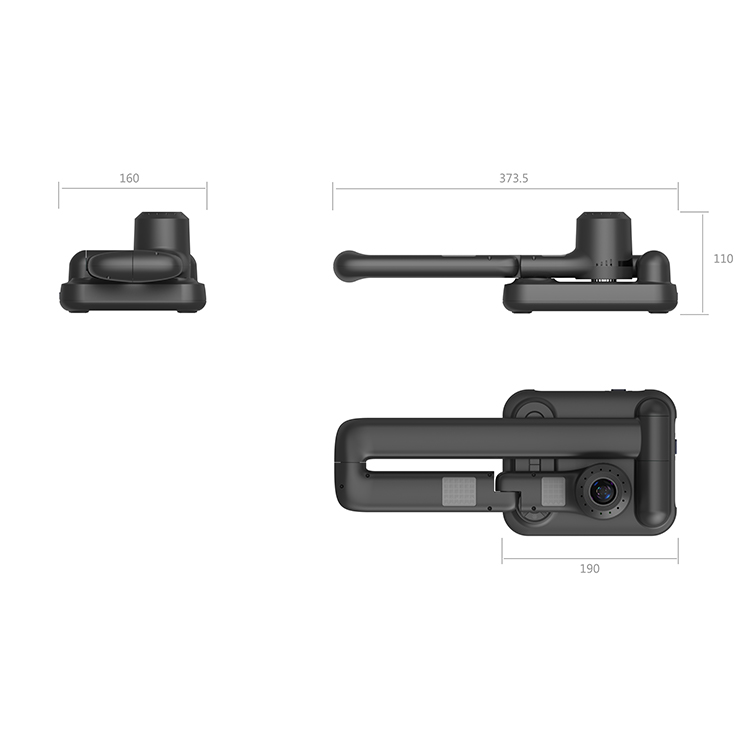
Extra Large Coverage 4k Camera 10x Optical Zoom Foldable Flatbed High Speed A4 Document Scanner Kiosk
Foldable high-speed A4 capture with 4K imaging and 10x optical zoom for records desks, admissions offices and self-service documentation.
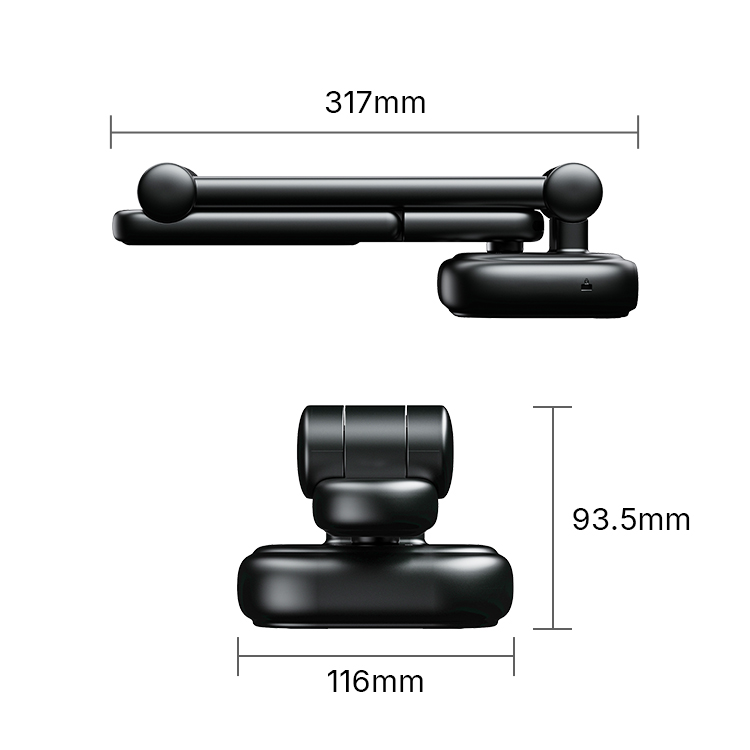
55x Digital Zoom Built in Mic Real-time Annotation Capabilities Document Cameras or Visualizers with High Capture
55x digital zoom, built-in microphone and real-time annotation make this visualizer practical for teaching, demonstrations and hybrid training.
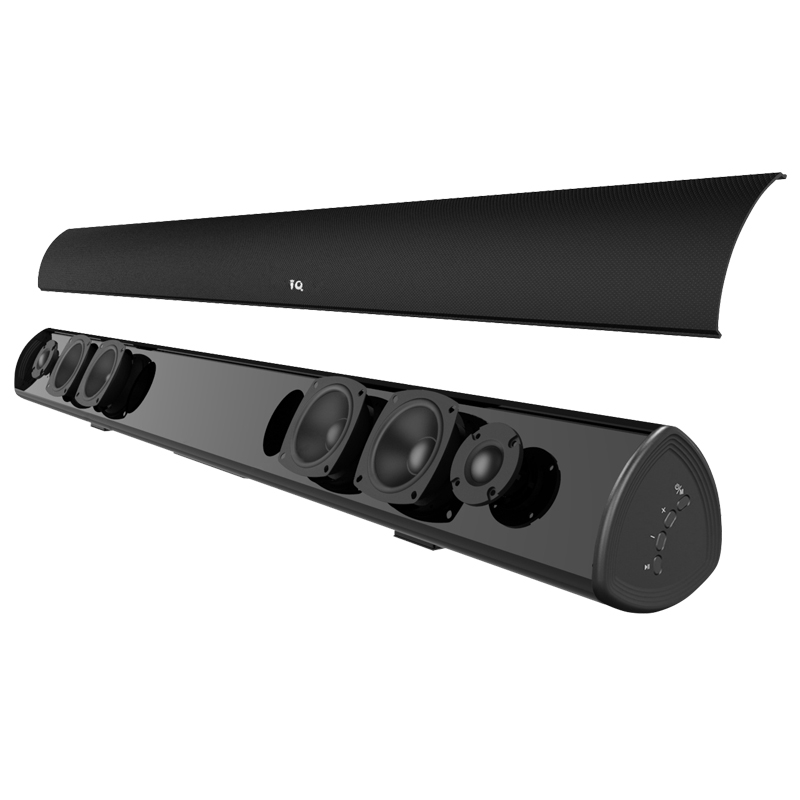
Soundbar for Meeting Room and Classroom Remote Control Speaker
Remote-controlled soundbar for classrooms and meeting spaces; pairs with document cameras, displays and conferencing systems for clearer playback.
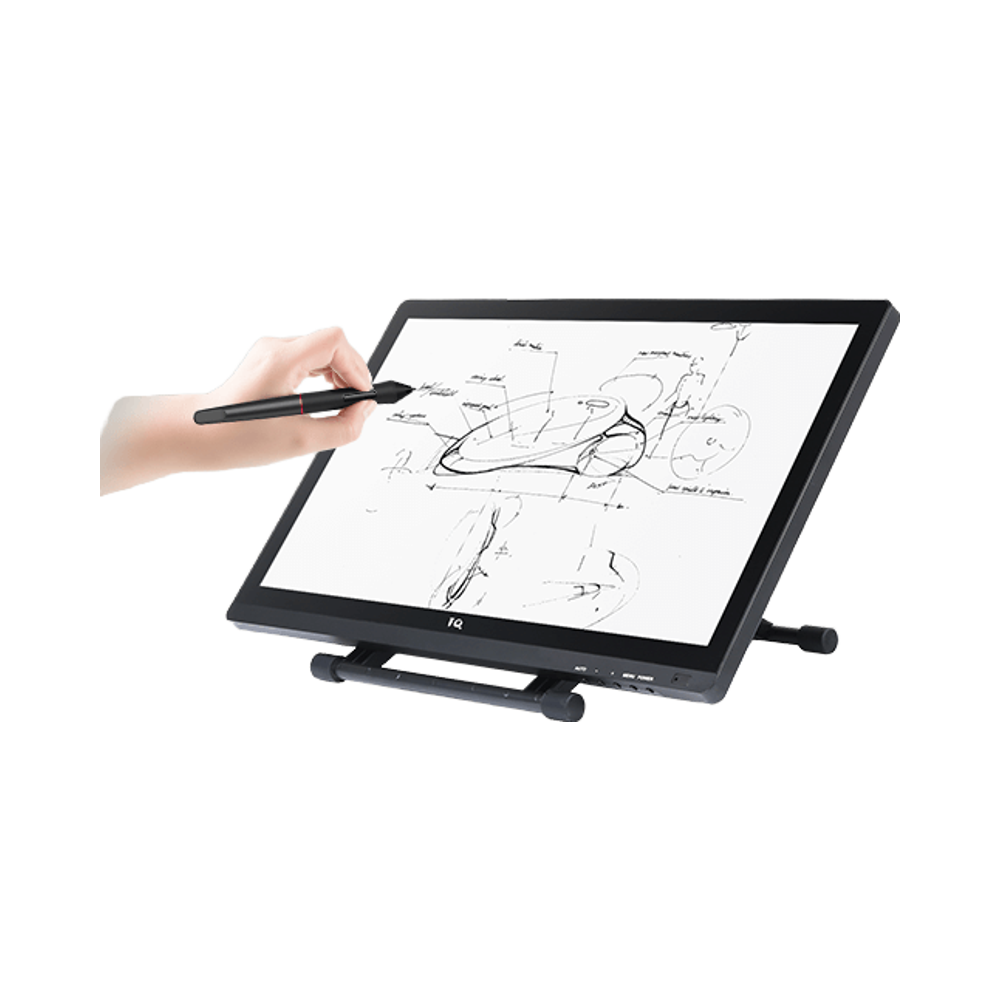
22" Touch Screen Digital Smart Podium with Wireless Microphone for Sale
22-inch touch-screen podium with wireless microphone; centralizes annotation, presentation control and lecture capture workflows.
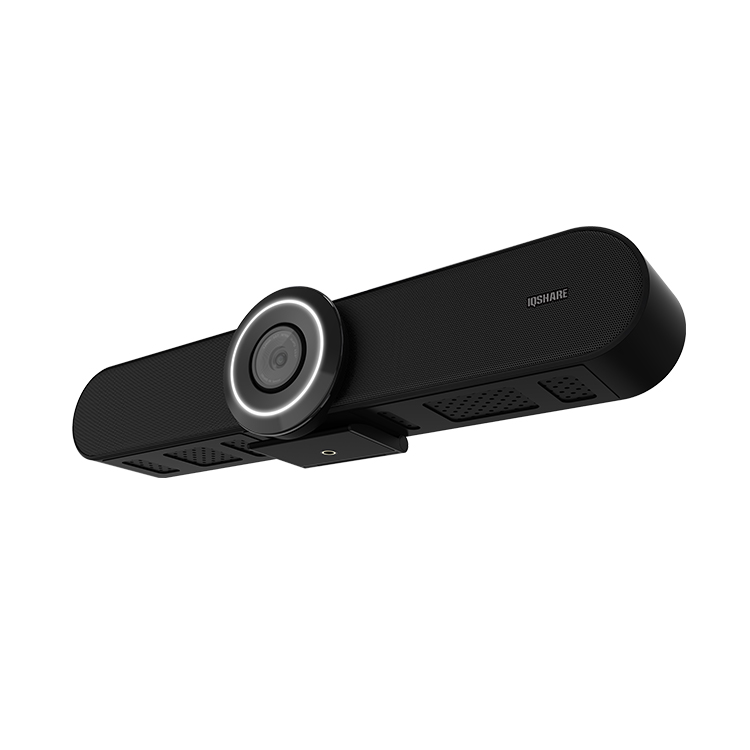
8MP Ultra HD 4K Conference Desktop All in One Webcam Stand Built-in Mic & Speaker for Online Classe Meeting Live Stream
8MP 4K all-in-one desktop webcam with built-in microphone and speaker for online classes, meetings and live streaming.
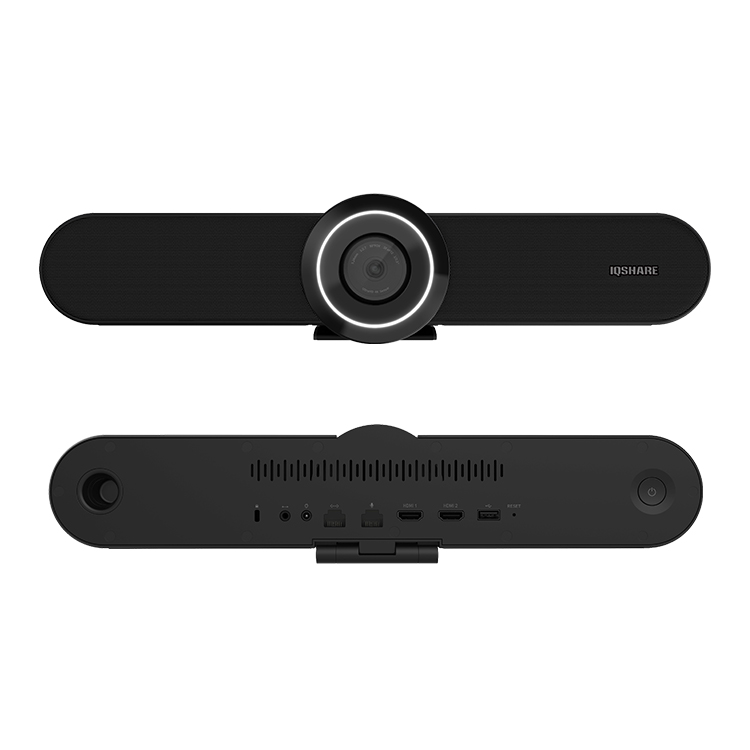
All in One Conference System USB Ultra HD 4K Outdoor Pc Webcam 4k Autofocus with Built in Speakerphone and 2 Mics
USB 4K all-in-one conference camera with autofocus, speakerphone and dual microphones for huddle rooms and hybrid meeting spaces.
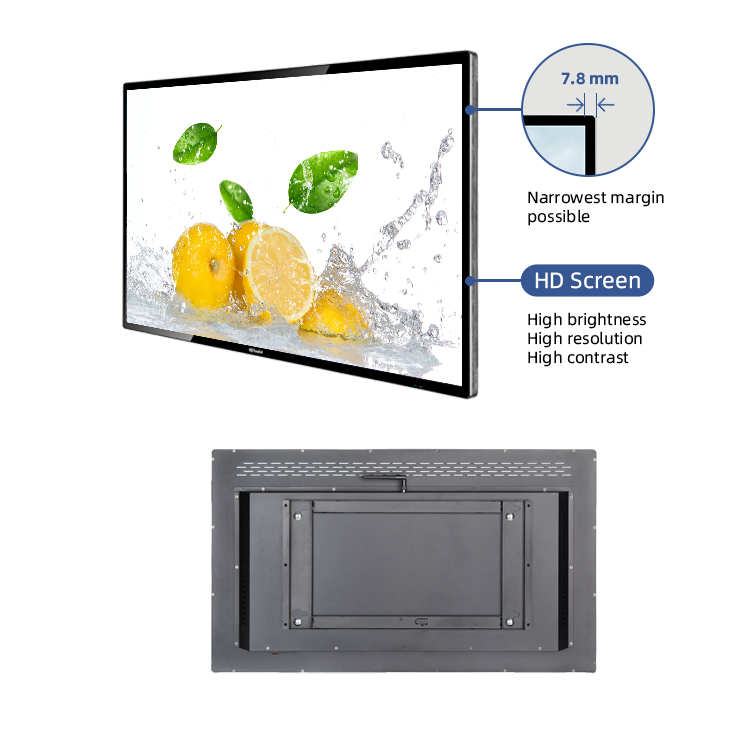
Interactive Touch Screen 10/13/15/22/32/43/49/55/65 Inch Android LCD Monitor Kiosk Wall Mounted Advertising Display
Android LCD touch displays from 10 to 65 inches for wayfinding, capture prompts, campus communication and advertising.
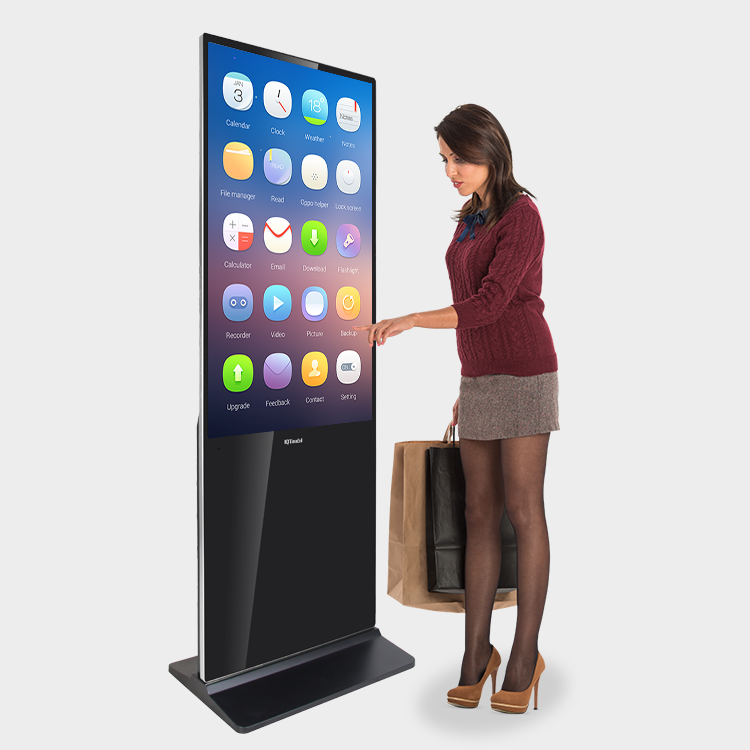
43inch Kiosk Touch Screen Floor Standing Advertising Kiosk Shopping Centre Digital Signage and Displays Outdoor Waterproof
43-inch waterproof floor-standing advertising kiosk for shopping centres and public venues that need durable, high-visibility digital display.
Why Document Imaging Cameras Now Sit at the Center of Hybrid Teaching and Meeting Rooms
Buyers are not simply comparing camera specifications. They are comparing the likelihood that a supplier can deliver a stable, serviceable capture system across many rooms.
Search demand for document imaging camera manufacturers & suppliers is rarely generated by curiosity. It is generated by a deadline: a university is equipping forty hybrid classrooms, an exam board needs clear A4 capture, a hospital is documenting records, or a distributor wants a visualizer that can be white-labeled for local schools. The buying question is not simply “who sells a camera?” It is “which supplier can prove optical performance, software stability, repair capability and predictable delivery at the scale we need?”
Document imaging cameras now overlap with overhead visualizers, foldable A4 scanner kiosks, 4K conference cameras, digital podiums, lecture capture systems and room-control displays. That overlap is why generic B2B directories produce weak shortlists: they list products but rarely reveal test evidence, API depth, spare-parts discipline or OEM/ODM governance. To make this guide useful, we interpret Top 10 as ten supplier-screening lenses, then apply them to eight commercially relevant product families from Ruyden’s published catalog. The same framework can be used to compare any document imaging camera manufacturer or supplier.
To compare offers on information gain rather than brochure language, request measured low-light performance, autofocus recovery time, frame latency, zoom type, OCR accuracy at A4 size, UVC/TWAIN support, SDK maturity, failure rates and the exact tests performed before packing. These are the details that separate a durable procurement program from a race to the lowest quotation.
The Top 10 Supplier-Screening Lenses for Document Imaging Camera Procurement
Use this matrix to structure RFQs, sample evaluations and factory audits. Each row asks for evidence that is often omitted from standard product catalogs.
| Screening Lens | What Good Looks Like | Evidence to Request |
|---|---|---|
| 1. Optical transparency | Native resolution, sensor size, lens type, optical zoom and digital zoom are stated separately, not blended into a misleading “total zoom” claim. | Optical test images, low-light samples, lens and sensor datasheets, focus charts at A4 and A3 distances. |
| 2. Document coverage | The camera captures the full document at the recommended working height without distorted edges or missing corners. | Images at A4, A3 and mixed lighting, plus measured capture area and working-distance specification. |
| 3. Focus and latency | Autofocus recovers quickly when a presenter’s hand enters the frame, and the image has minimal lag during live annotation. | Frame-latency measurement, autofocus recovery video, HDMI and USB output comparison. |
| 4. Annotation workflow | Real-time annotation, freeze, split-screen and recording functions are designed for classroom or meeting room use, not hidden menus. | Workflow demo, teacher or operator feedback, software version history and training material quality. |
| 5. Interoperability | UVC, HDMI, USB, network or SDK options are clearly documented so the camera can work with existing displays and platforms. | Driver list, UVC compliance notes, TWAIN or SDK documentation, API test plan and compatibility matrix. |
| 6. AI, OCR and privacy | OCR, object detection or presenter tracking is described honestly, with local processing options where privacy is sensitive. | Accuracy benchmark, data-flow diagram, on-device processing statement and permissions model. |
| 7. Reliability evidence | Product validation includes real tests for heat, cold, vibration, drops, ports, buttons and electrical safety before shipment. | Temperature, drop, simulated transportation, salt spray, button life, insertion force, static, earth continuity and withstand voltage reports. |
| 8. OEM/ODM governance | Customization is controlled through documented approvals for logo, boot screen, packaging, language, software and hardware configuration. | Sample approval records, third-party customization verification, change-control process and IP protection terms. |
| 9. Certification readiness | The supplier can map documentation to target-market expectations rather than promising generic compliance. | Declarations, test reports, country-specific packaging and labeling review, plus a list of supported markets. |
| 10. After-sales and lifecycle | Spare parts, firmware support, training, RMA handling and escalation paths are defined before the first shipment. | Service-level agreement, spare-parts list, firmware roadmap, RMA data and distributor training plan. |
Product Recommendations by Deployment Scenario
The right document imaging camera is the one that matches working distance, document size, software workflow and room installation constraints.
| Use Case | Recommended Configuration | Why It Matters |
|---|---|---|
| K-12 classroom | 55x digital zoom visualizer with built-in microphone and annotation, paired with an interactive display or projector. | Teachers need fast document switching, clear handwriting capture and live annotation without complex setup. |
| University lecture hall | 4K 10x optical zoom A4 scanner kiosk plus lecture capture, smart podium and wireless presentation. | Large rooms require optical zoom, stable focus, recording integration and predictable operator control. |
| Meeting room | 4K all-in-one conference webcam with speakerphone, soundbar and wireless screen sharing. | Hybrid meetings demand clear voice pickup, automatic framing and simple USB connectivity. |
| Training center | Document visualizer with HDMI output, soundbar and mobile display or interactive panel. | Trainers reuse physical materials, so annotation, zoom and comfortable working distance are critical. |
| Campus or public venue | Interactive Android LCD kiosk and outdoor waterproof digital signage for wayfinding and capture prompts. | The capture workflow must be discoverable, durable and visually consistent with the institution’s brand. |
Future Procurement Trends for Document Imaging Cameras
Procurement teams are shifting from component buying to outcome-based sourcing. The strongest suppliers will document performance, interoperability and lifecycle support, not only product features.
From box sale to room outcome
Buyers increasingly purchase a complete capture and collaboration package: camera, display, microphone, speaker, podium and control. Suppliers that can validate the full room reduce integration risk.
AI at the edge, not only in the cloud
OCR, document enhancement and presenter assistance are moving closer to the device. Privacy-sensitive buyers will ask where images are processed, stored and deleted before they approve a pilot.
Open interoperability becomes non-negotiable
UVC, USB3, HDMI, network streaming and SDK access matter because institutions rarely replace their entire AV stack at once. Closed systems create support costs that appear after installation.
TCO and serviceability replace sticker price
Spare parts, firmware support, repairability, packaging quality and RMA response now influence award decisions. A low unit price can be expensive if a campus cannot service the device locally.
How Document Imaging Cameras Are Evolving
Hardware improvements are converging with software intelligence and room-level integration. These trends should influence the specification you write today.
4K plus optical zoom is becoming the baseline
Higher native resolution helps with small text, diagrams and details, but optical zoom, lens quality and lighting control determine whether the extra pixels are actually useful.
Multi-modal capture in one footprint
Document visualizers, conference cameras, annotation screens and recording functions are merging. Buyers gain simpler installation but must test thermal design and software stability.
Embedded AI, OCR and presenter support
Automatic document enhancement, region capture, focus assistance and text extraction are becoming practical. The supplier should provide measurable accuracy and a clear privacy model.
Convergence with podiums, AV control and signage
Document cameras are no longer isolated peripherals. They feed podiums, displays, lecture capture and campus communication systems, so lifecycle and compatibility planning matter.
Ruyden Interactive Technology Group Co., Ltd.: Verified Manufacturing for Visual Capture Programs
Ruyden’s published credentials are relevant to buyers who need more than a camera vendor: they need a manufacturer that can support room integration, customization and export delivery.
Ruyden is an SGS onsite-verified manufacturer and exporter of interactive flat panels, touch-screen whiteboards, lecture capture systems, networked digital podiums and smart classroom AV integration solutions. Headquartered in the Fuzhou High-tech Zone, Fujian, China, the company combines in-house SMT, PCB and assembly lines with a dedicated reliability test lab. Its published profile lists 19 years of industry experience, 82 staff, 10+ years of export experience and a 5.0/5 buyer rating from verified transactions.
For document imaging camera buyers, these advantages matter because image capture is rarely a stand-alone purchase. Cameras feed displays, podiums, recording systems, room audio and campus management. A supplier that already integrates those layers can reduce compatibility testing, simplify after-sales escalation and protect the buyer’s brand under an OEM/ODM program. Public records such as the SGS Assessment Report, Trade Capacity, Transaction Level and Ratings & Reviews allow procurement teams to verify claims before requesting samples.
SGS onsite verification
Independent third-party assessment supports distributor onboarding, tender review and import compliance discussions.
In-house electronics control
SMT, auto-insertion, PCB and assembly lines under one roof improve consistency and protect custom hardware designs.
Reliability test laboratory
High and low temperature, drop, simulated transportation, salt spray, button life, insertion force, static, earth continuity and withstand voltage testing are used before shipment.
Design-based customization
Logo, boot screen, housing color, packaging, pre-installed software, language settings and hardware configuration can be customized under documented approvals.
One-stop room ecosystem
Displays, lecture capture, digital podiums, wireless presentation and centralized AV control can be specified as one integrated solution.
Export project support
Pre-sales consulting, technical training, export packing, shipping coordination and after-sales support help distributors manage long-term programs.
Build a weighted shortlist, not a popularity list
A practical RFQ scorecard should weight the factors that create risk in your project. The percentages below are a starting point for a document imaging camera program where image quality and deployment stability are both important.
Adjust the weights for tender environments, public-sector procurement, small classroom pilots or distributor programs. The key is to score every manufacturer against the same evidence standard.
Weighted supplier scorecard
Example weighting for a hybrid classroom or meeting-room rollout.
Document Imaging Camera Procurement FAQ
These are the questions distributors, integrators, schools and enterprise buyers ask most often when comparing document imaging camera manufacturers and suppliers.
What is the difference between a document imaging camera and a traditional document camera?
A traditional document camera is usually an overhead visualizer focused on showing physical objects or printed pages to a display. A document imaging camera may add higher-resolution A4 capture, optical zoom, annotation, OCR, recording, microphone and API control. In procurement, define the workflow first: classroom demonstration, records digitization, hybrid meeting capture or self-service scanning. That decision determines whether a visualizer, an A4 scanner kiosk or an all-in-one conference camera is the better fit.
Should buyers choose 4K or 1080p document imaging cameras?
4K is valuable when users need to read small text, inspect diagrams or capture detailed evidence across a wide document area. However, 4K resolution alone does not guarantee a better image. Lens quality, sensor sensitivity, lighting control, focus speed and compression can matter more. For basic classroom display, 1080p may be sufficient; for A4 records, lecture halls, detailed annotation and future-proof tenders, a 4K device with strong optical design is often the safer specification.
How much zoom is enough for a document imaging camera?
Optical zoom should be evaluated separately from digital zoom. A 10x optical zoom system can preserve detail when the camera must work at a distance or capture different document sizes. Digital zoom enlarges the image after capture and can become soft at high magnification. A 55x digital zoom visualizer may be useful for teaching and object demonstration, but buyers should request sample images at maximum useful zoom and check focus stability, noise and text legibility.
Which software and integration questions are most important?
Ask whether the camera uses standard UVC drivers, whether it supports HDMI and USB simultaneously, whether TWAIN or SDK access is available, and how annotation, recording and screen capture are controlled. For campus deployments, confirm firmware update policy, API documentation and compatibility with existing displays, lecture capture platforms and meeting software. A supplier that cannot provide a clear integration diagram will create avoidable support tickets after installation.
What quality tests should be requested from a manufacturer?
Request evidence for the tests that matter in real deployment: high and low temperature operation, drop and simulated transportation, salt spray for metal parts, button life, insertion force for ports, static discharge, earth continuity and withstand voltage. These tests help predict failures caused by shipping, daily use, cleaning, climate variation and electrical safety review. A short certificate list is not enough; ask for the test scope, sample size and pass criteria.
How should OEM and ODM customization be governed?
Good customization is controlled through documented approvals. Before mass production, confirm the logo, boot screen, housing color, packaging, pre-installed software, language settings and hardware configuration through samples or golden files. Ask for change-control procedures, intellectual property protection and a clear boundary between standard firmware and custom code. For tender projects, verify that the supplier can reproduce the approved sample consistently across batches.
What certifications and compliance documents should a supplier provide?
Compliance requirements depend on the destination market and the buyer’s category. Common requests include CE, RoHS, FCC, UKCA, REACH, safety test reports and packaging declarations. Rather than accepting a generic statement, ask the supplier to map documents to your target country, product configuration and intended use. Also confirm whether the certificate covers the exact model, adapter, wireless module and accessories that will ship.
How can overseas buyers reduce project risk before placing a volume order?
Run a structured pilot: request a sample against your real document types and lighting, test the software with your existing display or meeting platform, verify packaging and accessories, and measure installation time. Confirm lead time, spare-parts availability, RMA process, firmware support and training material before the volume order. For multi-room projects, document a golden-room configuration so every classroom or meeting room can be replicated without ad hoc changes.
Turn Your Document Imaging Camera Shortlist into a Validated Procurement Plan
Share your room types, document sizes, quantity, target market and certification needs. Use the shortlist above as a starting point, then request a sample and configuration proposal built around your deployment.
Contact Us