2025 OEM / ODM Sourcing White Paper

Top 10 Optical Zoom Document Camera Factory & Supplier

A procurement-grade guide to 4K visualizers, true 10x–30x optical zoom document cameras, and the smart classroom ecosystem that determines total cost of ownership.

Eight Recommended Products for Optical Zoom Document Camera Projects

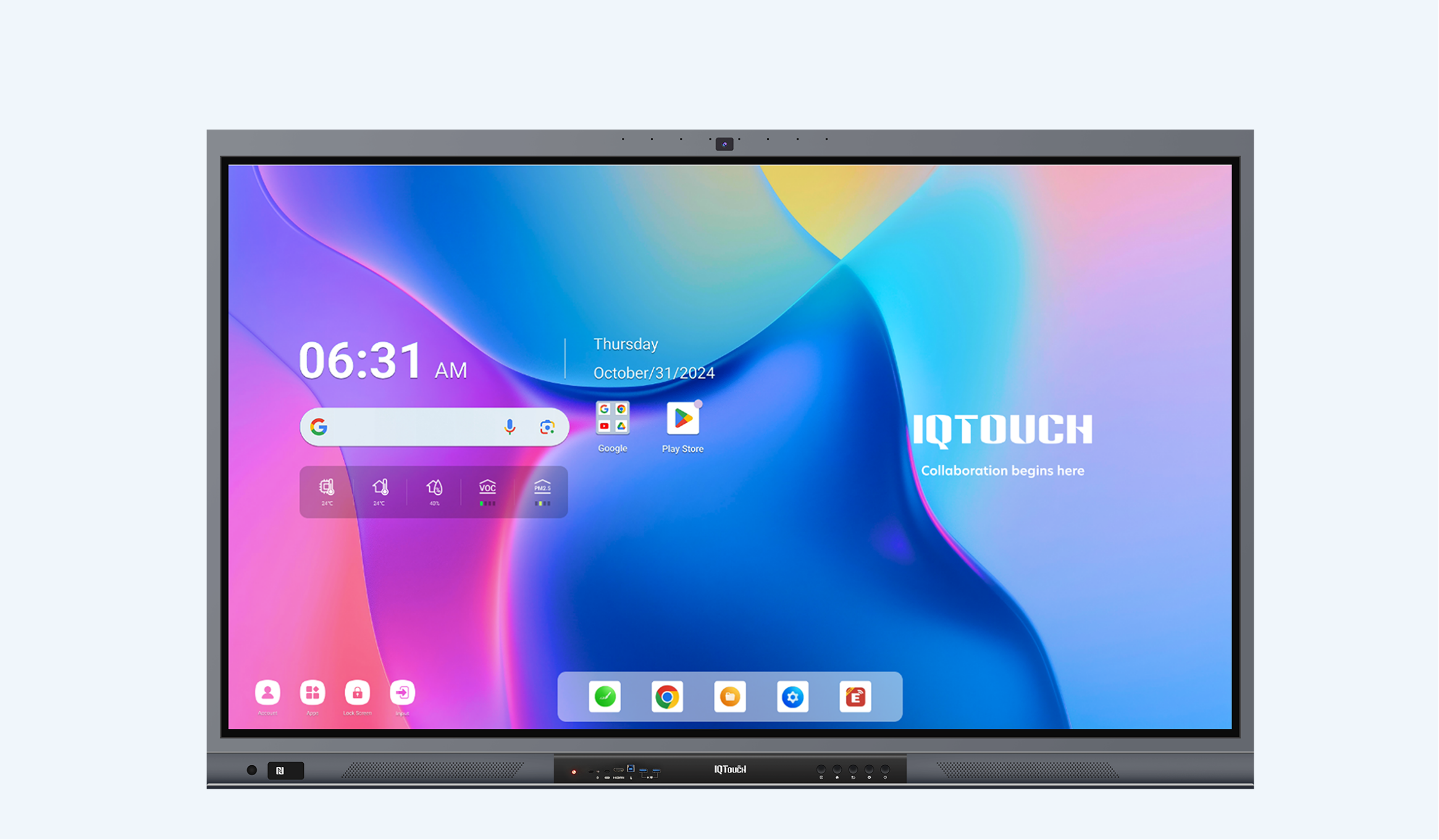
The models below are taken from Ruyden’s smart classroom portfolio and presented with their original product links and images. A document camera is rarely deployed alone: it is paired with an interactive display, lecture capture camera, classroom audio, annotation software and teacher control furniture.

Need a factory quotation, OEM logo, packaging plan or classroom bundle configuration?

Inquire Now
✓
SGS Onsite-VerifiedIndependent third-party factory assessment
19
19+ Years in IndustryEducation AV manufacturing experience
◎
Verified OEM / ODMDesign-based customization capability
5.0
5.0 / 5 Buyer RatingVerified transaction and review record

Why “Optical Zoom” Is the First Filter in a Document Camera Tender

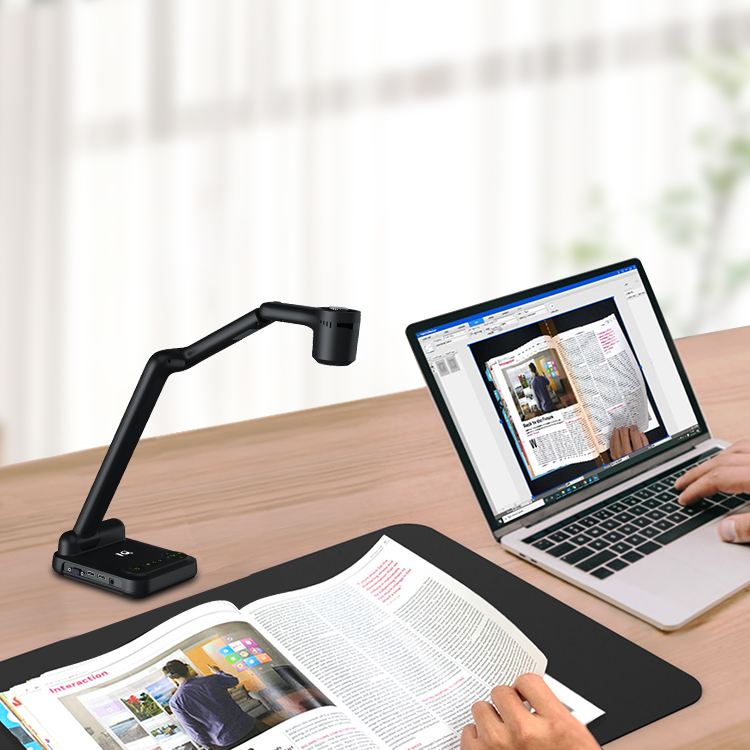
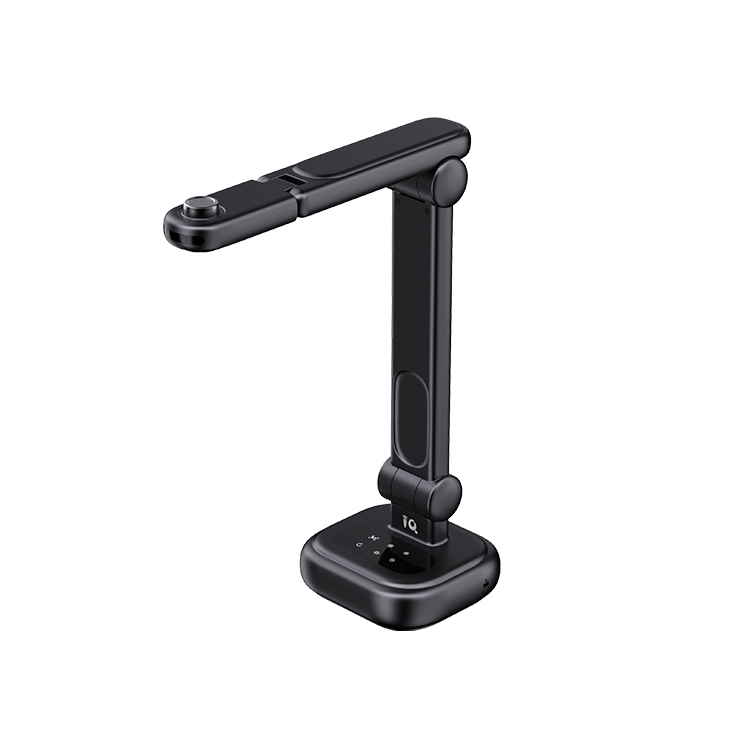
Executive summary. A document camera, also called a visualizer, is only as good as the lens, sensor and integration behind it. A 10x optical zoom document camera preserves detail because the lens changes focal length; a 10x digital zoom merely crops pixels. For schools, universities and training centres, that difference becomes visible when a teacher zooms into an A3 worksheet, a circuit board, a microscope eyepiece or a handwritten equation.

The search phrase “Top 10 Optical Zoom Document Camera Factory & Supplier” usually combines several buying intentions: finding a factory, verifying optical specifications, comparing OEM/ODM capability, checking classroom integration and reducing import risk. Because supplier rankings age quickly, this white paper uses the “Top 10” phrase as a ten-point supplier evaluation model rather than a thin directory. The model is designed for tender teams, distributors and system integrators who need defensible selection criteria.

Optical zoom is a lens-level function. A true 10x optical zoom lens can move through focal lengths while maintaining focus and resolution. Digital zoom enlarges a crop and reduces effective pixels. In a 4K document camera, aggressive digital zoom can quickly fall below 1080p usable detail; text edges become soft and annotation software has less information to work with. Buyers should ask for native optical zoom ratio, lens construction, minimum focus distance, sensor size, frame rate at 4K, and real classroom footage—not only a marketing label.

  • Optical zoom: confirm whether 10x, 20x or 30x is native optical, not hybrid or digital interpolation.
  • Image chain: review sensor, auto focus, low-light performance and frame rate together with lens quality.
  • Classroom fit: check HDMI, USB, IP streaming, annotation software and mounting options before comparing price.
  • Factory evidence: request SGS or equivalent audit records, QA test list, OEM/ODM proof and export history.

Buyer Weighting Model for a 10x Optical Zoom Document Camera

Use this editorial weighting as a starting point for tender scoring. Adjust the percentages for your market, room type and service model.

Optical system and lens25%
Integration and software20%
Factory QA evidence20%
OEM / ODM readiness15%
Service and TCO10%
Compliance and export10%

Future Procurement Trends: What Buyers Will Compare in 2025–2028

Price will remain important, but procurement teams are increasingly evaluated on total cost of ownership, classroom integration risk and supplier transparency. These six trends are especially relevant to document camera and smart classroom sourcing.

A

Total Cost of Ownership over Lowest Unit Price

Spare parts, service response, software licensing, installation time and failure risk can exceed the initial hardware difference. A factory that publishes QA evidence and service terms is easier to defend in a tender.

B

Bundled Smart Classroom Procurement

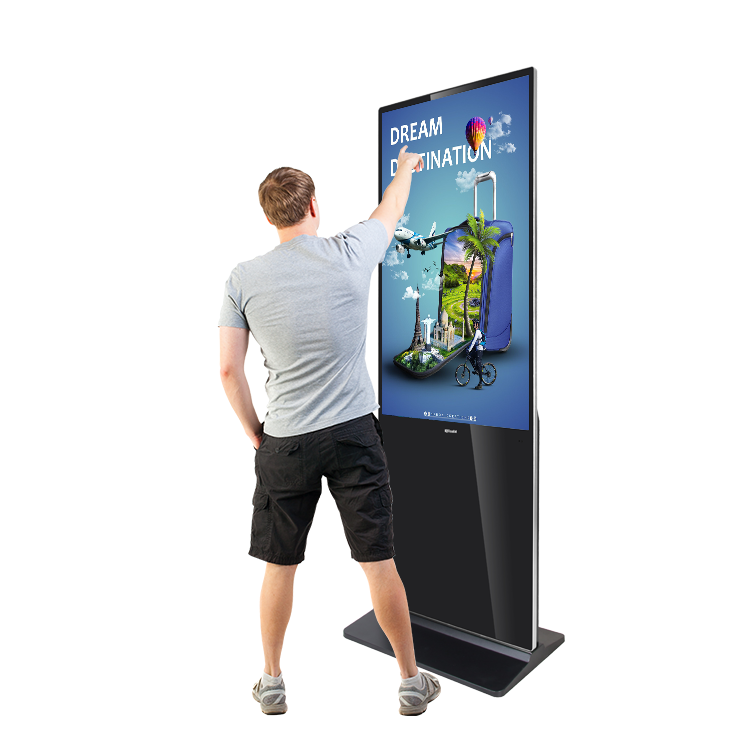
Buyers increasingly purchase the document camera together with an interactive flat panel, lecture capture camera, speakerphone and digital podium. One integration partner can reduce compatibility risk across rooms.

C

Verified Factory Transparency

Third-party inspection, trade history, credit overview and buyer reviews are becoming pre-qualification documents. A transparent supplier shortens the due-diligence cycle for distributors and system integrators.

D

Open Standards and Interoperability

Schools do not want a closed AV island. HDMI, USB, IP streaming, control APIs and standard mounting points allow the document camera to work with existing displays, capture systems and room control.

E

Local Service, Training and Spare Parts

Overseas buyers ask for installation guides, teacher training material, spare-part lists and clear escalation paths. Serviceability is part of product quality, not an afterthought.

F

Cybersecurity and Data Privacy Review

Network-connected visualizers and classroom devices must support secure update practice, account management and data handling documentation. Public-sector tenders increasingly require these answers in writing.

Factory Evidence That Supports E-E-A-T and Risk Reduction

Ruyden Interactive Technology Group Co., Ltd. is an SGS onsite-verified manufacturer based in Fuzhou High-tech Zone, Fujian, China. The figures below come from the company’s public verification records and inspection information.

19+Years in Industry

Long-term education AV manufacturing experience.

21yrsVerified B2B Trading

Continuous global supplier record.

82Verified Staff

Engineering, production, QC and export service team.

5.0/5Buyer Rating

Average score from verified buyer reviews and transactions.

Inside a Verified Optical Zoom Document Camera Factory

Controlling SMT, PCB processing and final assembly under one roof helps protect custom designs, maintain consistency and shorten engineering changes. Buyers should ask whether the supplier is the factory behind the product or only a trading intermediary.

Ruyden factory building and production facility for interactive displays and document camera solutions
Ruyden interactive display production workshop and smart classroom equipment assembly
Ruyden manufacturing team and factory operations for education technology products

Manufacturing and Customization Advantages

Ruyden combines in-house SMT, AI automatic insertion, PCB and assembly lines with a dedicated reliability test lab. For buyers sourcing a 10x optical zoom document camera or a broader smart classroom bundle, this means the supplier can coordinate display, camera, audio, podium and control requirements instead of forcing three or four unrelated vendors into one room design.

Design-based customization has been verified by independent third-party inspection. Common OEM/ODM options include logo, boot screen, housing color, packaging, software pre-installation, language settings and hardware configuration. For distributors and tender buyers, that flexibility can turn a standard visualizer into a market-specific product while keeping service documentation consistent.

Every batch should pass an in-house test lab covering high and low temperature, drop, simulated transportation, salt spray, button life, insertion force, static, earth continuity and withstand voltage testing before shipment. These tests matter for document cameras because classroom devices face daily plugging, moving, lighting variation and long lesson hours.
Global Export and Service Advantages

Ruyden has more than 10 years of export experience and has participated in international trade shows four times. The company supports education and enterprise projects across multiple regions with pre-sales consulting, technical training and after-sales support for long-term partners.

  • Factory address: Building 6, Innovation Park Phase I, No. 3 Keji East Road, Shangjie Town, High-tech Zone, Fuzhou, Fujian, China.
  • Complete range from 55–100 inch interactive panels for classroom and lecture hall deployment.
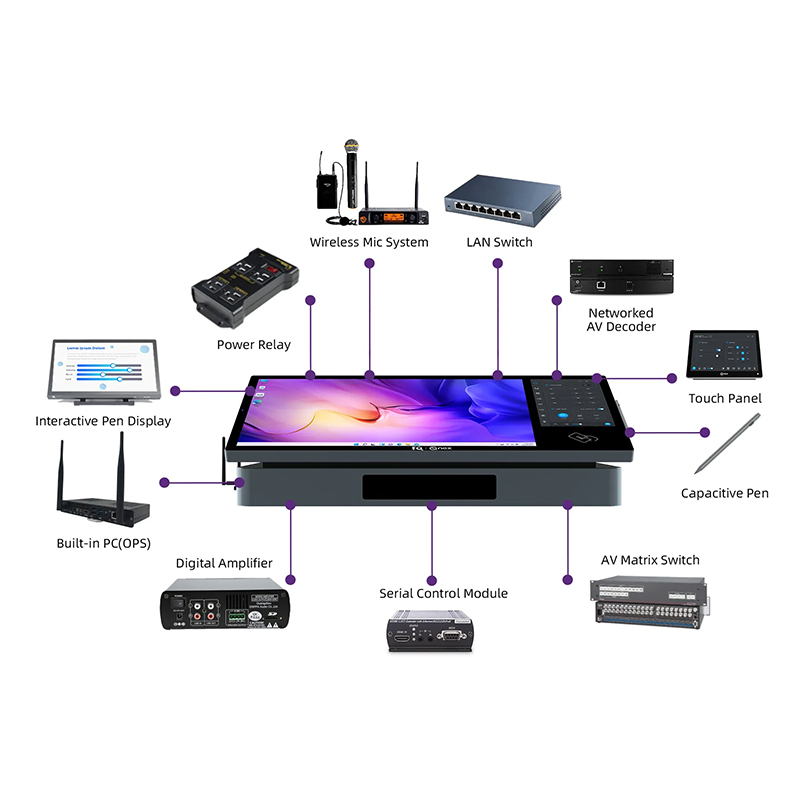
  • One-stop ecosystem: interactive display, lecture capture, digital podium, wireless presentation and AV control.
  • Publicly viewable third-party verification, trade history and buyer review records.

Email: info@ruydentech.com

Verify Ruyden Independently Before You Shortlist

Transparency lowers sourcing risk. Review the public records below, then compare them with the product specifications and service terms in your quotation.

The Top 10 Supplier Evaluation Criteria for Optical Zoom Document Cameras

Use this scoring framework to compare factories, trading companies and OEM/ODM partners with the same evidence standard. It is particularly useful for distributors, tender consultants and education technology integrators.

01

True Optical Zoom

Confirm native optical ratio, lens construction and whether the advertised 10x is optical rather than digital or hybrid.

02

Sensor and Frame Rate

Compare resolution, frame rate at 4K, low-light performance and motion clarity for science demonstrations.

03

Auto Focus and Clarity

Test A3 documents, small objects, glossy pages and handwriting. Ask for unedited classroom footage.

04

Connectivity

Check HDMI, USB, IP streaming, wireless options and compatibility with interactive panels and lecture capture.

05

Annotation Software

Clarify built-in versus licensed software, operating system support, updates and teacher training material.

06

Mounting and Ergonomics

Review ceiling, portable, desk and visualizer stand options, cable management and daily teacher workflow.

07

Integration Readiness

Map the camera into the full classroom signal chain: display, audio, podium, recording and room control.

08

OEM / ODM and IP Protection

Ask for customization examples, packaging capability, firmware control and written design confidentiality terms.

09

Factory QA Evidence

Request test-lab evidence for temperature, drop, transportation, salt spray, connector life and electrical safety.

10

Service and Total Cost

Compare spare parts, warranty terms, lead time, training, freight protection and long-term software support.

Integration Guide: Where the Document Camera Sits in a Smart Classroom

A high-quality visualizer can still disappoint if the room signal flow is poorly planned. Use this practical integration checklist during supplier comparison and installation design.

01

Define the Teaching Use Case

Decide whether the camera will show A4/A3 documents, 3D objects, science experiments, handwriting or live demonstrations. The use case determines lens, working distance, lighting and mounting.

02

Map the Video Path

Document camera to interactive panel, PC, lecture capture system or streaming platform. Confirm HDMI, USB and IP requirements plus cable lengths before ordering mounts and furniture.

03

Plan Audio and Control

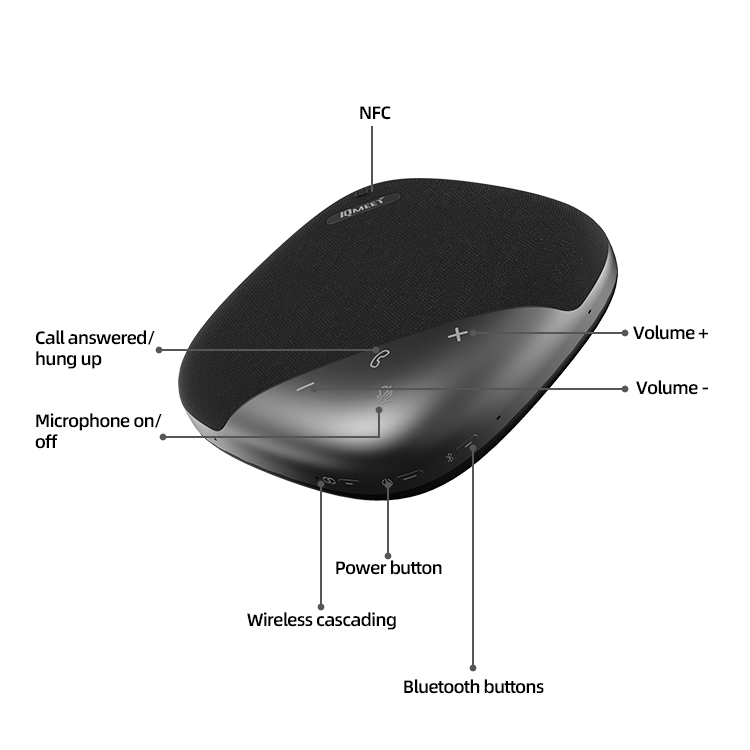
For hybrid rooms, pair the visualizer with a speakerphone and control interface. Teachers should be able to switch sources, annotate and record without calling IT.

04

Check Lighting and Glare

Ceiling lights and glossy documents can create hotspots. Review camera exposure, white balance and lighting position using a sample unit in a real classroom.

05

Validate the Display Surface

A 4K document camera needs a suitable display and annotation platform. Confirm aspect ratio, resolution, touch response and viewing distance for the target room.

06

Document Service and Training

Ask for quick-start guides, teacher training material, spare-part lists and escalation contacts. Good documentation reduces support tickets after installation.

Optical Zoom Document Camera Procurement FAQ

These are the questions overseas buyers, distributors and tender teams ask most often when comparing factories and suppliers.

What does 10x optical zoom mean on a document camera?

It means the lens can change focal length through a 10x range without simply enlarging a digital crop. For a document camera, true optical zoom preserves more detail when the teacher zooms into a page, object or experiment from a distance. Buyers should still ask for sensor resolution, frame rate, minimum focus distance and sample footage because optical zoom alone does not guarantee image quality.

Can an optical zoom document camera capture A3 and A4 pages clearly?

Yes, if the camera’s field of view, working height and focus range are matched to the room. A4 is usually easy; A3 and larger formats require a wider field of view or a higher mounting position. For procurement, ask the supplier to demonstrate the exact paper size, lighting condition and display resolution you plan to use.

Is 4K necessary, or is 1080p enough for a classroom visualizer?

1080p can be sufficient for many standard classrooms, especially when the display is not very large. 4K becomes more valuable when teachers zoom into fine text, use large interactive panels, record lectures or feed the image into annotation and lecture capture systems. The practical answer depends on room size, display resolution and whether digital zoom will be used.

How does a document camera connect to an interactive flat panel?

Typical connections include HDMI for direct display and USB for computer-based annotation or capture. Networked deployments may use IP streaming for lecture capture. Before ordering, draw the signal flow from camera to display, PC, audio and recording system, then confirm cable length, adapter requirements and control compatibility with the supplier.

Can Ruyden customize document camera and smart classroom bundles under our brand?

Ruyden’s design-based customization capability has been verified by independent third-party inspection. Common OEM/ODM options include logo, boot screen, housing color, packaging, software pre-installation, language settings and hardware configuration. Requirements should be documented in the quotation and sample approval process before mass production.

What factory evidence should buyers request before placing an order?

Request third-party inspection records such as an SGS assessment, company profile, trade capacity, transaction history, credit overview and buyer reviews. For the product, ask for the QA test list, sample inspection report, packaging drop-test evidence and relevant electrical safety documentation. These documents make tender evaluation and importer due diligence easier to defend.

What is the biggest procurement mistake when sourcing document cameras?

Comparing only the headline price or the zoom number. A low-cost device with digital zoom, weak auto focus, unstable software or poor service can create higher lifecycle cost. A better comparison includes optical quality, display compatibility, annotation licensing, spare parts, lead time, warranty process and the factory’s ability to support a multi-room rollout.

How do I request a configuration and quotation?

Prepare room size, target paper or object sizes, display resolution, recording needs, quantity, target market and any certification or language requirements. Share these details with the supplier and request a sample plan, packaging proposal and spare-part recommendation. You can start the conversation here: Inquire Now.

Build Your Optical Zoom Document Camera Shortlist with a Verified Factory

Use the 10-point evaluation model, compare the eight recommended products and request factory evidence before you commit. Ruyden supports OEM/ODM customization, smart classroom integration and export projects for distributors, integrators and education buyers.

Inquire Now info@ruydentech.com