Why Buyers Search for a China Document Capture Camera Factory, Not Just a Product
The search intent behind “China document camera supplier” is usually commercial and risk-driven. Buyers need a factory that can stabilize image quality, control hinge and lighting durability, support OEM branding and deliver after-sales service across education, government, banking and enterprise projects.
Image Quality Is a Procurement Issue
A document camera is only useful when text, diagrams and small objects remain sharp across the capture area. Buyers should compare sensor resolution, optical zoom, focus speed, LED fill light uniformity and low-light noise, not only the headline megapixel count.
Daily Usability Drives Adoption
Teachers and service-counter staff need one-step capture, live annotation and dependable USB or HDMI output. A visualizer with excellent hardware but slow software setup often becomes unused equipment, creating hidden total cost of ownership.
Factory Capability Reduces Risk
OEM projects involve branding, packaging, firmware settings, accessories and spare parts planning. A manufacturer with in-house SMT, PCB processing, assembly and reliability testing can respond faster to engineering changes and quality issues.
Confirmed by independent inspection records.
Engineering, production, QC and export service.
Experience serving diverse regional markets.
Based on verified buyer reviews and transactions.
For serious procurement teams, the best supplier is not the listing with the lowest unit price. It is the factory that can document its process, prove its testing, support customization and match the technical specification to the room, desk or self-service counter where the camera will actually be used.
Eight Document Capture and Classroom Display Products from One Supplier Ecosystem
These models cover document cameras, visual presenters, scanner kiosks, interactive displays and audio accessories. All product links are preserved from the original catalogue so buyers can move directly from specification review to enquiry.
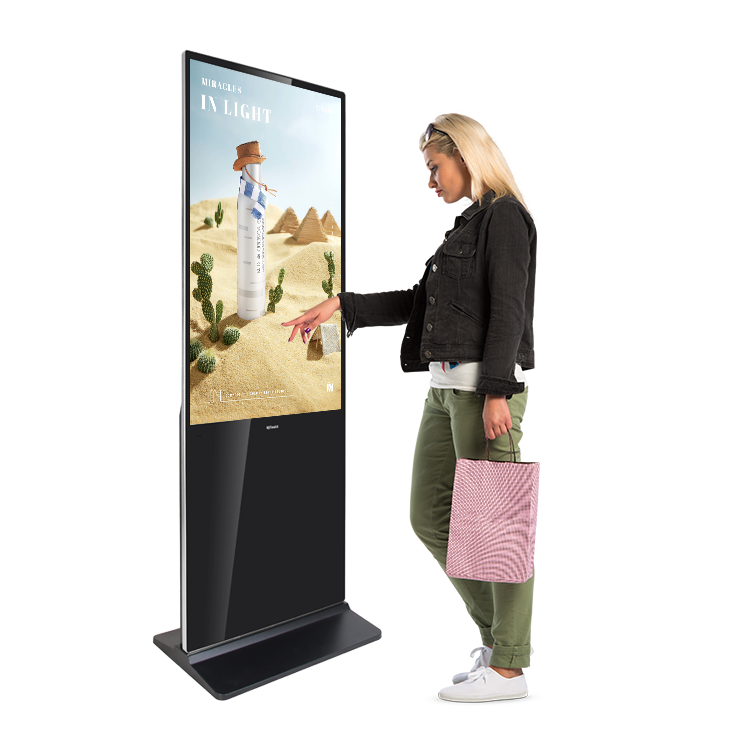
Android and Windows System Standing Floor Stand Information Kiosk Touch Screen for Shopping Mall
A floor-standing touch kiosk for mall information and self-service wayfinding. It can be specified as the front-end terminal in scan-to-service workflows when paired with a document camera or scanner module.
View product details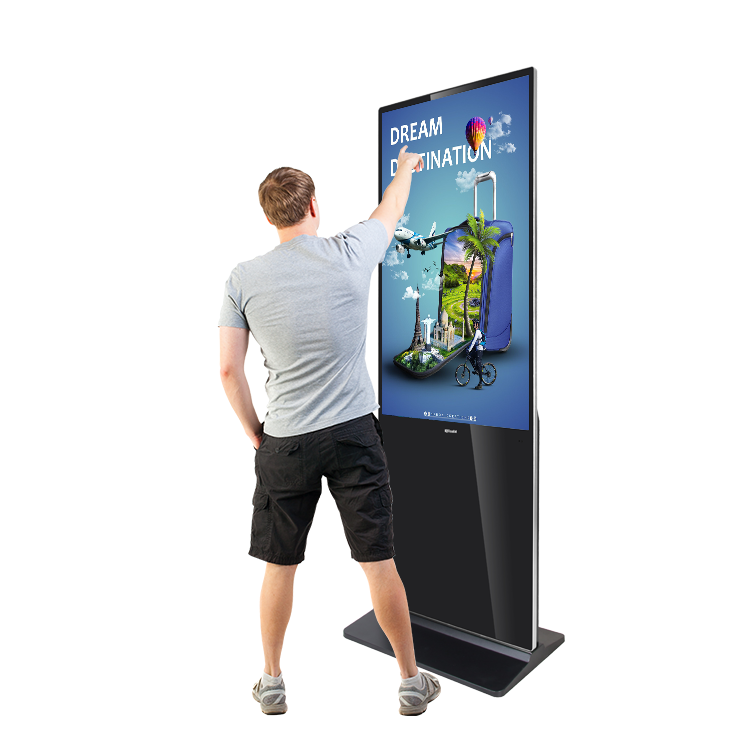
Wholesale 43inch Android Tablet Floor Standing Touch Kiosk for Hotel Bank School
A 43-inch Android floor-standing kiosk for hotel, bank and school environments. Useful for queue information, service instructions and self-service document submission counters where a larger touch interface is required.
View product details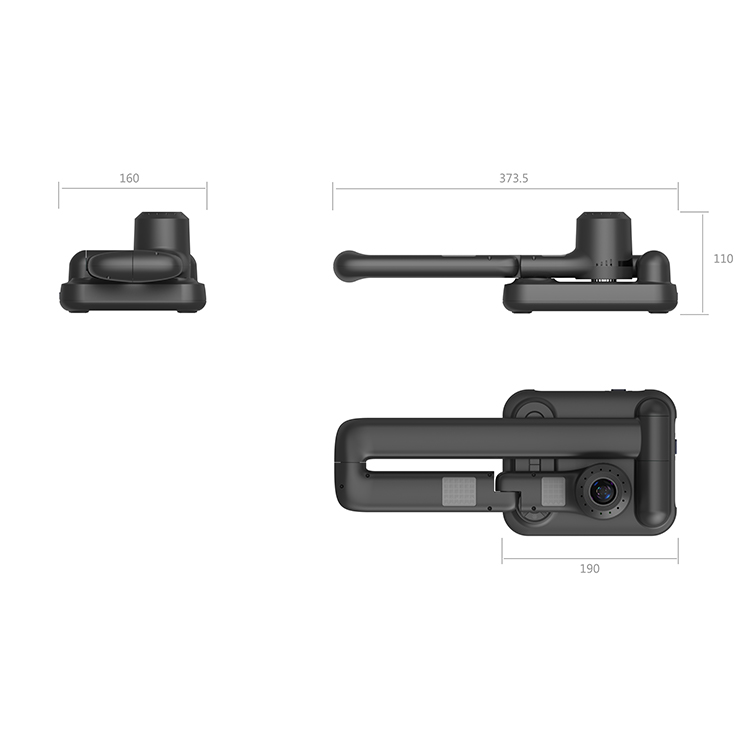
Extra Large Coverage 4k Camera 10x Optical Zoom Foldable Flatbed High Speed A4 Document Scanner Kiosk
A high-speed A4 document scanner kiosk with 4K camera, extra-large coverage and 10x optical zoom. A strong fit for libraries, government service desks, banks and campus self-service scanning where repeatable document capture matters.
View product details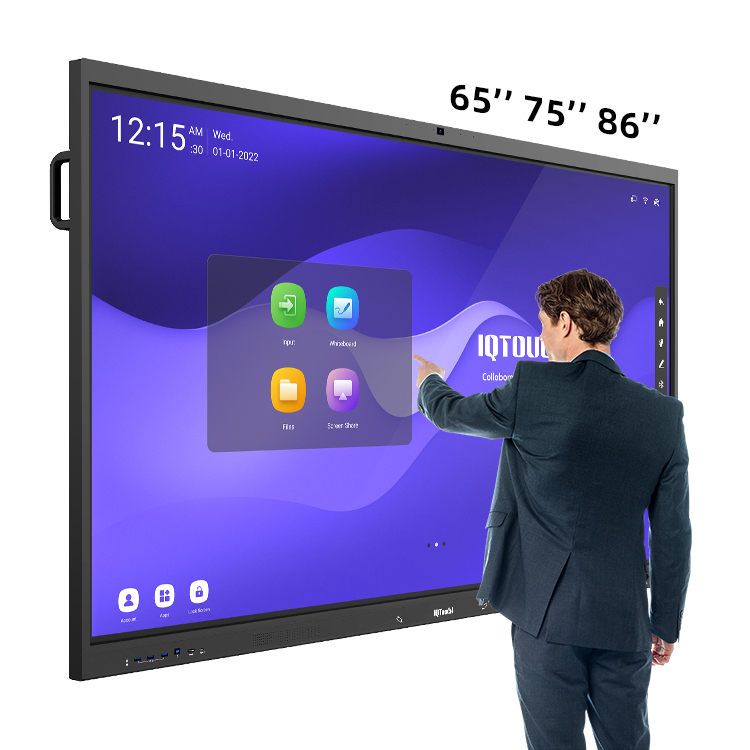
Dual System 4K 65 75 86 Inch Smart Board Interactive Electronic Whiteboard for Education and Conference
A dual-system 4K interactive smart board for teaching and conference rooms. Use it as the review and annotation layer for document camera feeds, hybrid lessons and collaborative meeting content.
View product details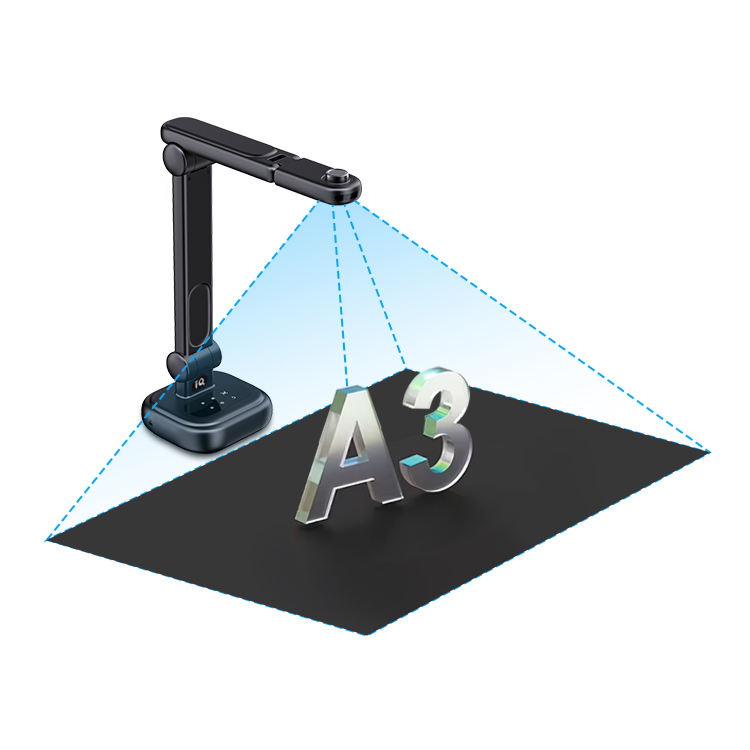
4K Camera Folding Design Live Annotation Adjustable LED Lighting Dual Stream A3 A4 Document Book Camera Scanner
A folding A3/A4 document and book camera with 4K capture, dual-stream output, live annotation and adjustable LED lighting. Recommended for classrooms, training rooms and hybrid teaching studios that need flexible object capture.
View product details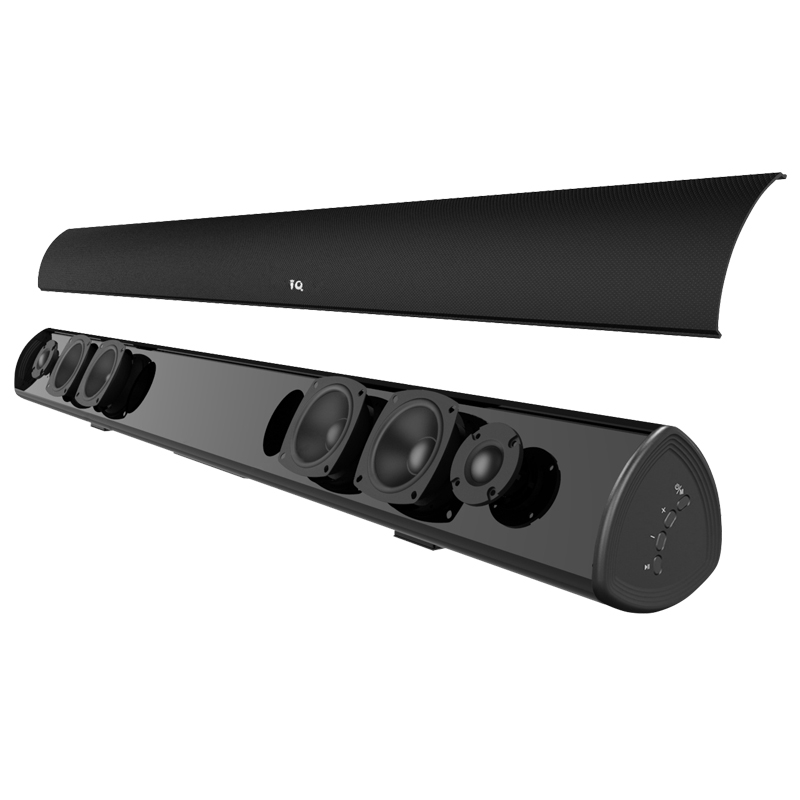
Soundbar for Meeting Room and Classroom Remote Control Speaker
A remote-control soundbar for meeting rooms and classrooms. Add it to a document capture bundle when video lessons, hybrid meetings or lecture recording need clear voice reproduction alongside sharp visual content.
View product details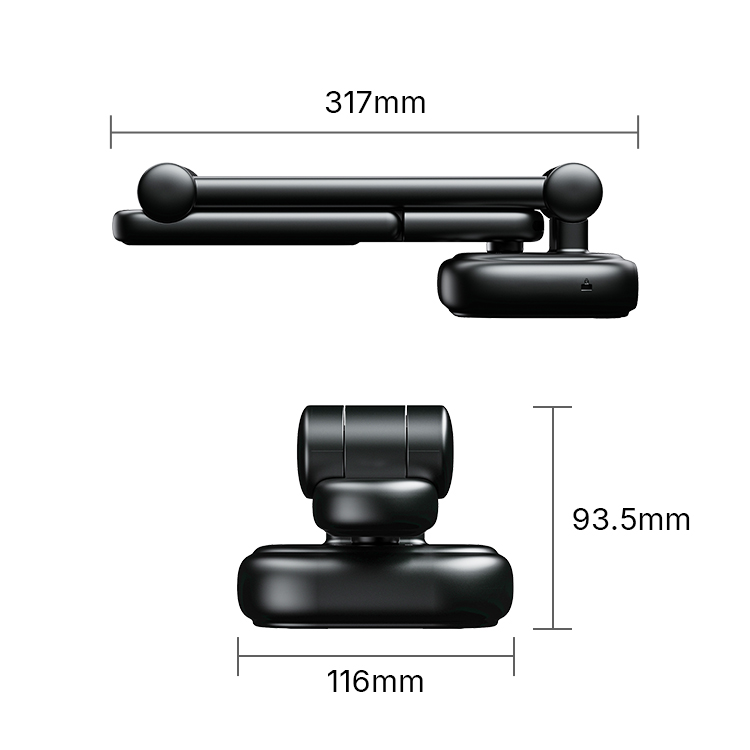
55x Digital Zoom Built in Mic Real-time Annotation Capabilities Document Cameras or Visualizers with High Capture
A document camera and visualizer with 55x digital zoom, built-in microphone and real-time annotation. Suitable for K-12, university and corporate training rooms where detailed objects, printed pages and demonstrations must be shared live.
View product details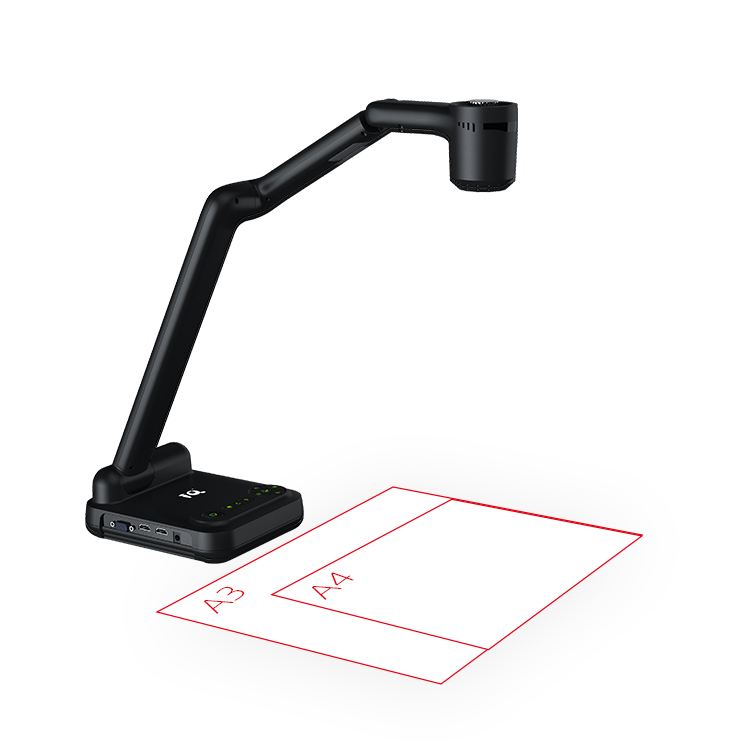
Portable Classroom Scanner Machine HD 8 Megapixel A4 Document Camera Scanner Visual Presenter with LED Fill-in Light
A portable A4 document camera with 8MP HD capture and LED fill-in light. A practical choice for mobile teaching, exam review, remote tutoring, field training and shared classroom equipment that must be easy to move.
View product detailsFor OEM projects, share the target room type, mounting method, output interface, software language and annual quantity. The factory can then recommend the right document camera, visualizer or kiosk configuration instead of forcing one model across every use case.
How to Specify a Document Capture Camera: A Practical Procurement Matrix
The most common sourcing error is comparing only resolution. The real buying decision should connect the capture task, room environment, software stack and after-sales plan. Use this matrix as a qualification checklist when reviewing China suppliers.
| Procurement Variable | Why It Matters | Recommended Specification |
|---|---|---|
| Optical vs digital zoom | Digital zoom enlarges pixels and can soften small text. Optical zoom preserves detail through the lens. | Choose 10x optical zoom for A4 document inspection and kiosk scanning; use 55x digital zoom for visualizer flexibility when image quality is acceptable. |
| Capture area | A4 is standard for office documents, but classrooms often need A3 books, maps or objects. | Specify A4 for service counters and A3/A4 for teaching, training and book capture. Confirm the full capture area with a sample image. |
| Lighting | Uneven LED lighting causes glare, shadows and inconsistent OCR results. | Look for adjustable LED fill-in light, anti-glare treatment and uniform brightness across the document edge. |
| Output and integration | USB, HDMI, UVC and network options determine compatibility with interactive panels, lecture capture and kiosk software. | Confirm USB UVC for plug-and-play, HDMI for local display and SDK/API needs for self-service kiosk workflows. |
| Durability | Hinges, buttons, ports and cables fail under daily classroom or counter use. | Review hinge life, button life, insertion-force testing, drop testing and simulated transportation reports. |
| Customization and service | OEM branding, packaging, language and spare parts affect launch speed and long-term support. | Select a factory with verified design-based customization, documented QC and a clear spare-parts and warranty process. |
Information gain for buyers: request sample images under your actual lighting condition, test your own software stack, and ask for the factory’s reliability test list before placing a volume order.
What Is Changing in China Document Camera Sourcing
Procurement teams are moving away from “buy a visualizer” toward “build a capture workflow.” The following trends are shaping RFQs, tender specifications and supplier scorecards.
AI-Assisted Capture Becomes a Specification
Buyers increasingly ask for auto-focus, auto-exposure, page dewarping, edge detection and OCR-ready output. These functions reduce training time and improve consistency at service counters and in large school rollouts.
4K and Dual-Stream Are Moving Mainstream
4K capture is no longer only for premium studios. Dual-stream output lets a presenter show a live camera view while recording a clean document feed, which is valuable for hybrid lessons, lecture capture and training archives.
Software Integration Matters More Than Hardware Alone
Kiosk builders need SDK/API access, UVC compatibility and predictable device enumeration. A camera that works well in a demo but fails inside a self-service application creates expensive commissioning delays.
Total Cost of Ownership Replaces Lowest Price
Public-sector and education buyers now evaluate spare parts, repair turnaround, packaging quality and installation documentation. The lowest quote can become the most expensive option after a campus-wide rollout.
Data and Device Security Enter the RFQ
For bank, government and healthcare counters, buyers request local data handling, no unexpected cloud dependency and clear firmware update procedures. Document capture hardware must fit the security policy of the project.
Sustainable Packaging and Longevity Are Scored
Recyclable packaging, replaceable accessories and long product life are becoming measurable supplier criteria. Factories that document material choices and packaging tests can respond more competitively to green tenders.
From Standalone Visualizer to Hybrid Capture Terminal
The document camera category is converging with interactive displays, lecture capture, kiosk self-service and video conferencing. The product roadmap is becoming a system roadmap.
Better Sensors and Lens Design
Higher-resolution sensors are useful only when paired with good lenses, accurate focus and stable color reproduction. Buyers should evaluate text clarity, color fidelity and motion response with real documents, not only test charts.
Live Annotation Becomes Standard
Teachers and trainers expect to draw, highlight and annotate while presenting a document or object. Built-in annotation and fast switching between camera and screen content improve lesson flow and reduce software friction.
Audio and Video Converge
Built-in microphones and companion soundbars reduce the number of devices in a room. For hybrid teaching and meeting spaces, clear voice capture is now part of the visualizer evaluation, not a separate audio decision.
Kiosk-Ready Capture Modules
Banks, libraries and government service centers want document capture embedded into self-service terminals. This drives demand for foldable flatbed designs, controlled lighting and integration-friendly USB or network output.
Portable and Foldable Form Factors
Space-saving designs are rising in schools with shared classrooms and in field training where equipment must travel. Folding arms, portable A4 bodies and quick setup become competitive features.
System-Level Compatibility
Document cameras must work with interactive flat panels, lecture capture systems, digital podiums and wireless presentation. A supplier with a broader classroom AV ecosystem can reduce compatibility testing and procurement complexity.
Why Ruyden Is a Lower-Risk China Document Capture Camera Supplier
Ruyden Interactive Technology Group Co., Ltd. combines education AV product manufacturing with in-house production and reliability testing. For overseas distributors, integrators and tender buyers, this means direct factory communication and a documented quality process.
Headquartered in the Fuzhou High-tech Zone, Fujian, China, Ruyden has 19 years of industry experience and a verified team of 82 staff. The company is SGS onsite-verified, has a 5.0/5 buyer rating from verified transactions, and has more than 10 years of export experience serving education and enterprise projects across multiple markets.
The factory controls SMT, automatic insertion, PCB processing and final assembly under one roof. That structure supports OEM/ODM customization for logo, boot screen, housing color, packaging, pre-installed software, language settings and hardware configuration. Design-based customization capability has been verified by an independent third-party inspection.
- In-house reliability lab covering high and low temperature, drop, simulated transportation, salt spray, button life, insertion force, static, earth continuity and withstand voltage testing.
- Complete smart classroom ecosystem: interactive flat panels, interactive whiteboards, lecture capture systems, networked digital podiums, wireless presentation and AV integration.
- Production, QA/QC and trading records are publicly viewable through independent verification links for tender and distributor onboarding.
- Direct engineering communication for room size, capture area, software integration, kiosk design and annual procurement planning.

Factory building and production base

Production workshop and assembly operations
Verify the Supplier Before You Approve the Sample
Transparent records reduce sourcing risk. Review the factory’s assessment, trade capacity and transaction history before moving to a paid sample or volume order.
Common Questions Buyers Ask Before Sourcing Document Cameras from China
These answers address the practical questions that appear most often during supplier qualification, sample approval and tender preparation.
What is the difference between a document camera, a visualizer and a document scanner kiosk?
A document camera and visualizer are closely related: both capture documents, objects or demonstrations for live display or recording. A document scanner kiosk is usually a self-service terminal that combines a camera, lighting, a screen and software for scanning or submission workflows. The right choice depends on whether the main use is live teaching, counter service, archive capture or self-service document processing.
Should I choose optical zoom or digital zoom for a document capture camera?
Choose optical zoom when small text, stamps, signatures or fine document details must remain sharp, such as A4 scanner kiosks and inspection counters. Digital zoom is useful for flexible visualizer presentations, but it enlarges the image electronically. For critical document reading, ask for sample images at the maximum working zoom and review them at 100% size.
Do I need A3 or A4 capture area?
A4 is standard for banks, government service desks, libraries and office document capture. A3/A4 models are more flexible for classrooms, training rooms, book capture and objects that cannot fit inside an A4 frame. If the project includes books, maps or oversized worksheets, specify A3 capability and confirm the working height and lighting coverage.
Can the factory support OEM branding, packaging and software settings?
Yes, for qualified projects. Common OEM/ODM requests include logo, boot screen, housing color, packaging design, product labels, language settings, pre-installed software and hardware configuration. Ruyden’s design-based customization capability has been verified by independent third-party inspection. Buyers should provide artwork, target market requirements and sample approval criteria before mass production.
How can I confirm quality and reliability before ordering in volume?
Request a paid sample, test it with your own software and lighting conditions, and ask for the factory’s reliability test list. A credible supplier should be able to document testing such as high and low temperature, drop, simulated transportation, salt spray, button life, insertion force, static, earth continuity and withstand voltage testing for the relevant product categories.
Will the document camera work with interactive flat panels and lecture capture systems?
Compatibility depends on output interface and software. USB UVC devices are widely recognized as plug-and-play cameras, while HDMI output is useful for local display. For lecture capture and kiosk projects, confirm the required frame rate, resolution, microphone behavior, SDK/API access and cable length. A supplier with a broader education AV ecosystem can help reduce compatibility risk.
What is a realistic lead time for an OEM document camera project?
Lead time depends on customization level, component availability and quantity. A standard sample can usually be prepared faster than a fully customized batch with new packaging, language settings and hardware changes. Always ask for a written schedule covering artwork approval, sample confirmation, mass production, QC inspection and export packing before releasing the purchase order.
How do I choose between several China document camera factories?
Score suppliers on verified company records, technical response quality, sample performance, reliability test documentation, OEM/ODM experience, spare-parts support and after-sales communication. Do not rely on a single catalogue image. Ask for real sample photos or video under your application lighting, then compare total cost of ownership across installation, training, maintenance and replacement.
Can Ruyden provide a complete classroom or self-service capture solution?
Ruyden can integrate document cameras and visualizers with interactive flat panels, interactive whiteboards, lecture capture systems, networked digital podiums, wireless presentation and centralized AV control. For self-service projects, the team can discuss kiosk touch screens, document capture modules and software integration requirements with the buyer’s technical team.
Need a Reliable China Supplier for Document Capture Cameras?
Share your room type, capture area, output interface, annual quantity and OEM requirements. Our team can recommend a document camera, visualizer or scanner kiosk configuration based on the actual project — not a generic catalogue list.
OEM / ODM • SGS-verified factory • Education and self-service capture solutions
