Eight Interactive Display Products for Toronto Buyers
These models cover the common Toronto sourcing briefs we see from schools, integrators, boardroom AV teams, retail experience designers and public-space operators. Every product link below is preserved so your procurement team can review specifications, request samples and compare configurations without losing the product context.
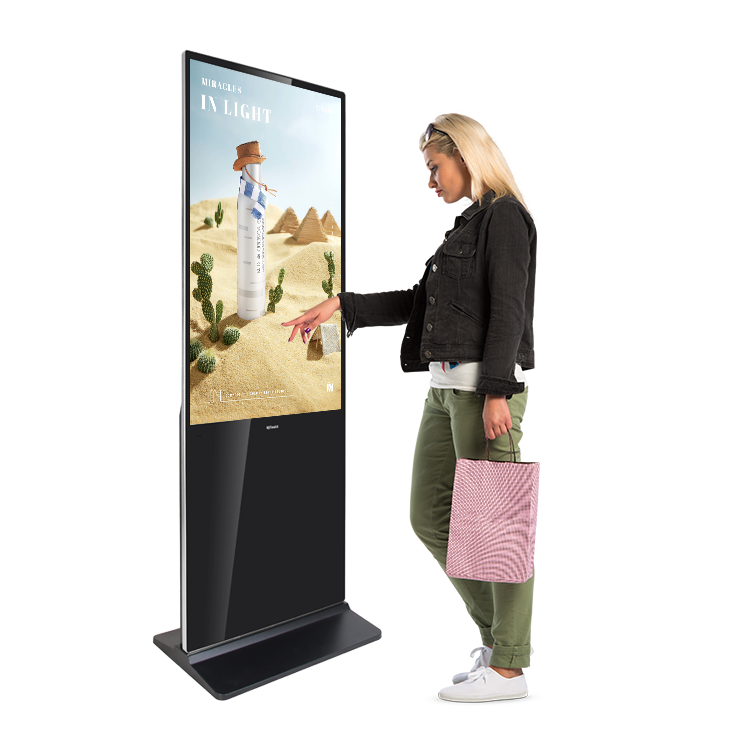
Android and Windows System Standing Floor Stand Information Kiosk Touch Screen for Shopping Mall
A floor-standing touch kiosk for Toronto mall atriums, showrooms, hotel lobbies and mixed-use retail. Useful for wayfinding, product discovery, booking, ticketing and directory applications where a slim interactive footprint matters.
View product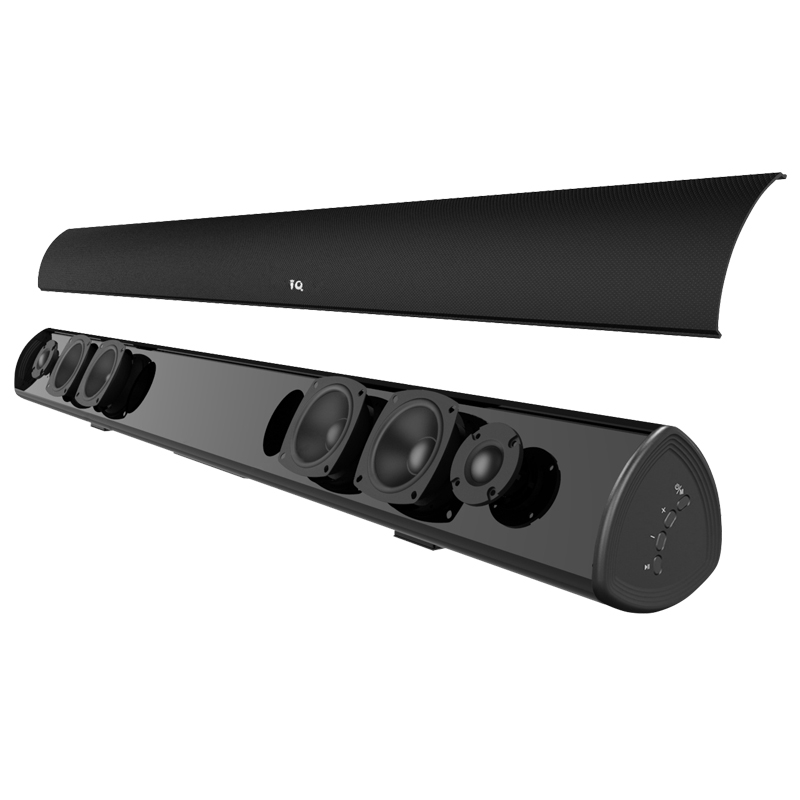
Soundbar for Meeting Room and Classroom Remote Control Speaker
An audio bar for hybrid Toronto meeting rooms, classrooms and training spaces. It supports clearer speech for video conferencing and classroom playback while keeping installation and user control simple.
View product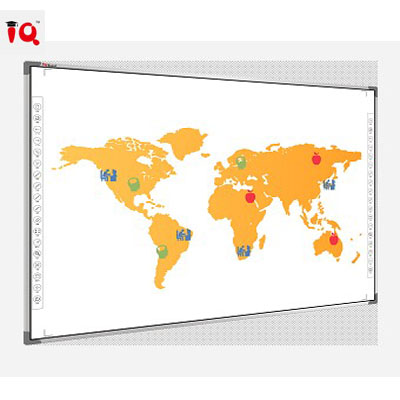
School Board Class Board IQBoard IR 82" 2 Points Touch 2 Users Interactive Whiteboard for School
An 82-inch classroom board designed for two-user touch interaction. It suits Toronto K-12 classrooms, tutoring centres and training rooms that need a familiar board workflow without the maintenance of older projector systems.
View product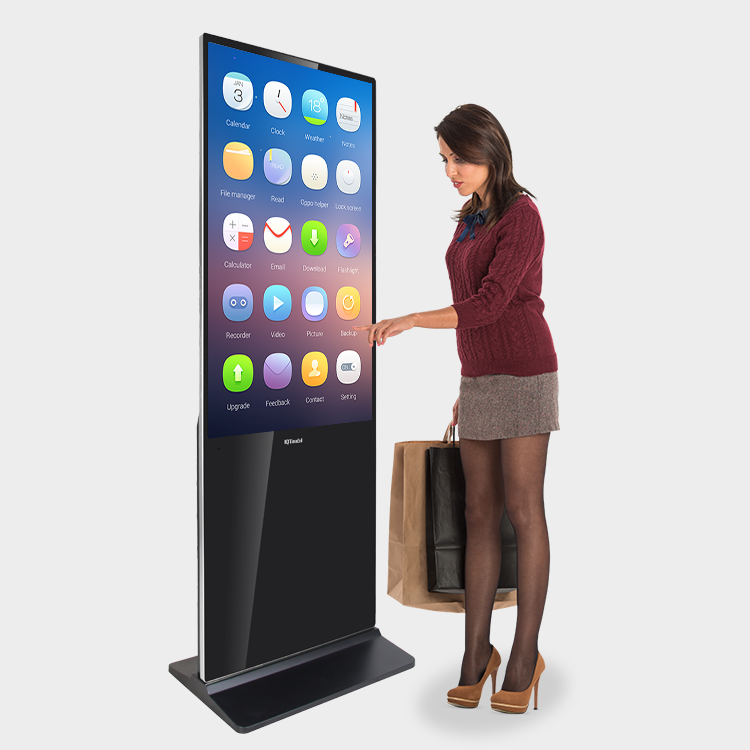
43inch Kiosk Touch Screen Floor Standing Advertising Kiosk Shopping Centre Digital Signage and Displays Outdoor Waterproof
A compact outdoor-ready advertising kiosk for Toronto retail entries, campus wayfinding, transit-adjacent spaces and public event areas. For exposed winter locations, confirm enclosure, heater and ingress requirements during inquiry.
View product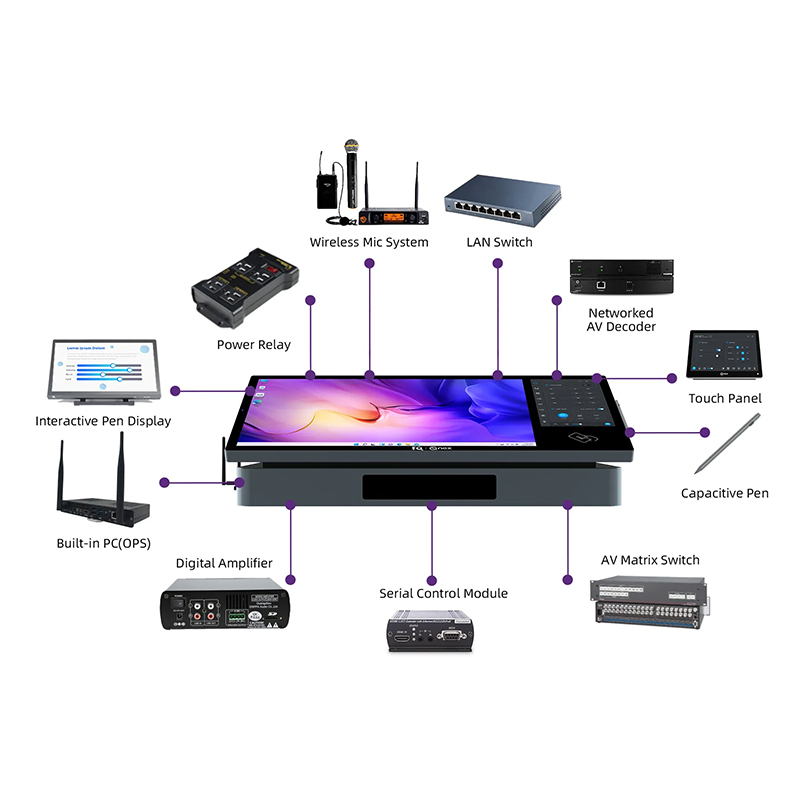
Android System Education Classroom Control Smart Digital Lectern Desktop Digital Podium
A classroom control lectern for teachers who need one place to manage displays, audio and lesson sources. It fits Toronto lecture rooms and training facilities where instructors move between rooms and expect a consistent control experience.
View product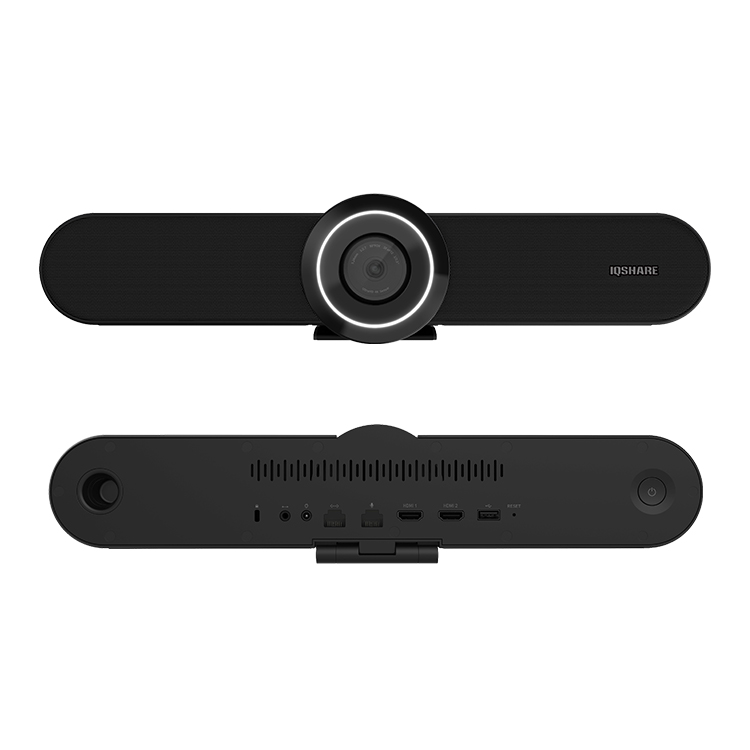
All in One Conference System USB Ultra HD 4K Outdoor Pc Webcam 4k Autofocus with Built in Speakerphone and 2 Mics
A USB conference camera with 4K autofocus, built-in speakerphone and two microphones. It is relevant for Toronto downtown boardrooms, hot-desk rooms and hybrid classrooms where plug-and-play BYOD meetings must start quickly.
View product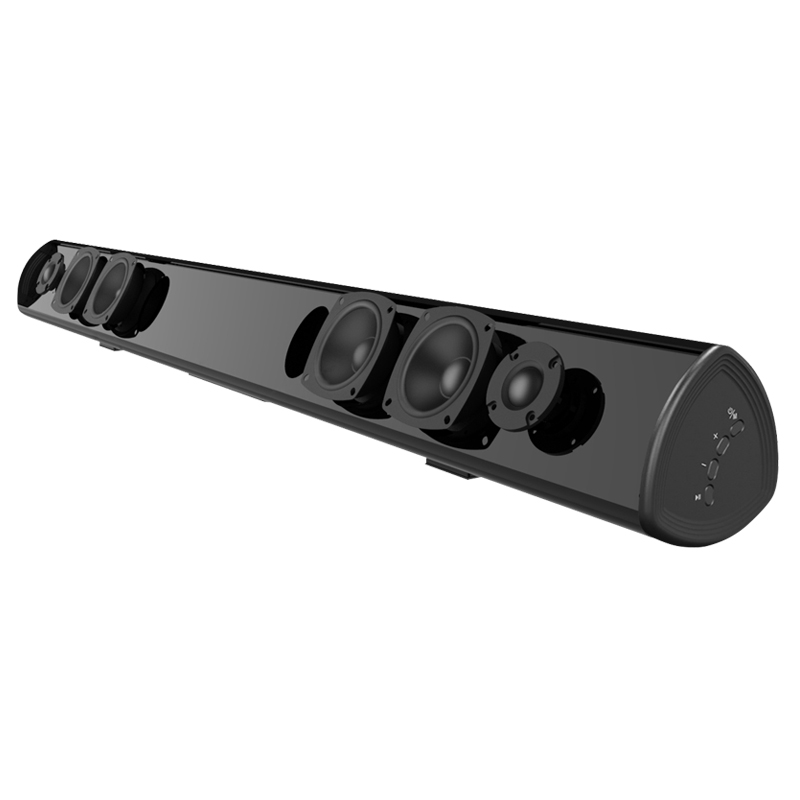
Voice Pick up Soundbar Sound Remote Speaker
A voice-oriented soundbar for huddle rooms, classrooms and small conference spaces. It can complement interactive displays and conferencing cameras where intelligible speech is more important than high-volume presentation audio.
View product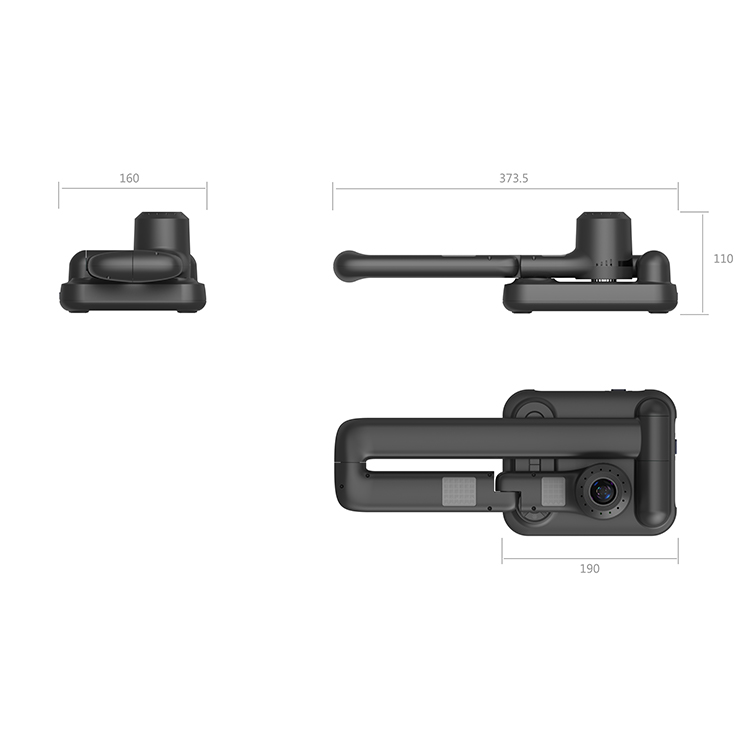
Extra Large Coverage 4k Camera 10x Optical Zoom Foldable Flatbed High Speed A4 Document Scanner Kiosk
A document-capture kiosk for lecture halls, libraries, registries and service counters. The foldable flatbed design, 10x optical zoom and A4 coverage are useful where paper documents, IDs, transcripts or archive material must be shown clearly on a display or capture workflow.
View productNeed a different panel size, kiosk enclosure, soundbar configuration or private-label boot screen for the Toronto market? Share your room schedule, quantity and compliance target and the export team can prepare a configuration matrix.
Inquire NowCE Certification Is Useful — But Toronto Buyers Should Ask for the Canadian Compliance Matrix
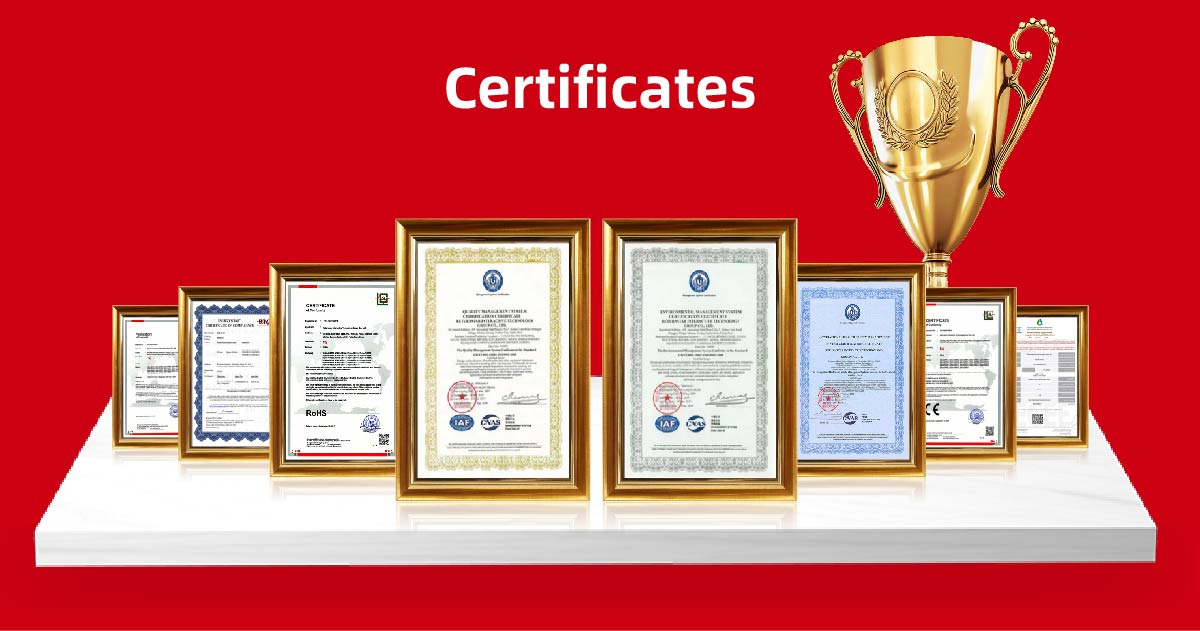
This is the information gap that separates a serious export inquiry from a simple price request. CE marking is an important European conformity signal, yet it is not a substitute for Canadian electrical, wireless, accessibility and procurement requirements.
For Ontario projects, treat CE as one input, not the whole file. An interactive LED display, touch kiosk or smart podium may also need configuration suitable for cUL/CSA/UL listing expectations, ISED-related wireless compliance where applicable, Ontario Electrical Safety Code review, local fire and life-safety coordination, and accessibility planning aligned with AODA expectations. Request a project-specific compliance matrix before tender submission.
Ruyden supports CE-oriented export documentation and customization, and we help Toronto integrators define the technical questions to ask before a product is specified. That includes power input, plug type, labeling, language, wireless module documentation, packaging marks, spare-parts plan and after-sales escalation route.
Education AV and interactive display manufacturing experience confirmed by independent inspection records.
Engineering, production, quality control and export service professionals supporting global buyers.
A long public trading record that helps procurement teams screen suppliers before sample approval.
Average score supported by verified reviews and transaction history on the original supplier profile.
Which Interactive Display Product Fits Which Toronto Room?
Toronto procurement is rarely a single-product decision. A school board, university AV team and downtown property manager may all ask for a “touch display,” but the correct mix depends on room size, user workflow, mounting conditions, warranty route and whether the display is part of a tendered ecosystem.
Board-first classrooms
Start with the IQBoard 82-inch two-user interactive whiteboard, then add a classroom soundbar and digital lectern where instructors need source switching. For GTA classrooms with older projection systems, this is a practical retrofit path with less lamp maintenance.
Lecture and hybrid capture
Combine a document scanner kiosk, 4K conference camera and smart digital lectern for Ontario colleges and university rooms. The A4 document scanner is especially relevant for libraries, archives, registration counters and lecture rooms where printed material must be visible to remote learners.
Hybrid meeting equity
For downtown Toronto boardrooms and hot-desk rooms, specify the all-in-one 4K USB conference camera with speakerphone and the meeting-room soundbar. These products shorten setup time for BYOD meetings and reduce the “can remote participants hear us?” problem that dominates hybrid-room complaints.
Wayfinding and advertising
Use the Android/Windows floor-standing kiosk and the 43-inch outdoor waterproof signage kiosk for Toronto shopping centres, campus directories, event venues and public-facing service points. Confirm heating, ventilation, IP rating and service access for exposed winter conditions.
Information gain for procurement teams
Ask suppliers for a room-by-room matrix rather than a generic “best price” sheet. The matrix should map display size, touch points, mounting method, power needs, audio coverage, wireless presentation, accessibility functions, spare-parts strategy and who owns after-sales in Canada. This single document usually reveals whether a manufacturer or exporter truly understands Toronto deployment conditions.
Where CE-Ready Interactive LED Displays Are Used Across Toronto and the GTA
Toronto is not a generic “North American city” in AV planning terms. It combines dense downtown meeting rooms, older school buildings, large university campuses, multicultural public services, winter-exposed transit and retail environments, and procurement teams that expect documented compliance.
Downtown hybrid rooms
Toronto’s financial district and King Street corridors have many rooms where a 65–86 inch interactive display must support Teams or Zoom, USB-C or HDMI BYOD, a soundbar and a camera that makes remote participants visible and audible. The buying trend is fewer devices, faster starts and less reliance on IT staff.
Campus modernization
GTA colleges and universities continue to refresh lecture spaces for recording, live broadcast and accessible document sharing. Digital podiums, A4 document scanner kiosks and 4K cameras are often specified together so on-site and remote students receive the same visual information.
Multicultural public service
Toronto public-facing environments often benefit from clear multilingual UI, large touch targets, high-contrast information and simple wayfinding. Interactive kiosks can support multiple languages and queue or directory information without adding front-desk staffing load.
Winter-ready signage
Outdoor digital signage near Toronto malls, transit entrances and event spaces needs more than a waterproof label. Buyers should ask about condensation control, heater options, service access, screen brightness and the maintenance plan for salt, snow and temperature swings.
| Room or venue | Recommended product mix | Why it works for Toronto buyers |
|---|---|---|
| 65–86" | K-12 classroom, tutoring centre, small boardroom | IQBoard two-user interactive whiteboard + soundbar + mobile stand or wall mount |
| 82–98" | Ontario university lecture room, training auditorium | Interactive display + digital lectern + 4K document scanner + lecture capture integration |
| 43–55" | Toronto retail, mall directory, public wayfinding | Floor-standing touch kiosk or waterproof outdoor signage with content management planning |
| Huddle room | Hybrid meeting room for 4–8 people | All-in-one 4K USB conference camera + voice pickup soundbar + interactive or non-touch display |
| Lecture hall | Large campus room with remote learners | High-brightness display, document camera kiosk, podium control and networked AV integration |
| Service counter | Library, registry, reception, public service point | Document scanner kiosk with display for accessible paper-to-screen sharing and record capture |
Screen-size guidance should always be checked against ceiling height, viewing distance, natural light, mounting surface and local electrical conditions. Ruyden engineers can review floor plans and return a room-level recommendation.
Why Toronto Integrators Compare Ruyden Beyond the Unit Price
Ruyden Interactive Technology Group Co., Ltd. is an SGS onsite-verified manufacturer and exporter of interactive flat panels, interactive whiteboards, lecture capture systems, networked digital podiums and smart classroom AV integration solutions. The value for Toronto buyers is not simply a product list; it is the ability to control customization, testing, documentation and export communication through one accountable factory team.
Headquartered in the Fuzhou High-tech Zone in Fujian, China, Ruyden combines in-house SMT, PCB, auto-insertion and assembly capabilities with a dedicated reliability test lab. That factory-level control matters when a Toronto reseller needs a private-label boot screen, a specific language pack, a non-standard packaging configuration or a compliance file reviewed before tender submission.
The original company profile confirms 19 years in the industry, 82 verified staff, 21 years of verified B2B trading, a 5.0/5 buyer rating and more than 10 years of export experience. These are exactly the signals a procurement officer uses to separate a project-ready exporter from a trading account that cannot support samples, customization or after-sales escalation.
Ruyden’s product ecosystem covers 55–100 inch interactive displays, touch-screen whiteboards, lecture capture and live broadcast systems, networked digital podiums, 4K wireless presentation, webcams, soundbars and classroom AV control. For Toronto projects, that means one supplier conversation can connect the display, camera, audio, podium and control layer without forcing the integrator to manage incompatible vendor stories.


Design-based customization
Logo, boot screen, housing color, packaging, pre-installed software, language settings and hardware configuration can be reviewed for project-specific OEM/ODM requests.
In-house SMT and PCB
Mainboard and touch-board production can be controlled inside the factory, which helps protect custom designs and respond faster to engineering changes.
Assembly consistency
Panel, frame, electronics and packaging are handled through structured production steps with in-line functional and visual checks.
Reliability test lab
High and low temperature, drop, simulated transportation, salt spray and other tests support export-market durability planning.
Global export experience
More than a decade of export work means familiar coordination for labeling, packaging, inspection, shipping documents and spare-parts planning.
Complete solution scope
Displays, lecture capture, podiums, wireless presentation and AV control can be integrated into one classroom or meeting-room ecosystem.
Factory Testing That Toronto Buyers Can Discuss in a Tender File
When a product is headed for a school, university or public building, “quality control” should be described in concrete tests. Ruyden’s original manufacturing documentation lists a reliability lab and production controls that are relevant to export buyers.
High and low temperature testing
Validates operation across different climate conditions and transportation scenarios.
Drop and transportation simulation
Confirms packaging protection before ocean or overland freight to Canadian distribution points.
Salt spray testing
Checks corrosion resistance of metal parts, brackets and components for longer service life.
Button life and insertion force
Tests repeated physical interaction on buttons, connectors and ports that receive daily use.
Static and electrical safety tests
Includes static testing, earth continuity and withstand voltage checks to support user safety.
Final inspection and packaging
Functional checks, visual review and export-grade packaging before shipment release.
Test scope depends on product configuration and order requirements. Ask for the applicable inspection plan, reports and labeling requirements before confirming a Toronto-bound order.
From Toronto Inquiry to CE-Ready Export Delivery
A structured six-step workflow protects both the buyer and the factory team. It also creates checkpoints where Toronto-specific compliance, room planning and packaging decisions can be confirmed in writing.
Requirement review
Share room sizes, quantities, target user group, preferred product links, compliance target and expected Toronto delivery schedule.
Solution design
Ruyden engineers propose display sizes, camera/audio accessories, podium control and brand customization options.
Sample approval
Pre-production samples confirm touch performance, software UI, boot branding, packaging and documentation.
Compliance and labeling review
Confirm CE-oriented documents, requested Canadian deviations, plug type, language, serial labels and warning marks.
Production and QC
In-house SMT, PCB, assembly and reliability testing are scheduled with final inspection before packing.
Shipping and support
Export packing, shipping coordination, spare-parts planning and after-sales escalation are agreed before dispatch.
Common Local Procurement Questions
These are the questions Toronto-area buyers, AV integrators and project managers usually ask before requesting a quotation for interactive LED displays and smart-room hardware.
Are CE-certified interactive LED displays automatically acceptable for Toronto projects?
No. CE marking is a European conformity framework and is valuable evidence of export discipline, but it does not replace Canadian requirements that may apply to a Toronto installation. For Ontario projects, confirm whether cUL/CSA/UL listing, ISED wireless compliance, electrical safety review, local fire-code coordination and accessibility requirements apply. Request a product-specific compliance matrix and discuss it with the authority having jurisdiction or your Canadian compliance consultant.
Can Ruyden support cUL/CSA/UL or Canadian-deviation configurations?
Requirements vary by product and project. The practical step is to provide the exact model, destination, use case and compliance clause in your tender or RFQ. The export team can then confirm which documents, labels, power inputs, plug types and optional certifications are available for that configuration. Do not assume that a CE file alone satisfies a Canadian electrical safety reviewer.
What is a realistic lead time for a Toronto-bound interactive display order?
Samples and small customization runs usually move faster than full production, while customized boot screens, packaging, language packs or hardware changes require additional review. A typical project should budget for sample approval, production scheduling, QC, export packing and shipping coordination. Confirm the schedule in writing after the configuration is frozen, especially if your Toronto installation date is tied to a school break or building handover.
Which display size is best for a Toronto classroom or meeting room?
Choose by viewing distance, room height and content type, not by habit. A 65-inch display often suits small meeting rooms, 75–86 inch models fit many classrooms and training rooms, and 90–100 inch displays are more appropriate for lecture halls and large spaces. Use the room-fit table above as a starting point, then confirm mounting height, daylight glare, speaker coverage and accessibility sightlines.
Can Ruyden produce a private-label version for a Toronto AV brand or distributor?
Yes, OEM/ODM discussions can cover logo, boot screen, housing color, packaging, pre-installed software, language settings and selected hardware configuration. Design-based customization capability has been verified by independent third-party inspection, according to the original company profile. Final scope depends on order quantity, model and engineering review.
How should after-sales support work for Toronto installations?
The cleanest approach is to agree on a support map before shipment: who performs first-line diagnostics, how spare parts are stocked, what photo or video evidence is required, how DOA cases are handled, and what response time the Toronto integrator promises to the end user. Ruyden can support export documentation and escalation, while the local integrator normally owns on-site labour and end-user communication.
Which products should a Toronto company shortlist for hybrid meeting rooms?
Start with the all-in-one 4K USB conference camera with speakerphone and dual microphones, then add the meeting-room soundbar where speech reinforcement or classroom playback is needed. Pair these with an interactive display or non-touch display of the appropriate size. The goal is a room that starts a meeting quickly, shows people clearly and does not require a specialist for every call.
How do we request pricing or a Toronto-specific configuration proposal?
Use the inquiry button on this page and include your room count, preferred product links, target display sizes, quantity by model, delivery timing, private-label needs and any compliance clauses. If you are an integrator, include the end-user sector and whether the project is public tender, private procurement or a pilot. Clear inputs produce a faster and more accurate quotation.
Planning a Toronto Classroom, Campus or Hybrid Meeting Room Rollout?
Send your room schedule, product shortlist and compliance questions. The Ruyden export team can return a configuration proposal covering interactive displays, digital podiums, lecture capture accessories, soundbars, cameras, kiosks and OEM customization options.
Inquire Now