8 Classroom Camera & Smart Classroom Products for Manila Wholesale Buyers
These eight products match common procurement intentions in Manila and Metro Manila: visual presentation, hybrid teaching, lecture capture, classroom control, admissions scanning, campus communications and interactive front-of-class teaching. Each product link is retained exactly as provided, and every image is displayed in full without forced cropping.
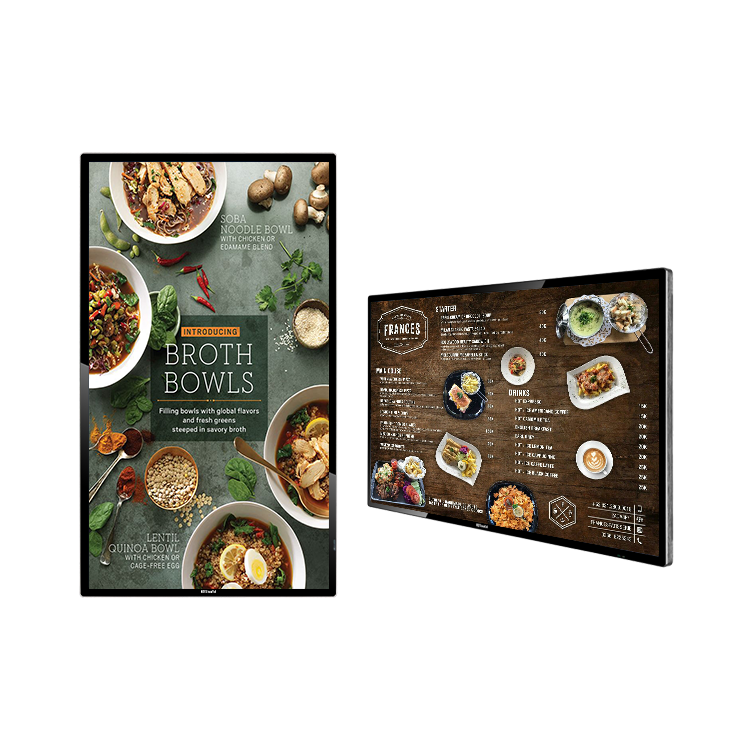
4K Kiosk Touch Screen Digital Signage Outdoor LED LCD Advertising Kiosk for School Hotel Hospitals
A high-visibility outdoor communication kiosk for school gates, enrolment areas, hotel entrances and hospital wayfinding. For Manila buyers, it supports bright entrance communication while reducing dependence on printed posters that fade in tropical conditions.
View product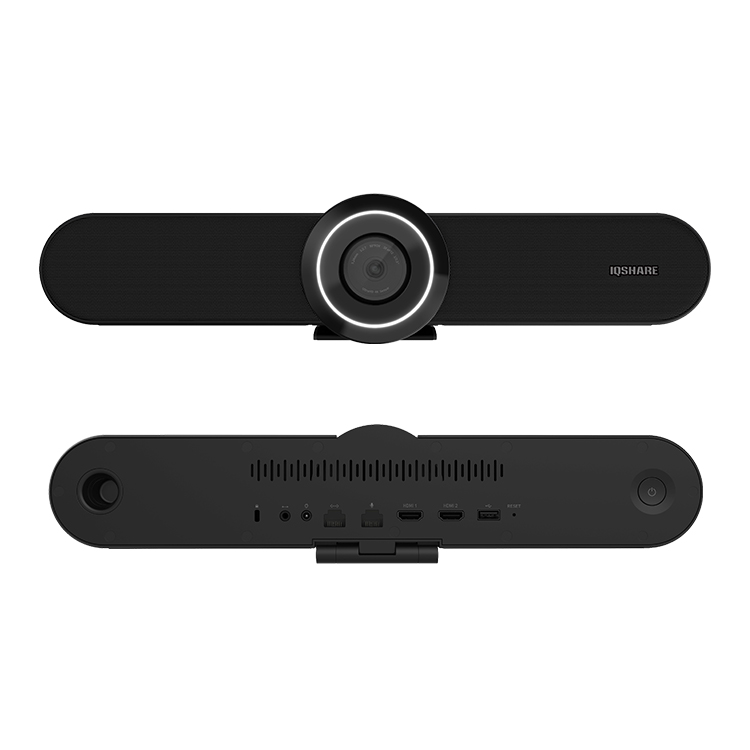
All in One Conference System USB Ultra HD 4K Outdoor Pc Webcam 4k Autofocus with Built in Speakerphone and 2 Mics
An all-in-one USB camera, speakerphone and microphone system for hybrid classrooms, meeting rooms and training centers. Compact deployment is useful when Metro Manila rooms have limited ceiling infrastructure, shared AV closets or a need for fast room-to-room retrofits.
View product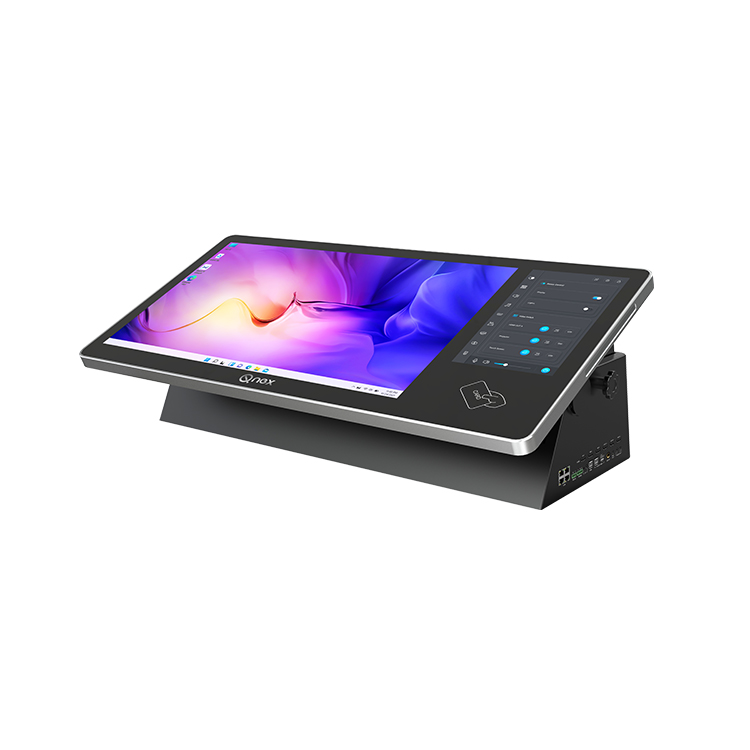
China Supplier Educational Equipment Customizable Integrated Multifunctional Desktop Digital Podium Factories
A space-saving smart lectern that keeps teaching devices, control interfaces and presentation inputs at the instructor’s fingertips. It is a practical choice for private schools, review centers and university rooms that need a professional podium without rebuilding the entire control room.
View product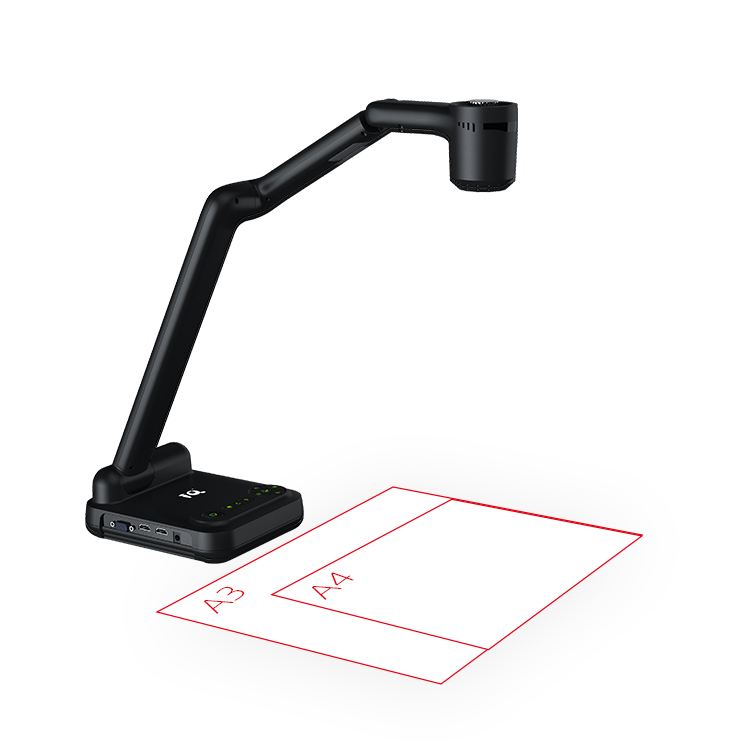
Portable Classroom Scanner Machine HD 8 Megapixel A4 Document Camera Scanner Visual Presenter with LED Fill-in Light
A portable 8MP visualizer for textbooks, worksheets, science demonstrations and handwritten problem-solving. The LED fill light helps maintain legibility in mixed classroom lighting, while the portable format suits Manila schools that share equipment between rooms or floors.
View product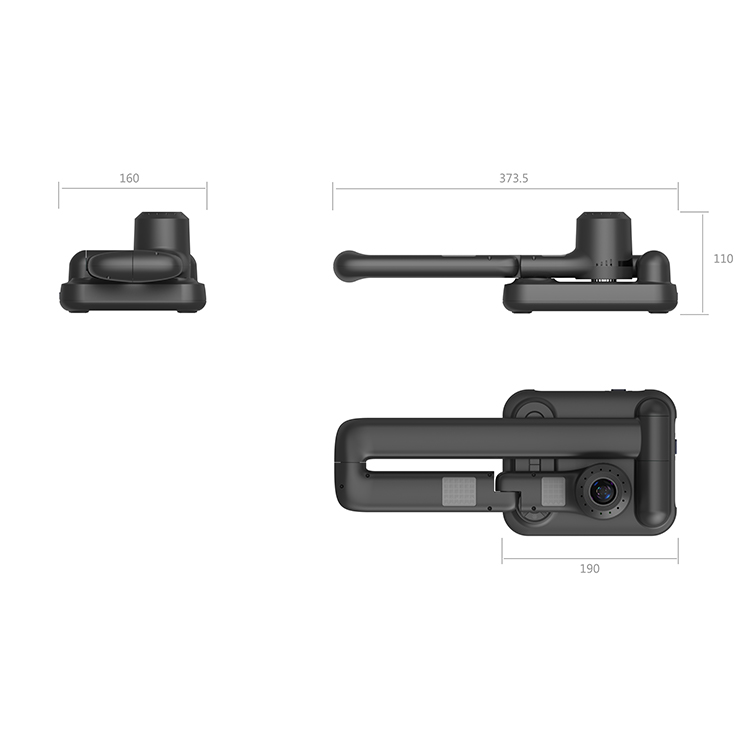
Extra Large Coverage 4k Camera 10x Optical Zoom Foldable Flatbed High Speed A4 Document Scanner Kiosk
A 4K document scanner kiosk with 10x optical zoom and large coverage for admissions desks, libraries, examination offices and lecture support areas. It supports clear digitization of documents and fine detail demonstrations without requiring a dedicated computer room setup.
View product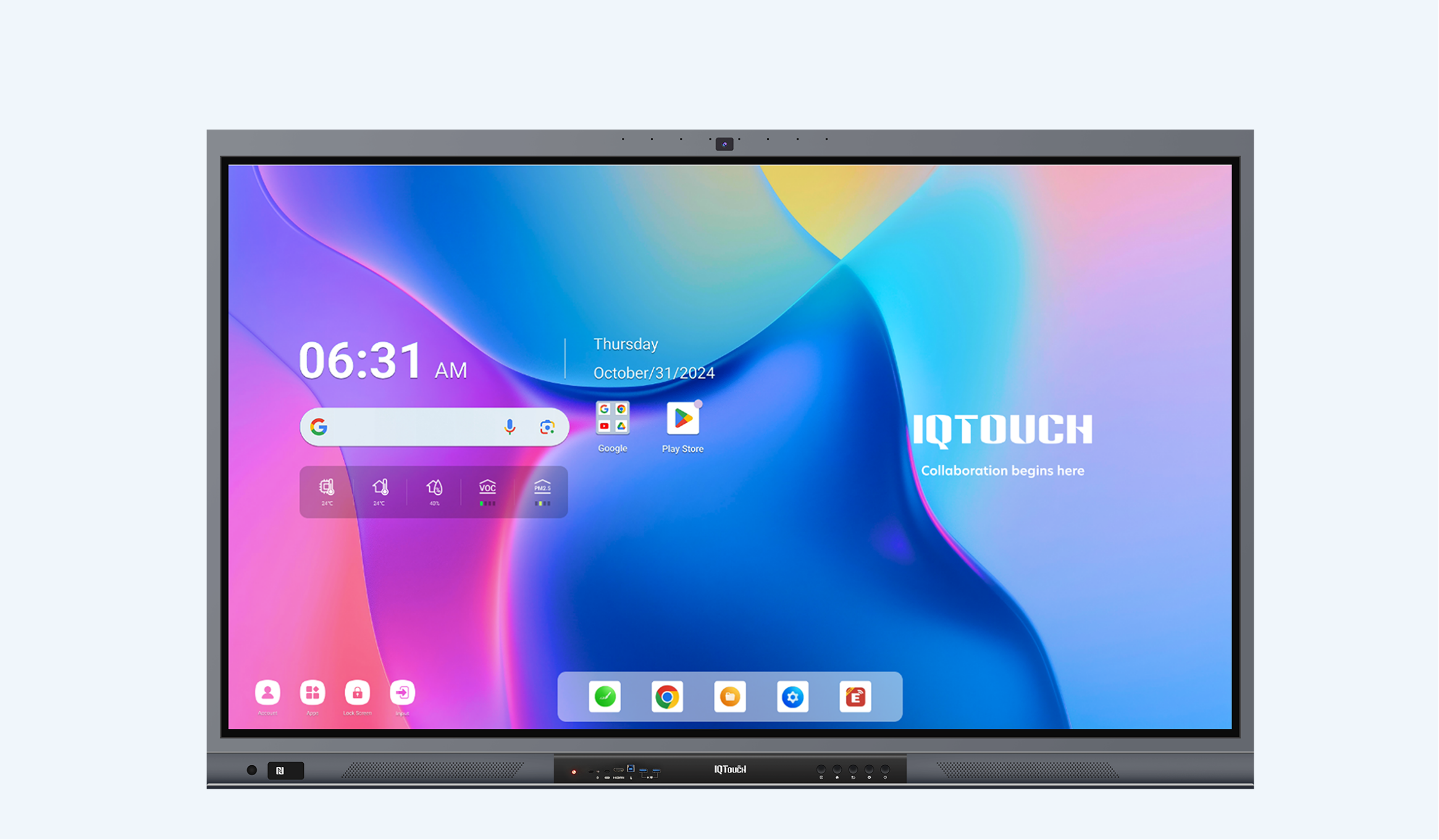
75 86 Inch Interactive Touch All in One Pc Electronic Interactive Whiteboard Smart Board Digital Price for Conference
An interactive display that combines writing, annotation, screen sharing and PC functionality. It is a practical upgrade for Manila classrooms moving away from projectors and chalkboards toward brighter, more interactive front-of-class teaching.
View product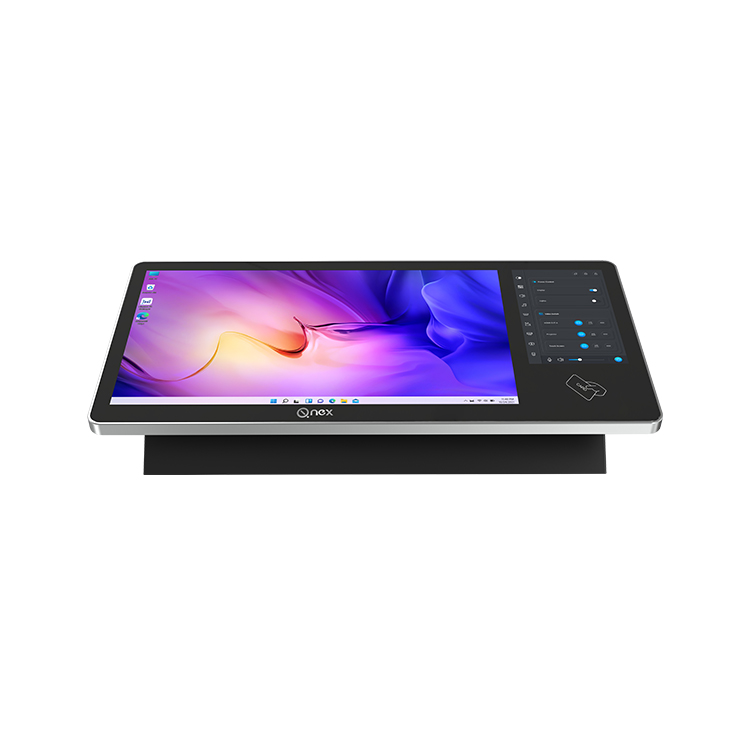
Dual Screens with Optical Bonding All-in-one Smart School Computer Desktop Digital Podium Pulpit for Classrooms
A dual-screen digital podium with optical bonding for high-use teaching rooms. It gives instructors a centralized command point for lesson content, device switching and classroom control — valuable for universities and larger K-12 campuses coordinating many rooms.
View product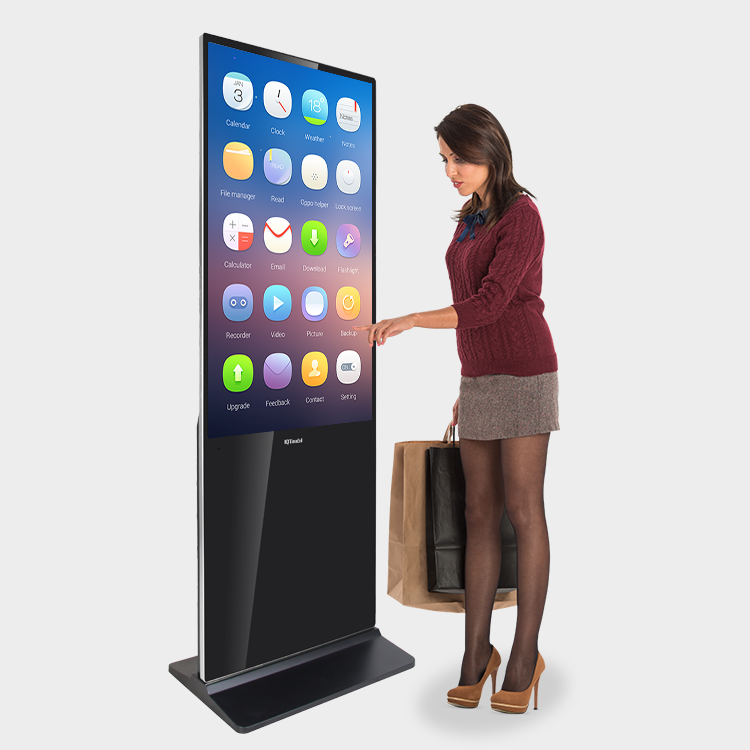
43inch Kiosk Touch Screen Floor Standing Advertising Kiosk Shopping Centre Digital Signage and Displays Outdoor Waterproof
A floor-standing touch kiosk for queue management, campus news, wayfinding, enrolment promotions and event information. Its freestanding format suits Manila entrances, corridors and event areas where wall reinforcement or permanent mounting may not be practical.
View productWhat Manila Schools, Integrators and Wholesalers Should Specify Before Ordering
A classroom camera is not a single SKU. A portable visualizer for a Grade 5 classroom, a 4K lecture-capture camera for a university auditorium and an outdoor kiosk for a campus gate solve different problems. The best sourcing decision starts with the teaching or communication workflow, not with the lowest unit price.
Match the camera to the teaching moment
Document cameras are strongest for textbooks, worksheets, maps, science demonstrations and handwriting. 4K webcams are stronger for hybrid seminars, guest lectures and room-to-room conferencing. A lecture capture setup should be considered when lectures must be recorded, streamed or reviewed after class.
- Portable visualizer for shared classrooms and review centers
- Fixed scanner kiosk for libraries, admissions and service counters
- All-in-one camera with speakerphone for hybrid rooms
Plan for Manila building and climate realities
Metro Manila campuses often include multi-storey buildings, compact rooms, shared equipment storage and mixed natural and artificial lighting. High heat and humidity make thermal performance, ventilation and service access important. Specify whether the device will be wall-mounted, placed on a lectern, moved between rooms or used near an open entrance.
- Confirm room dimensions and viewing distance before panel sizing
- Plan cable routing, power points and secure equipment storage
- Include spare pens, remotes or cables where uptime is critical
Build in verification and after-sales
For wholesale orders, request documented verification, sample approval, packaging confirmation and a pre-shipment inspection plan. A serious exporter should be comfortable answering questions about factory capability, test procedures, OEM customization, spare parts and warranty handling. These details matter more than a generic product catalogue.
- Review SGS assessment and company verification records
- Approve a sample or pilot room before full rollout
- Confirm documents, language settings and packaging needs
Three Practical Classroom Camera Setups for Manila Buyers
These are not generic bundles. They reflect the search intent behind classroom camera exporter and wholesaler enquiries: buyers want a working configuration that can be quoted, sampled and deployed across multiple rooms without compatibility surprises.
K-12 classroom visualizer kit
Best for: private schools, review centers and standard classrooms that need simple, daily visual presentation.
- Portable 8MP A4 document camera with LED fill light
- 75-inch or 86-inch interactive smart board
- Mobile stand or wall mount, plus stylus pens
- Optional wireless presentation for teacher laptops
This setup lets a teacher place a book, worksheet or science demonstration under the camera and show it instantly to the class. It reduces shadow problems associated with projectors and gives schools an easy first step into interactive classrooms.
University & hybrid lecture setup
Best for: colleges, universities and training halls that record lectures or connect remote learners.
- 4K 10x optical zoom A4 document scanner kiosk
- All-in-one 4K USB webcam with speakerphone and dual mics
- Dual-screen optical bonding digital podium
- Interactive display for annotation and shared content
This configuration supports clear capture of printed materials, presentations and whiteboard explanations. The podium centralizes the instructor’s devices, while the all-in-one camera reduces peripheral clutter in rooms where AV racks and ceiling mounts are limited.
Campus communication & service desk kit
Best for: admissions offices, libraries, school lobbies, event areas and shared service counters.
- 4K outdoor touch kiosk for high-visibility campus messages
- 43-inch waterproof floor-standing kiosk for wayfinding
- 4K document scanner kiosk for admissions and library desks
- Digital signage content planning for enrolment and events
This combination addresses two common Manila procurement needs: keeping visitors informed and digitizing documents quickly. It is also relevant to private schools competing for enrolments, where clear communication at the gate and fast service at the admissions desk influence the visitor experience.
Classroom Camera Choices by Manila Room Type and Use Case
Use this matrix to align a wholesale quotation with actual room needs. It helps distributors and procurement teams compare camera formats, display choices and deployment conditions before requesting samples.
| Room / Scenario | Recommended Camera & AV Setup | Why It Fits Manila Buyers | Project Notes |
|---|---|---|---|
| K-12 classroom | Portable 8MP document camera + 75/86-inch interactive smart board + optional wireless presentation | Simple teacher adoption, clear book and worksheet display, reduced projector shadow problems | Confirm wall clearance, viewing distance and whether equipment will move between rooms. |
| University lecture hall | 4K 10x optical zoom document scanner kiosk + all-in-one 4K webcam + dual-screen digital podium | Supports live teaching, recording and remote learners while keeping instructor control centralized | Plan network, audio and recording workflow; verify podium footprint and lectern position. |
| Admissions / library / service desk | 4K scanner kiosk + 43-inch floor-standing kiosk for queue or information display | Combines fast document digitization with visitor communication in compact public areas | Check counter height, lighting and whether the kiosk needs fixed or movable placement. |
| School gate / lobby / event area | 4K outdoor touch kiosk + 43-inch waterproof floor kiosk | High-visibility announcements, wayfinding and event promotions without relying on printed posters | Confirm shade, power access, surface level and content update ownership. |
| Training center / corporate room | All-in-one 4K webcam + interactive display + wireless presentation + digital podium option | Fast hybrid meeting setup, cable-light sharing and professional room presentation | Clarify participant count, videoconference platform and microphone coverage. |
How Classroom Cameras Are Used Across Manila and Metro Manila
Manila is not a single buying environment. A private school in Quezon City, a university in Manila, a review center in Pasig and a corporate training room in Makati may all search for the same classroom camera category but need very different product configurations.
Private K-12 schools and review centers
These buyers often need practical, visible teaching improvements: a document camera for mathematics and science, an interactive display for annotated lessons, and equipment that teachers can learn quickly. Portable visualizers are especially useful where rooms share equipment across grade levels.
Universities and colleges
Higher-education procurement often prioritizes lecture capture, hybrid delivery, large-room visibility and centralized podium control. A 4K document scanner kiosk and an all-in-one conference camera can support recorded lectures, thesis defenses and remote guest sessions without excessive room modification.
Training rooms and public-sector facilities
Training centers and public-sector learning rooms need durable equipment and straightforward operation. Floor-standing kiosks can support queue information and public communication, while visual presenters help trainers display forms, manuals and step-by-step procedures to larger groups.
Corporate training, BPO and hotel venues
Corporate trainers, BPO training rooms and hotel conference spaces need reliable USB cameras, speakerphones, wireless presentation and professional visual communication. Compact all-in-one devices reduce setup time and help local integrators standardize multiple rooms across a single site.
Localized Trends Shaping Classroom Camera Demand in Manila
Search intent in Manila is shifting from “where can I buy a visualizer?” to “which classroom camera setup will work across my campus and can be supported locally?” That shift rewards exporters with real factory capability and buyers with a clear specification process.
Projector-to-interactive upgrades
Many schools are replacing projector-only classrooms with interactive all-in-one displays and document cameras. This improves visibility in rooms with ambient light and supports annotation, screen recording and student participation.
Hybrid and recorded instruction
Colleges and training providers increasingly need cameras for live remote participation and post-session review. An all-in-one 4K webcam with speakerphone or a dedicated document scanner kiosk helps capture both the instructor and printed teaching material.
Space-efficient digital podiums
Manila rooms often have compact footprints and shared teaching areas. Integrated digital podiums and desktop podiums help centralize devices, reduce cable clutter and give instructors a consistent control point without expanding the room.
Wholesale demand for supportable supply
Distributors want more than product photos. They need OEM customization, mixed-product orders, replacement parts planning, documentation and a supplier that can answer technical questions. This is where a verified factory with in-house production and testing becomes a growth advantage.
Why Ruyden Is a Practical Classroom Camera Exporter for Manila Wholesalers
Ruyden Interactive Technology Group Co., Ltd. is an SGS onsite-verified manufacturer and exporter of interactive flat panels, interactive whiteboards, lecture capture systems, networked digital podiums and smart classroom AV integration solutions. The company combines a broad education AV product line with in-house manufacturing and a reliability test lab.
SGS onsite-verified factory
Ruyden has been onsite-verified by SGS Group. Supplier assessment, credit overview, trade capacity, transaction level and trade history are publicly reviewable — a useful starting point for buyers who need independent evidence before opening a supplier relationship.
19+ years in education AV
The company reports 19 years in the industry and more than 10 years of export experience. For Manila buyers, this means familiarity with mixed orders, international packing, product documentation and the practical questions that arise when schools and integrators deploy at scale.
OEM / ODM customization
Design-based customization has been verified by an independent third-party inspection. Typical options include logo, boot screen, housing color, packaging, pre-installed software, language settings and hardware configuration — valuable for distributors building a brand in the Philippine market.
One-stop smart classroom ecosystem
Instead of sourcing cameras, displays, podiums and accessories from separate suppliers, buyers can combine document cameras, interactive displays, lecture capture, digital podiums, wireless presentation and AV integration from one education AV product ecosystem.
In-house SMT, PCB and assembly
Controlling SMT, auto-insertion, PCB and final assembly under one roof supports consistent production and protects custom designs. This in-house capability is relevant to wholesalers who need repeatable batches rather than one-off sourcing.
Reliability testing before shipment
The in-house test lab covers high and low temperature, drop, simulated transportation, salt spray, button life, insertion force, static, earth continuity and withstand voltage testing. For Manila buyers, this is a meaningful conversation point when equipment must survive tropical conditions and long-distance logistics.
Numbers That Support a More Confident Supplier Review
Use these figures as a starting point, then verify current documents directly with the supplier during your procurement process.
Common Questions About Classroom Camera Wholesale and Export to Manila
These questions reflect the practical concerns of Manila schools, distributors and system integrators comparing classroom camera exporters, OEM options and smart classroom solutions.
Are you a classroom camera exporter or a trading company?
Ruyden is an education AV manufacturer and exporter with an SGS onsite-verified factory. The company operates in-house SMT, PCB, assembly and reliability testing capabilities and supports OEM/ODM customization. For Manila buyers, this means you can discuss product configuration, packaging and testing directly with the factory side of the supply chain.
Can you supply classroom cameras and displays configured for Manila?
Export configurations are confirmed by project. Buyers should specify destination voltage, plug type, language settings, packaging needs and any target-market certification requirements. This avoids assumptions and helps ensure the quotation matches the intended deployment in Manila schools or training rooms.
What is the minimum order for Manila wholesalers?
Minimum order depends on the model, customization level and whether the order combines multiple products. A distributor testing a market may start with a focused selection of document cameras and interactive displays, while a larger project may combine cameras, podiums, kiosks and accessories. Share your target quantity and room list to receive a practical configuration.
Can you customize branding and packaging for Philippine distributors?
Yes. Ruyden supports design-based customization, including logo, boot screen, housing color, packaging, pre-installed software, language settings and hardware configuration. Customization should be confirmed through drawings, samples or written specifications before mass production.
Which classroom camera is best for a typical Manila classroom?
A portable 8MP A4 document camera with LED fill light is often the fastest starting point for K-12 classrooms because it displays textbooks, worksheets and handwriting without complex setup. Pair it with a 75-inch or 86-inch interactive display for annotation and screen sharing. Larger lecture halls should consider a 4K 10x optical zoom scanner kiosk and a lecture capture camera.
How do you manage heat, humidity and transport risk?
Ruyden’s test lab includes high and low temperature testing, drop testing, simulated transportation testing, salt spray testing and electrical safety checks. Buyers should still plan appropriate room ventilation, secure storage and professional freight handling. For Manila deployments, confirm installation conditions and service access during the site survey.
How can Manila buyers verify quality before placing a wholesale order?
Start with the SGS assessment report, credit overview, trade capacity and transaction history. Then request a sample or pilot-room configuration, confirm testing documentation and agree on pre-shipment inspection requirements. A phased rollout across several rooms is often more informative than evaluating a single product photo or quotation.
How should Manila buyers start a project with Ruyden?
Send a brief with room types, quantity per room, screen size preferences, camera use cases, target delivery timing and any branding or certification requirements. Include whether the project is for a single school, a multi-campus rollout or distributor stock. The export team can then propose product configurations, samples and next steps.
Need a classroom camera wholesale proposal for Manila?
Share your room types, camera requirements, interactive display sizes, quantities and target timeline. Ruyden can respond with a practical product configuration, sample plan and export support path for schools, distributors and system integrators in Manila and Metro Manila.
Or email info@ruydentech.com with your project brief, room list and preferred delivery schedule.
