Eight Product Families for Montreal Classrooms, Campuses and Public Spaces
These product categories are frequently specified by Montreal-area education, corporate and public-sector buyers. Each can be configured for French-first deployment, tender documentation, local installer handover and export logistics.
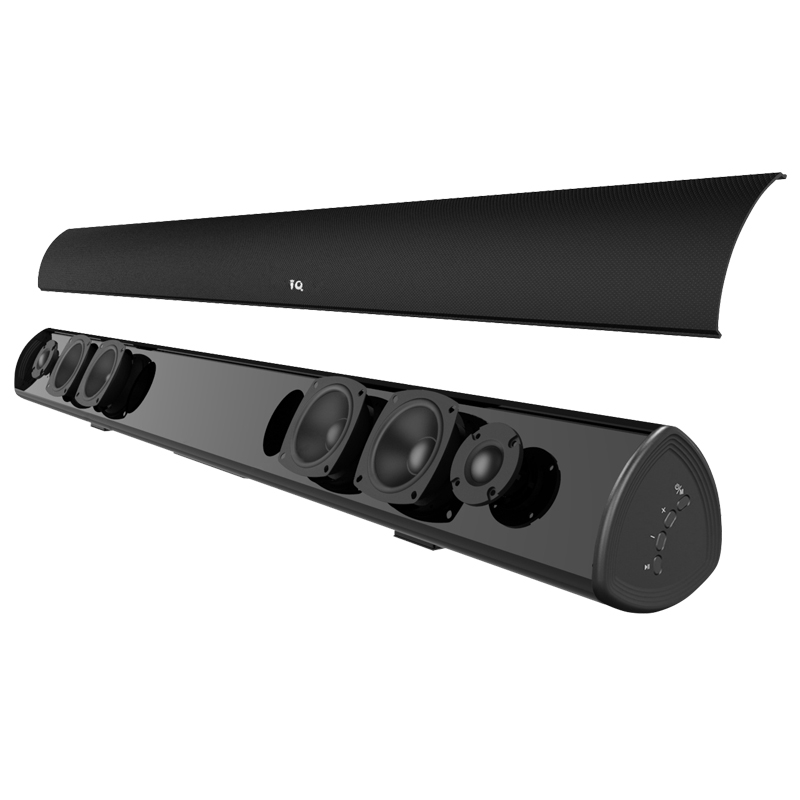
Soundbar for Meeting Room and Classroom Remote Control Speaker
A remote-control soundbar for hybrid meetings and teaching spaces where speech intelligibility matters. Pair it with an interactive flat panel in a Montreal boardroom or CEGEP classroom to keep in-room and remote participants equally audible.
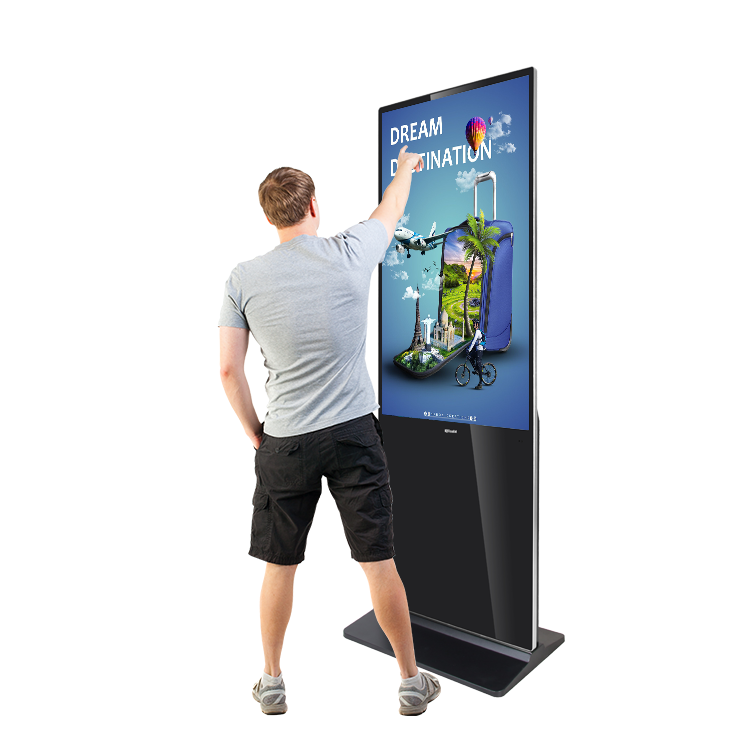
Wholesale 43inch Android Tablet Floor Standing Touch Kiosk for Hotel Bank School
A freestanding Android touch kiosk for hotel lobbies, banks, schools and student-service areas. For Montreal public-facing deployments, configure French-first menus, accessibility prompts and role-based content for visitors.
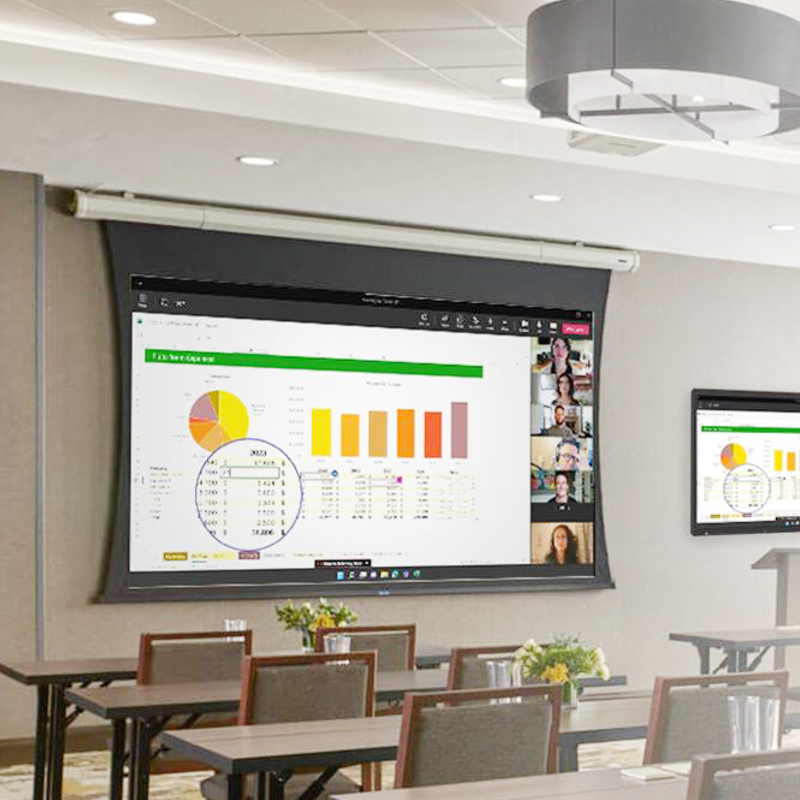
Multi-functional Teaching Android and Windows OPS System Interactive Flat Panel Smart Board Price for School Teaching
A multi-functional teaching panel with Android and Windows OPS options. Recommended for Quebec classrooms that need whiteboard annotation, Windows software compatibility and a familiar teacher workflow without a projector.
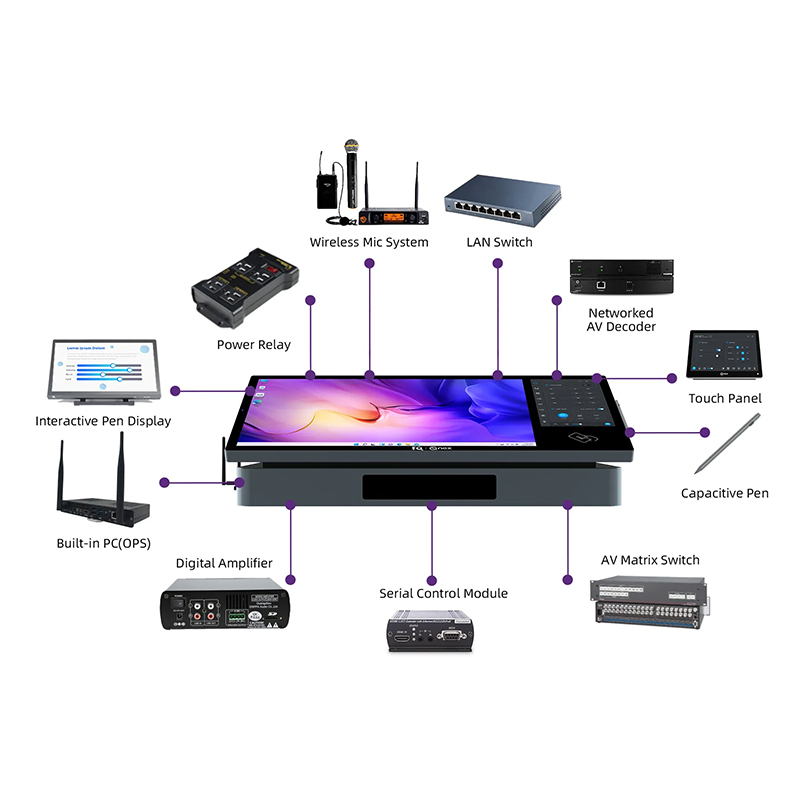
Android System Education Classroom Control Smart Digital Lectern Desktop Digital Podium
An Android classroom-control lectern for lecture theatres and training rooms. It centralizes display, AV and room control at the teaching point, which is useful for universities and CEGEPs with tiered lecture halls.
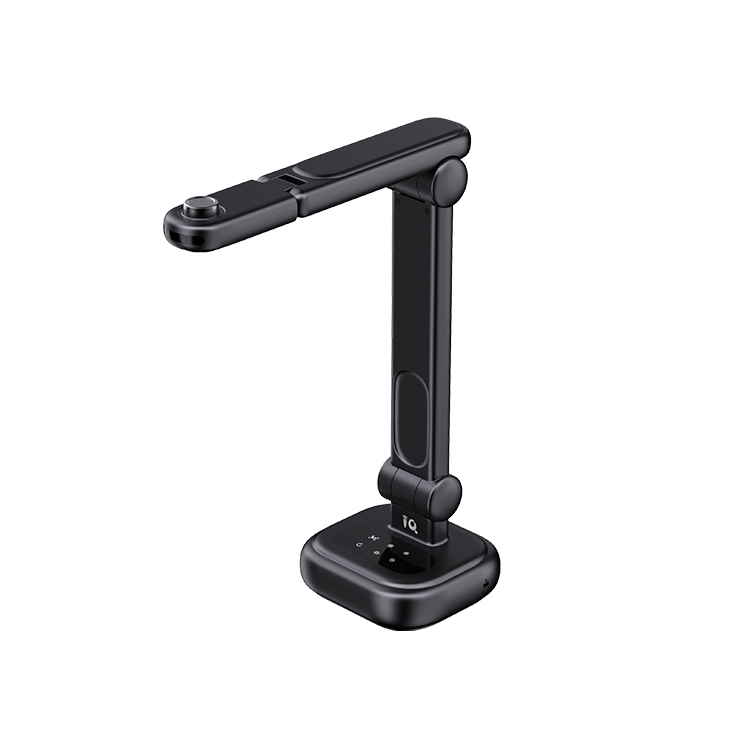
4K Video Output and Real-time Annotation Capabilities Document Camera Portable Visualizer with Auto Focus
A portable 4K visualizer with real-time annotation and auto focus. Science, health and technical programmes can show specimens, documents and small components on an IFP, supporting clearer demonstrations in Montreal labs and training rooms.
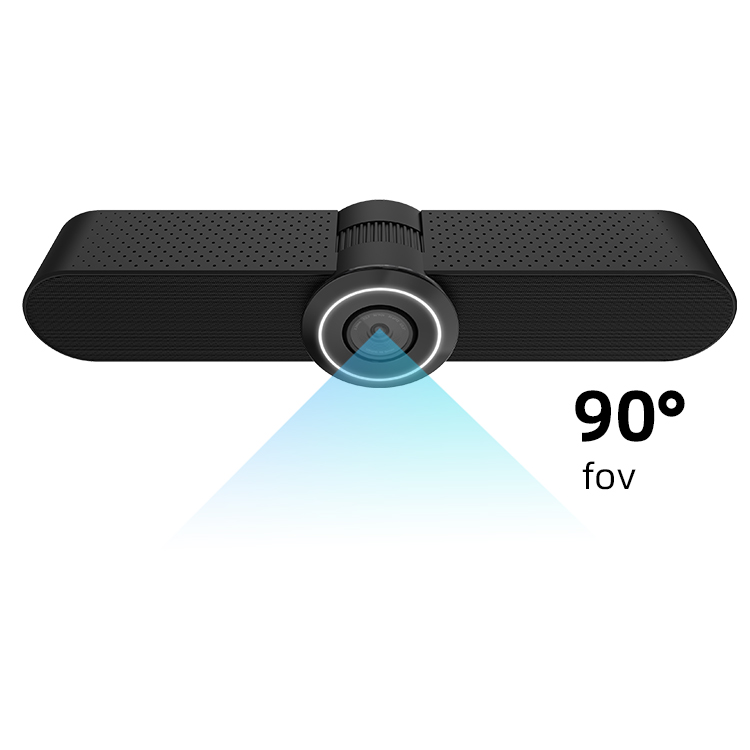
Conference Live AI Camera 4k 1080p 60fps USB Webcam Camera All in One Microphones and Speakers
An all-in-one USB camera with AI framing, microphones and speakers. For Montreal boardrooms and hybrid classrooms, it simplifies bring-your-own-meeting deployments and reduces cable complexity.
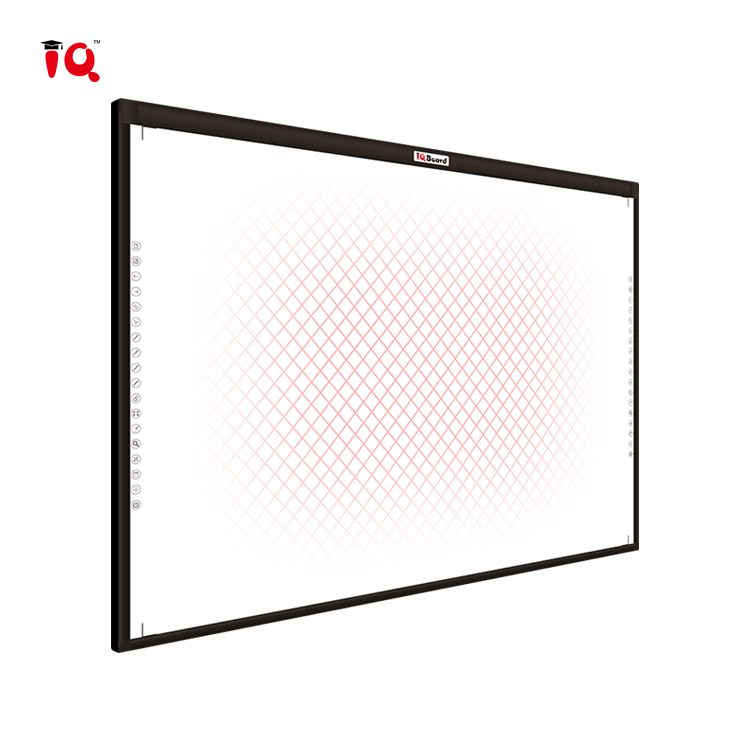
IQ Board No Projector Portable Smart Board China Interactive Whiteboard
A no-projector portable interactive board for flexible teaching, tutoring and pop-up collaboration. Suitable for schools and training teams that share rooms or need mobile presentation capability across a Montreal campus.
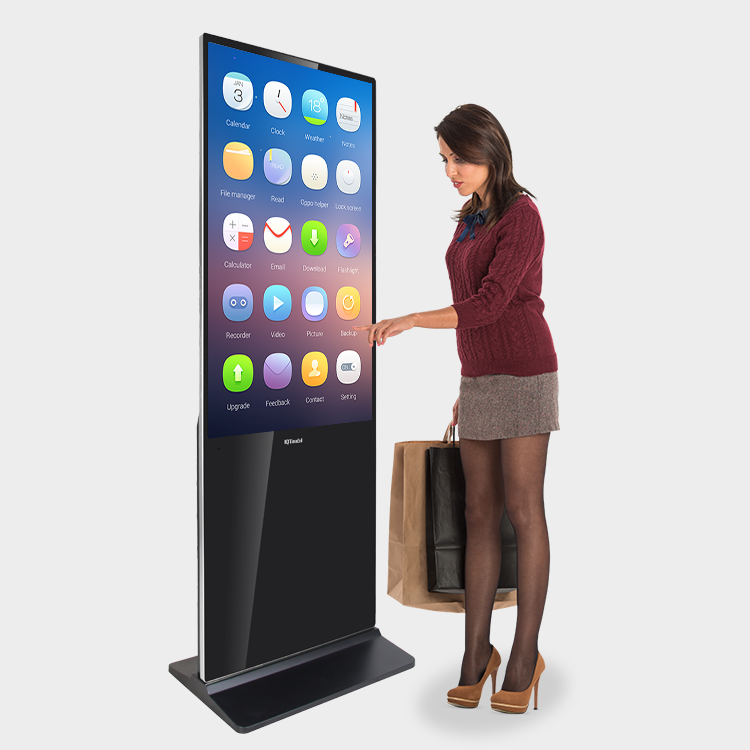
43inch Kiosk Touch Screen Floor Standing Advertising Kiosk Shopping Centre Digital Signage and Displays Outdoor Waterproof
A weather-resistant touch kiosk for shopping centres, campus wayfinding and outdoor advertising. Specify installation, power, network and content-management requirements for Montreal winter and summer conditions.
Why Montreal Procurement Teams Need More Than a Product Catalogue
Search demand for “interactive whiteboard manufacturer Montreal,” “interactive flat panel exporter Canada” and “digital podium supplier Quebec” is rarely casual browsing. It usually signals a live project: a school service centre refreshing classrooms, a CEGEP equipping active-learning rooms, a university lecture hall adding lecture capture, or a corporate real-estate team standardizing hybrid meeting rooms across downtown Montreal, the West Island, Laval, Longueuil and Brossard.
Those buyers need more than a list of screens. They need evidence that the exporter understands room size, bilingual operation, network policy, user training, warranty workflow, spare-part planning and shipping into Canada. This guide is structured around those decision points. It connects product categories to Montreal-specific use cases and gives procurement teams the questions to ask before an RFQ becomes a costly integration problem.
Ruyden Interactive Technology Group Co., Ltd. is an SGS onsite-verified manufacturer and exporter of interactive flat panels, interactive whiteboards, lecture capture systems, networked digital podiums and smart classroom AV integration solutions. The company is headquartered in Fuzhou, Fujian, China, and works with distributors, system integrators, education tender buyers and corporate project teams worldwide. For Montreal buyers, the practical value is a single source for displays, capture, audio, podiums and control rather than a fragmented multi-vendor bill of materials.
What Montreal buyers usually validate
- French-first interface, documentation and teacher training plan
- Panel size matched to room depth, ceiling height and sightlines
- Windows OPS, Android, wireless casting and input compatibility
- Test reports and written specifications for tender files
- Spare parts, RMA workflow and local integrator support
- Export packaging and delivery resilience for Canadian seasons
A Supplier Profile Buyers Can Verify
For Montreal procurement teams, marketing claims are less useful than evidence. These figures reflect the supplier profile and manufacturing capabilities presented by Ruyden.
Years in the education AV industry, with ongoing export experience.
Verified staff across engineering, production, quality control and export service.
Interactive display and whiteboard range for huddle rooms, classrooms and lecture halls.
Buyer rating based on verified buyer reviews and transaction records.
Montreal Market Context: Six Trends Shaping Interactive Display Demand
Montreal is not a single market. Education, government, healthcare, corporate and cultural buyers apply different evaluation criteria, yet their requirements increasingly overlap around interoperability, bilingual usability and long-term support.
Hybrid and HyFlex Learning
Universities, CEGEPs and private training providers are equipping rooms for simultaneous in-person and remote attendance. Interactive panels, AI cameras, soundbars and lecture capture systems are increasingly specified together so that remote students can see, hear and interact with the same content.
French-First and Accessible Interfaces
Public-facing and education deployments in Quebec often require French-first content, bilingual user support and accessibility-aware design. Buyers should ask for French UI screenshots, administrative menus, quick-start guides and training materials before approving a pilot room.
Projector Replacement and Total Cost of Ownership
Many Montreal institutions are replacing projectors, lamps and pull-down screens with interactive flat panels. A clear TCO comparison should include display life, lamp replacement costs, calibration, cleaning, maintenance visits, software management and classroom downtime.
Centralized Campus AV and Device Management
IT teams prefer fewer remote controls and more centralized visibility. Networked digital podiums, standard input panels, remote monitoring and documented network requirements reduce support tickets and simplify campus-wide rollouts across multiple buildings.
Security and Network-Friendly Deployment
Montreal education and public-sector networks often restrict third-party cloud services. Procurement teams should clarify login models, local account options, firmware update paths, VLAN behavior, data collection, content-management permissions and how the panel behaves when the network is unavailable.
Staged Procurement and Lifecycle Planning
Budget cycles rarely allow a full campus refresh at once. A staged deployment may begin with pilot rooms, then expand by department or building. Standardizing product families, accessories and spares early reduces future compatibility risk and protects training investment.
Localized Application Scenarios Across Greater Montreal
From downtown boardrooms to West Island training centres and South Shore service counters, the right configuration depends on room geometry, user workflow and support model.
K-12 School Service Centres
A 65–75 inch interactive flat panel with a soundbar is a practical baseline for standard classrooms. Teachers need fast whiteboard access, French-first menus, low-friction screen sharing and simple training. For shared rooms, mobile stands and portable smart boards can improve utilization without rebuilding every classroom.
CEGEP Active-Learning Rooms
CEGEPs often combine group work, annotation, document review and software demonstrations. A 75–86 inch panel paired with a 4K document camera and digital podium supports these mixed workflows. Ask for Windows application testing, input switching behavior and recovery steps if a teacher laptop disconnects.
University Lecture Halls
Large rooms need high visibility, capture and repeatable operation. A 90–100 inch display, lecture capture camera and networked digital podium can centralize control at the lectern. For hybrid courses, confirm camera framing, audio pick-up, recording permissions and integration with the university’s existing video platform.
Corporate Boardrooms and Hybrid Offices
Montreal employers are standardizing meeting spaces for BYOM video calls. A 55–75 inch interactive display, 4K AI conference webcam and soundbar can cover most rooms. For larger boardrooms, add wireless presentation and a documented input panel so visiting executives can connect without IT assistance.
Public-Sector Reception and Service Counters
Public-facing kiosks require clear wayfinding, privacy-aware workflows and accessible touch interaction. A 43 inch Android floor-standing kiosk can present French-first service menus, appointment guidance or institutional information. Content governance should be agreed before installation.
Cultural, Retail and Campus Wayfinding
Outdoor waterproof digital signage kiosks can support shopping-centre advertising, campus maps and event promotion. Montreal installations should specify snow clearing, water drainage, power protection, network coverage and a content update plan that does not depend on on-site staff.
Product Recommendations by Room Type and Teaching Workflow
Use this planning matrix as an early-stage reference. Final sizing should be checked against the room drawing, wall structure, user sightlines, power locations and network design.
| Room type | Recommended configuration | Why it fits Montreal projects |
|---|---|---|
| Small meeting / huddle room | 55–65 inch interactive flat panel + 4K AI conference webcam + soundbar | Supports BYOM meetings, bilingual teams and cable-light setups in downtown offices and satellite sites. |
| Standard K-12 classroom | 65–75 inch interactive flat panel + optional document camera + soundbar | Balances visibility, teacher reach and budget; French UI and teacher training can be planned before rollout. |
| CEGEP active-learning room | 75–86 inch interactive flat panel + 4K visualizer + digital podium | Handles annotation, software demonstrations and group sharing while keeping control at the teaching point. |
| University lecture hall | 90–100 inch interactive display + lecture capture camera + networked digital podium | Improves visibility for large cohorts and supports hybrid course capture with centralized lectern control. |
| Reception / student services | 43 inch Android touch kiosk or advertising kiosk with managed content | Provides French-first wayfinding and service information; content updates can be governed by the institution. |
| Hybrid training / shared room | Portable interactive smart board or 65–75 inch IFP + AI camera + soundbar | Supports flexible room use, mobile collaboration and rapid setup for training teams across multiple locations. |
For tender documents, request dimensions, power requirements, wall-load data, input/output matrix, OPS specifications, management tools, warranty terms, spare-part availability and French interface samples.
What to Verify Before Selecting an Exporter for Montreal
An interactive whiteboard is a long-life classroom asset. The exporter’s documentation, support model and logistics planning matter as much as the panel specification.
CSACompliance documentation
Confirm which electrical-safety and wireless requirements apply to your project. Ask for the documents your consultant or authority having jurisdiction requires; do not rely only on brochure claims.
FRBilingual readiness
Request French UI screens, quick-start guides, teacher training content and admin workflows. For public-facing kiosks, agree on French-first content and accessibility expectations.
NETNetwork and data governance
Document VLAN behavior, firmware update methods, account options, cloud dependencies, local content storage, permissions and support escalation for restricted networks.
RMALogistics and after-sales
Clarify Incoterms, shipping to Montreal, unloading, warranty terms, spare-part lists, RMA procedures, response times and whether a local integrator will handle first-line support.
- Match screen size to room depth, ceiling height and the furthest viewer, not to the lowest price.
- Ask for a full input/output list and test Windows OPS, Android, wireless casting and audio behavior.
- Request packaging evidence for drop, vibration and simulated transportation before winter shipping.
- Confirm whether the quotation includes mounting, commissioning, training and content migration.
- Review the RMA path with your local installer before the first installation, not after a failure.
- Set a spare-parts percentage for multi-room rollouts to avoid classroom downtime.
- Plan French-first teacher orientation and simple one-page troubleshooting guides.
- Verify the supplier’s third-party assessment reports, trade records and references.
Manufacturer Advantages: What Ruyden Brings to a Montreal Project
Ruyden is positioned as a factory-based partner rather than a catalogue-only trader. That distinction matters when a Montreal buyer needs customization, test documentation, spare-part planning and a coordinated smart-classroom bill of materials.
SGS Onsite-Verified Supplier
The company has been onsite-verified by SGS Group, with supplier assessment, credit overview, trade capacity and transaction history available for review. This gives procurement teams a third-party reference point before initiating a sample order.
19 Years in Education AV
Long-standing experience in interactive displays, lecture capture and digital podiums helps shorten requirement review. Buyers can discuss room types, installation constraints and teacher workflows with a team that understands education deployments.
Verified OEM / ODM Customization
Design-based customization has been verified by an independent third-party inspection. Common options include logo, boot screen, housing color, packaging, pre-installed software, language settings and hardware configuration.
In-House SMT, PCB and Assembly
Controlling SMT, automatic insertion, PCB processing and final assembly under one roof supports consistency and protects custom designs. This vertical control is useful when a project requires repeatable production across buildings or phases.
Reliability Test Laboratory
The in-house lab includes high and low temperature, drop, simulated transportation, salt spray, button life, insertion force, static, earth continuity and withstand voltage testing. These checks support export packaging and long-term classroom reliability.
One-Stop Smart Classroom Ecosystem
Interactive displays, lecture capture cameras, networked digital podiums, 4K wireless presentation, webcams, soundbars and centralized AV control can be planned together. This reduces compatibility risk and simplifies procurement for integrators and campus teams.
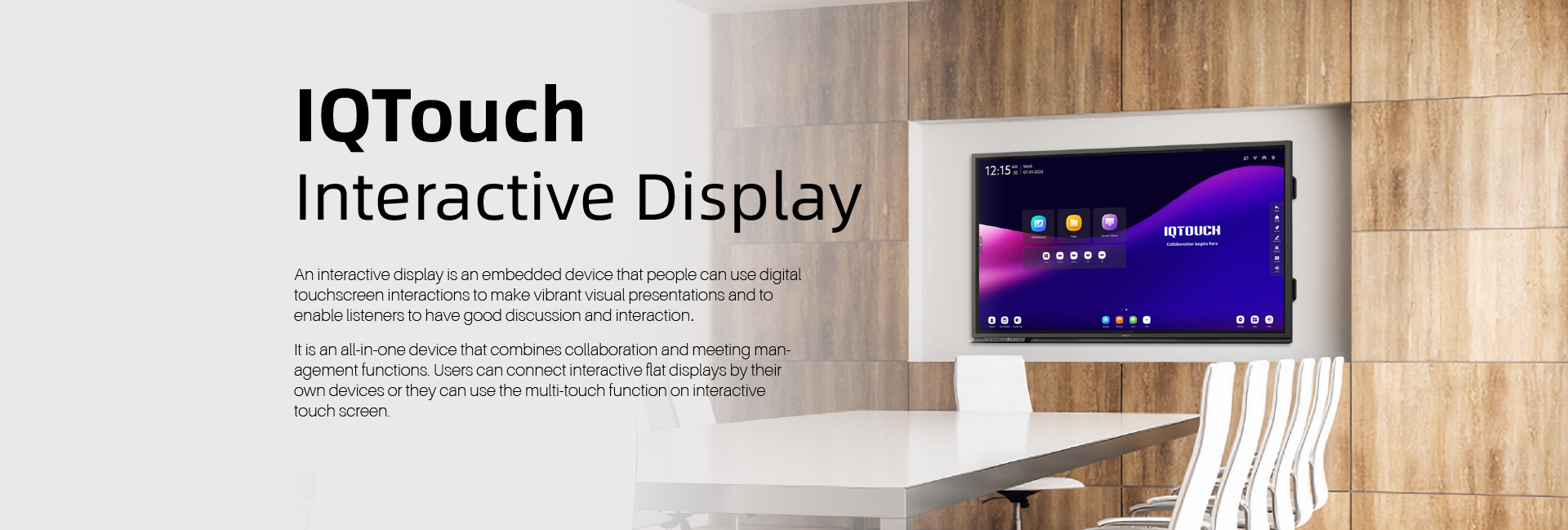
Connected product ecosystemDisplays, capture, audio, podiums and control can be specified as one integrated classroom solution.

Factory-based productionIn-house manufacturing supports customization, batch consistency and engineering follow-through for export projects.
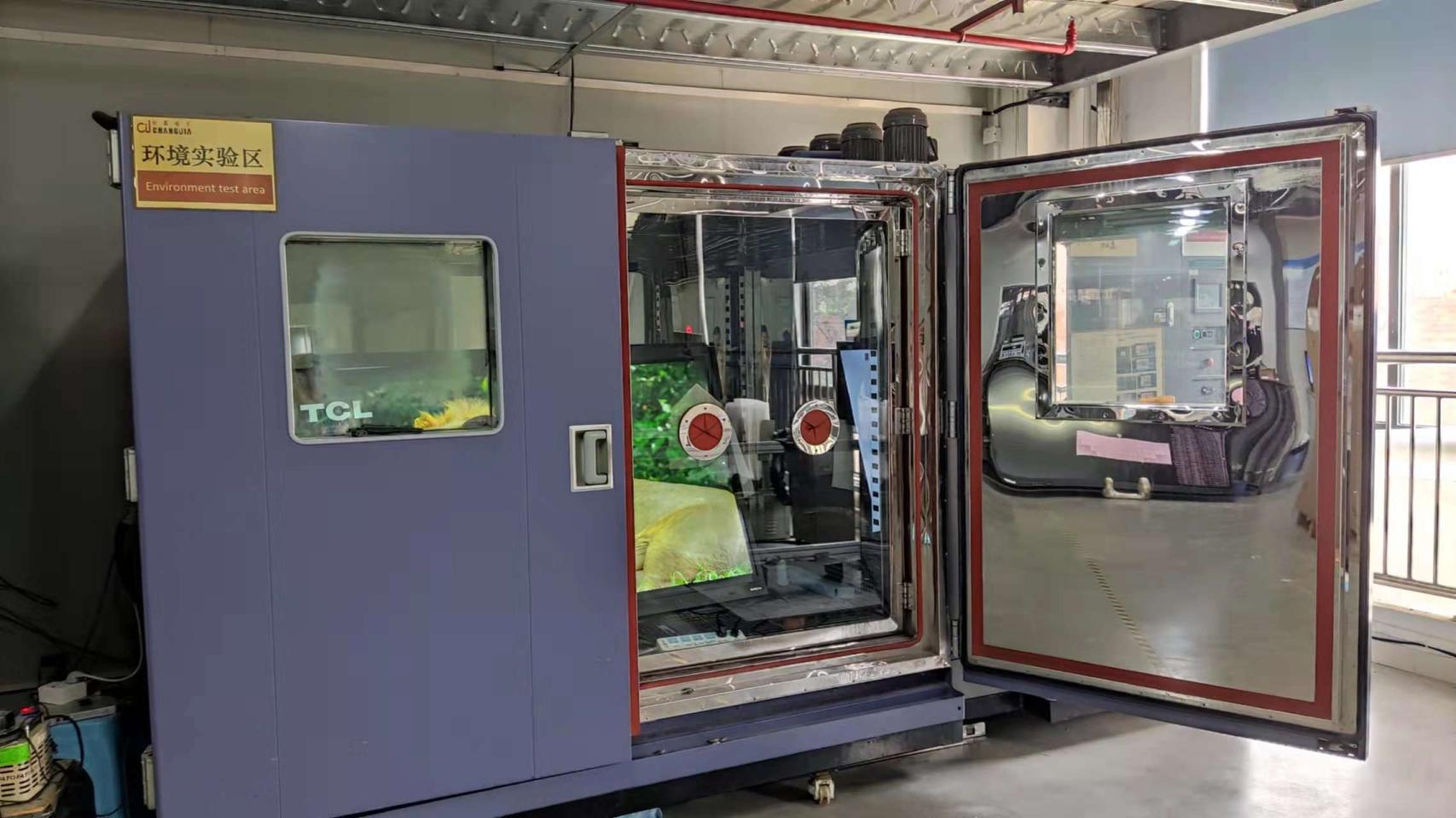
Reliability testingTemperature, transport, drop and electrical-safety checks help reduce the risk of field failures after long-distance shipping.
Questions Montreal Buyers Ask Before Requesting a Quote
These answers address the practical issues that arise when an education, corporate or public-sector team evaluates an overseas interactive whiteboard manufacturer for a Quebec deployment.
Do you supply interactive whiteboards to Montreal and the wider Canadian market?
Ruyden exports interactive flat panels, interactive whiteboards, lecture capture systems, digital podiums, kiosks and AV peripherals to overseas buyers, including projects destined for Canada. For Montreal, the practical planning items are shipment terms, unloading, warranty responsibility, local installation and first-line support. Share your project location and room schedule so the export team can propose a suitable delivery and commissioning structure.
Can the panel and kiosk interfaces be configured in French?
Yes, language configuration and software pre-installation can be discussed as part of customization. For Quebec projects, request French UI screenshots, administrator menus, quick-start guides and training materials before sample approval. If the deployment includes public kiosks or student-facing content, agree on French-first content governance and an English toggle only where appropriate.
Which interactive panel size is most common for Montreal classrooms and meeting rooms?
For standard K-12 classrooms and small meeting rooms, 65–75 inch panels are a common starting point. CEGEP active-learning rooms often use 75–86 inch displays, while lecture halls and large training rooms may require 90–100 inch models. Room depth, ceiling height, furniture layout, content type and viewing distance should always be checked before finalizing size.
What certifications or documentation should a Montreal project request?
Requirements depend on the project, buyer policy, installation authority and whether wireless modules are included. Ask your consultant or authority having jurisdiction which electrical-safety, wireless and environmental documents are required. Then request the matching documents from the supplier and verify them as part of the tender review; do not accept unverified logos or generic certificates.
How do you reduce shipping and winter-delivery risk for fragile displays?
Export packaging should be evaluated for drop, vibration and simulated transportation. Ruyden’s reliability laboratory includes drop testing, simulated transportation testing and other hardware checks. For Montreal, buyers should also clarify Incoterms, freight insurance, transfer at the port or warehouse, unloading responsibility and the exact RMA process before the first shipment arrives.
Can you support OEM, ODM and tender documentation?
Yes. Design-based customization has been verified by an independent third-party inspection. Buyers can discuss logo, boot screen, housing color, packaging, software pre-installation, language settings and hardware configuration. For tender submissions, request the specification sheets, test evidence, company profile, SGS assessment links and commercial terms needed by your procurement team.
How should we start a Montreal-specific project inquiry?
Prepare a short brief: room types and approximate dimensions, quantity per room, target installation date, whether the project is K-12, CEGEP, university, corporate or public sector, required language and software, network constraints, preferred input sources, and any certification or tender documents required. With those details, the supplier can recommend display sizes, peripherals, capture options, podium control and a realistic sample and production schedule.
Build a Montreal-Ready Classroom or Meeting Room Plan
Share your room sizes, quantities, French-language requirements, network constraints and target installation date. The goal is not simply to sell a panel; it is to specify a display, audio, capture and control package that your Montreal installer, IT team and end users can support over time.
Get a Quote