Top 10 Document Camera Software Factories & Wholesaler Serving New York
A practical E-E-A-T guide for NYC schools, universities, libraries, healthcare trainers, legal teams and AV integrators comparing software-enabled visualizers, 4K document cameras, interactive displays and smart-classroom integration.
8 Document Camera & Interactive Display Configurations for New York Buyers
Start with the room, then specify the capture workflow. Each product URL below is preserved from the original catalog so New York procurement teams can review the exact model quickly.
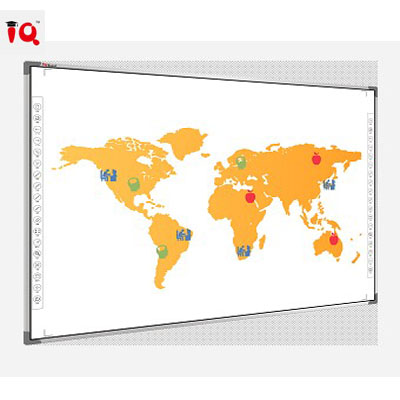
School Board Class Board IQBoard IR 82" 2 Points Touch 2 Users Interactive Whiteboard for School
For Brooklyn and Queens classrooms that need shared annotation, lesson capture and a familiar whiteboard surface.
View product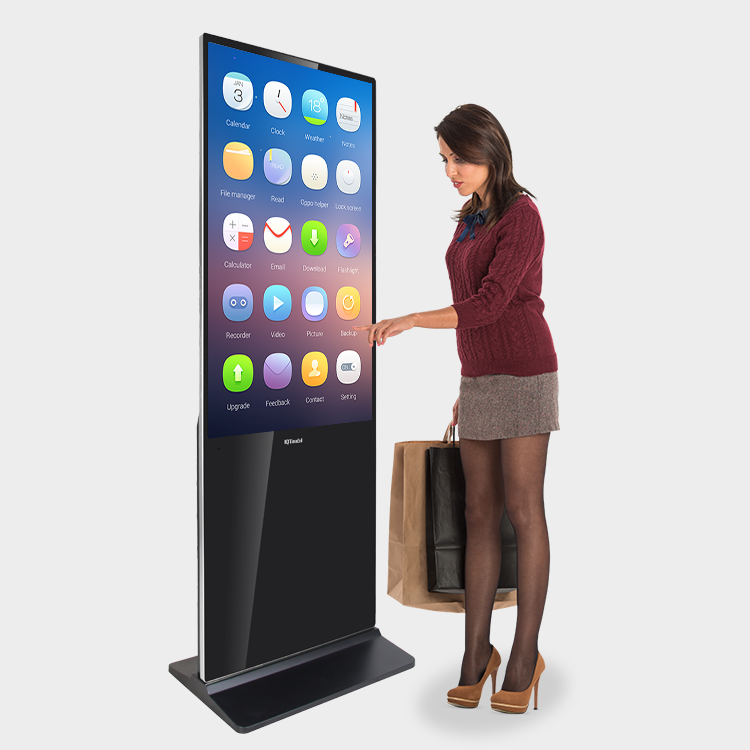
43inch Kiosk Touch Screen Floor Standing Advertising Kiosk Shopping Centre Digital Signage and Displays Outdoor Waterproof
Suited to campus entrances, library wayfinding, transit-adjacent facilities and weather-exposed public information points.
View product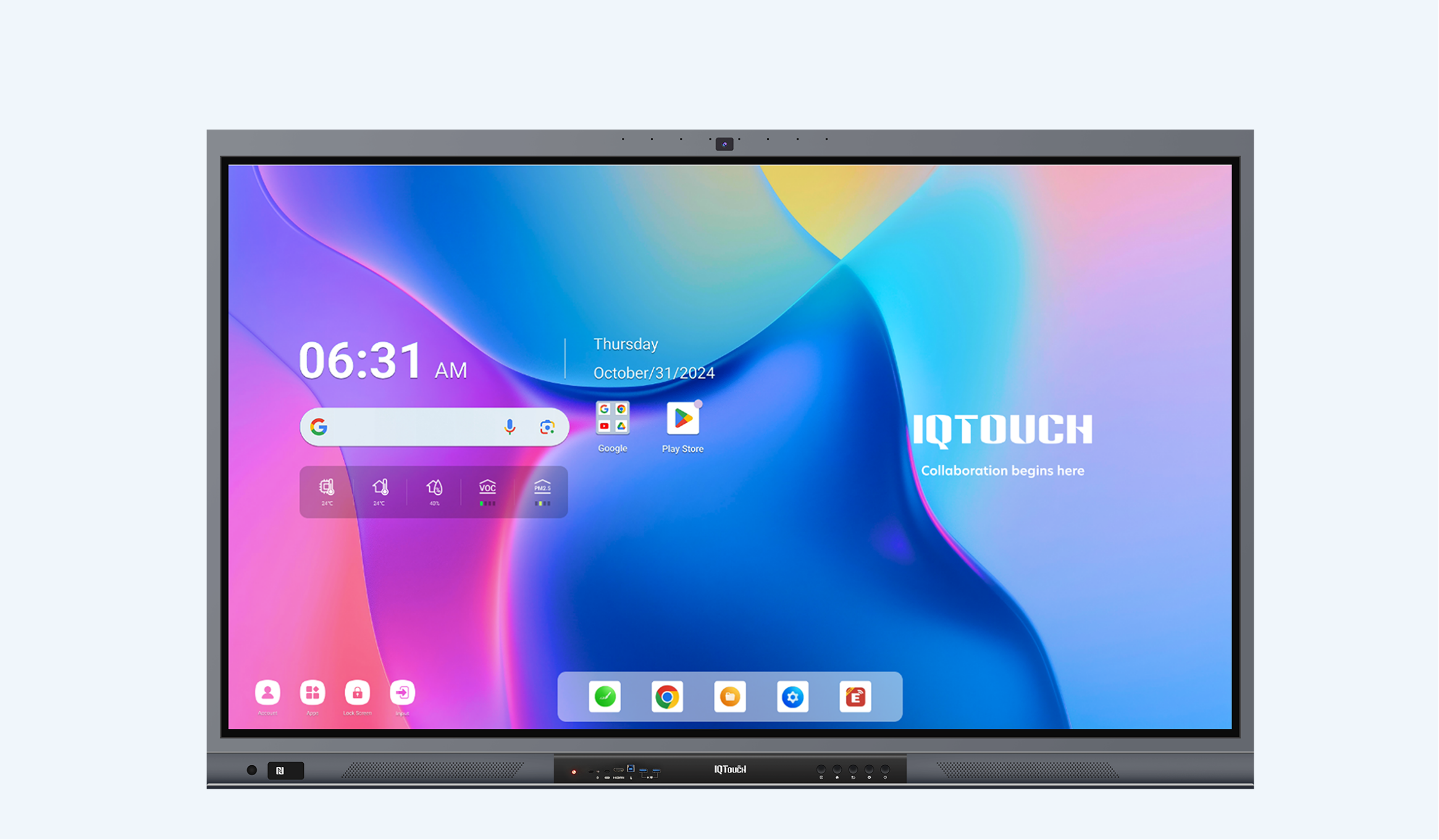
75 86 Inch Interactive Touch All in One Pc Electronic Interactive Whiteboard Smart Board Digital Price for Conference
A strong fit for Manhattan training suites and hybrid meeting rooms where document detail must remain visible on camera.
View product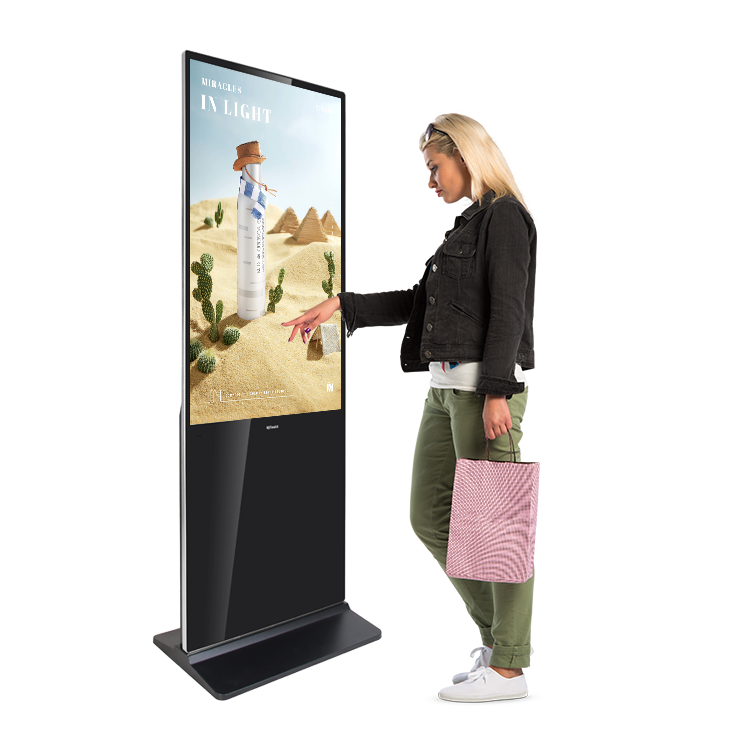
Android and Windows System Standing Floor Stand Information Kiosk Touch Screen for Shopping Mall
Useful for admissions lobbies, museums, public libraries and mixed-use properties requiring durable self-service information.
View product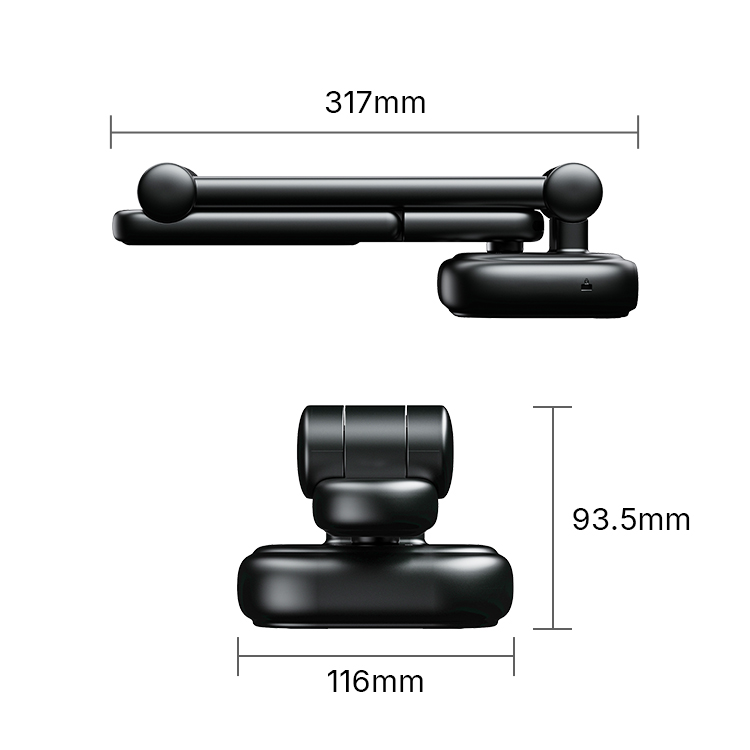
55x Digital Zoom Built in Mic Real-time Annotation Capabilities Document Cameras or Visualizers with High Capture
Recommended for lecture capture and larger classrooms where annotations, built-in microphone input and high capture quality matter.
View product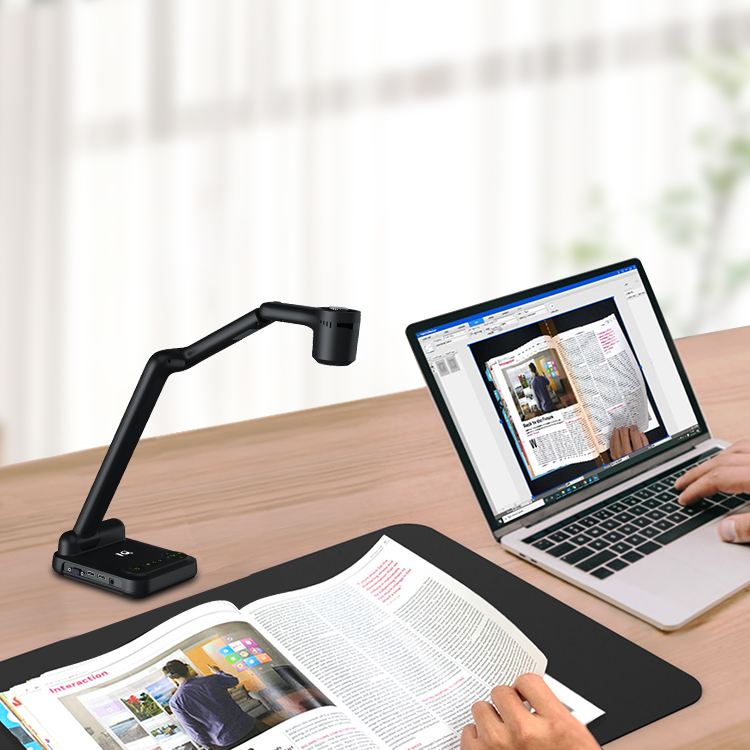
Wholesale 10x Optical Zoom Portable High Definition Live Image Document Camera Ceiling for School
A practical choice for older NYC buildings with shallow teaching walls, shared classrooms and mobile teaching teams.
View product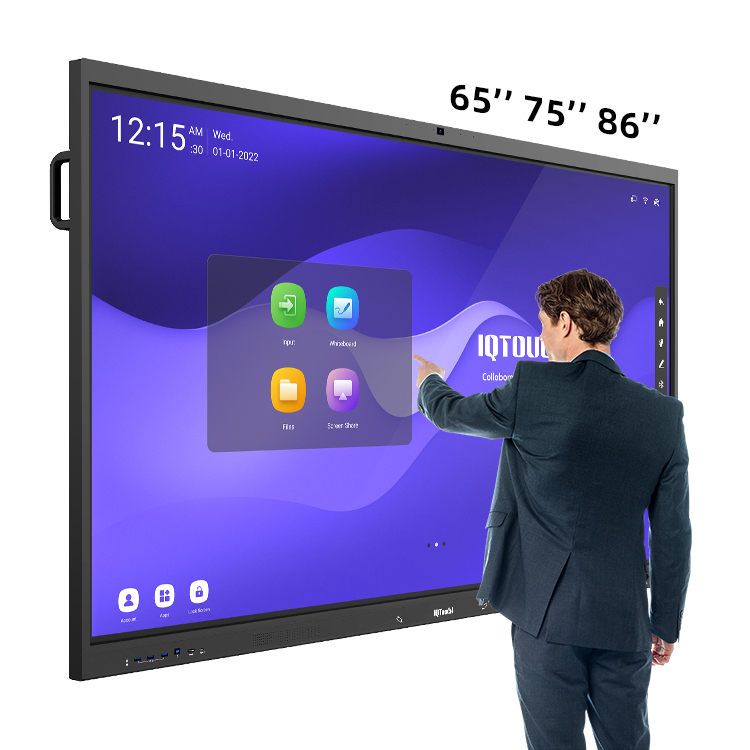
Dual System 4K 65 75 86 Inch Smart Board Interactive Electronic Whiteboard for Education and Conference
For hybrid teaching and corporate training where Windows and Android flexibility improves software compatibility.
View product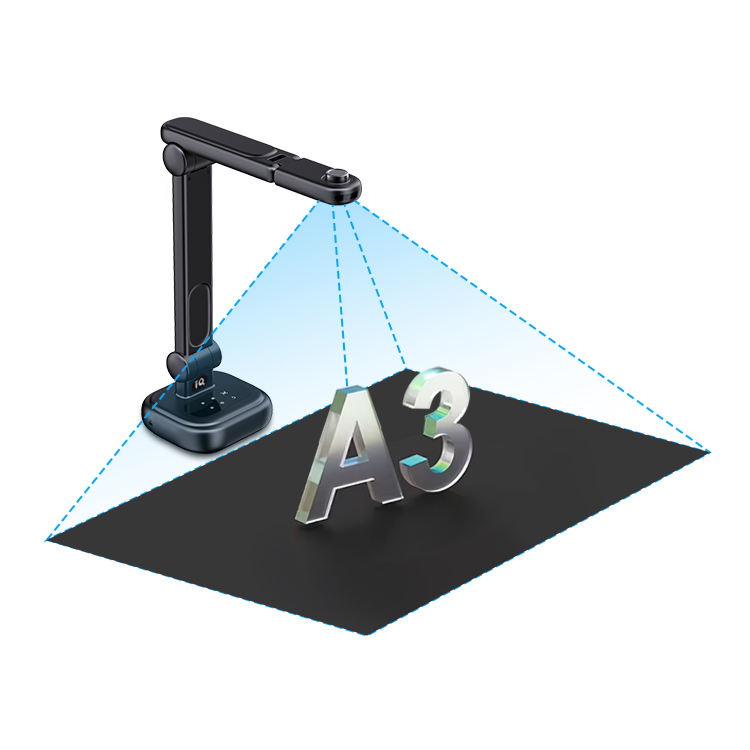
4K Camera Folding Design Live Annotation Adjustable LED Lighting Dual Stream A3 A4 Document Book Camera Scanner
Designed for fine-print capture, book scanning, legal document review and healthcare training where A3/A4 detail is critical.
View productWhy New York Buyers Need a More Rigorous Document Camera Software Supplier
New York is not a generic AV market. A single procurement cycle can cover a 1920s Brooklyn school building with shallow teaching walls, a glass-walled Manhattan training suite, a Queens library literacy lab, a Bronx community-health classroom and a university lecture hall that must support recording, accessibility and remote attendance. That is why the phrase document camera software factory should mean more than a low wholesale price. New York buyers need a visualizer that can capture fine print, annotate a live image, record a lesson and integrate with an existing display—while the supplier can document production controls and ship a consistent batch.
Ruyden Interactive Technology Group Co., Ltd. is an SGS onsite-verified manufacturer of interactive flat panels, interactive whiteboards, lecture capture systems, networked digital podiums and software-enabled document camera configurations. From its Fuzhou production base, the company supports OEM/ODM buyers, distributors, integrators and education tender teams with in-house SMT, PCB, assembly and reliability testing. For New York, that matters because a top-10-level supplier should be able to answer questions about hardware, software workflow, packaging, spare parts and documentation—not just send a price list.
This buyer’s guide adds local information gain: a ten-point factory scorecard, a room-by-room recommendation matrix for New York, local application scenarios, 2025–2026 trends, a transparent Ruyden capability review and procurement FAQs. It is not a paid ranking; it is a sourcing framework for comparing document camera factories and wholesalers serving New York with evidence.
The Top 10 Evaluation Criteria for a Document Camera Software Factory Serving New York
Use these ten criteria to shortlist top-10-caliber suppliers. Ask every candidate to demonstrate the software, show test evidence and explain how the hardware will fit real NYC rooms.
1. Optical vs digital zoom
Do not let a high digital-zoom number hide weak optics. In small NYC classrooms, 10x optical zoom on a portable document camera often beats a high-digital-zoom model; in lecture halls, confirm lens quality, focus speed and low-light performance.
2. Software workflow depth
Strong visualizer software supports freeze-frame, split-screen, annotation, image capture, OCR, recording and export to shared drives or learning platforms. Ask for a live demonstration using a real worksheet, book page or lab sample.
3. Platform compatibility
Test with Windows, Android, Zoom, Microsoft Teams, Google Meet and your district’s interactive software. Confirm whether audio, camera and annotation functions remain in sync over USB, HDMI and wireless connections.
4. Document camera hardware
Check sensor resolution, frame rate, A3/A4 capture area, LED lighting, head articulation, microphone clarity and the pivot range needed for ceiling, wall or portable mounting.
5. New York room constraints
Older buildings often lack deep teaching walls or easy cable pathways. Portable, folding and ceiling-mounted visualizers can reduce construction; confirm mounting hardware, cable length and stand options before specification.
6. Reliability evidence
Look for in-house SMT, PCB and assembly plus high/low-temperature, drop, simulated transportation, salt spray, button-life, static, earth-continuity and withstand-voltage testing. These are stronger than a slogan.
7. OEM/ODM and branding
For distributors and integrators, verify logo, boot screen, housing color, packaging, language, software pre-installation and accessory kits. Ask whether customization is documented and repeatable.
8. Procurement documentation
NYC buyers may require safety, EMC, RoHS, accessibility or cybersecurity information. Treat documents as project-specific; confirm what your procurement office accepts and avoid unsupported claims.
9. AV ecosystem fit
A document camera should work with interactive panels, lecture capture, podiums, wireless presentation and central control. A factory that supplies the wider ecosystem can reduce compatibility risk.
10. Total cost of ownership
Compare spare parts, warranty terms, software update expectations, replacement lighting, freight packaging and support response time—not only unit price. NYC projects often fail on support, not on the initial quotation.
New York Room-by-Room Recommendation Matrix
Use this matrix as a first-pass specification. Final configuration should follow a site survey, software test and procurement review.
Older K-5 classrooms
Manhattan, Brooklyn and Queens rooms with limited wall depth often benefit from a 75-inch interactive panel plus a portable 10x optical document camera. Teachers can move the visualizer between rooms, and the school avoids major wall reconstruction.
University lecture halls
CUNY, NYU, Columbia and private campuses should pair an 86-inch or larger display with a 55x zoom visualizer and lecture capture workflow. Confirm recording permissions, accessibility requirements and remote-student experience before ordering.
Legal, insurance and healthcare training
For contract pages, charts, X-rays and model detail, a 4K folding A3/A4 document scanner plus a dual-system 4K smart board gives trainers clear zoom, annotation and live sharing without losing document texture.
Libraries, lobbies and admissions
A 43-inch waterproof outdoor kiosk and an Android/Windows floor-standing kiosk support wayfinding, public information, event schedules and admissions content in high-traffic public spaces.
Document Camera and Visualizer Applications in New York
New York buyers rarely use a document camera for only one workflow. The strongest proposals match the hardware to teaching, training, public service and hybrid communication needs.
K-12 instruction
Teachers use visualizers to show worksheets, manipulatives, science demonstrations and student work. Annotation and freeze-frame features help keep lessons visible for every learner, especially in crowded rooms.
Higher education
Lecture capture combines a document camera feed with presentation content and room audio. For hybrid courses, the visualizer becomes the “second camera” that preserves handwriting, equations, diagrams and printed references.
Corporate and professional training
Legal, insurance, finance, architecture and healthcare teams review dense documents and physical samples on screen. A 4K document scanner with adjustable LED lighting can improve readability and reduce meeting friction.
Public and cultural institutions
Libraries, museums, community centers and public agencies use document cameras for workshops, archives, public hearings and distance learning. Kiosks and interactive displays extend access in lobbies and program spaces.
2025–2026 Trends Reshaping Document Camera Procurement in New York
These trends affect what schools, integrators and wholesalers should specify now—especially when a project must survive several budget cycles and changing classroom technology.
Hybrid instruction is normal
New York classrooms increasingly serve in-person and remote learners at the same time. Document cameras now need clean video output, microphone options and software that can fit into Zoom, Teams or lecture capture workflows.
Accessibility and UDL
Universal Design for Learning encourages multiple ways to present information. Clear document capture, zoom, annotation and recording help students with visual, hearing or language needs without requiring a separate system.
4K detail and AI-assisted clarity
Buyers are moving beyond “just visible” toward readable fine print, faster focus and balanced lighting. A 4K sensor and adjustable LED lighting matter when capturing books, lab samples, contracts and technical drawings.
AV/IT convergence
Displays, cameras, podiums and kiosks are now managed like IT assets. Procurement asks about network compatibility, remote support, software updates and central control earlier in the buying process.
Space-constrained, mobile-first rooms
Many NYC rooms cannot add ceiling mounts or long cable runs. Portable visualizers, folding document cameras, mobile stands and all-in-one displays reduce installation complexity and support flexible room use.
Transparent procurement
Public and nonprofit buyers need traceable suppliers. SGS reports, trade capacity, credit overviews, transaction levels and documented testing are increasingly reviewed before a vendor is added to a shortlist.
How Ruyden Supports New York Buyers Beyond a Wholesale Price List
Ruyden combines document camera hardware, interactive displays, lecture capture and smart-classroom peripherals in one manufacturing and export workflow.
Ruyden Interactive Technology Group Co., Ltd. has been onsite-verified by SGS Group. Its public records reference 19 years in the industry, 21 years of verified B2B trading, 82 staff and a 5.0/5 buyer rating. For New York distributors, AV integrators and education procurement teams, those records are useful starting points—but the operational details matter more.
The company runs in-house SMT, auto-insertion, PCB and final assembly lines, supported by a reliability test lab. Products can be validated with high and low temperature, drop, simulated transportation, salt spray, button life, insertion force, static, earth continuity and withstand voltage testing before shipment. That is particularly relevant for export packaging to New York, where units may pass through multiple handling points.
Customization covers logo, boot screen, housing color, packaging, language settings, software pre-installation and hardware configuration. For New York projects, Ruyden can combine a document camera with an interactive flat panel, a digital podium, wireless presentation or a lecture capture system, reducing the number of vendors an integrator must coordinate.

One connected ecosystem
Document cameras, interactive whiteboards, lecture capture, podiums, wireless presentation and kiosks can be specified together to reduce compatibility risk.
Inspection-backed credibility
Buyers can review SGS assessment, trade capacity, transaction level, trade history, credit overview and buyer feedback before onboarding.
OEM/ODM flexibility
Branding, packaging, language and hardware configuration can be adapted for distributors, tender projects and private-label education ranges.
Test-led quality
In-house reliability testing and export-grade packaging help protect units through long-haul logistics and daily classroom use.
Numbers New York Buyers Can Check
These figures reflect Ruyden’s public verification records and factory profile. Confirm current details during your vendor review.
Education AV manufacturing experience referenced in independent inspection records.
Long-term global supplier activity for distributors, integrators and tender buyers.
Engineering, production, QC and export service professionals.
Average score from verified buyer reviews and transactions as published.
From Brief to Delivery: A Practical Workflow for New York Projects
A documented process prevents the most expensive mistakes in document camera procurement: wrong zoom for the room, software mismatch and insufficient testing before shipment.
Share the room and software brief
Provide room dimensions, viewing distance, ceiling constraints, quantity, software expectations, target language and any procurement documentation requirements.
Approve sample and compatibility
Test document capture, annotation, recording and connection to your preferred display, video platform or lecture capture workflow before mass production.
Lock QC and customization plan
Confirm logo, packaging, accessories, language and testing scope. Keep written approval records for procurement and incoming inspection.
Produce, test and ship to New York
Production, reliability checks and export packing are completed before freight coordination. Final shipping terms are defined in the quotation.
Ready to compare configurations for a New York classroom, campus or training-room rollout?
New York Procurement FAQ: Document Camera Software Factories & Wholesalers
Answers below are written for buyers comparing factories, importers and wholesalers. Project-specific requirements should always be confirmed in writing.
What is document camera software, and why does it matter for New York buyers?
Document camera software, often called visualizer software, controls live image capture, zoom, freeze-frame, split-screen, annotation, recording and export. It matters because New York classrooms and training rooms rarely use the camera alone; the feed may need to appear in Zoom, Microsoft Teams, Google Meet, a lecture capture system or an interactive panel. A strong supplier can demonstrate the workflow rather than only list hardware specifications.
Should we choose a 10x optical zoom or 55x digital zoom document camera?
It depends on the room and use case. A 10x optical zoom portable visualizer is often better for small classrooms, shared teaching spaces and older buildings because the optics are strong and the device can move. A 55x digital zoom document camera may suit larger rooms or workflows that require high magnification, but buyers should inspect actual image quality, focus speed and lighting in a demonstration. Digital zoom alone is not a reliable measure of clarity.
Can Ruyden supply both document cameras and interactive displays for one NYC project?
Yes. Ruyden’s product ecosystem includes document cameras, interactive whiteboards, interactive flat panels, lecture capture systems, kiosks, digital podiums and wireless presentation products. This is useful for AV integrators and procurement teams who want a coordinated hardware package, consistent packaging and one technical contact.
Are your document cameras compatible with Zoom, Microsoft Teams and Google Meet?
Compatibility depends on the model, connection method and host computer. Many document camera workflows use USB or HDMI capture into a computer running the meeting platform. Buyers should test the exact camera, cable, display and software combination with their own laptop or room system before approving production, especially when annotation and audio are part of the lesson.
Do you support OEM/ODM customization for New York distributors and AV integrators?
Yes. Ruyden supports design-based customization that has been verified by independent third-party inspection. Options can include logo, boot screen, housing color, packaging, language settings, software pre-installation and hardware configuration. Customization details should be documented in the quotation and sample approval process.
How do you control quality before shipping to New York?
Production runs through in-house SMT, auto-insertion, PCB and assembly lines. Products can be validated in the reliability lab with high and low temperature, drop, simulated transportation, salt spray, button life, insertion force, static, earth continuity and withstand voltage testing. Export packaging and final inspection are also important for long-haul shipment to New York.
What documentation can support NYC procurement and vendor onboarding?
Depending on your procurement rules, you may request the SGS assessment report, trade capacity, transaction level, trade history, credit overview and buyer feedback. For product-level reviews, ask for specifications, test reports, packaging details and compliance documents applicable to the exact model. Always confirm the accepted document list with your own procurement or compliance office.
How should New York buyers start a project with Ruyden?
Share room types, viewing distances, quantity, software workflow, target market, branding needs and any documentation requirements. A clear brief allows the team to recommend a document camera, interactive display or integrated configuration. Use the Contact Us button on this page to begin a project discussion.
Planning a Document Camera or Smart-Classroom Rollout in New York?
Share room types, quantities, target market, desired software workflow and any compliance documentation requirements. Ruyden’s export and engineering team can respond with a configuration proposal built around your NYC project.
