8 Desktop Document Camera & Classroom Visualizer Products for Columbus Buyers
This shortlist preserves the factory product links and original images so Columbus buyers can move from research to a live quotation without losing the exact SKU. Each item is mapped to a real local buying pattern: K-12 document capture, hybrid lecture delivery, podium control, wireless sharing, or whole-class annotation.
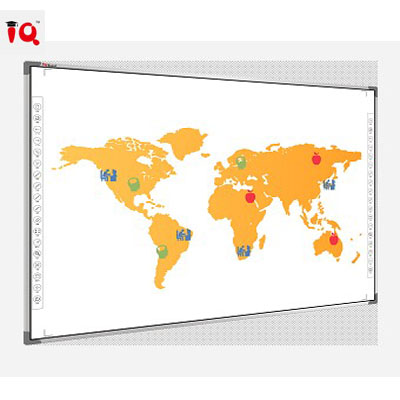
School Board Class Board IQBoard IR 82" 2 Points Touch 2 Users Interactive Whiteboard for School
Best for Columbus K-12 classrooms that pair a document camera with whole-class annotation. Use the 82-inch two-user board for math demonstrations, science diagrams, and side-by-side visualizer feedback.
View factory product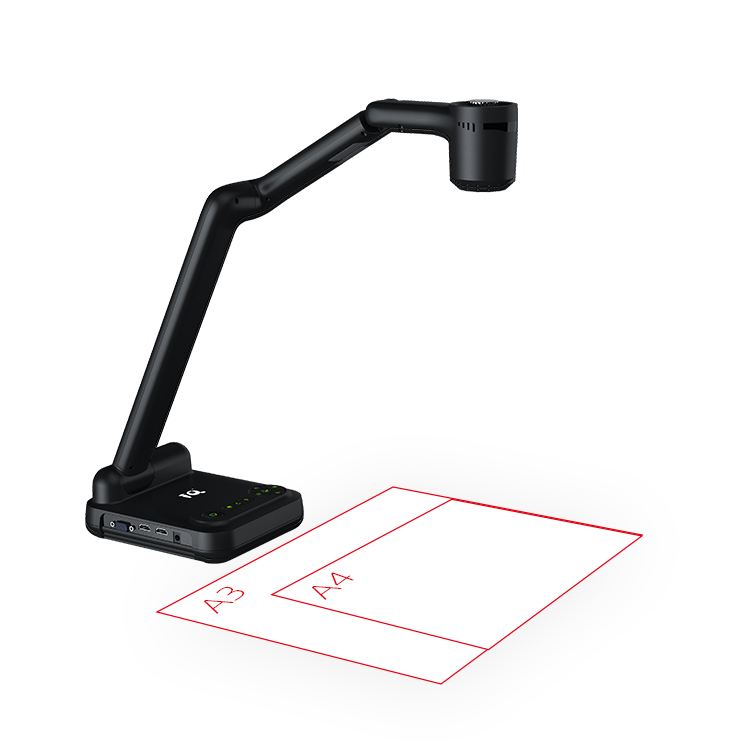
Portable Classroom Scanner Machine HD 8 Megapixel A4 Document Camera Scanner Visual Presenter with LED Fill-in Light
Recommended for elementary reading, ESL, special education, and small-group tutoring. The portable A4 capture area and LED fill light suit Columbus classrooms that share carts or need quick setup.
View factory product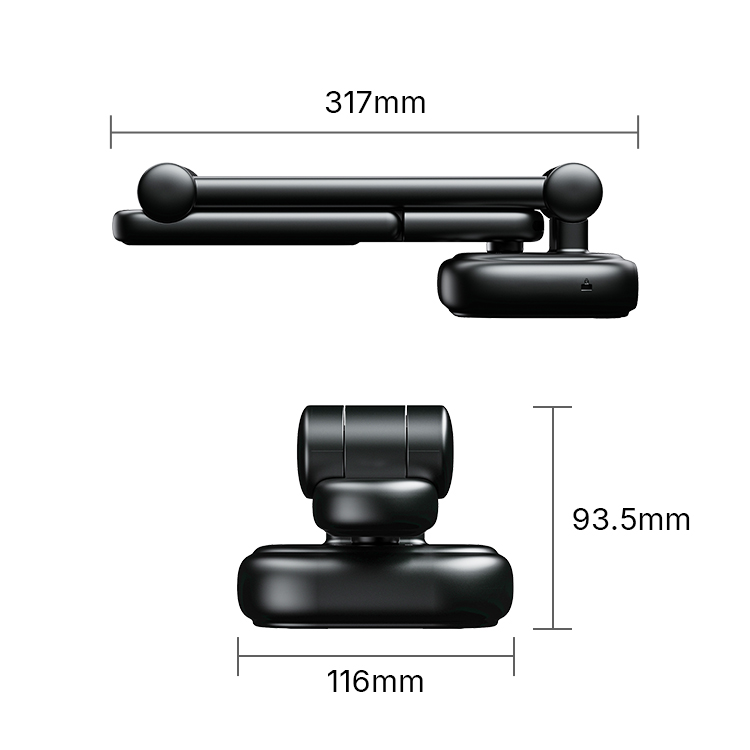
55x Digital Zoom Built in Mic Real-time Annotation Capabilities Document Cameras or Visualizers with High Capture
Best for hybrid lecture rooms and training labs where instructors need live annotation, built-in audio, and high magnification for textbooks, lab notes, and handwriting.
View factory product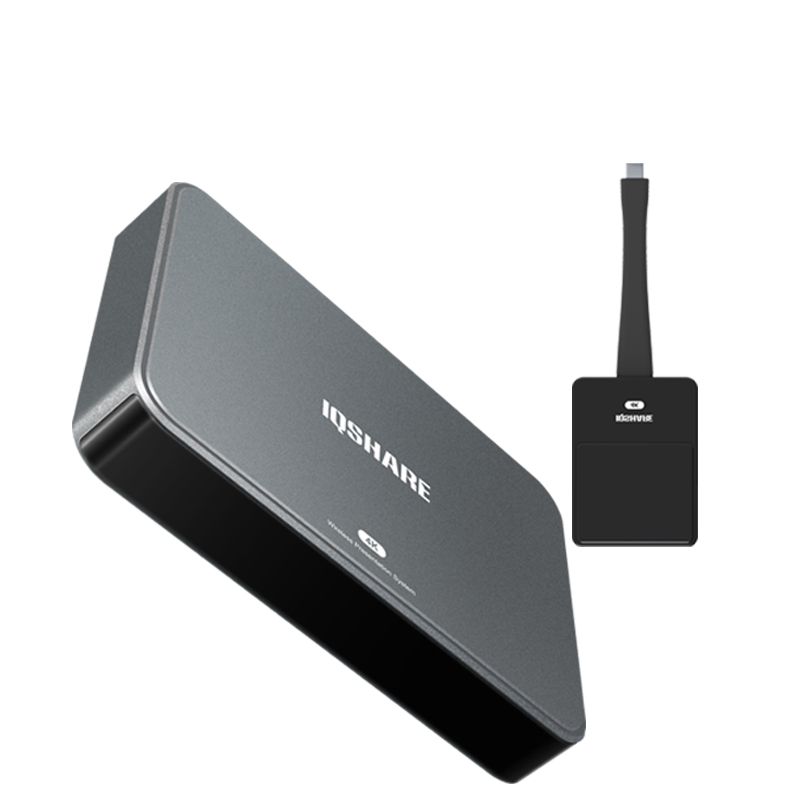
Hdm1 Wireless Transmitter Receiver 1 to 4 Anycast Wireless Screen Sharing Wireless Presentation System
Ideal for Columbus huddle rooms and multi-screen training spaces. Pair with a document camera so presenters can switch between live document view, slides, and video without cable changes.
View factory product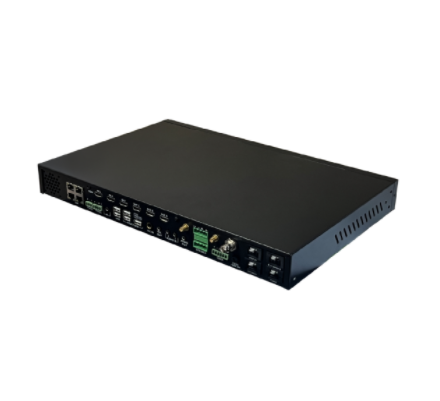
QNex Networked Media Processor for Digital Podium
Built for integrators who need centralized AV control, device switching, and podium networking. A strong fit for Columbus lecture halls and multi-room classroom standards.
View factory product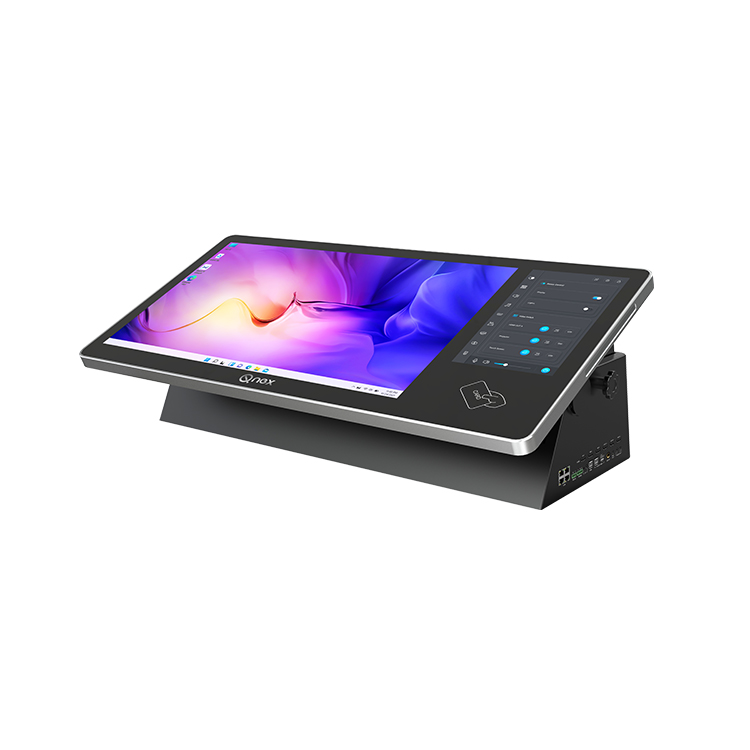
China Supplier Educational Equipment Customizable Integrated Multifunctional Desktop Digital Podium Factories
Recommended for universities, training centers, and school districts seeking OEM branding, project-specific configurations, and a consolidated teaching control station.
View factory product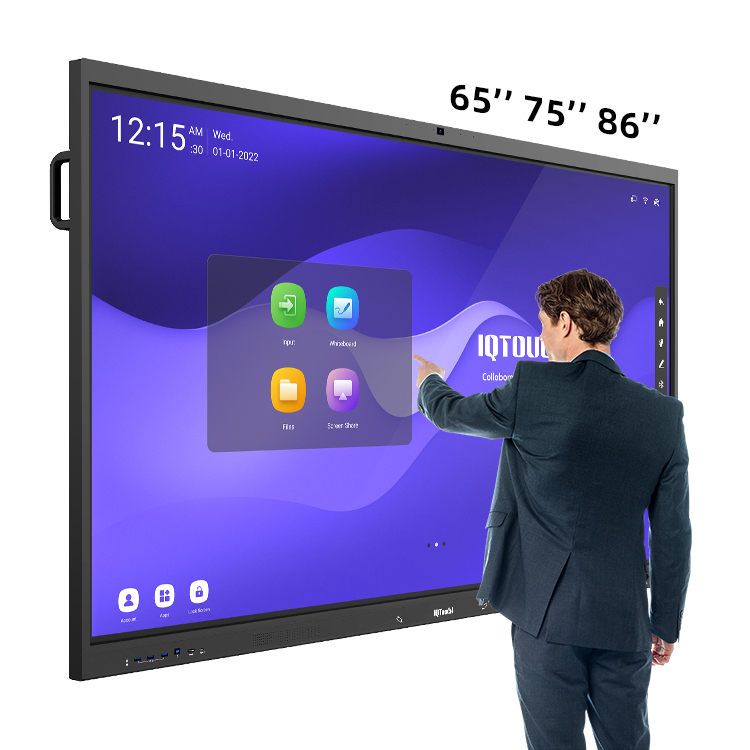
Dual System 4K 65 75 86 Inch Smart Board Interactive Electronic Whiteboard for Education and Conference
A flexible display choice for Columbus classrooms and conference rooms. Combine it with a document camera for annotation-rich hybrid teaching, corporate presentations, and collaborative review.
View factory product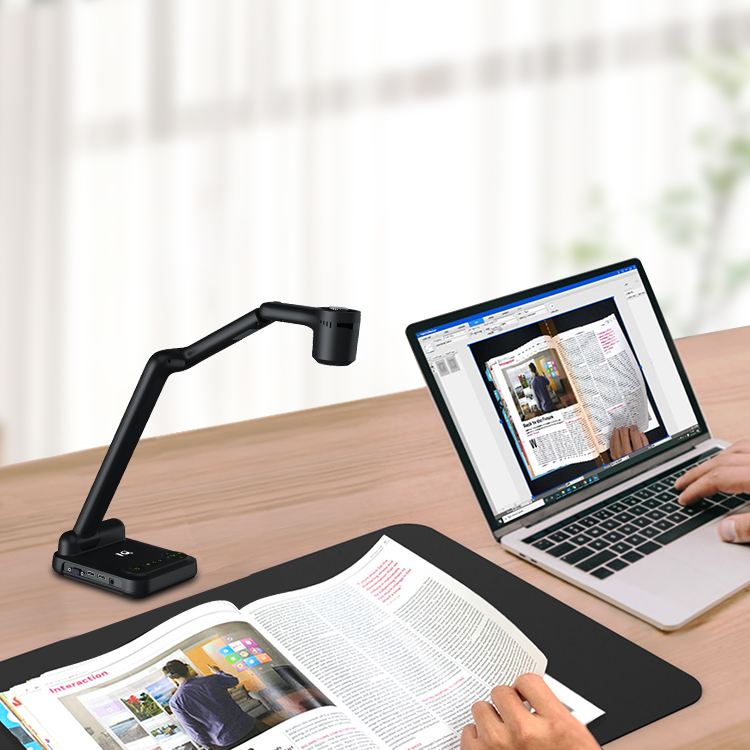
Wholesale 10x Optical Zoom Portable High Definition Live Image Document Camera Ceiling for School
Best for large Columbus lecture halls and science demonstrations where optical zoom preserves detail. Use it for long-distance document review, ceiling mounting, and live image capture without digital softness.
View factory productWhy Columbus Is a Serious Market for Desktop Document Cameras and Visualizers
Columbus is not a passive U.S. distribution point. It is a dense education, healthcare, government, and corporate-training market where document cameras are judged by classroom outcomes, not by catalogue specifications alone.
Factory experience in interactive display, capture, and classroom integration categories.
Engineering, production, QC, and export service professionals supporting OEM/ODM projects.
Long-term global supplier record with public trade and verification documentation.
Average score from verified buyer reviews and transaction records shown on the supplier profile.
Central Ohio buyers include Columbus City Schools, The Ohio State University, Columbus State Community College, suburban districts, healthcare training departments, legal teams, insurance offices, and corporate learning groups. Their common requirement is not simply “a scanner.” They need a live teaching camera that can show handwriting, math manipulatives, textbook pages, science experiments, product samples, or medical documents in a way that remote and in-room learners can both follow.
That changes the evaluation criteria. A local buyer comparing China desktop document camera factories should inspect the entire capture chain: the sensor, lens, focus behavior, LED fill light, frame rate, HDMI or USB output, microphone, annotation software, and compatibility with interactive flat panels, wireless presentation systems, digital podiums, and lecture capture platforms. A high megapixel count is useful, but it does not compensate for slow focus, poor color reproduction, or a narrow capture area.
China factories remain central to this category because they combine camera module design, LED lighting, mechanical arms, PCB assembly, injection molding, packaging, and OEM customization in one supply chain. The procurement risk is not “China” itself; the risk is buying from a supplier that cannot match a verified SKU, provide test evidence, or support a U.S. school district’s documentation requirements. Columbus buyers should treat the factory as a long-term technology partner, not a one-off marketplace listing.
Information gain: what most supplier pages omit
- Optical zoom beats digital zoom when the camera is far from the document. A 10x optical zoom preserves real detail; 55x digital zoom can magnify but may soften edges.
- A4 capture area matters for elementary worksheets, legal documents, and training manuals. Verify the full page is visible without frequent repositioning.
- Focus and latency decide adoption. Teachers abandon cameras that hunt for focus or lag during annotation.
- Compliance evidence must match the SKU, not just the brand. Ask for product-specific documentation for FCC, CE, RoHS, or TAA review where applicable.
Where Columbus Buyers Deploy Desktop Document Cameras
Document camera value depends on the room, the audience, and the workflow. The same 8MP A4 visualizer that works for a third-grade reading group may be the wrong choice for a 300-seat lecture hall or a corporate compliance training room.
Columbus K-12 Classrooms
Teachers use document cameras for read-alouds, math manipulatives, handwriting, science demonstrations, and art techniques. A portable 8MP A4 visualizer with LED fill light is often the practical core of the deployment.
OSU & Higher Education Lecture Halls
Large rooms need optical zoom, stable focus, and clean HDMI/USB output. Use a 10x optical zoom camera for long-distance capture and a 55x digital zoom visualizer with built-in mic for hybrid annotation.
Columbus State & Workforce Training
Healthcare, IT, skilled trades, and workforce programs need close-up demonstration of tools, documents, and procedures. Pair the camera with wireless sharing so trainers can move between stations.
Corporate Training in Dublin, New Albany & Westerville
Corporate learning teams use document cameras for compliance documents, product samples, and whiteboard-style instruction. Wireless HDMI and interactive displays keep meeting rooms cable-free.
ESL, Special Education & Intervention
Magnification, stable lighting, and easy annotation help students see text, fine motor demonstrations, and instructional supports. Portable models are easier to move between intervention rooms.
Legal, Insurance & Logistics Review
Document-heavy teams use visualizers for claims, contracts, evidence review, and training. High-resolution live image capture with annotation can reduce switching between scanners and projectors.
2025 Trends Every Columbus Procurement Team Should Model
Procurement cycles are moving away from isolated device purchases and toward connected classroom standards. These trends influence specifications, warranty expectations, and the total cost of ownership.
Visualizer-First Lesson Design
Teachers increasingly plan around live document capture rather than static scans. They need instant focus, annotation, and easy switching to interactive whiteboards.
Optical Zoom & 4K-Ready Capture
Larger rooms and hybrid delivery push buyers toward optical zoom, reliable LED lighting, and hardware that can feed modern displays without digital artifacts.
AV Integration & Hybrid Rooms
Document cameras are specified alongside digital podiums, wireless presentation, and lecture capture. Buyers want one integrated classroom standard, not five disconnected devices.
Evidence-Based Procurement
Public-sector and university buyers increasingly ask for third-party verification, SKU-specific test reports, sample approval, warranty terms, and clear spare-parts planning.
Match the Camera to the Room, Audience, and Workflow
For Columbus procurement teams, the fastest way to reduce evaluation risk is to map candidate products to specific room types before requesting samples.
Portable 8MP A4 Visualizer + Interactive Whiteboard
Specify the 8MP A4 document camera with LED fill light for daily reading, math, and science capture. Pair it with the 82-inch IQBoard for whole-class annotation.
- Best for elementary and middle school rooms
- Fast cart-based deployment
- Works with existing projectors or displays
55x Annotation Visualizer + 10x Optical Camera
Use the 55x digital zoom visualizer with built-in mic for annotated teaching. Add the 10x optical zoom camera for long-distance document capture and demonstration clarity.
- Best for OSU, Columbus State, and training auditoriums
- Optical zoom for detail; digital zoom for reach
- Built-in audio supports remote learners
QNex Media Processor + Digital Podium + Wireless HDMI
Create a consolidated teaching station with the networked media processor, customizable digital podium, and 1-to-4 wireless presentation system for cable-free switching.
- Best for standardized smart classroom rollouts
- Simplifies AV control and device switching
- Supports integrator-friendly deployment
10x Optical Zoom Camera + 4K Smart Board
Combine the 10x optical zoom ceiling document camera with a 65, 75, or 86-inch dual-system 4K smart board for large rooms that need crisp detail and annotation.
- Best for lecture halls and corporate conference rooms
- Optical detail for documents and objects
- High-impact display for mixed in-room audiences
China Factory Advantages That Matter to Columbus Buyers
Ruyden Interactive Technology Group Co., Ltd. is an SGS onsite-verified manufacturer and exporter based in Fuzhou, Fujian, China. The company’s verified strengths align directly with the needs of Columbus education and enterprise buyers who require documentation, customization, and a connected product ecosystem.
SGS Onsite Verification
Independent third-party verification supports tender review, distributor onboarding, and buyer due diligence. The SGS assessment report is publicly reviewable.
19 Years & Verified Scale
19 years in the industry, 21 years of verified B2B trading, 82 verified staff, and a 5.0/5 buyer rating give Columbus buyers measurable supplier stability.
In-House Manufacturing & Test Lab
The factory controls SMT, auto-insertion, PCB, and assembly lines. Reliability testing includes high/low temperature, drop, simulated transportation, salt spray, button life, insertion force, static, earth continuity, and withstand voltage checks.
OEM/ODM & One-Stop Ecosystem
Verified design-based customization covers logo, boot screen, housing color, packaging, pre-installed software, language settings, and hardware configuration. The catalog spans 55–100 inch interactive displays, lecture capture, digital podiums, wireless presentation, and AV integration.
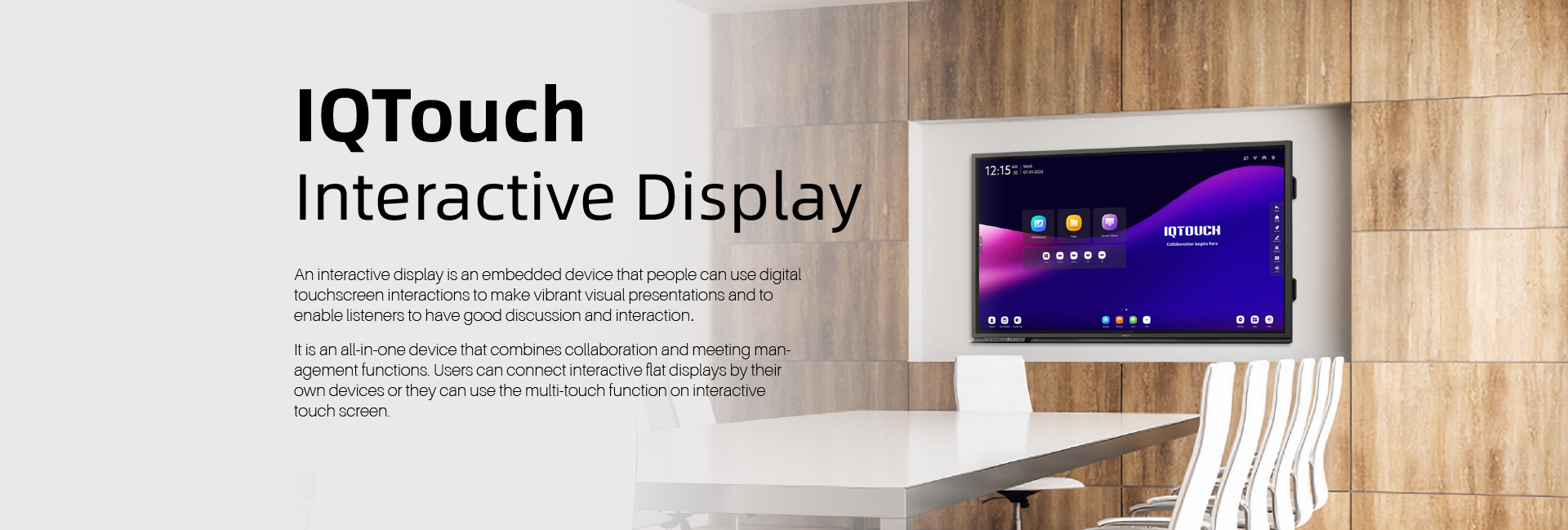

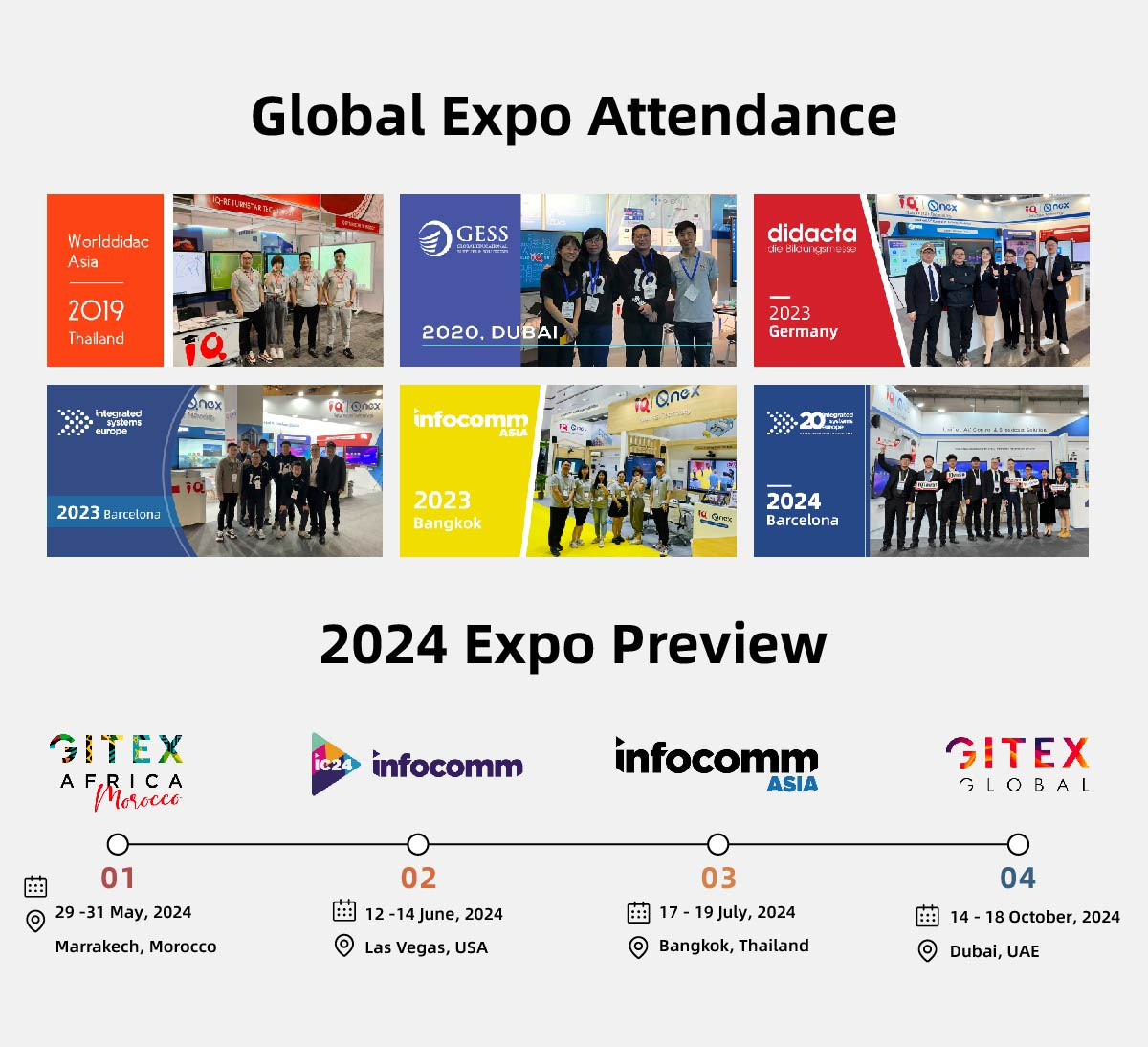
For Columbus buyers, the practical advantage is consolidation. A district can source interactive displays, document cameras, digital podiums, lecture capture hardware, and wireless presentation from one verified factory ecosystem. That reduces compatibility risk between a visualizer and an interactive panel, simplifies spare-parts planning, and gives integrators one technical contact for mixed AV projects.
Ruyden also supports project-level customization for education tenders and distributor programs. Buyers can request logo treatment, boot-screen branding, packaging changes, language settings, and hardware configuration. Public verification pages include the trade capacity, transaction level, trade history, and ratings and reviews.
Verified facts Columbus buyers can request
- SGS onsite assessment report and company profile
- Product-specific test reports and sample approval records
- OEM/ODM customization scope and packaging plan
- Warranty, spare-parts, and remote technical support terms
- Export packing details, lead time, and shipment coordination
How to Evaluate a China Desktop Document Camera Factory
Use this checklist before a Columbus school board approval, university pilot, or integrator purchase order. It focuses on the details that separate a reliable classroom visualizer from a short-lived commodity camera.
1. Verify the Exact SKU & Factory
Match the quotation, product label, test reports, and packaging to the exact model. Ask for product-specific documents for FCC, CE, RoHS, or TAA review where applicable. Do not accept generic certificates for a different SKU.
2. Test Focus, Latency & Color
Evaluate auto-focus speed, color accuracy, LED flicker, HDMI/USB latency, and microphone clarity using real classroom materials. A visualizer must be smooth enough for live annotation, not just still scanning.
3. Match Zoom to Room Distance
For small K-12 rooms, an 8MP A4 camera with LED light may be enough. For larger lecture halls, specify 10x optical zoom. Treat 55x digital zoom as a framing aid, not a substitute for optical resolution.
4. Confirm Display & Software Integration
Check compatibility with interactive flat panels, digital podiums, lecture capture systems, and wireless presentation. Confirm whether the camera works without proprietary software and how annotation is controlled.
5. Plan Shipping, Spares & Support
Clarify export packing, lead time, spare parts, warranty workflow, and remote troubleshooting. For Columbus deployments, fast replacement of a camera or cable can matter more than a small unit-price difference.
6. Protect the Classroom Rollout
Include mounting, cable management, teacher training, and a pilot-room success metric. A document camera only delivers value when teachers can use it without technical support during a lesson.
Questions Columbus Buyers Ask About China Document Camera Suppliers
These are the questions that typically arise during district evaluation, integrator due diligence, and university pilot planning.
Which desktop document camera is best for Columbus K-12 classrooms?
For most Columbus K-12 classrooms, an HD 8MP A4 document camera with LED fill light is the practical starting point. It covers worksheets, textbooks, manipulatives, and handwriting without requiring a large fixed installation. Pair it with an interactive whiteboard or 4K smart board if teachers need whole-class annotation. If the room is large or the camera must capture from a distance, move to a 10x optical zoom model.
What should Columbus universities specify for lecture hall visualizers?
Lecture halls should prioritize optical zoom, stable focus, HDMI and USB output, built-in audio where appropriate, and compatibility with lecture capture. The 55x digital zoom annotation visualizer is useful for hybrid teaching, while the 10x optical zoom camera is better for long-distance detail. Avoid specifying digital zoom alone if the camera will be mounted far from the document.
Are China-made document cameras acceptable for Ohio public-sector buying?
Acceptability depends on the exact procurement rules, funding source, and required documentation. Buyers should request product-specific FCC, CE, and RoHS reports where relevant, and complete a TAA review if federal funds or public contracts require it. A verified factory such as Ruyden can provide SGS assessment documentation, test-lab evidence, and SKU-level information to support review. Always match documentation to the model being purchased, not just the supplier name.
Can a factory customize document cameras for a Columbus school district or integrator?
Yes, OEM and ODM projects are common in this category. Typical customization includes logo, boot screen, housing color, packaging, language settings, pre-installed software, and hardware configuration. For Columbus buyers, the key is to lock the customization scope in writing before sample approval, then verify packaging and labels against the purchase order. Ruyden’s design-based customization capability has been independently verified.
How can buyers verify quality before a school board approval?
Request a pre-production sample, review test-lab reports, and test the camera with the same documents, displays, and software the district will use. Confirm warranty terms, spare-parts availability, and remote support. Independent verification such as the SGS onsite assessment and public trade records can reduce supplier risk, but the sample evaluation should still focus on focus speed, color, latency, build quality, and teacher usability.
What lead times and support should Columbus buyers expect?
Lead time depends on whether the order uses standard stock, customized packaging, or a new hardware configuration. Buyers should confirm production time, sample approval time, export packing, and shipment method in the quotation. For support, ask for a named technical contact, warranty process, spare-parts list, and remote troubleshooting procedure. Integrators should also request installation documentation and training materials.
Which accessories improve a document camera deployment?
Common add-ons include wireless HDMI presentation for cable-free screen sharing, an interactive flat panel for annotation, a digital podium for centralized control, and lecture capture for hybrid delivery. For large rooms, mounting hardware and cable management are essential. For multi-room deployments, standardized cables, spare power adapters, and a labeled spare camera can reduce downtime.
How do I request a Columbus-specific quote?
Send the room types, expected quantities, target installation date, required outputs, compliance needs, and whether you need a standalone document camera or a bundled classroom solution. Include the display size, podium requirement, and whether the project is for K-12, higher education, corporate training, healthcare, or legal use. A factory can then recommend the correct model and sample plan.
Ready to Shortlist a China Document Camera Factory for Columbus?
Share your room sizes, quantities, target installation date, compliance requirements, and whether you need a desktop document camera, A4 visualizer, 10x optical zoom camera, digital podium, wireless presentation, or a complete smart classroom bundle. The Ruyden export team will respond with a configuration proposal and sample plan built around your project.
Factory location: Building 6, Innovation Park Phase I, No. 3 Keji East Road, Shangjie Town, High-tech Zone, Fuzhou, Fujian, China. Verification and company records are available through the supplier profile.
