8 Products That Fit Chicago Classroom, Campus and Conference Projects
These are not isolated accessories. They are the visual presentation, scanning, lecture capture, audio and room-control building blocks that make a document camera deployment genuinely usable in Chicago-area learning environments.
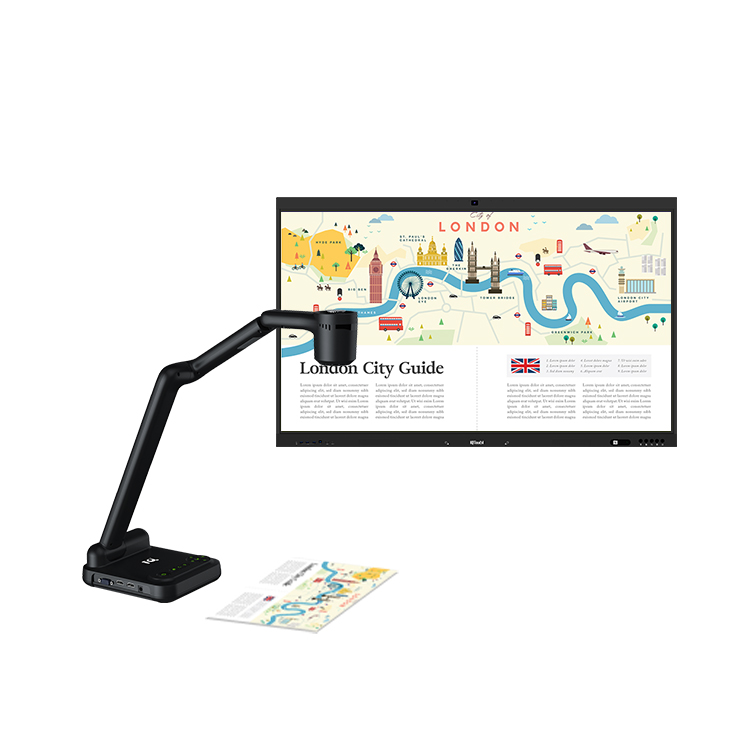
A3 A4 8 Megapixel Scanner Machine Large Document Camera Portable Ocr Document Scanner
Large-format A3/A4 capture, OCR-ready scanning and portable deployment make this a strong fit for libraries, admissions offices, science labs and shared teacher resources.
View product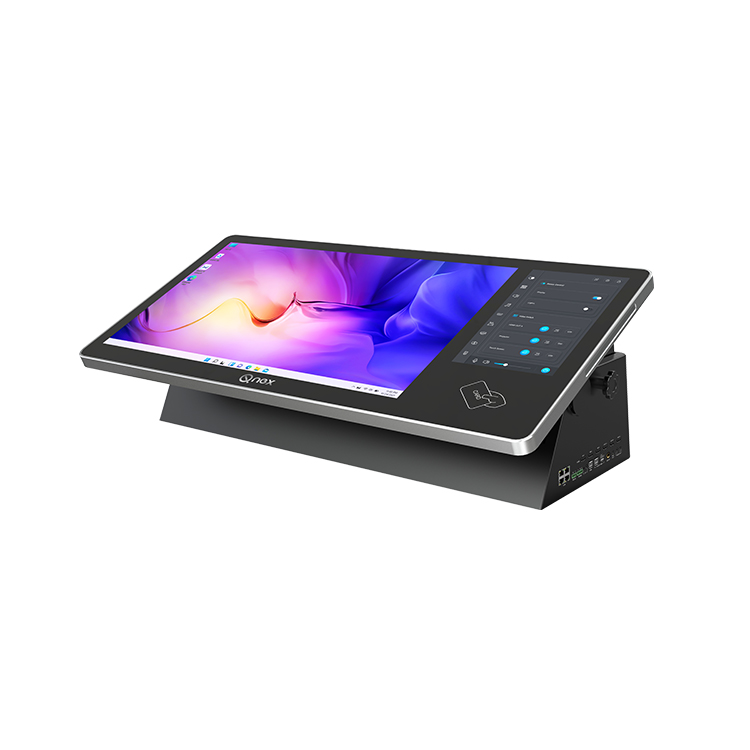
China Supplier Educational Equipment Customizable Integrated Multifunctional Desktop Digital Podium Factories
An integrated lectern platform for universities and training centers that need document capture, display control and AV switching in one teacher-focused workstation.
View product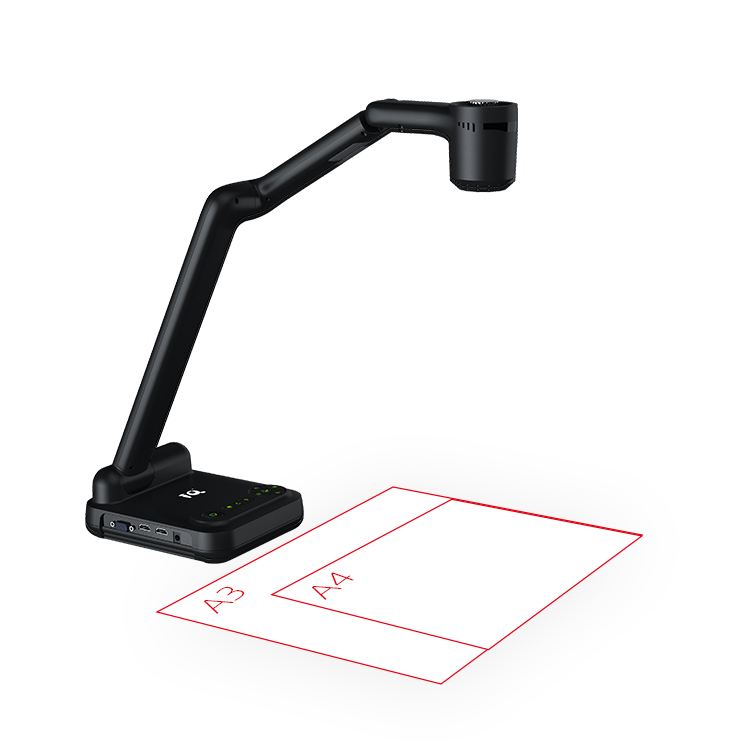
Portable Classroom Scanner Machine HD 8 Megapixel A4 Document Camera Scanner Visual Presenter with LED Fill-in Light
A practical visual presenter for mobile teachers, small classrooms and after-school programs where quick setup and even lighting matter more than fixed-room infrastructure.
View product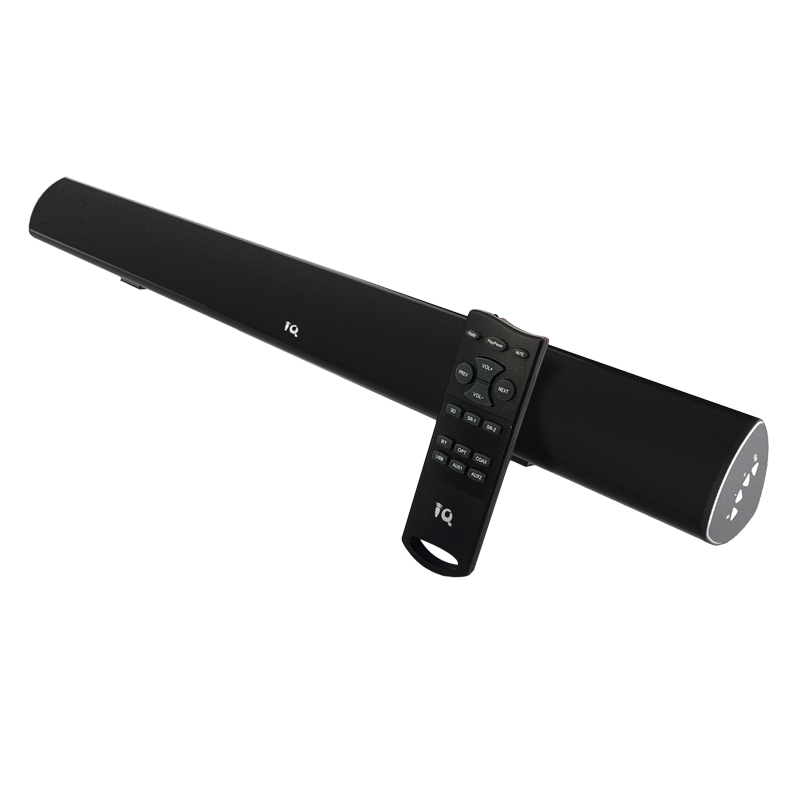
IQSoundbar Wholesale Office Conference Room Audio Sound Bar TV Soundbar with Subwoofer Active Speaker
Audio is often the weakest link in a document camera lesson. A soundbar with subwoofer supports clear speech for hybrid classes, huddle rooms and campus meeting spaces.
View product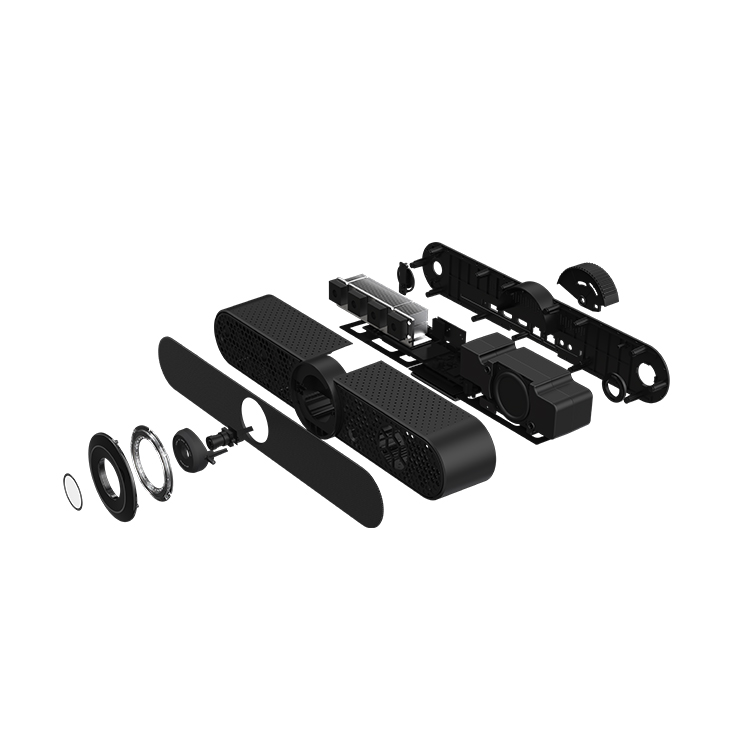
AI Auto-Tracking Webcam All-in-one 1080p 4k PC Mini Webcam for Video Calling and Conference
Useful for HyFlex delivery, remote guest speakers and conference rooms where a fixed webcam cannot follow the presenter or demonstration area.
View product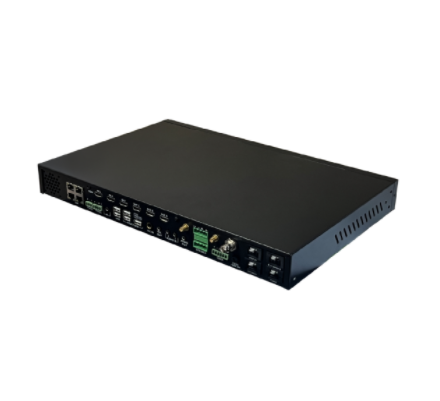
QNex Networked Media Processor for Digital Podium
A networked processing layer for podiums and smart classrooms, helping integrators centralize display, source and room-control workflows across multiple spaces.
View product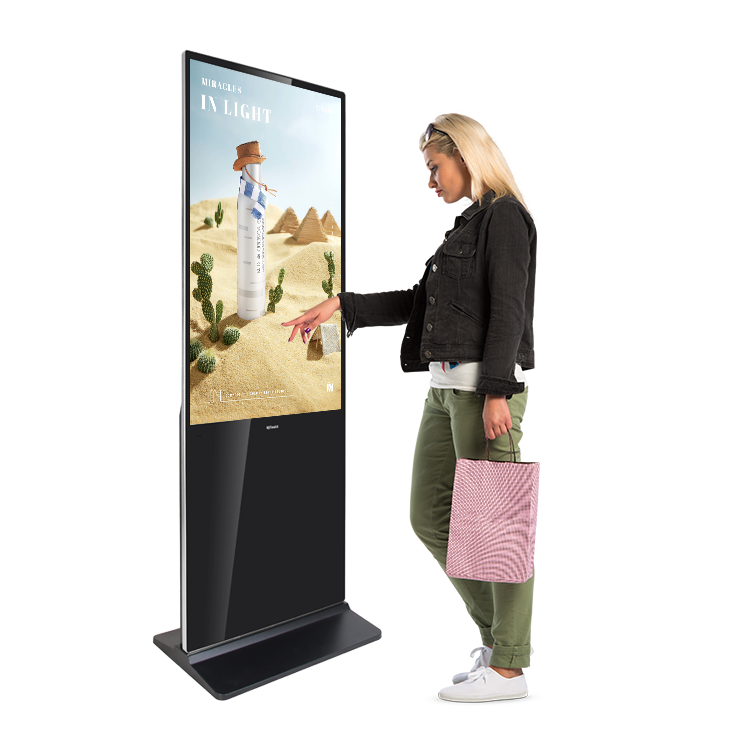
Android and Windows System Standing Floor Stand Information Kiosk Touch Screen for Shopping Mall
A kiosk format for campus wayfinding, event registration, library orientation and public information areas where accessibility and long operating hours matter.
View product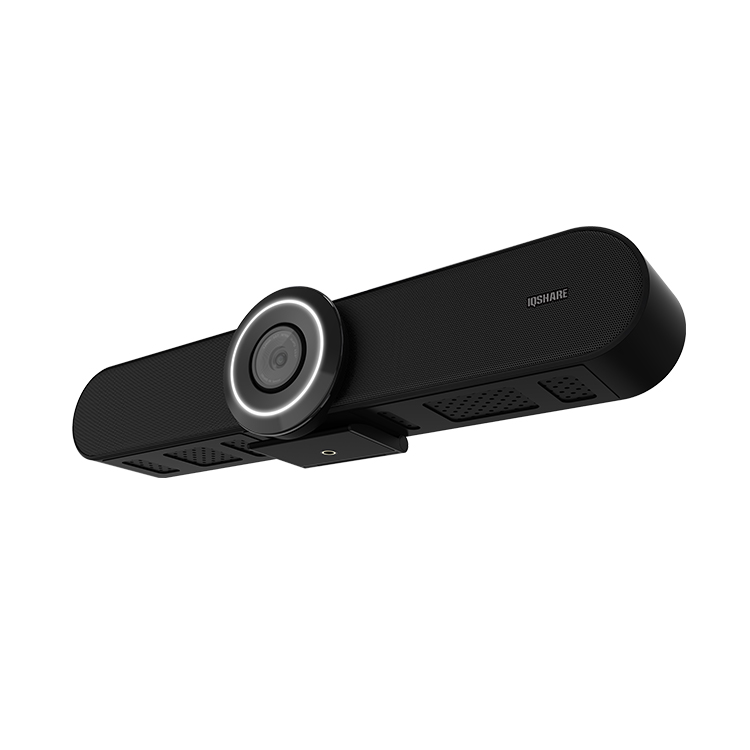
8MP Ultra HD 4K Conference Desktop All in One Webcam Stand Built-in Mic & Speaker for Online Classe Meeting Live Stream
A compact all-in-one camera, microphone and speaker option for overflow classrooms, hybrid training rooms and live streaming setups with limited AV rack space.
View productWhat “Trusted Educational Document Camera Manufacturer” Should Mean to Chicago Buyers
For Chicago schools, universities, museums, corporate learning teams and AV integrators, the phrase “trusted manufacturer” should go far beyond a product photo and a price list. A document camera is used in live teaching: a teacher moves a book under the lens, switches between a worksheet and a calculator, records a short demonstration, then hands the same room to the next class. Reliability, image clarity, light handling, driver stability and after-sales responsiveness all become part of the learning experience.
This guide treats educational document camera manufacturers as supply-chain partners rather than catalogue listings. The strongest Chicago-market sourcing decision combines a visual presenter with the surrounding ecosystem: podium control, lecture capture, wireless presentation, audio and a documented quality process. That is where factory capability becomes relevant to local buyers.
Ruyden Interactive Technology Group Co., Ltd. is a China-based education AV manufacturer with 19 years in the industry, 82 verified staff, SGS onsite verification, OEM/ODM customization and in-house SMT, PCB and assembly capabilities. For Chicago buyers, the value is not a claim of being a Chicago-native factory. The value is documented manufacturing depth plus export experience that helps local integrators qualify a supplier for multi-room rollouts.
Use this page as a practical buying brief: shortlist products, compare local use cases, review Chicago-specific deployment trends, ask better RFQ questions and verify a supplier’s evidence before requesting samples.
Confirmed by third-party inspection records cited by the supplier.
Engineering, production, quality and export roles supporting education projects.
Experience serving international education and enterprise buyers.
Public platform rating cited as part of the supplier’s transparency profile.
Where Educational Document Cameras and Visual Presenters Are Used in Chicago
Chicago’s education market is diverse: neighborhood K-12 schools, suburban districts, large universities, professional training centers, museums and corporate campuses. The right product mix changes with the room and the teaching workflow.
K-12 Classrooms and Small-Group Instruction
Teachers use a portable 8MP A4 visual presenter to show handwriting, math manipulatives, science specimens and reading passages on a large display. LED fill light and simple USB output matter more than advanced networking in daily classroom use.
University Lecture Halls and Seminars
Large-format capture becomes part of a networked podium. A professor can switch between slides, document scanning, lecture capture and room control without calling IT. Chicago universities often need this workflow across departments with different AV standards.
Libraries, Admissions and Registrar Offices
An A3/A4 OCR document camera helps staff capture transcripts, forms, large charts and historical documents without a flatbed scanner bottleneck. It supports public-facing service points where speed and image legibility directly affect student experience.
HyFlex, Remote and Online Learning
Document cameras alone are not enough for HyFlex. Pair them with AI tracking cameras, ceiling or desktop microphones, soundbars and lecture capture. This creates a usable remote view of both the instructor and the physical document being discussed.
Corporate Training and Conference Rooms
Chicago’s corporate learning teams use visual presenters for product training, design reviews, compliance workshops and technical demonstrations. Wireless presentation, room audio and simple source switching reduce meeting-start delays.
Museums, Public Programs and Community Spaces
Arts organizations, public libraries and community colleges need robust visual capture for object demonstrations, archives, workshops and public events. A kiosk or floor-standing touch display can also support wayfinding and registration nearby.
Four Localized Trends Reshaping Document Camera Procurement
These trends are useful for procurement teams, integrators and school leaders who need to separate a short-term accessory purchase from a classroom platform decision.
HyFlex and Lecture Capture Move Mainstream
Chicago-area colleges and training teams increasingly want a document camera feed integrated with lecture capture and video conferencing rather than isolated in one room. Buyers now ask how the visual presenter appears in recorded video, not only on the local display.
Wireless, One-Cable and Teacher-Friendly Rooms
Teachers want fewer steps between walking into a room and starting instruction. Wireless presentation, integrated podiums and all-in-one cameras reduce cable clutter and help substitute teachers use the room without a technology specialist.
Data Privacy, Accessibility and Vendor Evidence
Illinois districts and universities increasingly scrutinize software installation, student data pathways and accessibility. Ask whether document camera software can run offline, whether local capture is possible and what documentation supports ADA and Section 508 reviews.
Cold-Climate Logistics and Faster RMA Planning
Chicago winters, receiving dock schedules and campus break periods affect delivery and replacement planning. Buyers should confirm export packaging, power compatibility, local integration support and a spare-unit plan before finalizing a multi-room rollout.
Match the Product to the Room, Not the Other Way Around
This matrix helps Chicago buyers translate a teaching or meeting scenario into a more specific product conversation with a manufacturer or integrator.
| Chicago Use Case | Recommended Product Direction | Why It Fits | RFQ Question to Ask |
|---|---|---|---|
| K-12 classroom | Portable 8MP A4 document camera with LED fill light | Fast setup, simple USB output and portable use across classrooms. | Can the camera be used without mandatory cloud software? |
| University lecture hall | Integrated digital podium plus QNex media processor | Combines document capture, source switching and room control. | Does the podium integrate with existing campus AV standards? |
| Library or registrar | A3/A4 8MP OCR scanner/document camera | Large-format capture for records, forms and reference materials. | What OCR workflow and output formats are supported? |
| HyFlex classroom | Document camera plus AI tracking webcam and lecture capture | Captures both instructor presence and document detail for remote learners. | How does the document feed appear in Teams, Zoom or campus capture? |
| Conference/training room | Conference webcam plus soundbar | Improves audio clarity and presenter visibility for hybrid meetings. | Are microphones and speakers certified for the room size? |
| Campus public area | Floor-standing touch kiosk | Supports wayfinding, registration, orientation and public information. | Does the enclosure meet accessibility and safety expectations? |
Tip: in public-sector RFQs, ask for a scenario-based demonstration video. A five-minute recording of a teacher using the product in a real classroom often reveals more than a specification sheet.
A Practical Weighting Model for Chicago-Market Sourcing
Chicago buyers do not all use the same scorecard, but most successful education AV projects balance image quality, support, compliance and total cost. The model below is a planning tool, not a market statistic. Use it to align stakeholders before samples are ordered.
For document cameras, visual clarity is necessary but not sufficient. The final decision should also test how the device behaves during a real lesson: lighting changes, paper movement, zoom transitions, software switching and long class periods.
“A trusted manufacturer should be able to explain where the product is built, how it is tested, what happens when a unit fails and how the room will work when the document camera is only one part of the system.”
Procurement principle for multi-room education rolloutsExample RFQ Evaluation Weights
Recommended evidence: sample-unit test notes, factory audit path, warranty terms, spare-parts plan, software privacy statement and a named escalation contact.
Seven RFQ Questions That Separate a Manufacturer from a Catalogue Seller
Chicago buyers often receive similar brochures. The questions below create useful differentiation because they ask for evidence, process and classroom outcomes rather than adjectives.
1. Show the manufacturing boundary
Ask which steps happen in-house: SMT, PCB, assembly, testing, packing. A manufacturer with SMT, auto-insertion, PCB and assembly lines controls more of the quality chain than a trading intermediary.
2. Provide a sample test protocol
Request the exact checks performed before shipment, including high/low temperature, drop, simulated transportation, salt spray, button life, insertion force, static, earth continuity and withstand voltage testing where applicable.
3. Explain the classroom software path
Ask whether software is local-only, cloud-dependent or optional. For Chicago districts, clarify student data handling, account requirements, update policy and administrator controls before piloting.
4. Validate the AV ecosystem
Confirm how the document camera works with interactive panels, digital podiums, lecture capture, wireless presentation and video conferencing. Integrated rooms fail at the handoff points more often than at the camera itself.
5. Request a five-minute lesson video
Ask for a real workflow: show a worksheet, zoom into a small detail, switch to a calculator, capture a still image and share it to the display. This reveals latency, focus behavior and color rendering.
6. Confirm power and logistics
For Chicago delivery, confirm 120V/60Hz compatibility where relevant, export-grade packaging, shipping terms, lead time and spare-unit recommendations for winter or break-period installations.
7. Define after-sales escalation
Ask who handles RMA triage, what diagnostic information is required, how replacement units are shipped and what local integrator support is available for installation and teacher training.
8. Compare total cost, not unit price
Calculate installation labor, training time, software administration, spare parts, warranty administration and classroom disruption. The lowest quote can become the most expensive option if the room is hard to support.
9. Ask for tender-ready documentation
Request company profile, SGS assessment path, trade capacity, transaction level, product specifications, packaging details and certification statements that can support internal approvals and public tenders.
Why Ruyden Is Relevant to Chicago-Area Document Camera and Smart Classroom Projects
These advantages are drawn from the manufacturer’s published company profile and verification information. They are most useful when evaluated against your project’s actual integration, compliance and support requirements.
SGS Onsite Verification
Independent third-party verification supports supplier due diligence and internal vendor approval.
19 Years in the Industry
Long operating history in education AV reduces the risk of short-lived product lines and orphaned software.
In-House SMT, PCB and Assembly
More production control helps protect custom hardware designs, consistency and engineering change response.
OEM / ODM Customization
Logo, boot screen, housing color, packaging, preinstalled software, language and hardware configuration can be tailored.
Digital Podium and Lecture Capture Ecosystem
Document cameras can be integrated into broader smart classroom designs instead of being isolated peripherals.
55–100 Inch Interactive Display Range
Room sizing can follow actual viewing distance across huddle rooms, classrooms, lecture halls and auditoriums.
Reliability Test Lab
High/low temperature, drop, transportation, salt spray, button life, insertion force, static and voltage testing support export-market confidence.
Export Experience and Partner Support
Pre-sales consulting, technical training, export packing and after-sales support can help Chicago integrators manage risk.
FAQ: Educational Document Camera Manufacturers for Chicago Buyers
These are the questions most relevant to Chicago schools, universities, integrators and enterprise buyers when comparing an overseas manufacturer with a local dealer.
How do Chicago buyers verify a document camera manufacturer?
Start with evidence. Request the company profile, SGS assessment report path, trade capacity, transaction level, product test protocol and warranty terms. Then compare sample performance in a real classroom workflow: document detail, zoom, lighting, switching and software behavior. A manufacturer should be able to explain its production boundary and after-sales escalation process.
Do you have local stock or a local office in Chicago?
Availability should be confirmed project by project. Some deployments use project-based warehousing, local integration partners or scheduled shipments. During the RFQ, ask for the proposed shipping model, lead time, spare-unit plan and whether installation support is available through a local AV partner.
Are the document cameras compatible with Chicago classrooms using 120V power?
Confirm the exact model’s power specification before ordering. Education AV products may ship with region-specific adapters or power inputs. Chicago buyers should specify 120V/60Hz requirements where relevant and confirm plug type, adapter policy and UL/ETL or district-specific compliance documentation needs.
Can document cameras work without cloud software?
This depends on the product and configuration. For student privacy and network security reviews, ask whether local-only operation is possible, whether software is optional and what data is transmitted. Many classroom use cases can be supported through standard USB/UVC output to a computer or interactive display, but the manufacturer should document the exact workflow.
What product mix is best for a smart classroom or lecture hall?
A practical mix usually includes an interactive display sized for the room, a document camera or visual presenter, an integrated digital podium for source control, lecture capture or an AI tracking camera for remote learners, a soundbar or audio system, and a networked media processor for management. The right mix depends on room size, existing AV standards and IT support capacity.
How should Chicago buyers start an inquiry?
Prepare a short project brief: room types, number of rooms, viewing distances, existing displays or podiums, target software, privacy constraints, delivery schedule, installation expectations and any Illinois or district procurement requirements. Then request a configuration proposal, sample plan and documentation package. Use the inquiry button on this page to start the conversation.

From Sample to Chicago Installation: A More Useful Project Path
A document camera rollout should be managed as a small system integration project, even when the first purchase is only a few units. Define the room, choose the camera, confirm the display and audio path, test the software, document the teacher workflow and plan spare units before scaling.
For Chicago buyers, the most reliable path is usually: requirement review, sample approval, classroom pilot, integrator feedback, production, incoming inspection and post-install support. This is especially important when different departments or campuses use different display brands, video platforms and network policies.
The manufacturer’s broader capabilities matter here. Ruyden’s in-house SMT, PCB and assembly lines and its reliability test lab support a more controlled manufacturing conversation. Its digital podium, lecture capture, wireless presentation and interactive display lines allow a buyer to ask one supplier to explain how the document camera fits into the rest of the room—without pretending that every project should use a single brand everywhere.
Before ordering, ask for an installation-ready packing list, a sample test report, a warranty escalation matrix and a teacher quick-start guide. These are unglamorous documents, but they are often what turns a promising product sample into a dependable campus deployment.
Review Company ProfilePlanning a Document Camera, Smart Classroom or Lecture Capture Rollout?
Share your room types, quantities, existing AV equipment, privacy requirements and target schedule. A useful first reply should clarify product configuration, sample options, documentation, lead time and integration questions—not just send a generic price list.
For best-fit recommendations, include room length and width, viewing distance, whether the document camera will be used for OCR or live teaching, the video platform used, and whether installation will be handled by internal staff or a Chicago-area AV integrator.
