Eight Product Families for Munich Video Presenter and Smart Classroom Projects
Munich buyers rarely purchase a single camera in isolation. A video presenter usually sits inside a wider room ecosystem: a digital podium, a wireless presentation system, a soundbar, a document camera, a visualiser and, in some rooms, a 4K display or information kiosk. The eight products below cover the core hardware conversations we see in education, training and public-sector projects.
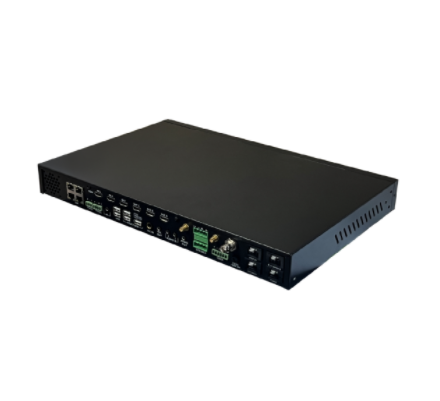
QNex Networked Media Processor for Digital Podium
Networked media processing for lecture halls and smart podiums where reliable routing, device control and room-level integration matter.
Podium control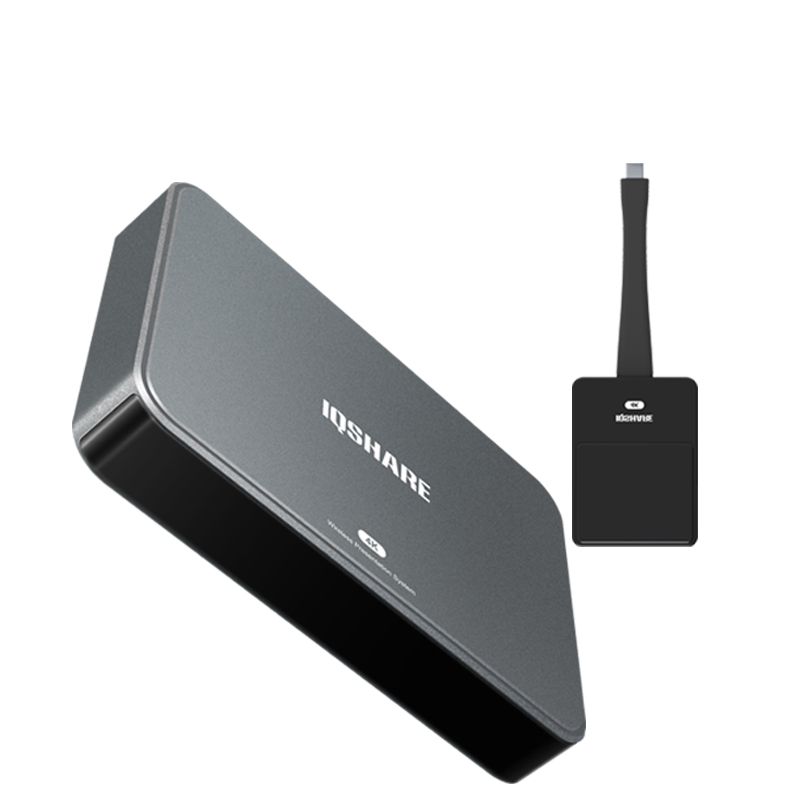
Hdm1 Wireless Transmitter Receiver 1 to 4 Anycast Wireless Screen Sharing Wireless Presentation System
One-to-many wireless screen sharing for training rooms, conference spaces and hybrid teaching where cable clutter slows collaboration.
Wireless sharing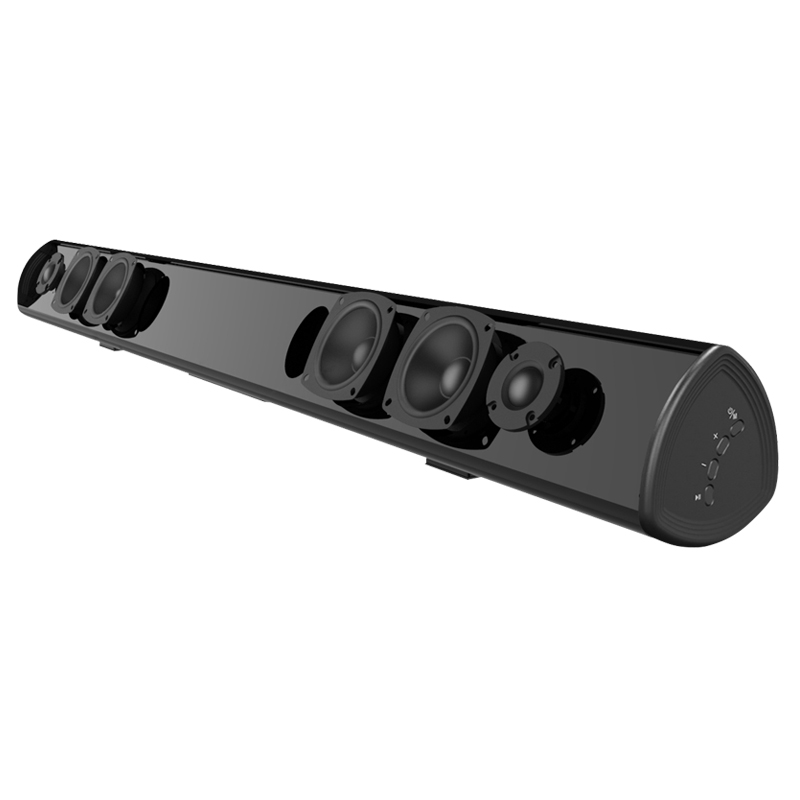
Voice Pick up Soundbar Sound Remote Speaker
Voice pickup and room audio for hybrid classrooms, seminar rooms and meeting spaces where every participant must be heard clearly.
Room audio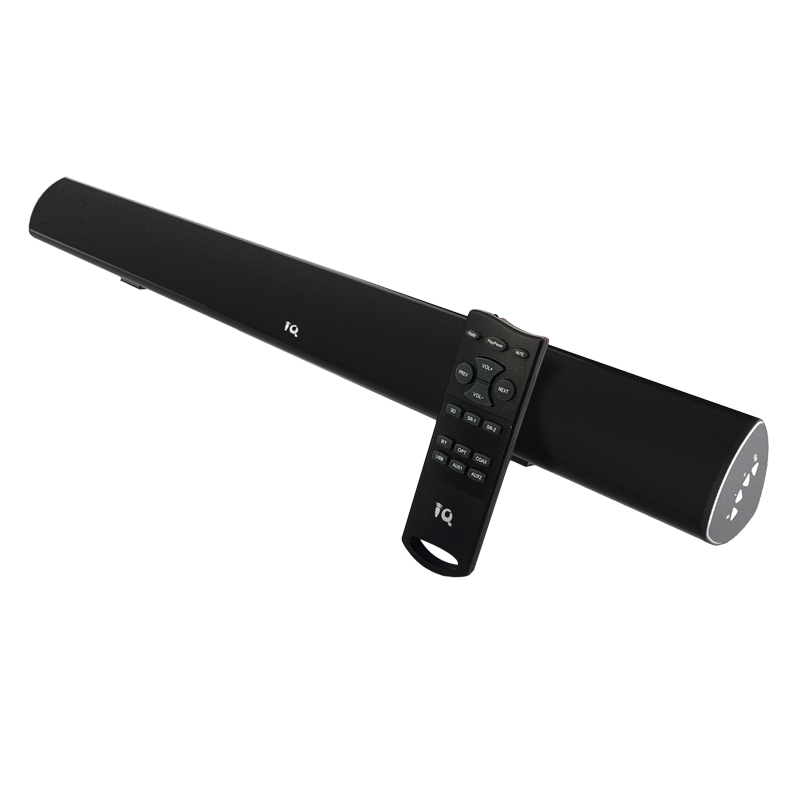
IQSoundbar Wholesale Office Conference Room Audio Sound Bar TV Soundbar with Subwoofer Active Speaker
Conference-room audio with subwoofer support for corporate learning rooms, boardrooms and university seminar spaces.
Conference audio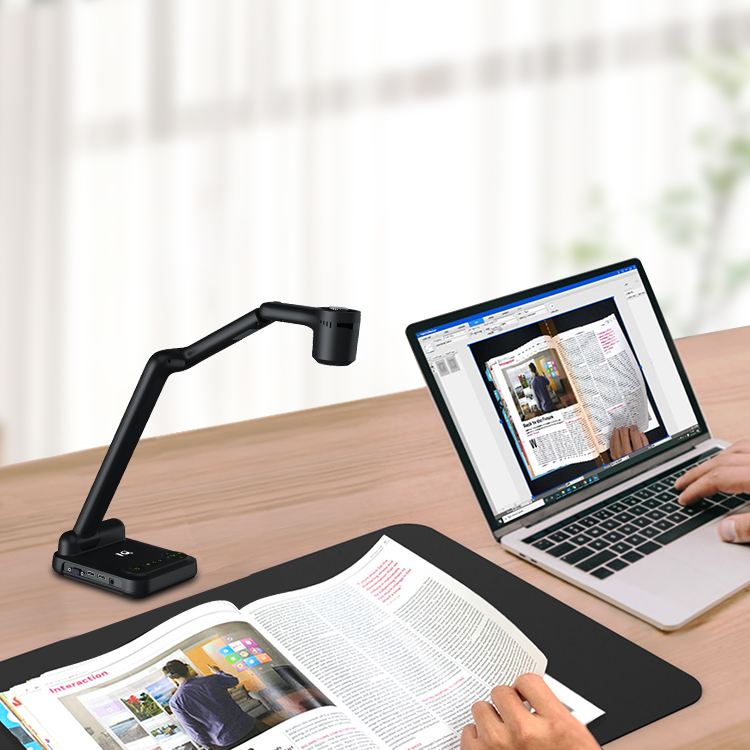
Wholesale 10x Optical Zoom Portable High Definition Live Image Document Camera Ceiling for School
High-definition visual presenter with 10x optical zoom for science demonstrations, detailed texts, vocational training and live image sharing.
Optical zoom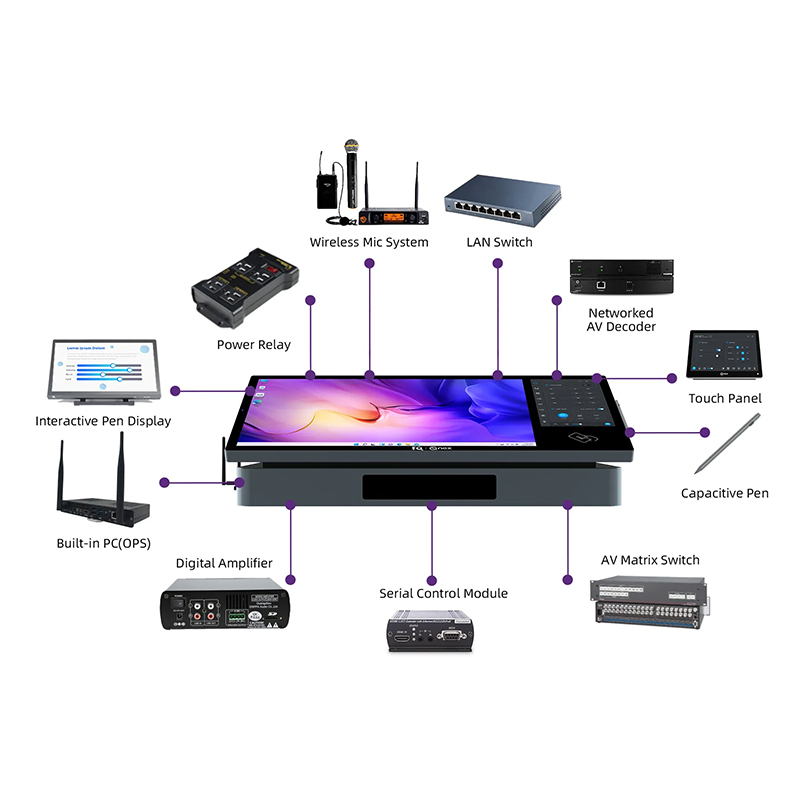
Android System Education Classroom Control Smart Digital Lectern Desktop Digital Podium
An Android-based smart lectern for teachers who need presentation control, classroom device access and a clean speaking position.
Digital lectern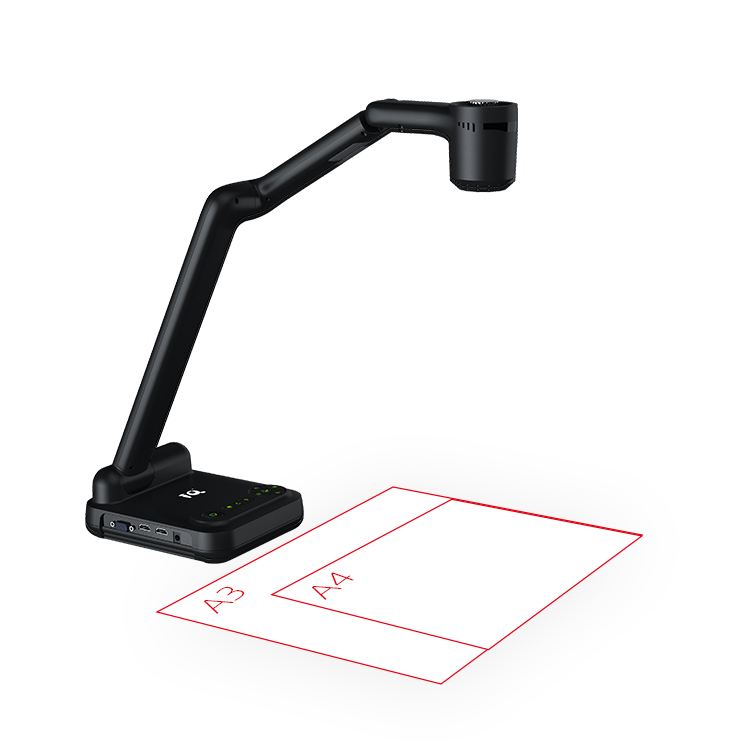
Portable Classroom Scanner Machine HD 8 Megapixel A4 Document Camera Scanner Visual Presenter with LED Fill-in Light
A portable A4 visualiser with LED fill light for small classrooms, tutoring rooms, mobile teaching kits and flexible training setups.
Portable visualiser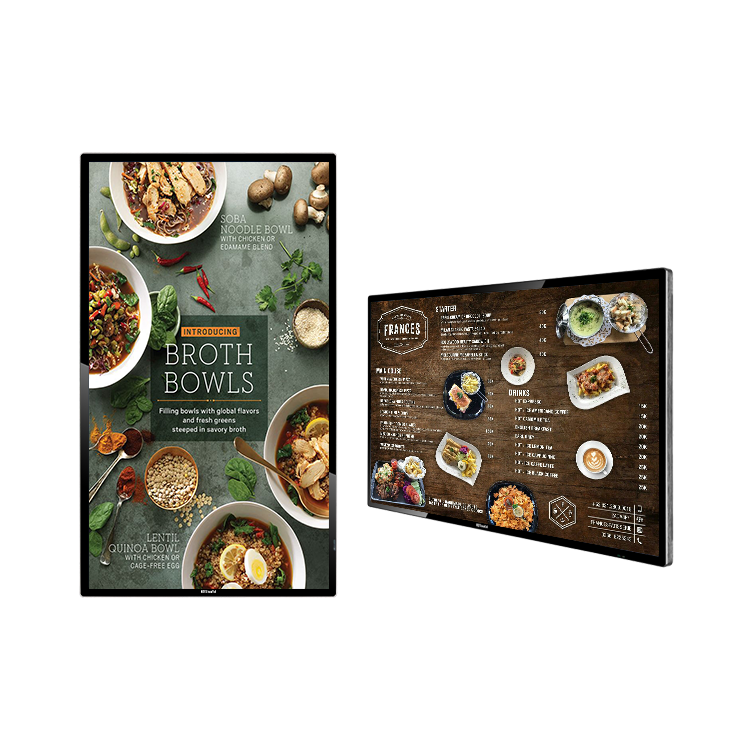
4K Kiosk Touch Screen Digital Signage Outdoor LED LCD Advertising Kiosk for School Hotel Hospitals
4K touch kiosks for campus wayfinding, public information, hospitality and institutional communication beyond the classroom.
Digital signageLong-term manufacturing experience across display, capture and classroom control categories.
Engineering, production, quality control and export service roles supporting international buyers.
Independent third-party audit records support due diligence for Munich procurement teams.
Verified transaction feedback helps distributors and integrators assess supply reliability.
Video Presenter Factories & Suppliers in Munich: Separate a Factory from a Trading Label
When a Munich school, university or AV integrator searches for a video presenter factory, the underlying question is rarely just “who sells document cameras?” The real question is who can deliver a stable visualiser system that fits a German-language classroom, satisfies EU procurement evidence requirements and remains supportable after installation.
Munich is not a low-consideration market. Buyers compare image clarity, zoom behaviour, connectivity, room control, delivery terms and after-sales support. Public-sector buyers may also need documentation for tender files, while corporate learning teams need predictable deployment across multiple sites. That is why a low unit price can be misleading if the supplier cannot explain optical performance, power configuration, packaging, spare parts and software setup.
Ruyden Interactive Technology Group Co., Ltd. is a Fuzhou-based manufacturer and exporter of interactive flat panels, visual presenters, lecture capture systems, networked digital podiums and smart classroom AV integration. For Munich projects, the practical value is not simply “factory-direct pricing.” It is the ability to combine document camera hardware, podium control, classroom audio and wireless presentation into one coordinated bill of materials.
Compare a video presenter as a room instrument, not as a webcam. Ask for a live demonstration of text sharpness at maximum zoom, auto-focus behaviour when a teacher’s hand enters the frame, latency on HDMI and USB output, and colour consistency under typical classroom lighting.
What serious Munich buyers verify first
- CE, RoHS and relevant EU compliance documentation, plus clear responsibility for WEEE/ElektroG and packaging requirements.
- Stable 230 V / 50 Hz operation, German-language labelling or UI support where required, and suitable power cords for Germany.
- Real optical zoom and low-light performance, not only interpolated megapixel claims.
- HDMI, USB, LAN or wireless compatibility with existing displays, lecterns and lecture capture systems.
- OEM options for logo, boot screen, packaging, language settings and hardware configuration.
- Traceable quality evidence: in-house test records, third-party verification and public trade history.
What a Munich-Ready Video Presenter Must Deliver
Visual presenters are used differently in a Gymnasium science room, a university lecture hall, a vocational academy and a corporate training centre. The best supplier will help match the camera to the teaching behaviour, not simply quote the highest megapixel number.
Optical Clarity and Zoom Discipline
For Munich science, medical and engineering training, 10x optical zoom is more useful than digital enlargement. It lets a teacher show small components, printed text, circuit boards or experiment details without moving the object to the camera.
Hybrid-Ready Output and Low Latency
Rooms increasingly connect to Teams, Zoom or campus lecture capture. Buyers should confirm HDMI and USB output behaviour, frame rate, focus speed and compatibility with the display or capture system already specified by the AV integrator.
Document, Object and Demonstration Modes
A4 scanning, LED fill light, macro performance and flexible arm positioning matter when teachers alternate between textbooks, worksheets, 3D objects and live demonstrations. The visualiser must be quick to reposition during a lesson.
Compliance and Support Evidence
Munich procurement teams need more than a product photo. Request declarations, test summaries, packaging details, spare-part expectations and a clear escalation path for technical questions before and after delivery.
Where Video Presenters and Smart Classroom AV Fit in Munich
Munich’s education and enterprise landscape combines dense urban campuses, research institutes, vocational training, public administration and corporate learning centres. Each environment places a different weight on portability, optical zoom, room control and documentation.
Munich Schools and Gymnasium Classrooms
Teachers need fast setup, clear text display and simple switching between a laptop, document camera and interactive display. Portable A4 visualisers with LED fill light are practical where rooms are shared and equipment must move between classes.
Universities, Research and Lecture Halls
Large lecture theatres benefit from ceiling or lectern-mounted document cameras with strong optical zoom, paired with networked podiums and lecture capture. The integration question is how the visualiser feeds recording, streaming and room displays without adding operator complexity.
Corporate Learning and Conference Rooms
Munich’s corporate training rooms often need wireless presentation, room audio and document cameras for product training, compliance workshops and technical onboarding. Clean cable management and one-click sharing are as important as image resolution.
Public Institutions and Training Centres
Vocational academies, public agencies, museums and information centres may combine visual presenters with digital signage kiosks, soundbars and digital lecterns. Procurement documentation and long service life weigh heavily in these projects.
Munich Market Trends Shaping Video Presenter Procurement
The brief is shifting from “replace the overhead projector” to “equip a hybrid-ready room.” Suppliers that understand this shift can reduce integration risk before the first purchase order is issued.
Hybrid Teaching and Lecture Capture
Munich universities and training providers increasingly record or stream lessons. A video presenter should integrate cleanly with lecture capture, conference cameras and room audio rather than become an isolated device.
GDPR-Conscious, Offline-Friendly Design
German institutions prefer predictable data flows. For document cameras, offline operation and local HDMI/USB output are often easier to approve than cloud-dependent workflows. Any software component should be assessed through the institution’s data protection process.
4K Displays and Optical Zoom Expectations
As 4K interactive displays become common, the visual presenter must justify the display. Buyers expect sharp text, stable colour and responsive auto-focus, especially in science, design and medical training environments.
AV-over-IP and Wireless Presentation
Rooms are becoming network-aware. Wireless HDMI, networked media processors and digital podiums allow teachers to switch sources, control displays and share content without repetitive cable handling.
Sustainability and Repairability
Public buyers increasingly ask about energy use, packaging waste, repairability and long service life. A factory that controls SMT, PCB and assembly can answer these questions more precisely than a trading company.
Tender-Ready Evidence
Bavarian procurement often requires structured documentation. SGS verification, trade records, test reports and clear OEM/ODM capability statements help shorten supplier qualification and reduce follow-up questions.
Match the Video Presenter to the Munich Room
Use this planning matrix as an RFQ briefing aid. It is not a substitute for a site survey, but it helps align teaching style, room size and supporting AV before quotations are compared.
| Room / Use Case | Recommended Presenter or AV Core | Supporting Products | Why It Fits Munich Buyers |
|---|---|---|---|
| Seminar room, 8–16 people | Portable 8MP A4 document camera with LED fill light | Voice pickup soundbar, wireless presentation system | Fast setup, clear text sharing and cable-light meetings for training and small classrooms. |
| Science classroom or lab | 10x optical zoom HD document camera | 4K display, interactive flat panel, soundbar | Optical zoom supports experiments, components and detailed demonstration without losing clarity. |
| University lecture hall | Networked media processor for digital podium | Lecture capture camera, ceiling document camera, room audio | Centralises source switching and recording while keeping the lectern simple for teaching staff. |
| Corporate training room | Android smart digital lectern | Wireless HDMI 1-to-4 sharing, conference soundbar | Supports product training, onboarding and hybrid meetings with one familiar control point. |
| Hybrid conference room | Hdm1 wireless transmitter receiver 1 to 4 | IQSoundbar, 4K display, USB webcam or lecture capture | Reduces cable clutter and lets multiple participants share content quickly. |
| Campus information or reception area | 4K touch screen digital signage kiosk | Digital podium, networked media control, soundbar | Extends the AV standard beyond classrooms into wayfinding, public information and visitor communication. |
For multi-room Munich rollouts, send room schedules, ceiling height, display size, existing control systems and target quantity. A factory can often propose a more coherent bill of materials than a mixed set of local resellers.
Factory Advantages: What Ruyden Brings to Munich Projects
Munich buyers do not need another catalogue. They need a supplier whose production, testing and customisation claims can be checked. Ruyden combines in-house manufacturing with third-party verified trade records and a long export record.
Ruyden Interactive Technology Group Co., Ltd. operates as an SGS onsite-verified manufacturer and exporter. The company has 19 years of industry experience, a verified team of 82 staff and more than ten years of export experience. Its product ecosystem covers interactive flat panels from 55 to 100 inches, interactive whiteboards, lecture capture systems, networked digital podiums, wireless presentation systems and smart classroom AV integration.
For Munich distributors and integrators, one of the most useful advantages is vertical control. SMT, auto-insertion, PCB, assembly and reliability testing are managed under one roof. That reduces the gap between a custom request and the production line that must deliver it. Logo, boot screen, housing colour, packaging, pre-installed software, language settings and hardware configuration can all be discussed as part of an OEM/ODM programme.
- SGS onsite-verified
- 19+ years in industry
- 82 verified staff
- 10+ years export experience
- In-house SMT and PCB
- Design-based customisation
- Reliability test lab
- OEM / ODM support
What this means for a Munich RFQ
- One supplier can quote the visual presenter, digital podium, audio and wireless sharing as a coordinated system.
- Customisation requests are handled with production and engineering input, not passed through an unknown third party.
- Quality evidence can be assembled from internal test processes and independent verification records.
- Room-level deployment can be phased from a pilot classroom to a campus rollout without changing the core product family.


Quality Is Engineered In, Not Inspected In at the End
For a document camera or visual presenter, reliability is not only about whether the unit powers on. It is about repeated arm movement, button life, connector durability, heat management, transportation shock and electrical safety. A supplier without a test culture may still ship a working sample, but the real risk appears during a multi-room Munich deployment.
Ruyden’s reliability test environment includes high and low temperature testing, drop testing, simulated transportation, salt spray testing, button life testing, insertion force testing, static testing, earth continuity testing and withstand voltage testing. These checks are relevant to education buyers because a device may travel between rooms, sit in storage during holidays, be handled by different teachers and operate across diverse building environments.
For tender files, ask for the documentation that matches your procurement process. Do not accept a generic certificate image without checking product scope, model numbers, language and validity. The stronger approach is to combine third-party verification, factory test records and a clear commercial warranty path.
Test dimensions buyers can discuss
- High and low temperature operation for export and storage conditions.
- Drop and simulated transportation testing for packaging protection.
- Salt spray resistance for metal frames, brackets and exposed parts.
- Button life and insertion force testing for daily classroom handling.
- Static, earth continuity and withstand voltage testing for electrical safety confidence.
From Munich Requirement to Delivery in Six Clear Steps
A documented workflow matters when multiple stakeholders are involved: teachers, IT, procurement, AV integrators and distributors. Each step should produce a decision that can be referenced later.
Requirement Review
Share room types, quantities, target market, language needs, compliance requirements and existing AV equipment.
Solution Design
Engineers propose the visual presenter, podium, audio and wireless configuration, including OEM/ODM options.
Sample Approval
Pre-production samples confirm optical performance, interface behaviour, branding and packaging expectations.
Mass Production
In-house SMT, PCB, auto-insertion and assembly lines build the approved configuration.
QC and Testing
Reliability testing and final inspection are completed before export packing and documentation.
Delivery and Support
Shipping coordination, technical handover and after-sales communication support the Munich partner network.
Procurement Priorities Munich Buyers Often Bring to the First Call
The following priority index is an illustrative briefing tool based on common RFQ themes for education AV projects. It is not a statistical survey. Use it to structure the first conversation with a factory or supplier so that technical, compliance and support questions are not postponed until after quotation.
A strong supplier response should address each theme with specific language: which output ports are standard, which functions are optional, which documents are available, what sample process is used, and how after-sales requests are triaged. Vague assurances are a warning sign in any multi-room Munich project.
If two quotes look similar, compare the evidence package, the room-level configuration and the escalation path. The lowest unit price may not be the lowest total cost of ownership once installation, training and support are included.
Frequently Asked Questions from Munich Buyers
These are the practical questions that tend to appear when a Munich school, university, distributor or integrator moves from initial research to supplier qualification.
Can a Munich school or university buy directly from an overseas video presenter factory?
Yes, many institutions and their AV integrators buy factory-direct, but the purchasing route should be planned. Public buyers may need to follow EU or Bavarian tender rules, while private schools and companies may use direct contracts. The practical model is often factory-to-integrator or factory-to-distributor, with the local partner handling installation, user training and first-line support. For larger rollouts, confirm Incoterms, delivery address, customs responsibility and warranty process before comparing prices.
Which compliance documents should a Munich buyer request?
At minimum, ask for CE-related documentation, RoHS information and product safety evidence appropriate to the model. For electrical and electronic equipment placed on the German market, clarify who is responsible for WEEE/ElektroG registration and take-back obligations. Also confirm packaging compliance responsibilities and whether the supplier can support the documentation your procurement or tender process requires. The exact obligations depend on your organisation’s role as importer, distributor or end user.
Can the visual presenter support German-language use and 230 V operation?
Language support depends on the model and whether the system includes a software interface. For simple HDMI/USB document cameras, there may be little or no on-screen language. For digital podiums and Android-based lecterns, German language settings or custom interface elements can be discussed as part of OEM/ODM configuration. Buyers should also specify 230 V / 50 Hz operation, German power cords and clear labelling for local users.
How should we plan shipping to Munich?
Most projects compare air freight, rail and sea-plus-road options depending on volume and urgency. Munich buyers often consolidate deliveries through an EU logistics hub or ask an integrator to manage final-mile delivery. The quotation should state the Incoterm clearly, for example EXW, FOB, DAP or DDP where available. Packaging quality matters because visual presenters and interactive displays can be damaged by rough handling if the carton design is weak.
Can we request samples before a campus or corporate rollout?
Yes. A sample phase is strongly recommended for any multi-room project. Test the visual presenter in the actual room lighting, with the display and software you plan to use. Check text sharpness at maximum zoom, focus response when hands enter the frame, switching speed between sources and cable access. For OEM projects, sample approval should also cover logo, boot screen, packaging, language and accessory configuration.
What OEM/ODM options are realistic for Munich distributors?
Common options include logo, boot screen, housing colour, packaging, pre-installed software, language settings and hardware configuration. The feasibility of each request depends on the product line and order volume. Ruyden’s design-based customisation capability has been verified through independent third-party inspection, which gives distributors a stronger basis for discussing branded product programmes with local resellers and tender consultants.
How do we evaluate image quality beyond megapixels?
Use a live demonstration with real content. Place a printed page with small text under the camera, then zoom in and observe edge sharpness. Move your hand into the frame and watch auto-focus recovery. Test a glossy object and a matte object under classroom lighting. Confirm frame rate and colour consistency on the intended display. For science or engineering training, test a small three-dimensional object rather than only a flat A4 page.
How should a Munich buyer start an inquiry with Ruyden?
Send the room types, approximate quantities, target installation window, existing AV equipment, language requirements and any tender documentation you need. If the project includes digital podiums, lecture capture or wireless presentation, include a simple room list. The more specific the brief, the faster the factory can propose a coordinated configuration and sample plan for a Munich project.
Planning a Video Presenter, Digital Podium or Smart Classroom Rollout?
Share your room types, quantities, target market, compliance requirements and preferred delivery schedule. Our export and engineering team will help translate the brief into a practical product configuration for Munich schools, universities, distributors and AV integrators.
Send an Inquiry